
Why you can trust TechRadar
We spend hours testing every product or service we review, so you can be sure you’re buying the best. Find out more about how we test.
Samsung Galaxy A57 two-minute review
According to sales figures, Samsung‘s budget-friendly A-series phones generally sell better than their pricier S-series siblings (aka the best Samsung phones). So, while the Galaxy S26 Ultra is the brand’s newest flashy flagship, a good deal more buyers are probably considering the Samsung Galaxy A57 instead.
Like the S26 family, this is an iterative upgrade, bringing spec tweaks and a new (but familiar) roster of colors, rather than any truly significant changes. Mind you, a price hike makes those same specs look a little bit less appealing this year, given that you’re paying extra for them.
The largely unchanged specs list means you’re getting similar highs and lows to last year’s model. The A57’s display is one standout feature, with the bright, bold screen a blessing for your Prime Video binge or commute-based gaming sessions.
Samsung’s software is another treat; One UI largely avoids the problems that befall OS packages on many other mid-range phones, and there’s much less feature-bloat here than you’ll find on the Galaxy S-series phones.
The perks return, but so do the pitfalls. The A57’s Exynos processor is simply no good for gaming, and I’d recommend doing your photo editing on a computer, too. For that matter, pictures taken on the A57 aren’t up to snuff, which is a surprise given Samsung’s usual pedigree in the field.
If you want a phone that just works, without drowning you in AI or automation features, you’ll like the Galaxy A57. It won’t suit avid photographers, gamers, or people who want a bit more out of their mobile, but it’s a reliable workhorse for the average buyer. Its battery life is also solid, and the slightly shrunk frame will fit in your hands a little better than most large-screen phones.
Galaxy A-series phones are understandably popular, but with the price hike, this latest model is a tad harder to recommend than normal. It’s definitely worth picking up if you find a solid discount, but with competitors from Nothing, Google, and various Chinese brands offering more for less right now, Samsung’s top-end mid-range phone feels a little less valuable than it should.
Samsung Galaxy A57 review: price and availability
(Image credit: Future)Released on April 10, 2026Starts at $549 / £529 / AU$749, but for different variantsPrice hike over Galaxy A56
The Samsung Galaxy A57 was announced on March 25, 2026, alongside the more affordable A37. It went on sale several weeks later, on April 10.
There are three variants of the phone, with availability changing by region. The only model everyone gets costs $609 / £529 / AU$849, and that’s for 8GB RAM and 256GB storage. A cheaper model with only 128GB storage is available in the US and Australia, for $549 / AU$749, while Brits get a super-charged 12GB RAM and 512GB storage model for £699. I tested the 8GB / 256GB model for this review.
For ease of viewing, here are those prices in table form:
Swipe to scroll horizontallySamsung Galaxy A57 pricingRow 0 – Cell 0
US
UK
AU
8GB / 128GB
$549
N/A
AU$749
8GB / 256GB
$609
£529
AU$849
12GB / 512GB
N/A
£699
N/A
No matter where you live, one thing’s for certain: the A57 has seen a significant price hike versus the Galaxy A56. That model started at $499 / £499 / AU$699 — again for different variants, which the table below details — meaning buyers of the new phone will have to shell out much more than they would have for last year’s model.
Given that the A56 wasn’t particularly competitive in terms of price, either, an even higher price tag for the A57 will understandably give buyers pause.
Swipe to scroll horizontallySamsung Galaxy A56 pricingRow 0 – Cell 0
US
UK
AU
8GB / 128GB
$499
N/A
AU$699
8GB / 256GB
$549
£499
AU$799
Samsung Galaxy A57 review: specsSwipe to scroll horizontallySamsung Galaxy A57 specsHeader Cell – Column 0 Header Cell – Column 1
Dimensions:
161.5 x 76.8 x 6.9 mm
Weight:
179g
Screen:
6.7-inch FHD (1080 x 2340) 120Hz AMOLED
Chipset:
Exynos 1680
RAM:
8/12GB
Storage:
128/256/512GB
OS:
Android 16, OneUI 8.5
Primary camera:
50MP, f/1.8
Ultra-wide camera:
12MP, f/2.2
Macro camera
5MP, f/2.4
Front camera:
12MP, f/2.2
Audio:
Stereo speakers
Battery:
5,000mAh
Charging:
45W wired
Colors:
Awesome Navy, Awesome Gray, Awesome Icyblue, Awesome Lilac
Samsung Galaxy A57 review: design
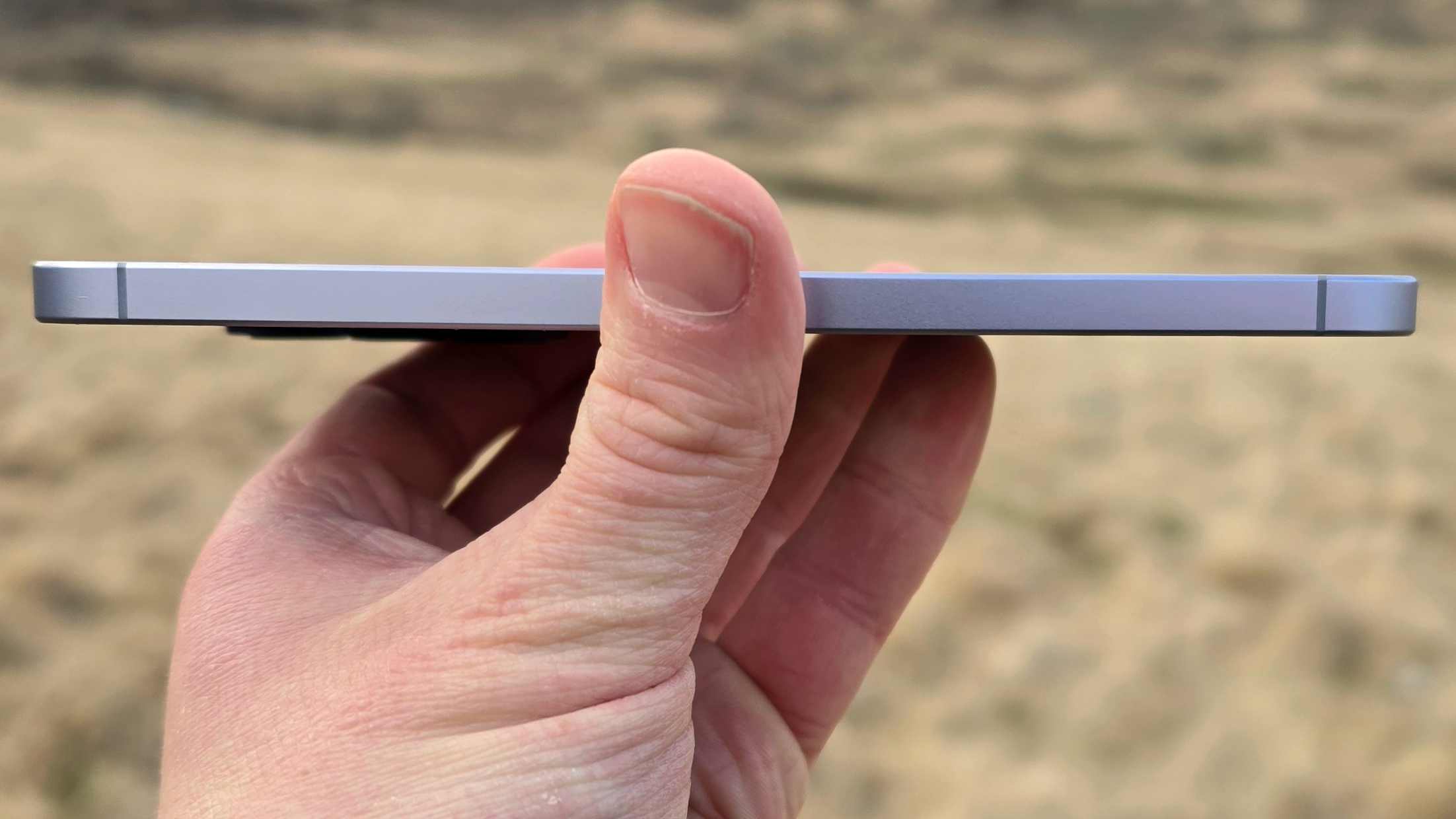
(Image credit: Future)Thin and light phoneSome neat design touches that improve comfortFour color options, all sadly lifeless
To some degree, the Samsung Galaxy A57 has inherited a trait from the ill-fated Galaxy S25 Edge: thinness. The phone’s training regimen has seen it shrink to 6.9mm thick, which is thinner than anything else in Samsung’s roster beyond the Edge.
This doesn’t result in a massive overhaul of the Galaxy A’s hand-feel, not with the height and width still stretching the hand, but it’s a nice touch that makes the device look a little more svelte.
There’s clearly also been some weight loss, with the Galaxy A57 tipping the scales to 179g; again, this is a spec beaten only by Samsung’s year-old lean machine.
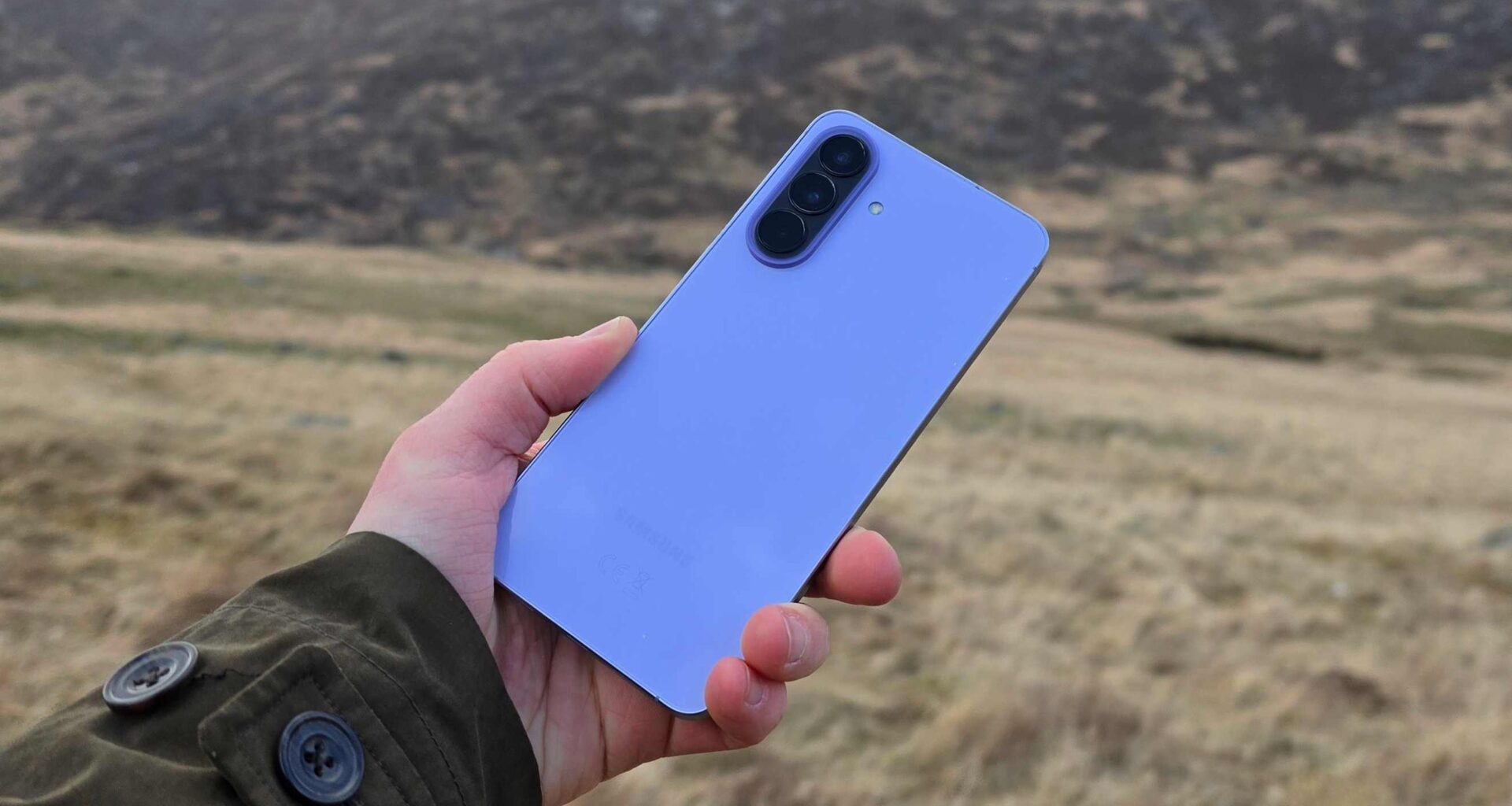
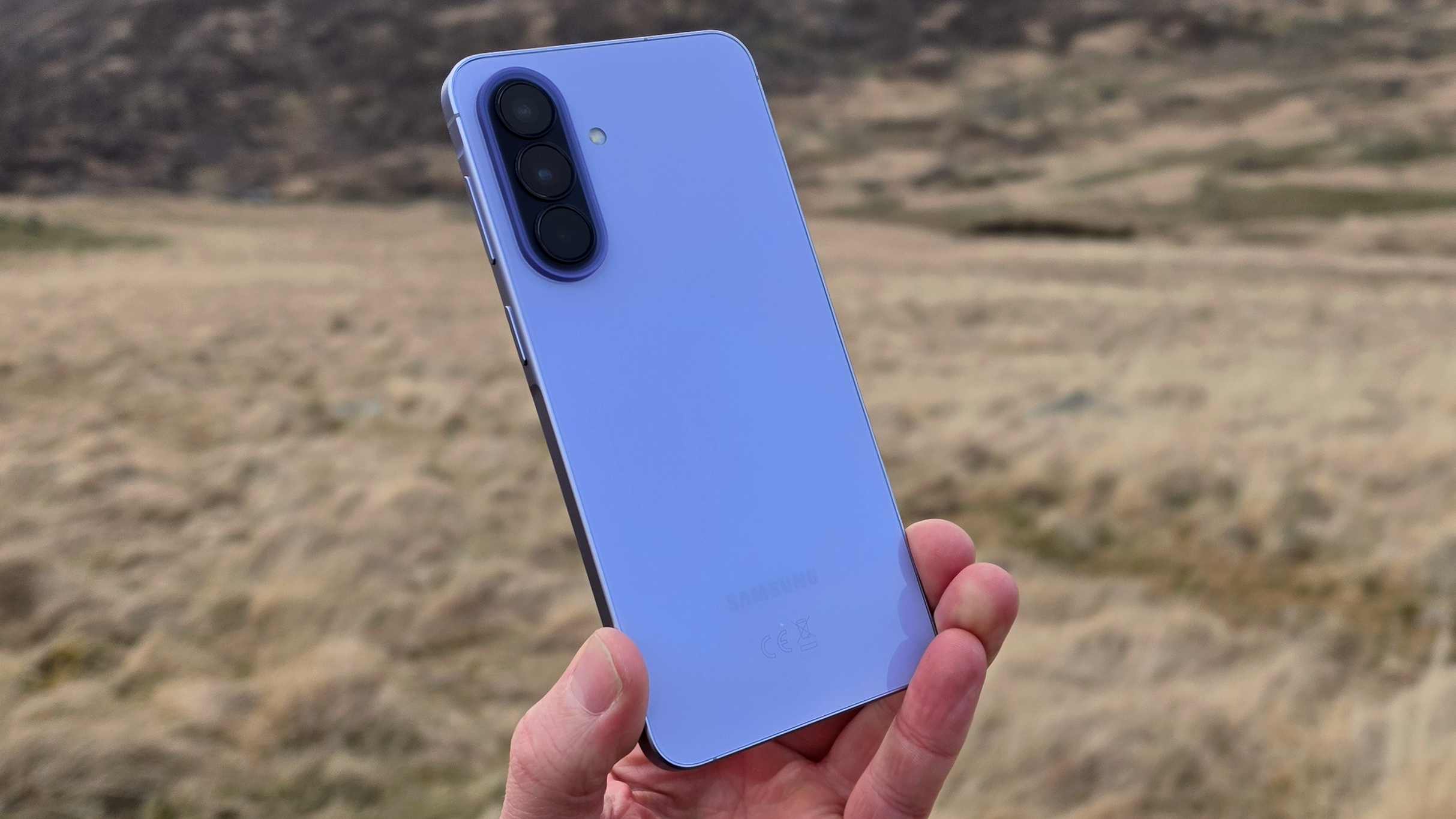
Samsung has toned down the fun of its A-series color options over the past few years, and it’s no different this time around. I tested the ‘Awesome’ Icyblue (scare quotes my own), and there’s also Awesome Navy, Awesome Lilac, and Awesome Gray (now that’s what I call an oxymoron). So that’s blue, blue, nearly-blue, and gray.
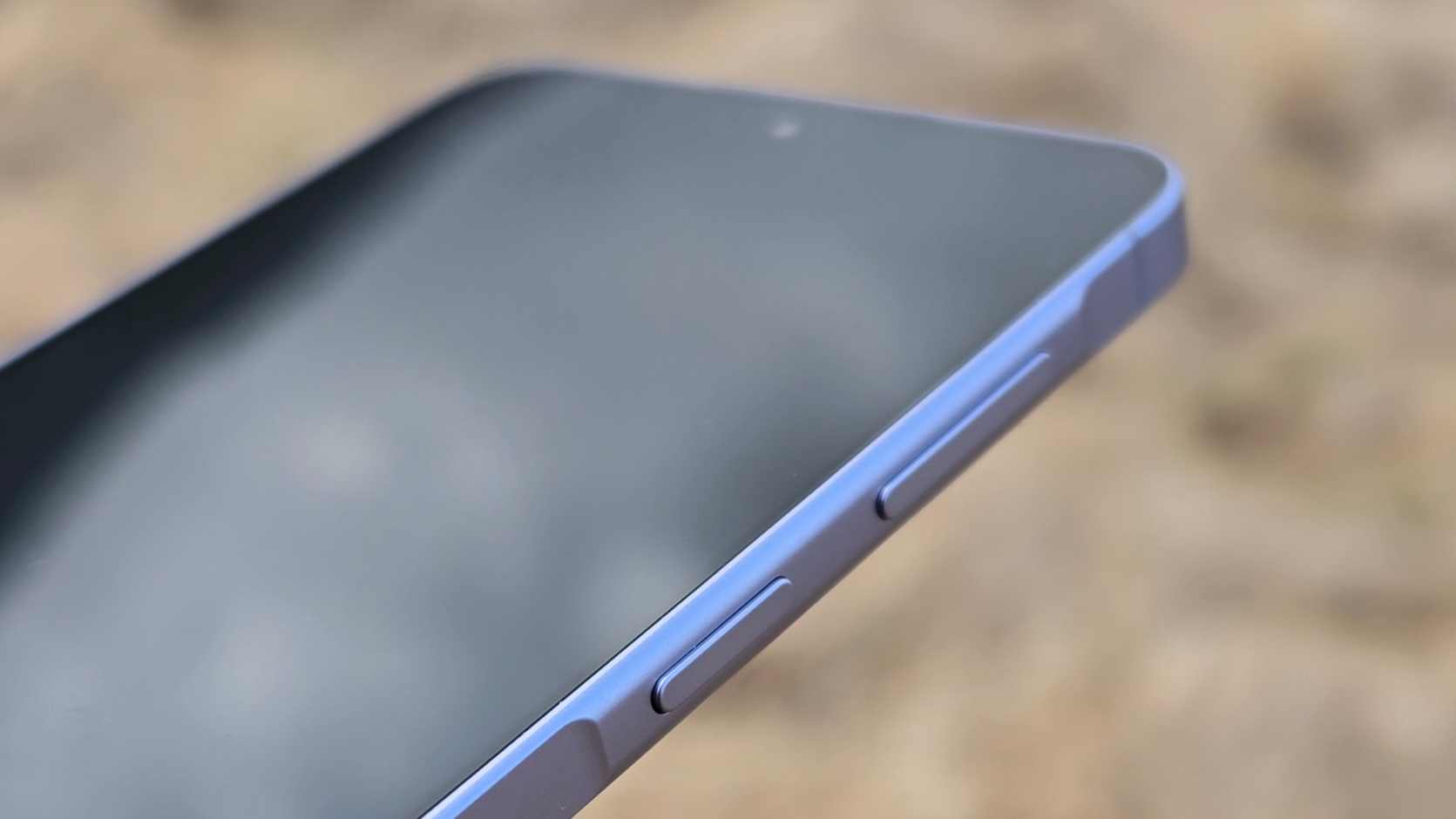
On the right edge of the A57, the power button is within easy thumb reach, and the volume rocker is only a small stretch higher. I appreciated that the phone’s edge slowly curves up just ahead of the power button, which meant it was simple to naturally find the button with my thumb without needing to look.
The A57 has a triple-camera rear module on the back, which looks identical to those of the last few A-series generations, and it doesn’t stick out too far, so the phone didn’t wobble much when I put it flat on a table.
The Galaxy A57 also has an IP68 certification, which means it’s safe against ingress from small particles, and can survive submersion in water of up to 1.5m for up to 30 minutes (that may sound specific, but it’s what the ‘8’ stands for). When a phone has IP68, you can rest assured that it’s safe for all everyday functions.
Samsung Galaxy A57 review: display
(Image credit: Future)6.7 inches, 1080 x 2340 resolution120Hz refresh rate, 1,900 nits max brightnessSuper AMOLED Plus gives display punch
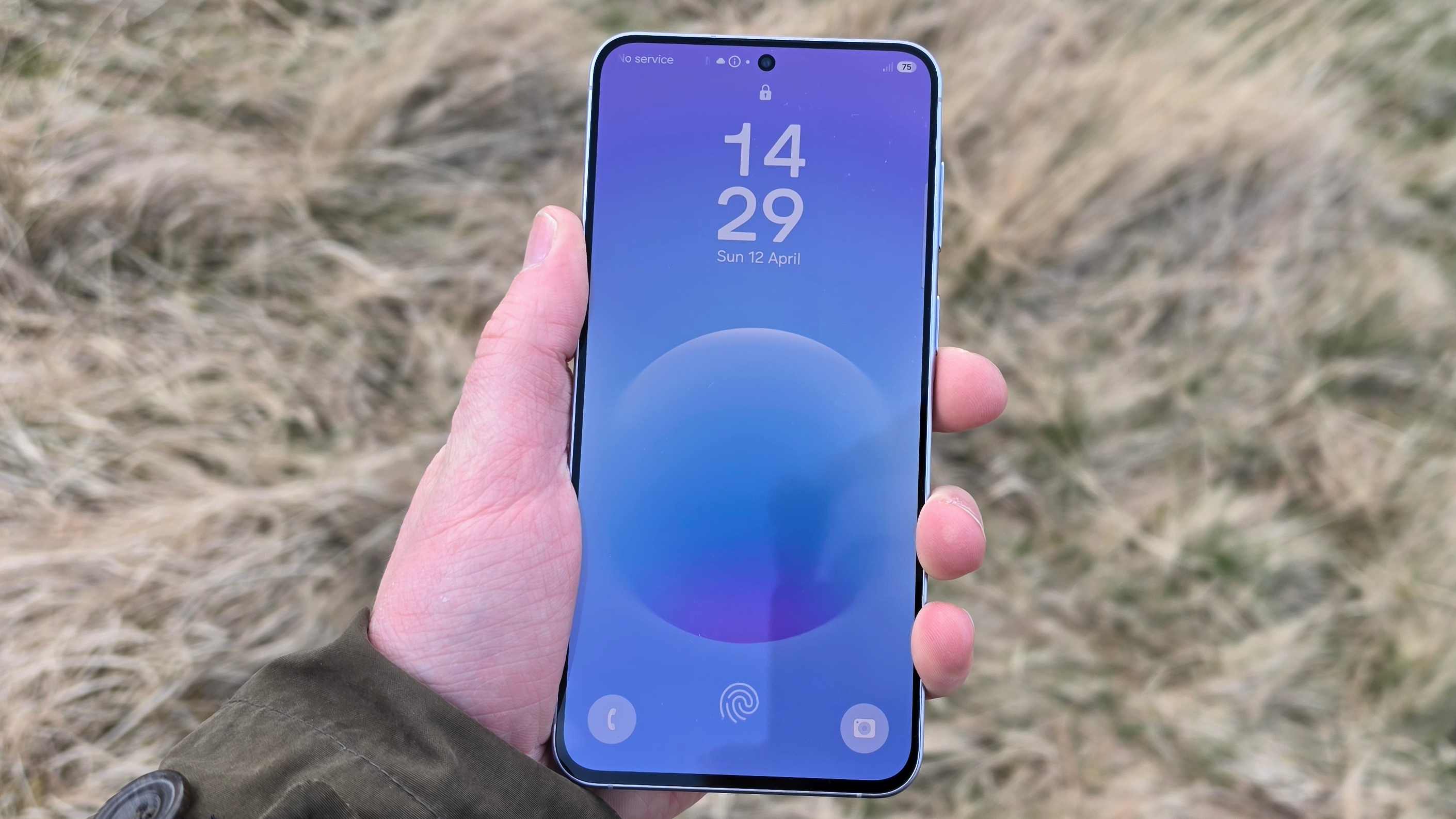
The Samsung Galaxy A57 gets a 6.7-inch display, with a thin bezel that’s broken up only by a small punch-hole for the front-facing camera.
Like the A56’s panel, it has a 1080 x 2340 resolution and hits a 120Hz refresh rate, so it’ll handle anything Netflix or your chosen mobile game can throw at it.
Colors are bright and vibrant, thanks in part to two upgrades over the previous model: a higher max brightness (1,900 nits) and the use of a Super AMOLED Plus panel, which offers a wider color gamut. It’s been said before, and it’s truer than ever now: it’s hard to find a better screen on a mid-range phone than on a Galaxy A-series device.
The A57 also has what Samsung calls Vision Booster, a feature that turns brightness and vibrancy up to 11 when the device recognizes that you’re watching content outdoors (as in, grappling with the shiny, reflective sunlight on the display). I didn’t have an A56 to test it against, and it’s not a feature that you can manually toggle, but I never had a problem using the A57 while outdoors.
A fingerprint sensor embedded under the phone’s display worked well in my experience, never failing to recognize my thumb.
Samsung Galaxy A57 review: software
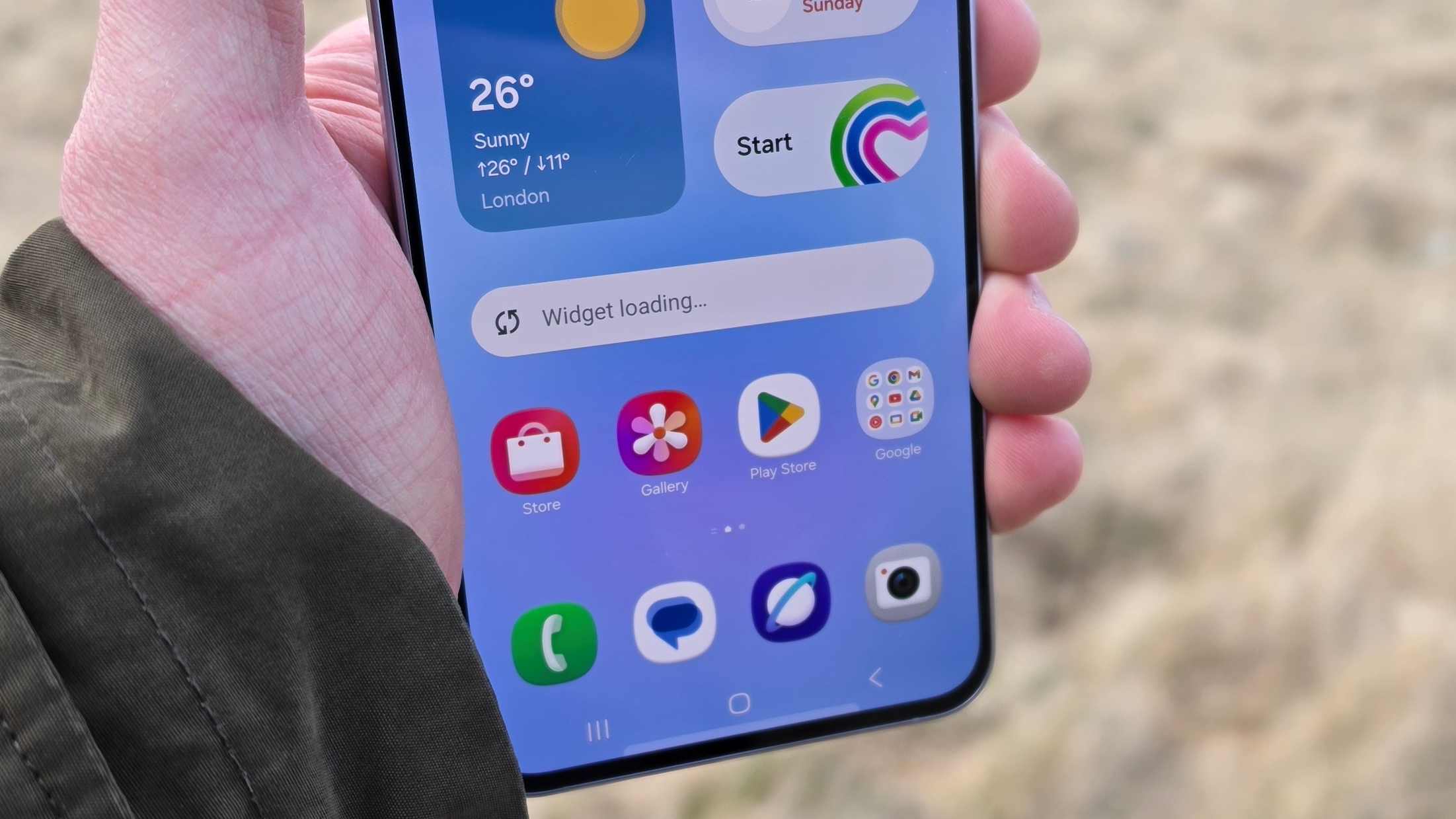
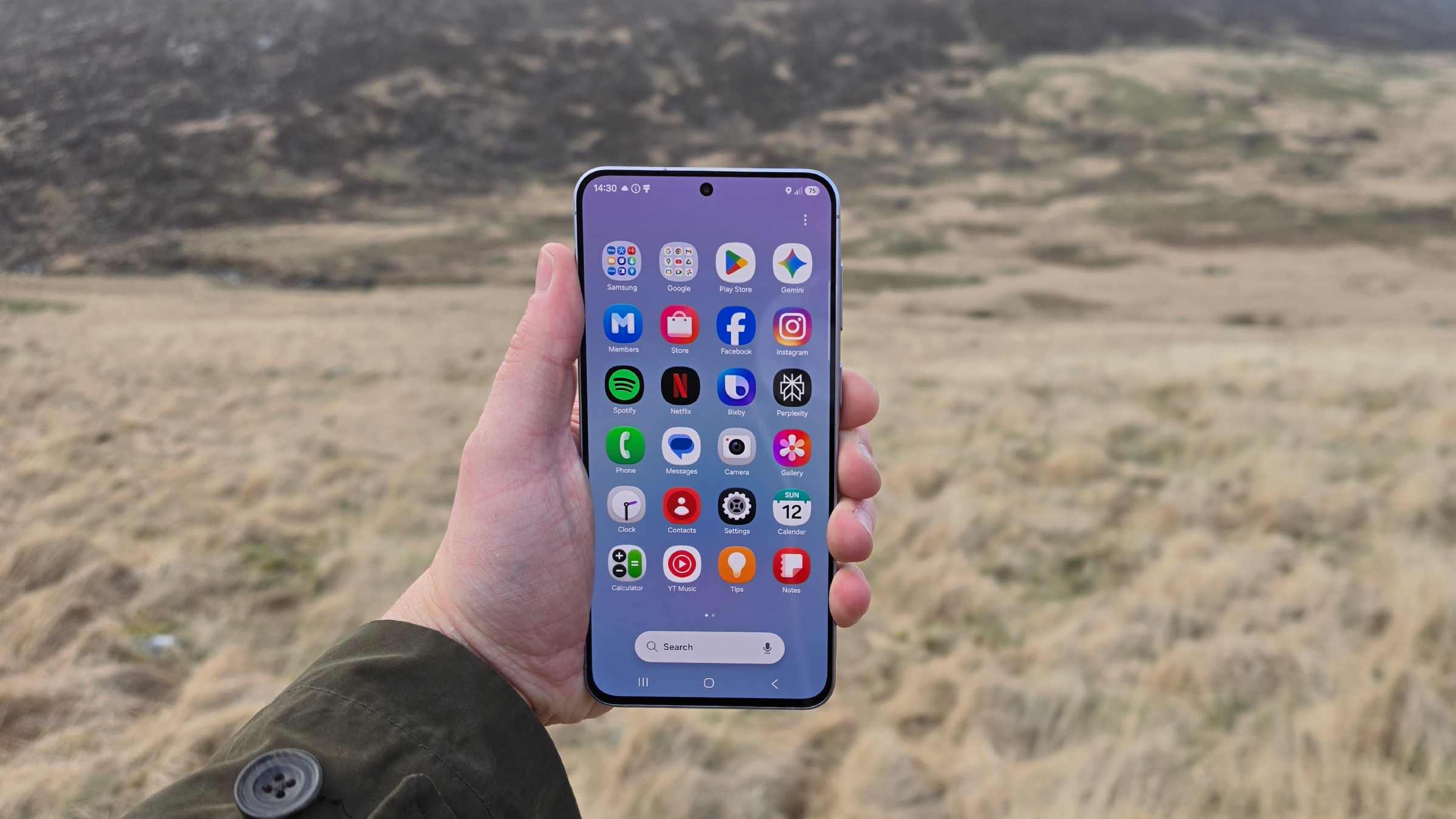
(Image credit: Future)Android 16 with One UI 8.5Six years of OS updatesSoftware is cleaner and simpler than rivals’
Out of the box, the Galaxy A57 runs Android 16, the latest version of Android at the time of its release, with Samsung pledging six major Android updates to the phone.
This isn’t stock Android but One UI 8.5, which the Samsung Galaxy S26 also runs on, except here you get a tuned-down version of that same software.
Some may miss the flagship phone’s various premium features (you don’t get generative AI tools like Drawing Assist, for instance), but I actually preferred the Galaxy A57’s interface: you don’t get inundated with AI features, random reminders, and gimmicky tools that do little.
One feature you do get is an upgraded version of Circle to Search. If you press and hold the home button, you can circle anything on screen and Google search it. The selling point of this feature is that it gives you the ability to find the outfits of people you see online — a pretty niche use case, it must be said — but I found Circle to Search pretty useful for searching for actors I recognized, settings in videos that I wanted to locate, and sports teams that I didn’t recognize by their uniforms.
A common feature of mid-range smartphones is bloatware, but the Galaxy A57 is pristine and clean out of the box. You get barely any unwanted pre-installed apps (I can overlook Netflix and Spotify, given how ubiquitous they are), and there are barely any Samsung apps pre-installed either.
I’m a fan of the look of One UI, and it offers loads of customization options. You can bend the wallpaper, color palette, and icons to your will, and add Samsung-made widgets and tools that change how you use the phone.
I like to set up Modes on Galaxy phones, which let me quickly change various settings at the tap of a button. For example, I can design a Game mode, which mutes notifications and boosts screen and performance power, or set up a Sleep mode, which automatically turns on my alarm and switches the display to an eye-friendly grayscale. To easily switch these Modes on and off, I can plonk a carousel on my home page. It’s pretty impressive stuff.
Samsung Galaxy A57 review: cameras
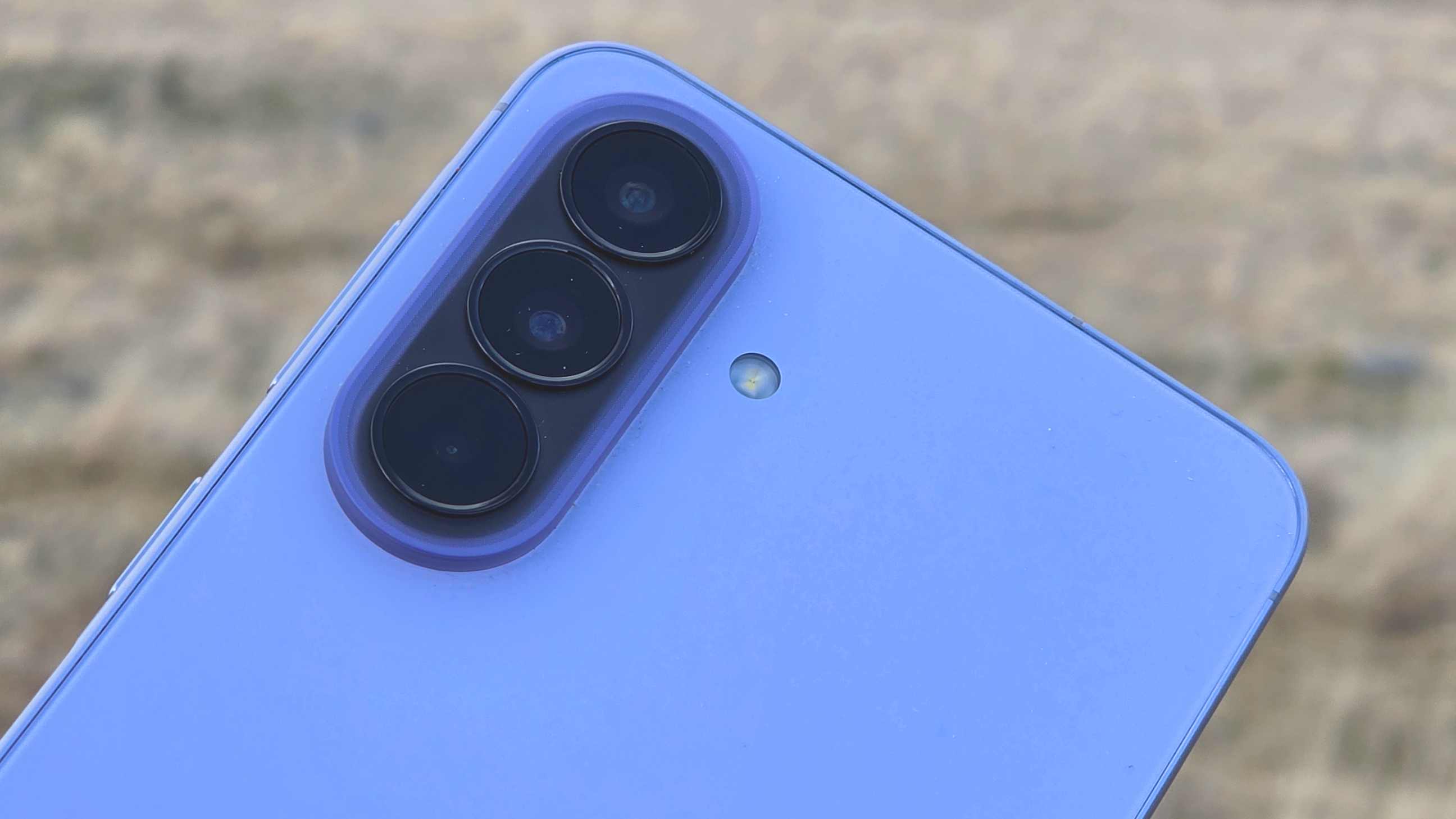
(Image credit: Future)50MP main, 12MP ultra-wide, and 5MP macro camerasCameras lack some vibrancy and optimizationA range of useful camera features
Samsung has been using the same camera setup on its A50-series for years now (the A53 was the last model with a different main sensor), and in 2026, it’s starting to show show its age. It’s simply not competitive compared to other similar-priced phones.
The main camera is a 50MP f/1.8 unit, which is joined by a 12MP f/2.2 ultra-wide lens and a 5MP f/2.4 macro lens. Around the front, there’s a 12MP f/2.2 selfie snapper.
In anything shy of blinding sunshine or studio lighting, the Galaxy A57 struggled to capture an adequate level of vibrancy or color detail — for instance, in the camera samples below, you’ll see foliage that looks desaturated and lacks dynamic range. An upgraded ISP (Image Signal Processing) chip was cited as an upgrade with this phone, but it’s not made a significant improvement.
Get some strong sunlight, and some colors do seep through, but you can’t control how sunny it is outside, and besides, sunshine didn’t always fix the problem. Other phones do well to edit photos to pull out the contrast and boost the saturation if needs be, and I was surprised by how light-touch (read: ineffectual) the Galaxy A57 could be.
For some praise, I’ll point to the auxiliary lenses. I was impressed by how consistent the color was between lenses — I often find ultra-wides lack the color of their main siblings — and the lack of distortion on the wide lens. The macro was a little finicky at finding focus on close subjects, but it’s definitely more useful than many others I’ve tested (though it doesn’t come close to making up for the lack of a dedicated zoom camera).
Selfies on the Galaxy A57 were a little better, offering some contrast that will make social media pictures look postable, though, as you can see in the pictures below, Portrait mode struggled with fluffy strands of hair.
The A57 offers you a reasonable range of expected camera modes, including Night and Samsung’s stalwart Food, and there’s also the A-series-exclusive Fun mode, which basically offers you Snapchat filters on your camera app. Single Take isn’t available by default, but you can enable it via the Camera Assistant app in the Samsung Store.
Video recording hits 60fps at 1080p or 30fps at 4K, with a slow-mo app that doesn’t reveal its framerate.
Once you’ve taken a photo, you can use a few tools to brush it up in the Gallery app. There’s no built-in chatbot to AI slopify your pictures like in the S26 series, and instead, you get Object Eraser and a remaster tool, which auto-applies edits. The latter’s actually pretty good, and I found it reliable for adding some zest to the default pictures that otherwise lacked it.
Samsung Galaxy A57 camera samples
Image 1 of 10
 This morning picture, taken at sunrise, was captured using the 1x camera.(Image credit: Future)
 This view was captured on the ultra-wide camera, to contrast the futher shots.(Image credit: Future)
 This view was captured using the main camera, to compare its field of view.(Image credit: Future)
 This shot was captured at 2x zoom, using the main lens with digital cropping.(Image credit: Future)
 This macro shot shows details you can capture using the lens.(Image credit: Future)
 With sufficient light, the A57 performed okay, although it still couldn’t adequately capture the zingy colors of a toy like this.(Image credit: Future)
 At close distances, the A57 could focus well when not in macro mode.(Image credit: Future)
 This selfie was taken in standard mode, to contrast the Portrait mode shot next.(Image credit: Future)
 This selfie was taken in Portrait mode, to contrast the standard pic previously.(Image credit: Future)
 Even in the glorious light of sunrise, the A57 struggled with dynamic range and color.(Image credit: Future)Samsung Galaxy A57 review: performance and audio
(Image credit: Future)Samsung’s Exynos 1680 chip + 8GB RAM (for most)Fine for everyday use, not for gamingBluetooth 6.0 for audio
Samsung’s Galaxy A-series phones have never won awards for their blazing-fast performance — plenty of Chinese mobiles at this price point can run rings around them — and the Galaxy A57 is no different.
The phone has an Exynos 1680 chipset, made by Samsung itself, paired with 8GB RAM in most versions.
Geekbench 6 multi-core benchmark tests returned scores in the 4,400s. That’s a step above the 3,900s we saw in the A56, but less than half of what the S26 Ultra returned, and a big step below similar-priced alternatives I’ve tested recently, like the 8,600-scoring Poco X8 Pro Max. Unfortunately, every 3DMark test I ran crashed, which wasn’t necessarily the fault of the phone (sometimes, new devices just don’t like benchmarking software), but it did mean I wasn’t able to dig much further into the A57’s numbered performance…
… until I started actually playing games.
The A57 could handle well-optimized games like Call of Duty: Mobile, but only on lower graphics settings. Try to match the display quality with some resolution or graphics effects, and the handset would suffer. It would also heat up a little during longer gaming sessions, which is not something you’ll encounter with most Snapdragon-powered phones, for instance.
So, the Galaxy A57 is no performance wunderkind, even if you can play certain titles with compromises. But if you’re not a gamer, you can ignore all that, as the phone has all the performance credentials necessary for non-intensive everyday tasks like scrolling and streaming. If I weren’t an avid gamer, I’d probably deem the Galaxy A57 powerful enough for me.
Audio-wise, you’re looking at support for Bluetooth 6.0, with the built-in stereo speakers about as passable as on any other phone at this price point. And no, there’s no 3.5mm jack, so you’ll have to use the USB-C port for wired audio.
Performance score: 3.5 / 5Samsung Galaxy A57 review: battery life
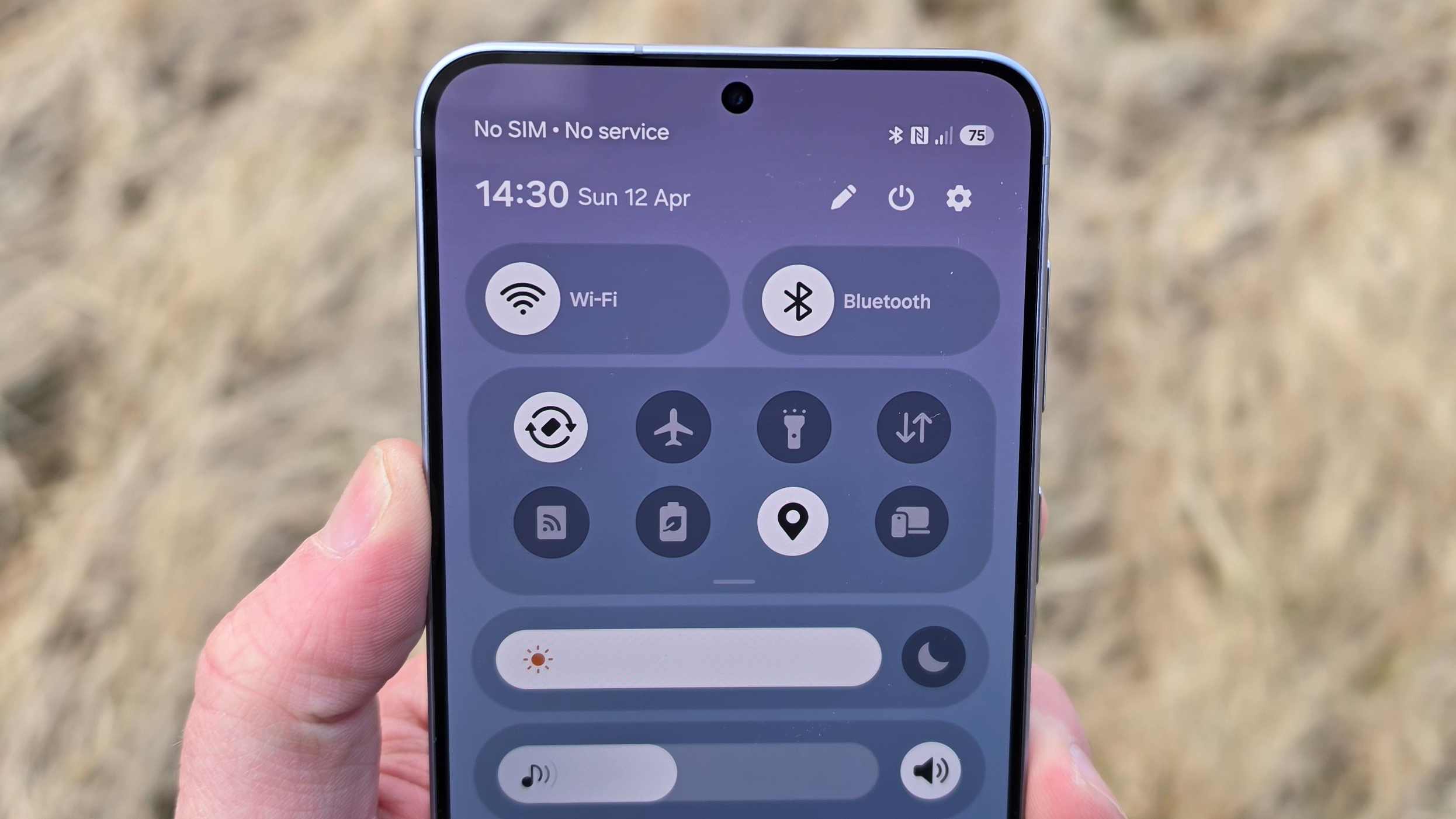
(Image credit: Future)Average-sized 5,000mAh batterySingle day of use per charge45W charging powers the phone in roughly 90 mins
The Samsung Galaxy A57 has a 5,000mAh battery, which is the same size battery as you’ll find in the A56, as well as the flagship Galaxy S26 Ultra.
A capacity like this is, in most phones, shorthand for ‘all-day battery life’. That’s no different with the Galaxy A57 — I could use the device as much as I wanted, without worrying that it’d run out of juice.
You won’t get two days of battery life, though — not unless you don’t use your phone very much. For average use, you’ll get about a day and a half all in.
The A57 powers at 45W, so it’s not particularly fast, and with a compatible charger, you’ll get from empty to full in about an hour and a half. When the handset’s plugged in, it’ll tell you how long it’ll take to power up at its current speed, which is a really useful quality of life feature that I appreciated.
Samsung Galaxy A57 review: value
(Image credit: Future)
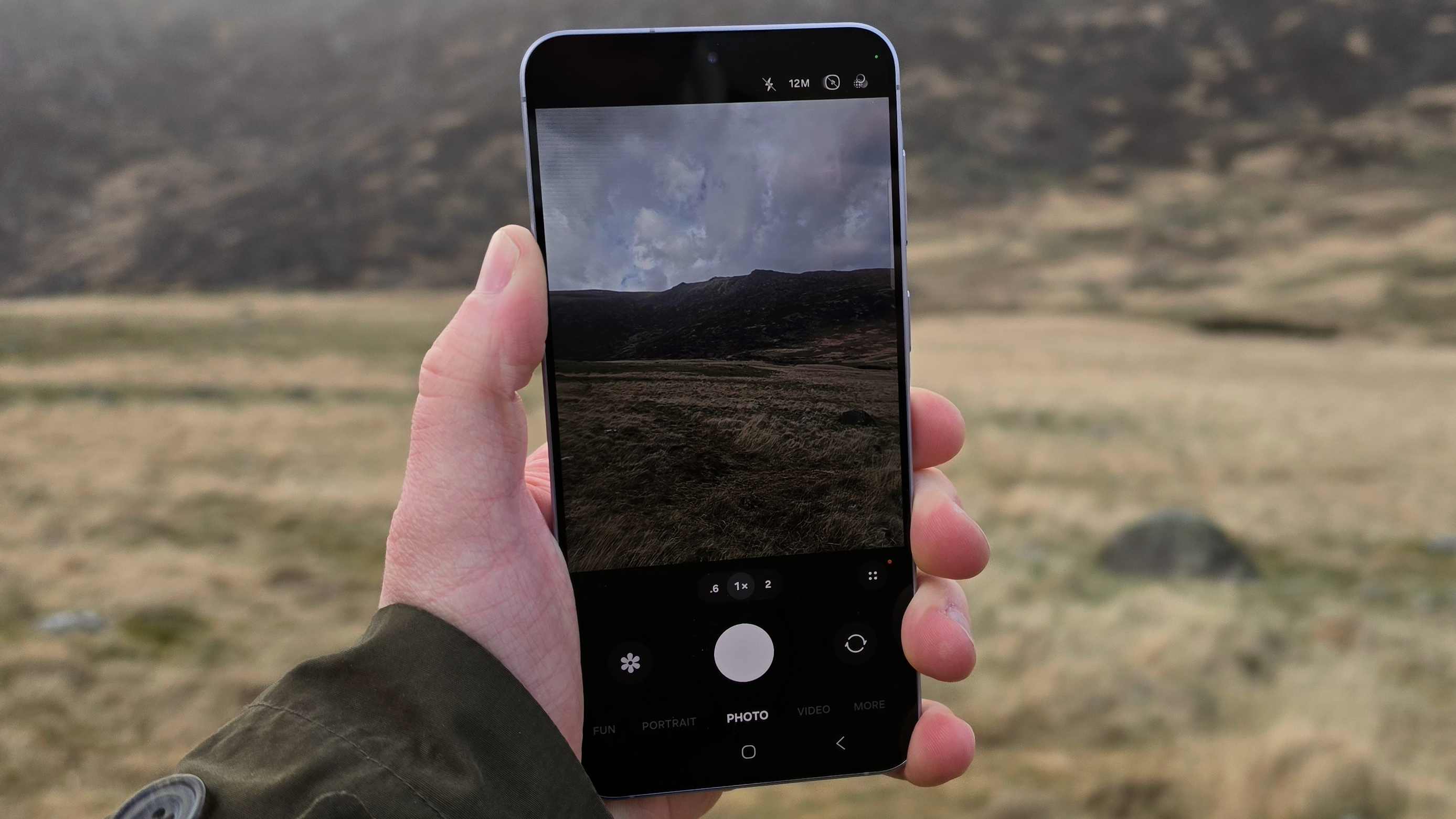
Samsung’s Galaxy A-series phones are reliable and have some great traits, but they don’t offer as impressive value for money as their competitors. Bear in mind that A57 isn’t cheap; at its price, it’s firmly in the ‘mid-range’ category.
Many rivals at a similar price point will offer you one or two incredible specs along with a few average ones, like a huge battery, incredibly fast charging, a top-end processor, or a telephoto zoom camera. If you wanted the A57’s specs from another brand, you’d probably find them for much less money.
Samsung does nothing to sweeten the deal, and so it’s hard to argue that the A57 offers particularly exciting value for money. But as reliability and longevity go, there aren’t many ‘safer’ all-round options than this one.
Should you buy the Samsung Galaxy A57?Swipe to scroll horizontallySamsung Galaxy A57 scorecard
Attributes
Notes
Rating
Value
It’s just not priced in a competitive way. Sorry, Samsung.
3.5 / 5
Design
It may come in some pretty ugly colors, but the thin and light phone belies some pretty neat design features.
4 / 5
Display
The A57 has a good-looking screen that works well outdoors.
4.5 / 5
Software
The interface is clean, with no unnecessary extra apps or tools, and you get plenty of software support.
4 / 5
Camera
I was surprised how dull pictures looked, though some modes offer a little bit of fun.
3 / 5
Performance
The Exynos 1680 chipset doesn’t cut it for advanced gaming, but the phone’s fine for everyday use.
3.5 / 5
Battery
The 5,000mAh battery and 45W charging are roughly average for a mid-priced phone.
3.5 / 5
Buy it if…Don’t buy it if…Samsung Galaxy A57 review: Also consider
Interested in the Samsung Galaxy A57 but want to know what else is out there? Here are some other mid-range gems you may want to consider.
Swipe to scroll horizontallyHeader Cell – Column 0
Samsung Galaxy A57
Google Pixel 10a
iPhone 17e
Nothing Phone (4a) Pro
Starting price (at launch):
$549.99 / £529 / AU$749
$499 / £499 / AU$849
$599 / £599 / AU$999
$499 / £499 (about AU$1,000)
Dimensions:
161.5 x 76.8 x 6.9 mm
154.7 x 73.3 x 8.9 mm
146.7 x 71.5 x 7.8 mm
163.7 x 76.6 x 8 mm
Weight:
179g
185g
169g
210g
OS (at launch):
One UI 8.5, Android 16
Android 16
iOS 26
Nothing OS 4.1, Android 16
Screen Size:
6.7-inch
6.3-inch
6.1-inch
6.83-inch
Resolution:
2340 x 1080
2424 x 1080
2532 x 1170
2800 x 1260
CPU:
Exynos 1680
Google Tensor G4
A19 Bionic
Qualcomm Snapdragon 7 Gen 4
RAM:
8GB / 12GB
8GB
Not specified
8GB / 12GB
Storage (from):
128GB / 256GB / 512GB
128GB / 256GB
256GB / 512GB
128GB / 256GB
Battery:
5,000mAh
5,100mAh
4,005mAh
5,080mAh
Rear Cameras:
50MP main, 12MP ultra-wide, 5MP macro
48MP main, 13MP ultra-wide
48MP
50MP wide, 50MP periscope telephoto, 8MP ultra-wide
Front camera:
12MP
13MP
12MP
32MP
How I tested the Samsung Galaxy A57
(Image credit: Future)Review test period = 2 weeksTesting included = Everyday usage, including web browsing, social media, photography, video calling, gaming, streaming video, music playbackTools used = Geekbench 6, 3D Mark, native Android stats
I tested the Samsung Galaxy A57 for just over two weeks before writing this review, after receiving a test sample from Samsung.
In part, testing was done experientially: I used it as I would any other smartphone, which included taking it on holiday to take pictures, conducting video calls, and streaming music and movies. I also put it through a barrage of ‘lab-style’ tests like benchmarks on Geekbench and 3D Mark, as well as through battery tests.
I’ve been reviewing smartphones for TechRadar since early 2019, and in that time have tested all manner of mobiles, including past Samsung Galaxy devices and plenty of other mid-range and affordable Androids.
First reviewed April 2026
Samsung Galaxy A57: Price Comparison