
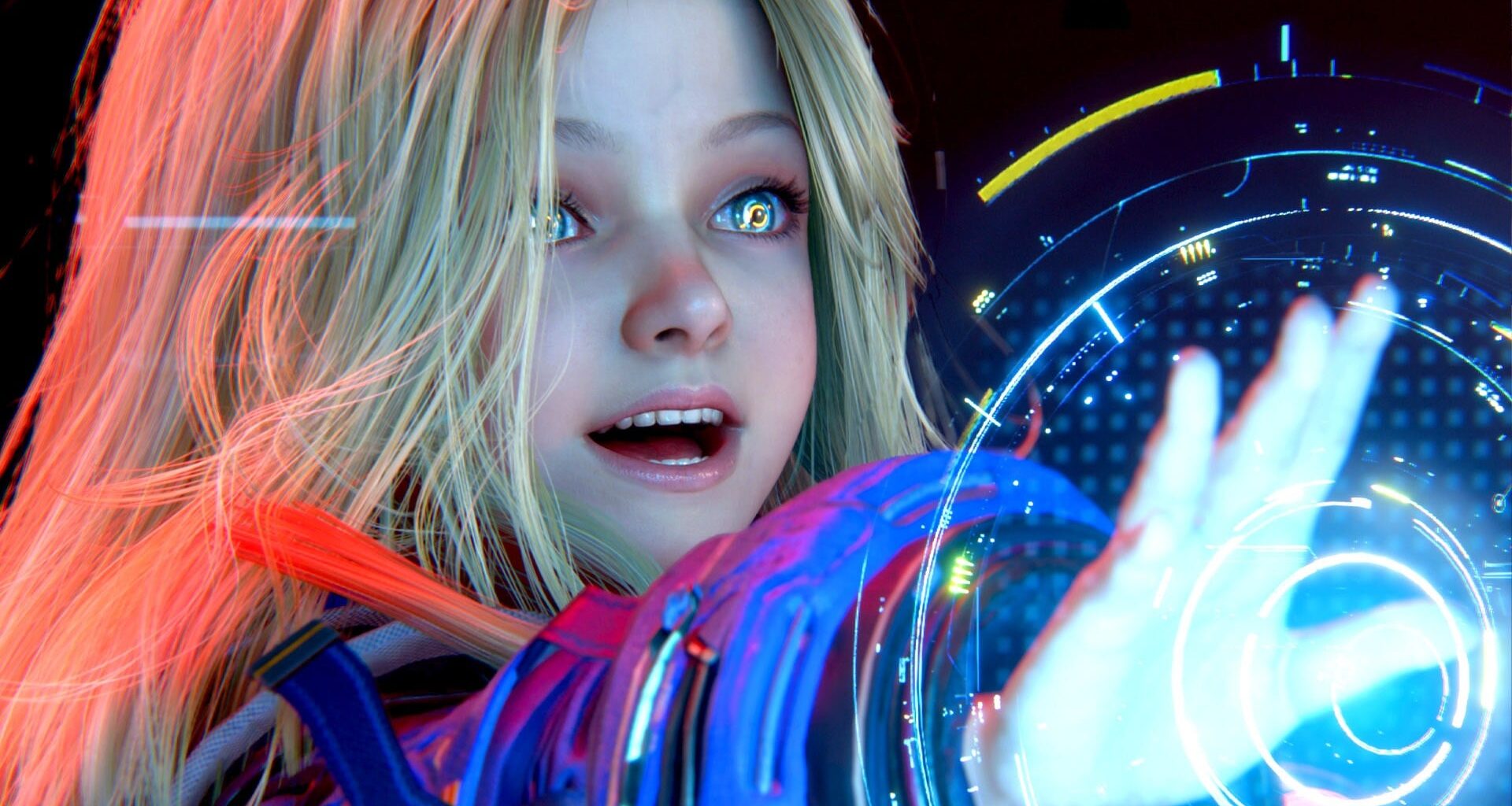
Our detailed video breakdown of Pragmata’s PC version.
It’s been a few weeks now since we first looked at the PC version of Pragmata on DF Direct, viewed through the lens of a high-power RTX 5090-powered path tracing monster, alongside a more mainstream-orientated RTX 4060 machine. We still love the game and Capcom’s expert use of the RE Engine, and the PC version is robust, with little in the way of stuttering issues. It’s just the problem of the limiting 8GB framebuffer on lower-end GPUs that remains an obstacle to enjoying the game at its best. Thanks to our contributor Rayan, we have now mitigated that issue and we have those all-important optimised settings.
Of course, there are still some problems. Pragmata commits the cardinal sin of requiring the user to restart the game for certain settings changes, while the in-game VRAM meter is only indicative of memory consumption and can’t be used to ensure budgeting settings correctly in order to guarantee a hitch-free experience.
While there are non-RT options available, ray tracing (and indeed path tracing) are seriously impressive in Pragmata, while the rasterised fallback – screen-space reflections – have many issues and are best avoided. Seemingly designed with the current generation of consoles in mind, the performance hit of RT is not heavy, but the lack of ray reconstruction or ray regeneration options here is disappointing. Also, we’d have liked to have seen a superior quality RT option to the console equivalent offering. You get that with path tracing, of course, which looks superb – but the computational cost is heavy.
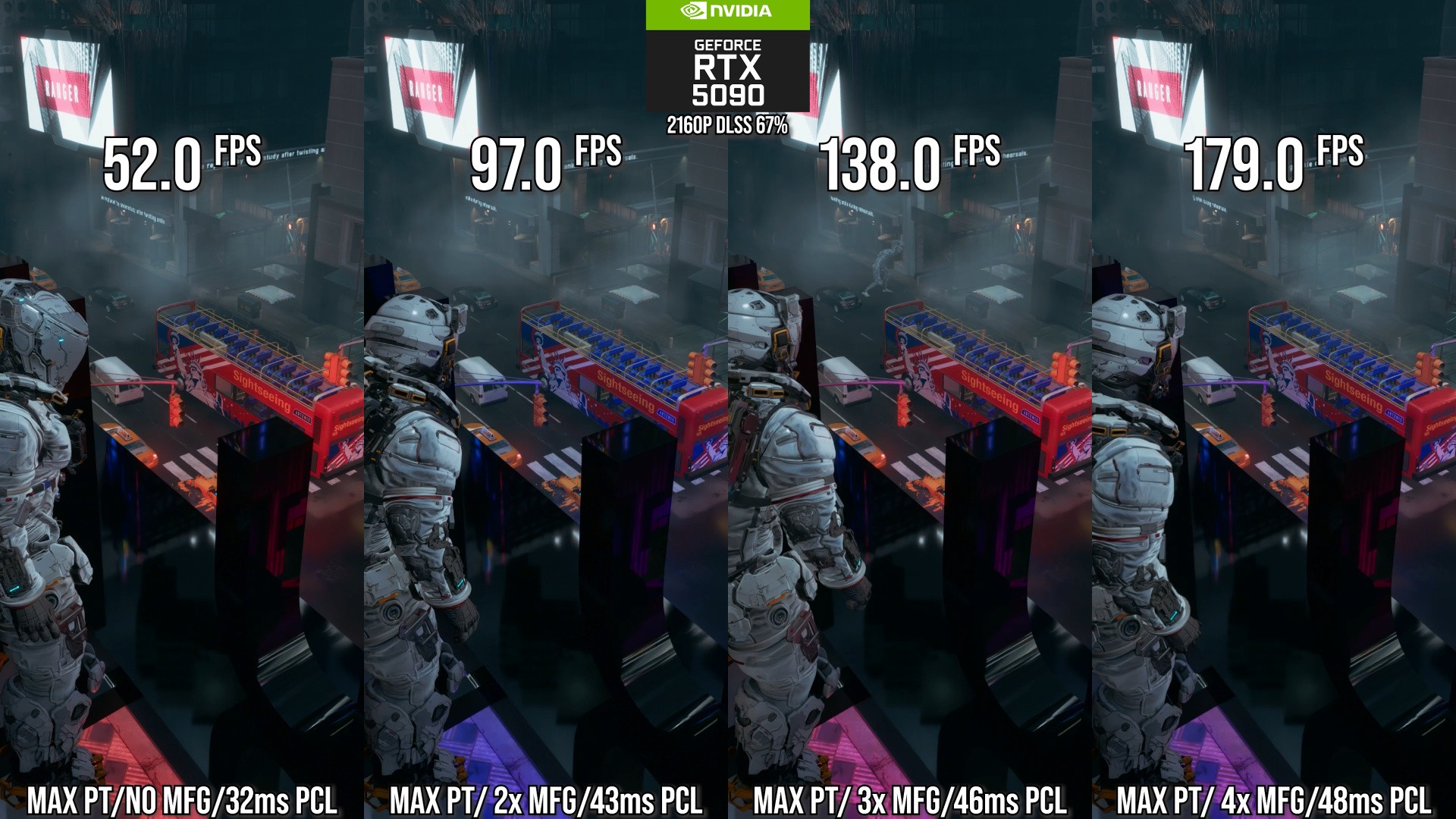
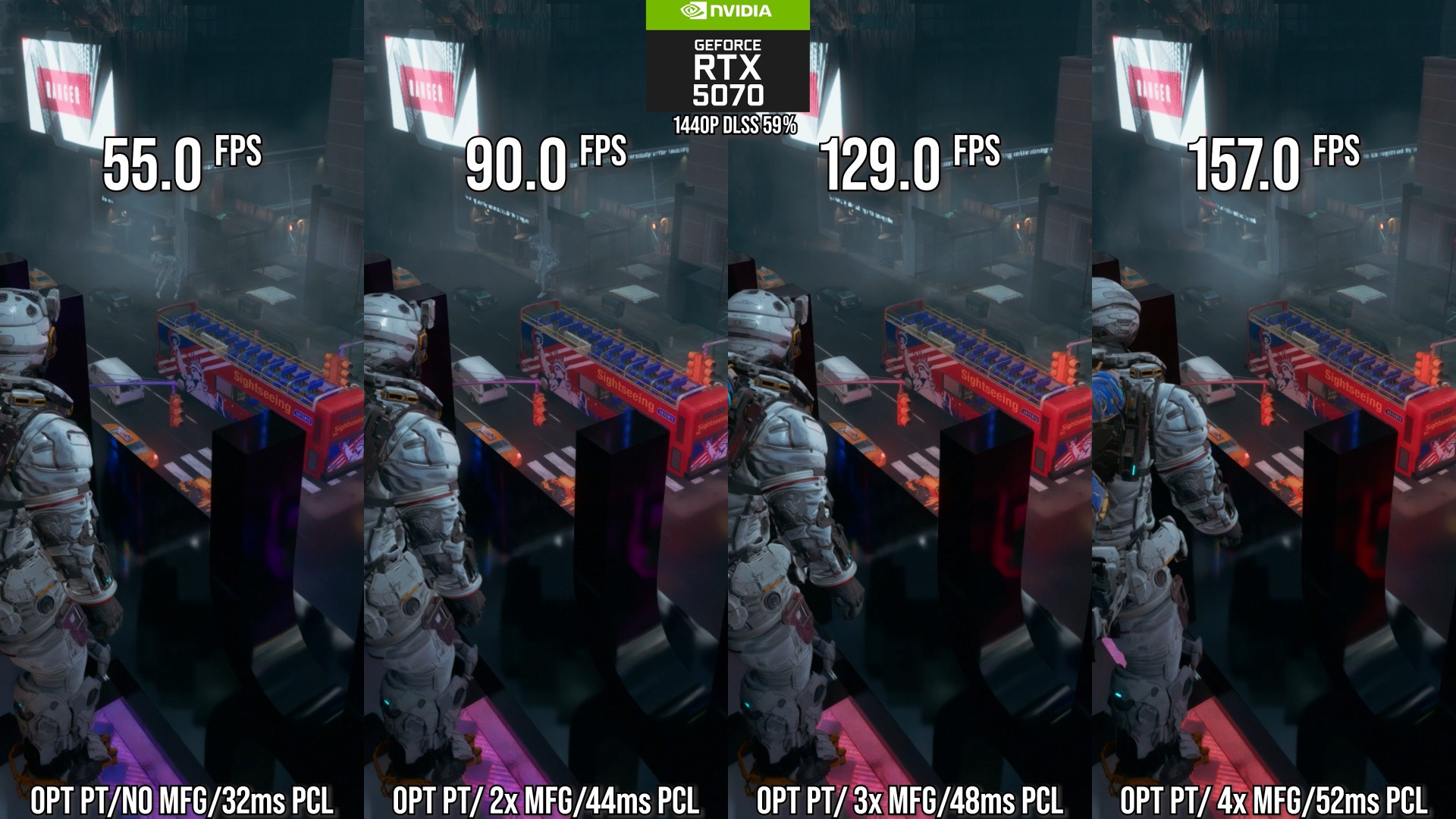 A quick look at path tracing scalability maxed on RTX 5090 with 4K DLSS quality mode, alongside RTX 5070 with optimised settings set to 1440p DLSS balanced mode. Click on the images for higher resolution.
The flagship experience is best seen on RTX 5080 and RTX 5090 then, but I found that pairing optimised settings with the enabling of path-tracing opened the door to a perfectly acceptable experience on the RTX 5070. We’d recommend using Nvidia Inspector (a third party app) to force on DLSS ray reconstruction preset E, which looks significantly better than the default Preset D used by the game. Getting a good PT experience on RTX 5070 is important – according to the Steam Hardware Survey, it’s the most prolific Blackwell GPU on the market. So maybe path tracing is indeed starting to enter the mainstream at this point.
On the other end of the spectrum, getting Pragmata to run well on an 8GB GPU requires some work. Put simply, it’s recommended to use the lowest texture quality setting – and we need to do that as the low setting is bugged, producing visual issues, while medium introduces hitching and stuttering the longer you play. Mesh quality also has problems – it works as intended on GPUs with more than 8GB of memory, but the higher end settings actually pare back geometry on 8GB cards – not good.
Here’s how the optimised settings table looks:
Optimised Settings
PS5 Frame-Rate Mode
PS5 Resolution Mode
Ray Tracing
On
Off
On
Path Tracing
Off
Off
Off
Global Illumination Quality
N/A or High if RT is disabled
High
N/A
Upscaling
User Preference
2160p, AMD FSR 1 Performance
2160p, AMD FSR 1 Performance
Hair Quality
High or Medium
Medium
High
Texture Quality
High/Medium (8 GB+ GPUs) or Lowest for 8GB GPUs
High or Medium
High or Medium
Texture Filtering
High (aniso x16)
High (aniso x2)
High (aniso x2)
Mesh Quality
High or Medium (8GB GPUs)
High
High
Shadow Quality
High
High
High
Shadow Cache
On
On
On
Contact Shadows
On
On
On
Effects Quality
High
Medium
High
Video Quality
4K
4K
4K
Ambient Occlusion
SSAO
SSAO
SSAO
Volumetric Lighting
Medium
Medium
High or Medium
Bloom
On
On
On
Screen-Space Reflections
N/A or On if RT is Disabled
On
N/A
Subsurface Scattering
On
On
On
Lens Flare
On
On
On
Perhaps it’s no surprise to see that – once again – optimised settings looks very close to the choices the developers made in running Pragmata on the current generation consoles, which may suggest that there’s not a huge amount of upwards scalability. That’s certainly true up to a point – path tracing is simply spectacular in this game and a worthy addition, but it’s a brute force option to scale up the game’s visual fidelity with a cost to match.
The high ticket cost items – ray tracing and hair quality – are part of our optimised selection and that’s because we feel that they are a core visual component of the game’s look. The omission of the custom hair strand technology and ray tracing on Switch 2 and Xbox Series S highlight how Capcom itself feels about how these features should be deployed. The only real settings revelation we uncovered was the importance of turning on the shadow cache option – rather than re-calculate shadows continuously, this re-uses existing information and can produce some big frame-rate gains, even on RTX 5090.
Ultimately, we enjoyed playing Pragmata on PC and stand by our contention that Capcom’s game quality, diversity and volume of output are extraordinary in the modern era. While there are still question marks over the firm’s PC DRM strategy, the quality of the ports themselves has got better too. In short, Pragmata on PC is well worth a look.