
Software
The Pixel 11 Pro ships with Android 17 out of the box. As before, Google promises seven years of updates for its Pixel devices.
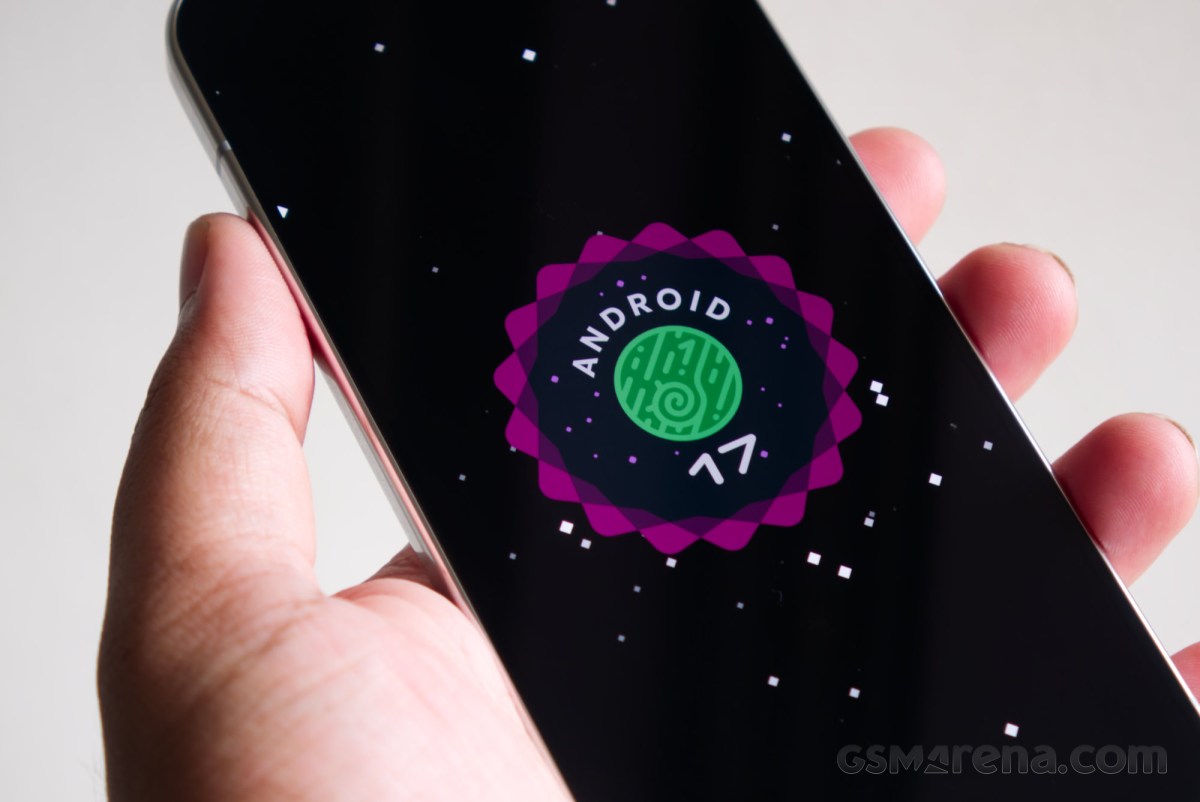
We have had Android 17 out for a while now, and the problem with this strategy is that the software on a new Pixel phone at launch doesn’t feel fresh, the way it does on a new iPhone. If you’re upgrading from an older Pixel device, chances are, you have already been using this update for a couple of months now.
The Pixel software experience remains fairly unique in the Android space. Google continually leverages its full control over the entire software stack to ensure the apps that come with the device talk more frequently to each other, with Gemini linking them all together. So you now have the Messages app knowing about your calendar dates and your contacts app knowing the last messages you received. It’s cool to see it in action, assuming you are all-in on the ecosystem and the obvious relinquishing of your personal data.
However, as advanced and clever as the Pixel software feels in some aspects, in others, it still feels behind the competition. Strip away some of the AI and ecosystem smarts and the core OS still feels barebones at times. Coming over from one of the rival Android brands, it feels like suddenly you have to install a bunch of apps to do simple tasks that the built-in apps on those devices could handle. On top of that, some apps like Calendar still require you to have a Google account to be usable.
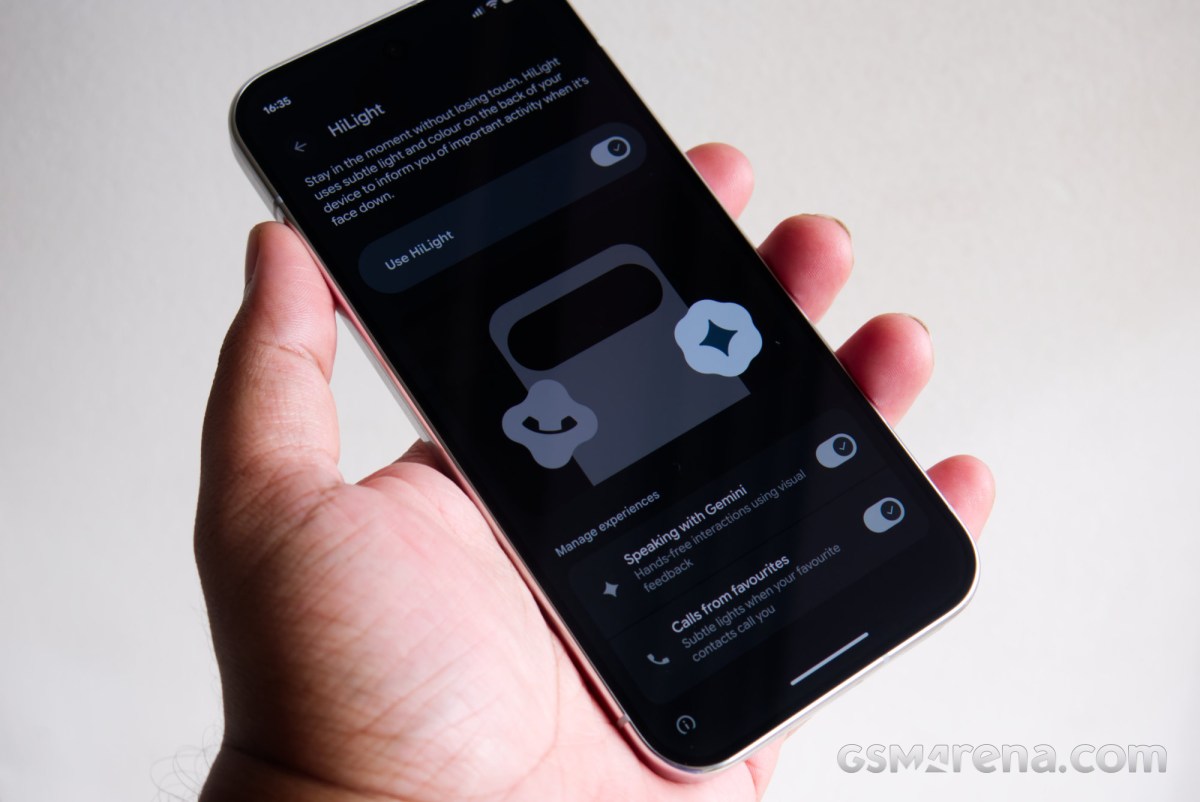
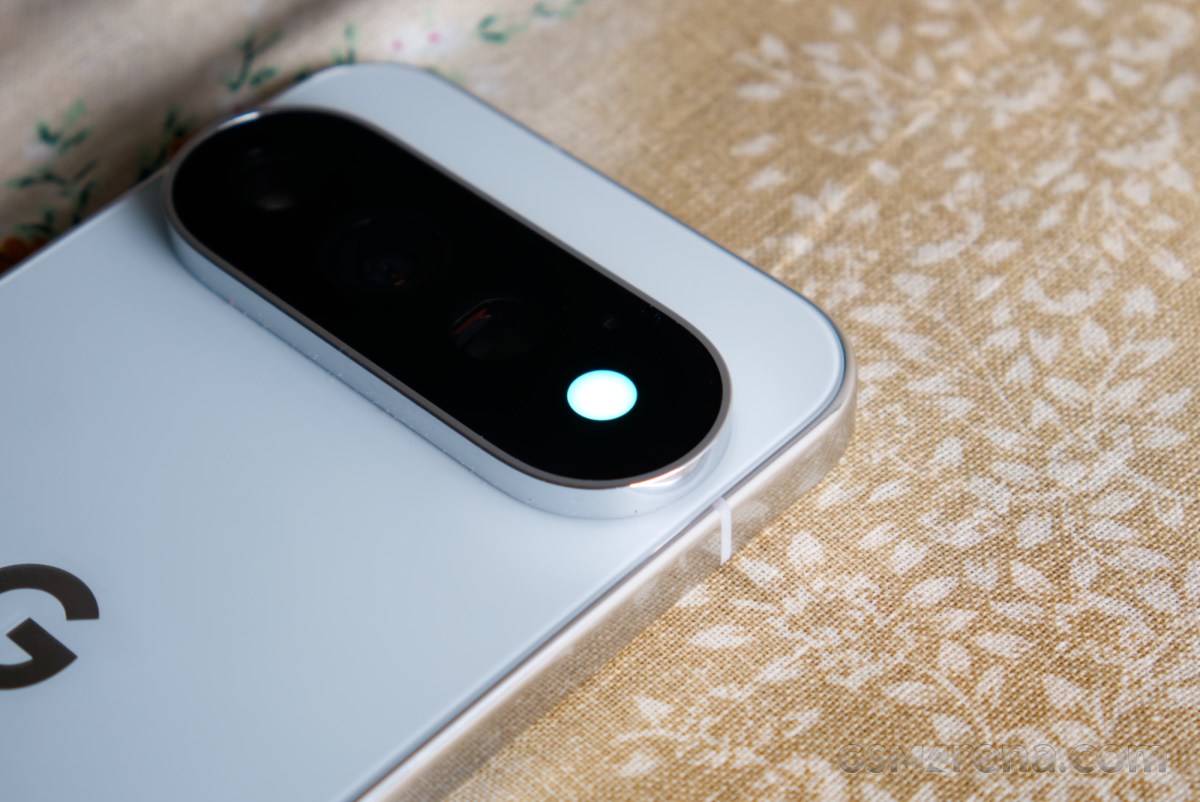
But there is something new this year to talk about, and that is HiLight. The HiLight feature works by using a colored LED array within the flash on the back of the phone. It will light up when you are using Gemini hands-free, or when one of your favorite contacts calls.
The implementation of this feature leaves a lot to be desired. Never mind the fact that it is on the back of the phone, so you need to have the phone facing down to even use it. But the limited ways it can be used make it borderline useless. If you were thinking it could be used as a notification LED from phones of yore, then you’re sorely mistaken. You cannot use it for notifications from other apps or really for anything at all outside of Gemini and favorite contacts.
Ultimately, the Pixel software experience still feels like a mixed bag. It frequently swings between genuinely clever, frustratingly basic, and occasionally gimmicky in ways that feel quite jarring. There are also some privacy concerns that Android still doesn’t address. Unlike with iOS, you still can’t prevent apps from tracking your data across other apps. Google cannot in good conscience do that because it itself tracks your data across apps all the time, and has built several features around it. But the result of this is that now every app on your phone is tracking every other app, and that opens a whole other can of worms that you may not want to deal with.
Performance
The Pixel 11 Pro runs on the new Google Tensor G6 chip. The new chip moves to Arm’s latest generation CPU cores with higher clock speeds and greater efficiency, but does lose a core compared to the previous generation model. The GPU also runs on a different, seemingly older architecture, but otherwise isn’t too different than before. The Pro phones also get a larger vapor chamber heat sink this year.
In terms of memory and storage configuration, we now have the 256GB storage model shipping with 12GB memory, a downgrade from 16GB on last year’s Pro models. The 512GB still gets the 16GB configuration along with zoned UFS for higher transfer speeds.
Now let’s talk about performance. In terms of pure numbers, the CPU performance of the Tensor G6 on the Pixel 11 Pro has improved notably over its predecessor. We are talking 21% improvement in multi-core performance and 17% in single-core performance in Geekbench 6. It’s still not close to what the latest-generation Apple, Qualcomm, and MediaTek chips are doing, but outside of comparisons, the numbers are now in a respectable range.
Unfortunately, the GPU performance hasn’t changed at all. In our 3DMark testing, the Tensor G6 GPU posted largely the same numbers as the one on the G5.
Numbers aside, the performance of the Tensor G6 chip feels meaningfully better in real-world use. Even on a brand-new G5 phone, the UI was filled with micro stutters everywhere, along with some non-micro ones. The Camera app would have a mini stroke every time it was launched or asked to do anything. The Photos app would drag its feet with basic operations. But none of that was a concern on the Pixel 11 Pro. Even things like downloading and updating several apps at once on the Pixel 10 phones would take an eternity, but are done in a jiffy on the new models.
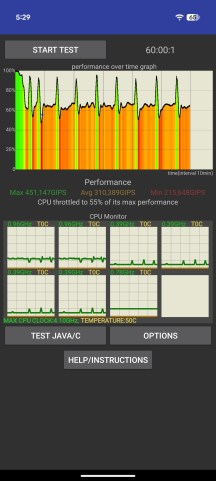
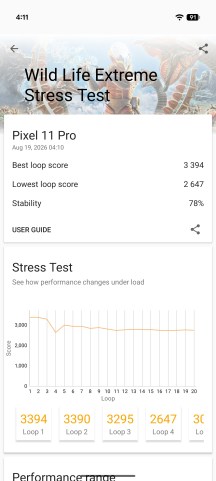
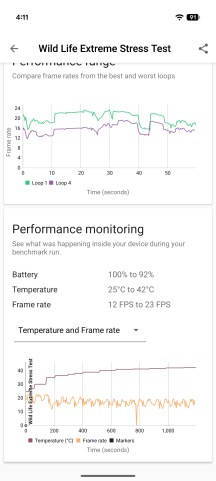
What’s perhaps more impressive is the thermal management. The Pixel phones still don’t have the impressive cooling and efficiency of other devices, but the Pixel 11 Pro remained at reasonable temperatures during taxing activities even outside of air-conditioned environments. These same activities would cause the Pixel 10 devices to go thermonuclear within seconds and then dim their displays.
Throttling behavior
Unfortunately, the compact size of the Pixel 11 Pro means the phone has to throttle performance aggressively after a point, even with the larger heat sink. Still, these are stress test results, and you shouldn’t see aggressive performance drops in real-world usage.