
Product Info
ASUS ProArt P16October, 2026
TypeLaptop
PriceTBD
NVIDIA RTX Spark is a fresh new Windows PC platform. It was first announced at Computex 2026, and now, the first devices are finally hitting shelves. In our initial impressions, we called RTX Spark a Direct Shot at the PC Market, Backed by a Multi-Gen Roadmap That Past ‘Windows on Arm’ Bids Never Had.
The RTX Spark platform is very familiar for those who have used a DGX Spark system before.
But for the rest, while RTX Spark would be their first WoA (Windows on Arm) experience, there is little to no difference between using a standard x86 device and NVIDIA’s RTX Spark thanks to software optimizations and fine-tuning of the Windows ecosystem around the RTX Spark. You’ll be able to start right off the bat, and the best part is the whole experience is catered around NVIDIA’s rich RTX and AI technologies, which PC users have become accustomed to over the many years.
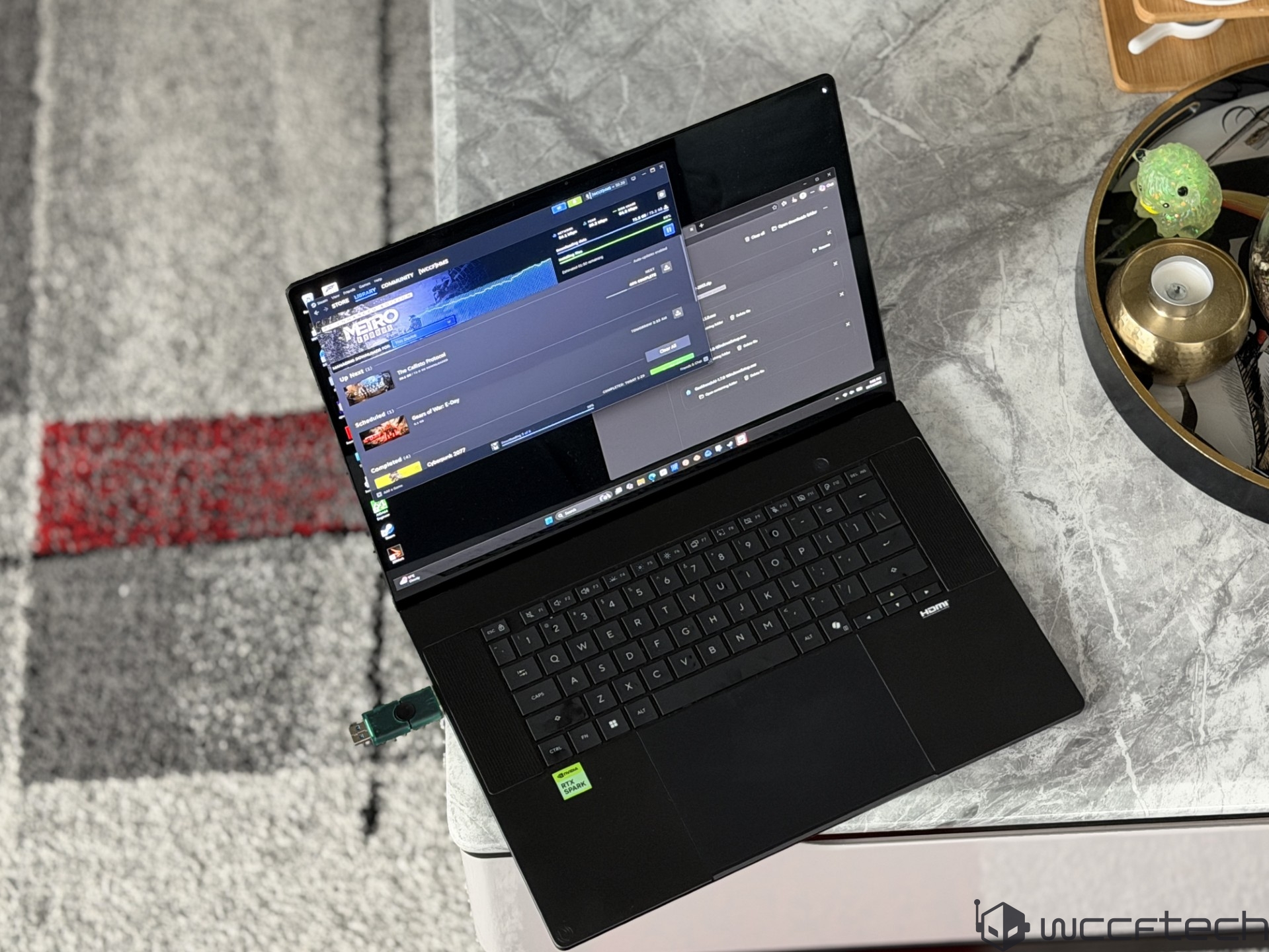
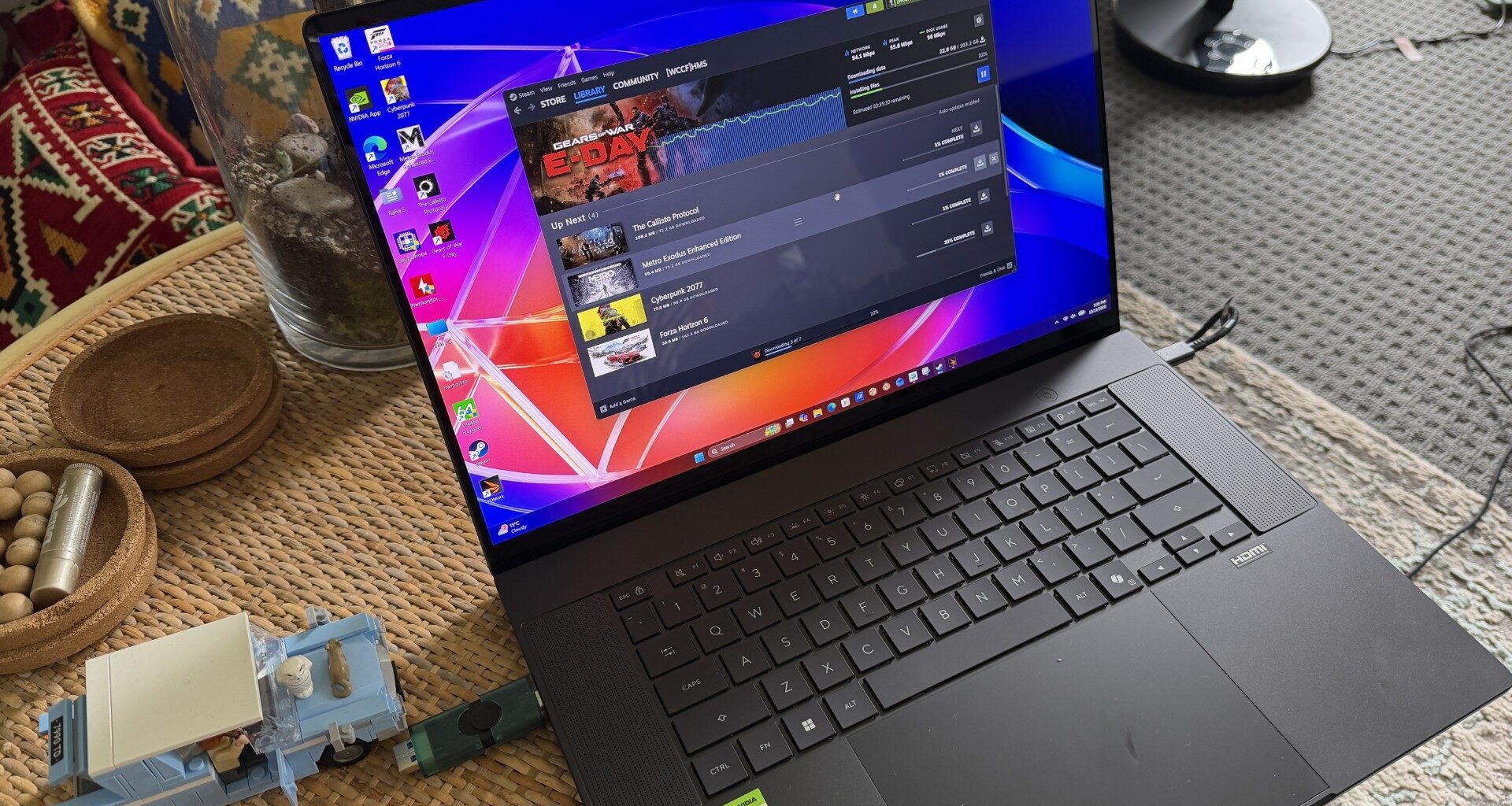
So today, we get to share with you our first tests and initial impressions of a real NVIDIA RTX Spark product. What we’ll be testing today is the ASUS ProArt P16, one of the many PCs that feature NVIDIA’s latest N1X chip in its fullest configuration. The laptop was provided by NVIDIA during its RTX Spark Editor’s Day event just a week ago, so while we may not be able to cover all tests in this review, we will be providing our readers with more performance benchmarks and updates as we spend more time with the device.
ASUS ProArt P16 “RTX Spark” Laptop – Specifications At A Glance
In terms of specifications, the ASUS ProArt P16 is equipped with the NVIDIA N1X SoC, which comes in two configurations. Our test unit featured the full die configuration of 20 CPU cores and a 6144 CUDA Core GPU. The N1X chip is based on TSMC’s 3nm process across both dies (CPU/GPU).
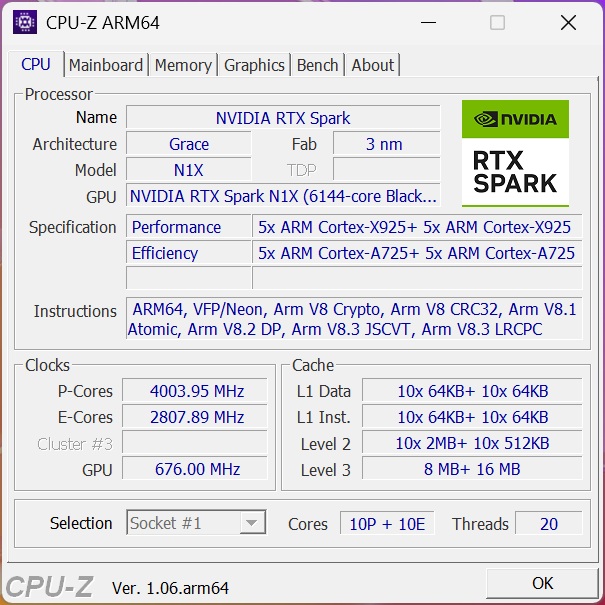
The laptop was configured with the RTX Spark N1X chip, which features 20 cores & 20 threads. There are 10 “Arm Cortex-X925” performance-optimized cores and 10 “Arm Cortex-A725” cores optimized for efficiency. The performance cores feature a maximum boost clock of 4.0-4.1 GHz, while the efficiency cores feature a maximum core clock of 2.8 GHz.
The chip features a total of 24 MB of L3 cache and 25 MB of L2 cache arranged in 20 MB (2 MB per core) for the Performance Core clusters and 5 MB (512KB per core) for the Efficiency Core cluster. The total onboard cache on the chip is 49 MB.
For the iGPU, NVIDIA is using its latest GB20B chip based on the Blackwell architecture, which features up to 6144 Cores across 48 SMs. It features 5th Gen Tensor Cores with DLSS, Reflex, ACE, G-Sync, CUDA, NVFP4 support, and RTX Ray Tracing cores. It produces up to 31 TFLOPs of FP32 and 1000 TOPS of NVFP4 (FP4) compute for AI workloads. The GPU also gets an additional 24 MB of L2 cache.
SpecificationRTX Spark N1X (5120-core GPU, 18-core CPU)RTX Spark N1X (6144-core GPU, 20-core CPU)CPU cores18 total (9 Arm Cortex-X925 + 9 Arm Cortex-A725)20 total (10 Arm Cortex-X925 + 10 Arm Cortex-A725)Maximum P-Core Clock3.9 GHz4.0–4.1 GHzMaximum E-Core Clock2.8 GHz2.8 GHzGPUBlackwell RTXBlackwell RTXCUDA cores5,1206,144SM Units4048RT core generationFourth generationFourth generationTensor core generationFifth generationFifth generationUnified memory typeLPDDR5XLPDDR5XMemory interface256-bit / 16-channel256-bit / 16-channelMemory IO speedUp to 9,400 MbpsUp to 9,400 MbpsMemory bandwidthUp to 300 GB/sUp to 300 GB/sNVLink C2C bandwidth600 GB/s bidirectional600 GB/s bidirectionalDisplay interfacesHDMI 2.1a; DisplayPort 2.0 over USB4HDMI 2.1a; DisplayPort 2.0 over USB4Process techTSMC 3 nm (both dies)TSMC 3 nm (both dies)Configurable TDP45–80 W45–80 W
Moving into the memory system, the NVIDIA N1X SoC features support for 256b LPDDR5x (UMA) with up to 9400 MT/s speeds, enabling up to 300 GB/s of raw bandwidth, and up to 128 GB of maximum capacity. The system fabric is a high-performance coherent fabric that offers support for the CHI-E Coherency Protocol. The GPU has access to the entire system bandwidth of 600 GB/s (Aggregate) over the C2X interface.
The 128 GB Unified Memory pool is a significant step for NVIDIA in the PC segment. While its RTX and RTX PRO GPUs are potent solutions for gaming, content creation, and AI, the majority of these GPUs feature 8-32 GB of VRAM, while the fastest option, the RTX PRO 6000 Blackwell, carries 96GB of VRAM. Up to 128 GB of memory allows RTX Spark to handle larger render scenes and larger AI models, serving multiple agents.
There’s also 16 MB of System Level Cache, which serves as L4 for the CPU, and enables power-efficient data-sharing between the multiple engines on the SoC. The C2C interface is also high-bandwidth and low-power, enabled through NVIDIA’s NVLINK architecture.
On the connectivity side, NVIDIA’s N1X SoC offers PCIe Gen5, four USB4 (40 Gbps per port) ports, DP 2.0 + HDMI 2.1a + 1 HDMI, and Wi-Fi7 support. Security features include Dual Secure Root support, SROOT processor, OSROOT processor, and support for both fTPM and discrete TPM. The whole chip has a TDP of 45-80W. NVIDIA claims that the laptop is able to sustain full performance even when running on battery, which is quite impressive.
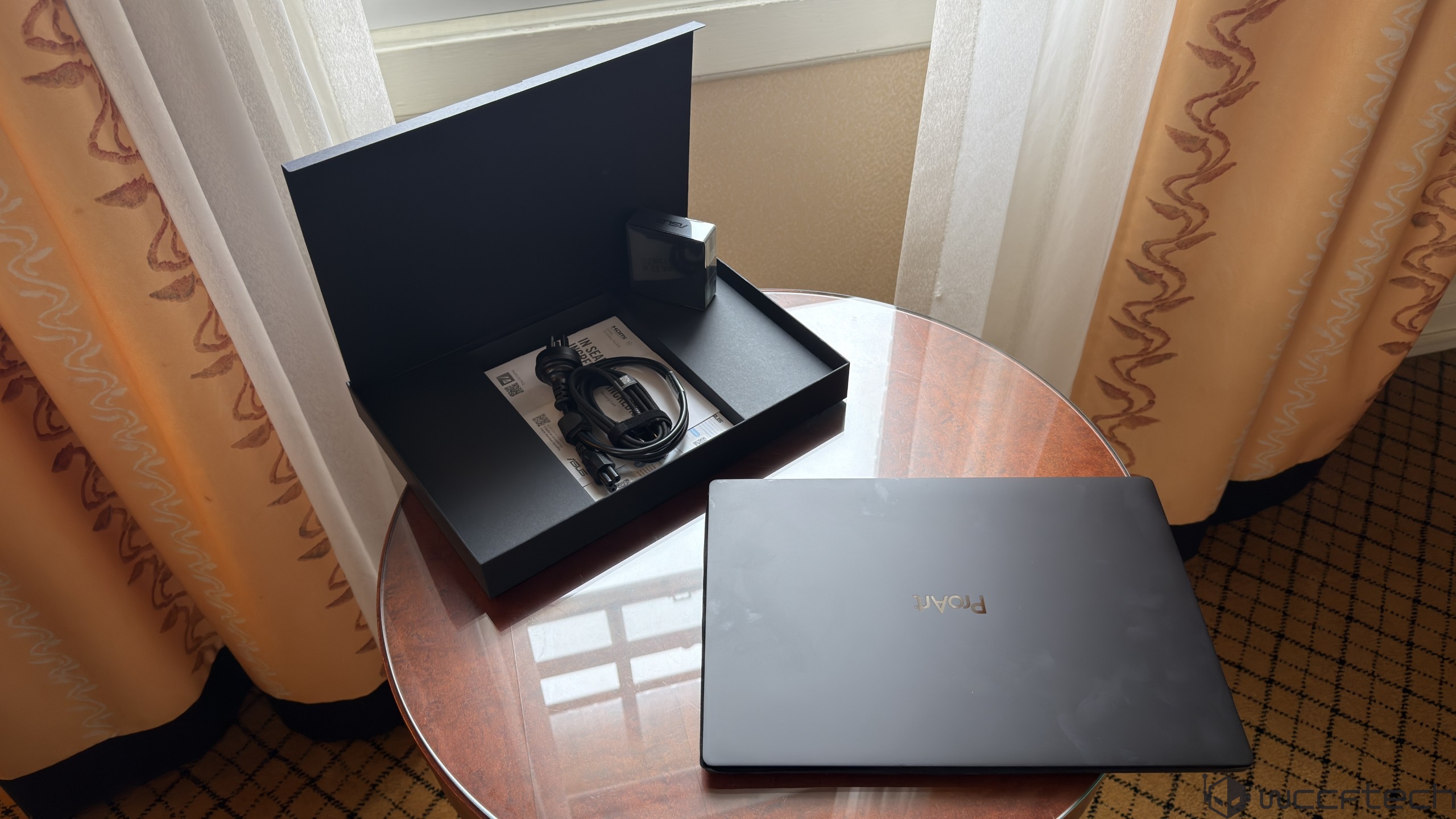
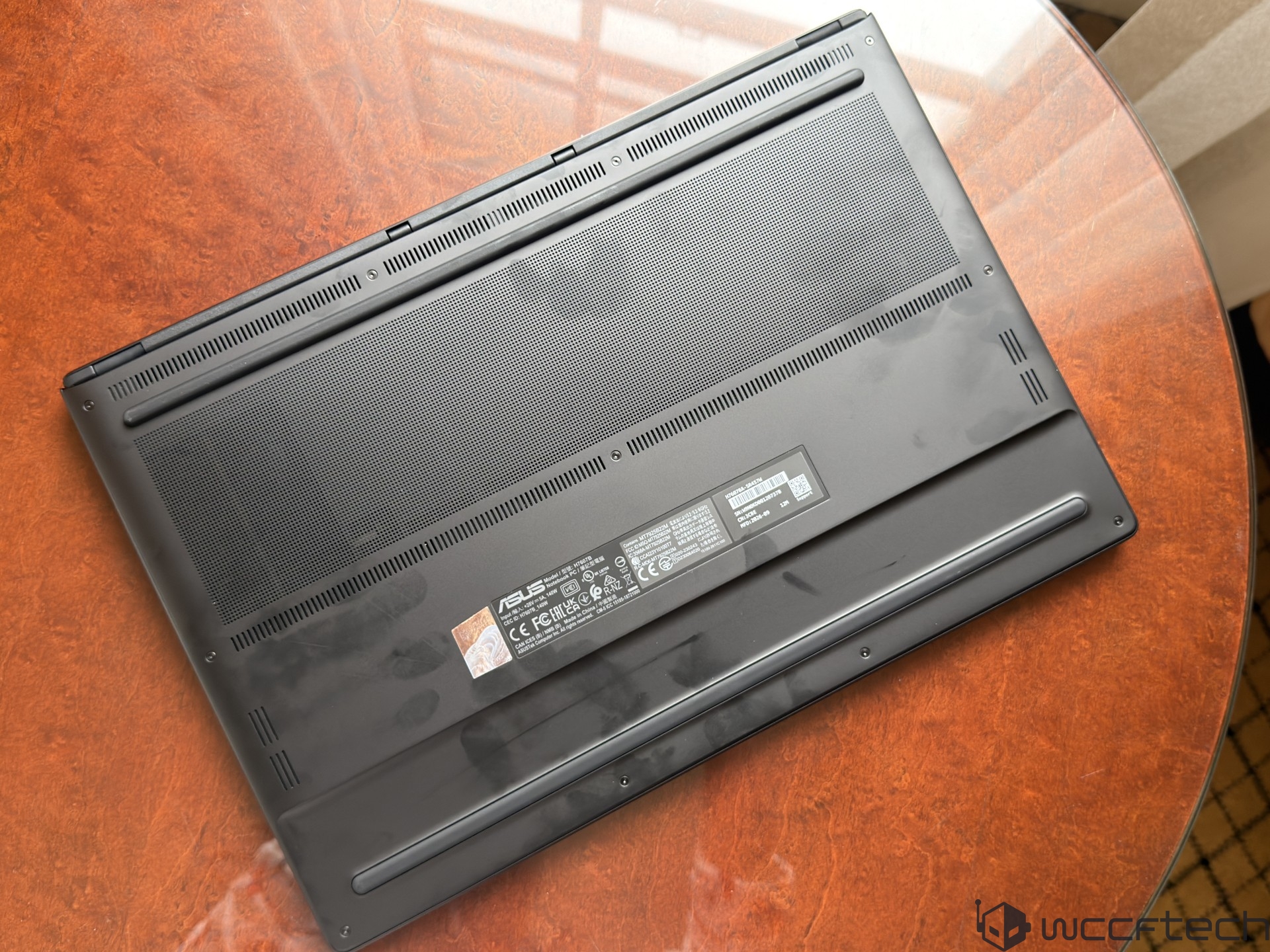
Our review unit was equipped with a 2 TB PCIe Gen4 SSD. The laptop comes with two NVMe 2280 M.2 slots. It can be pre-configured with 16 TB of capacity.
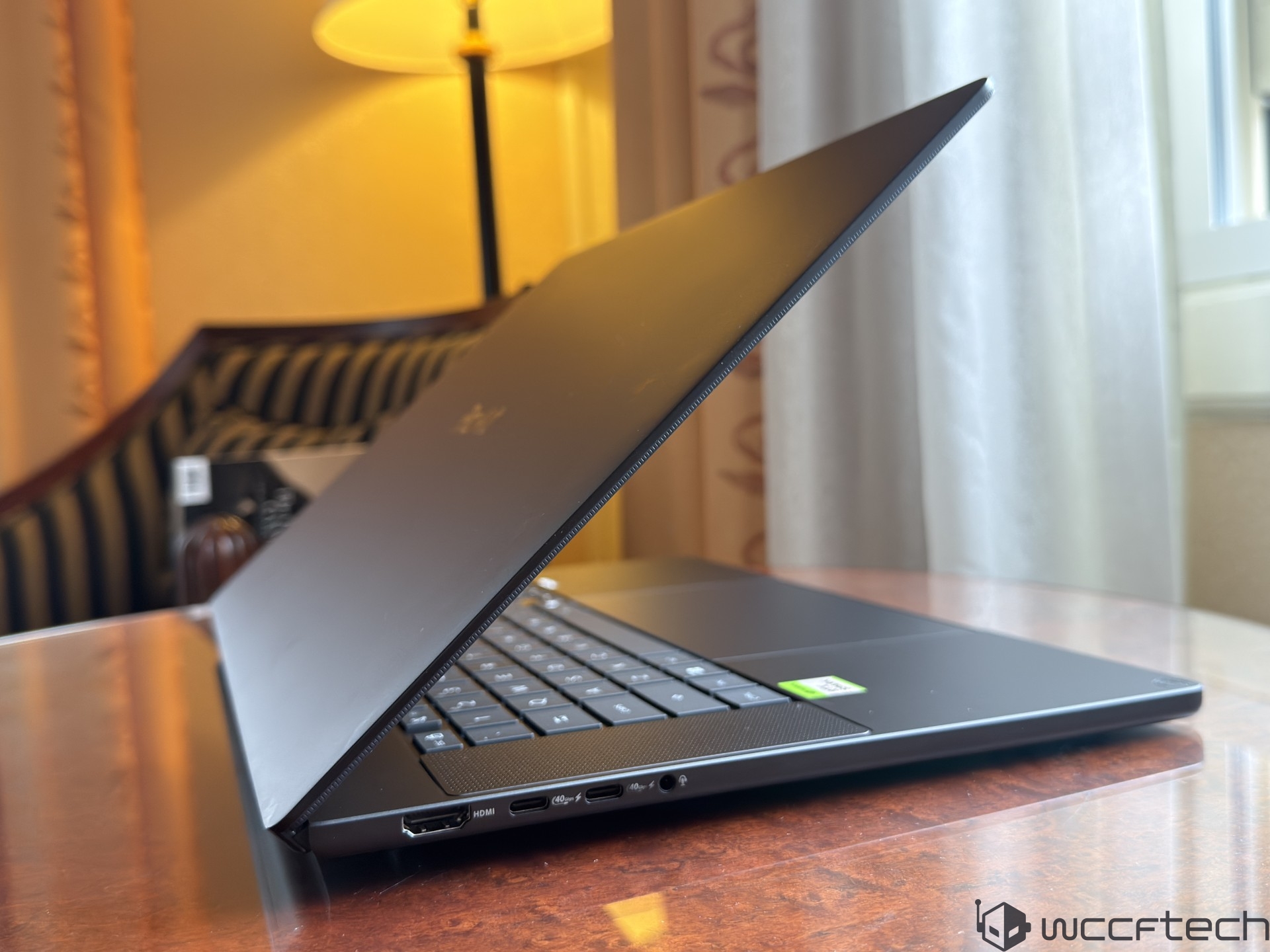
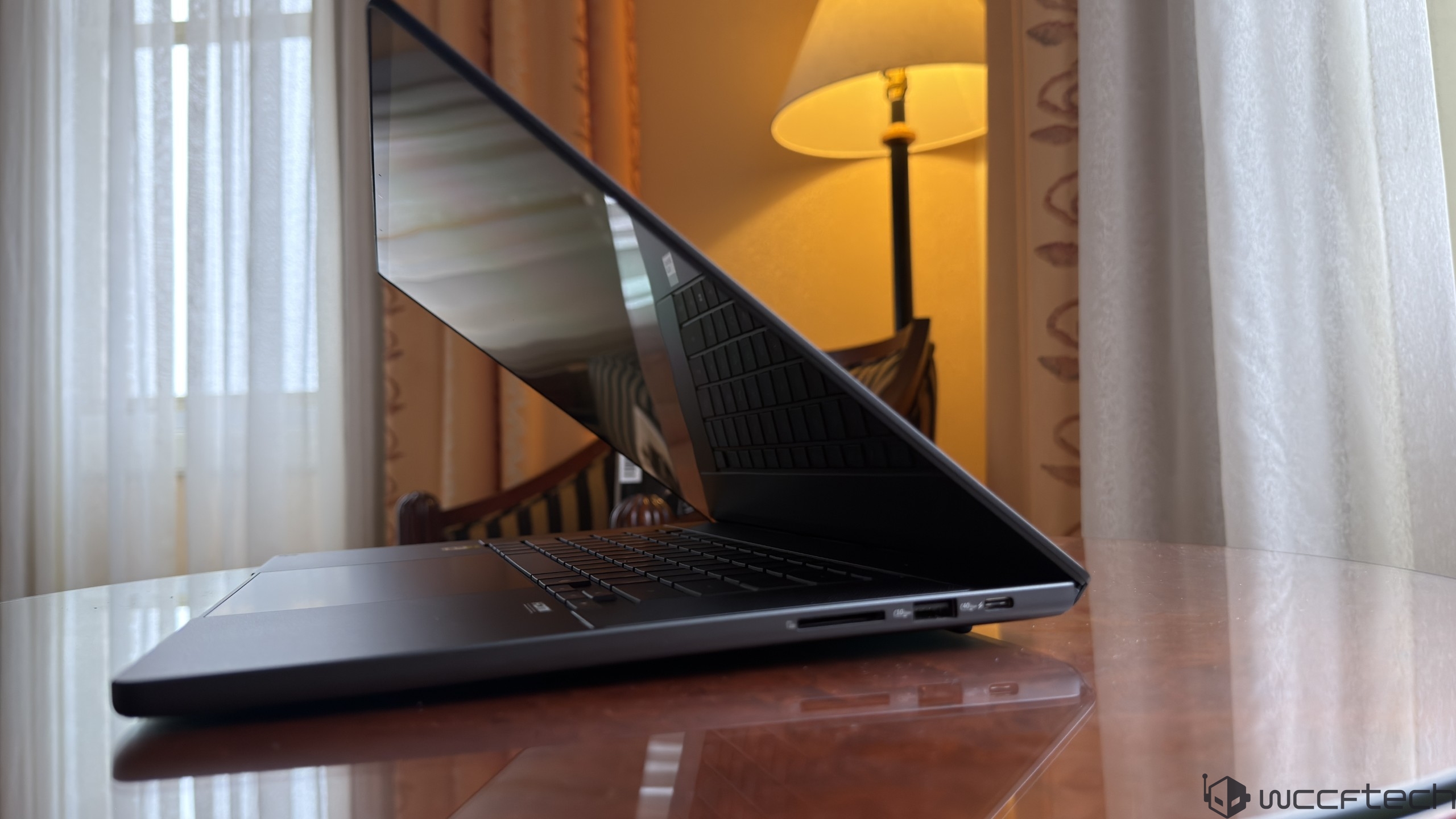
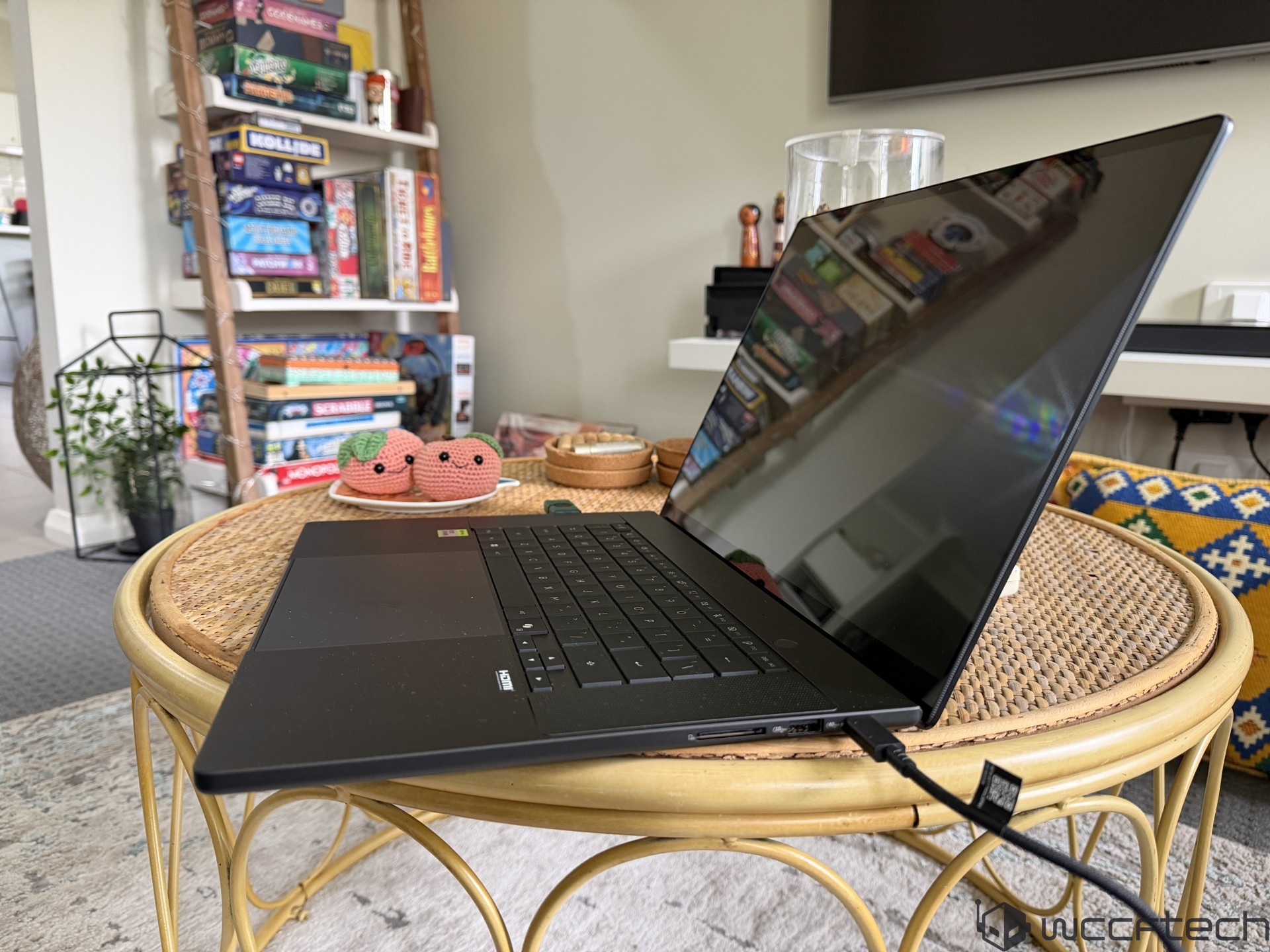
IO includes three USB4 Type-C ports, a single USB 3.2 Gen2 Type-A port, a single 3.5mm Combo Audio Jack, a single HDMI 2.1 FRL display output, and an SD Express 7.0 card reader. It also comes with an FHD camera with IR functions, a backlit keyboard with chiclet design and 1.7mm key travel, a haptic touchpad with multi-gesture support, & WIFI7+BT5.4 capabilities.
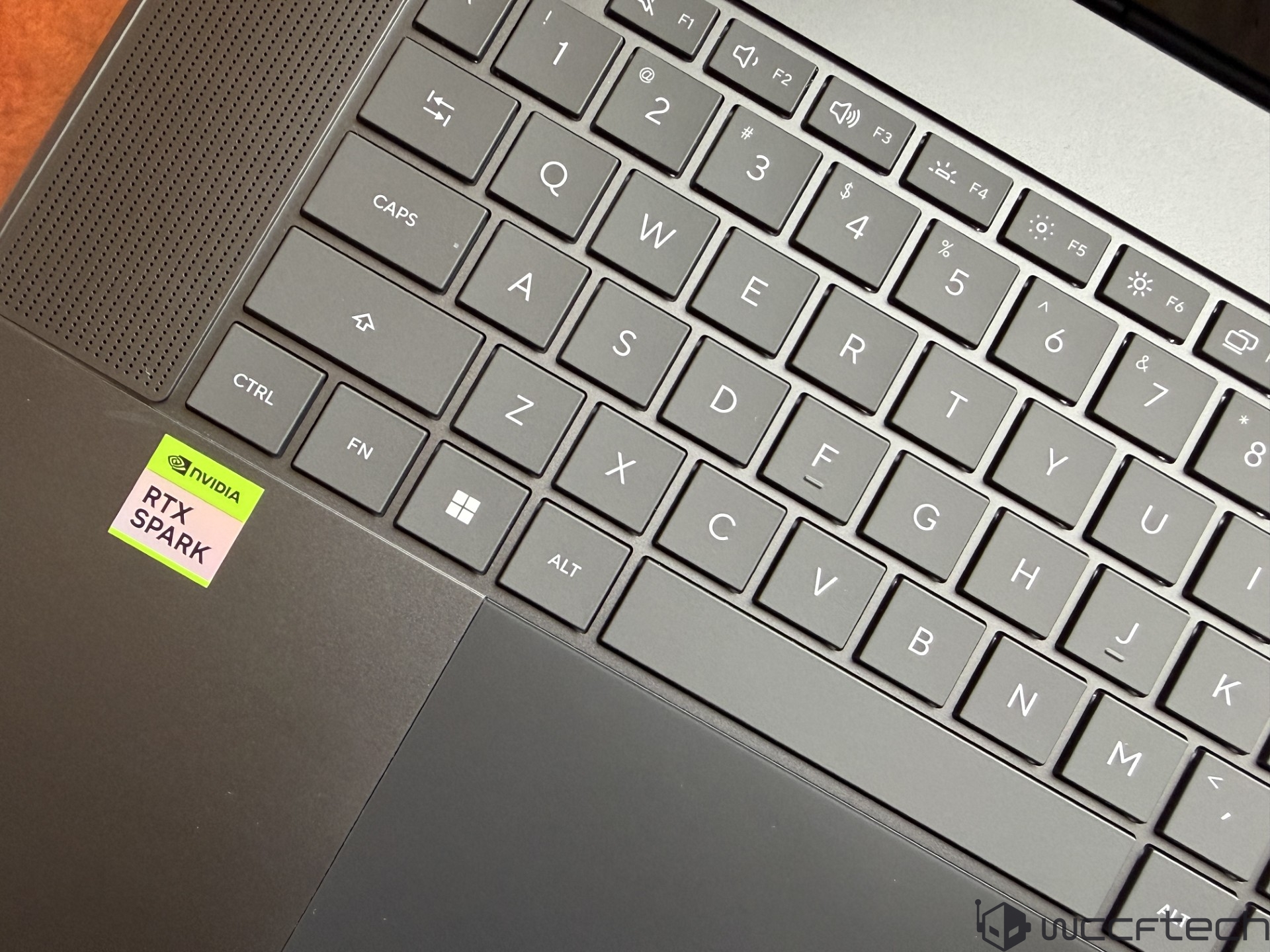
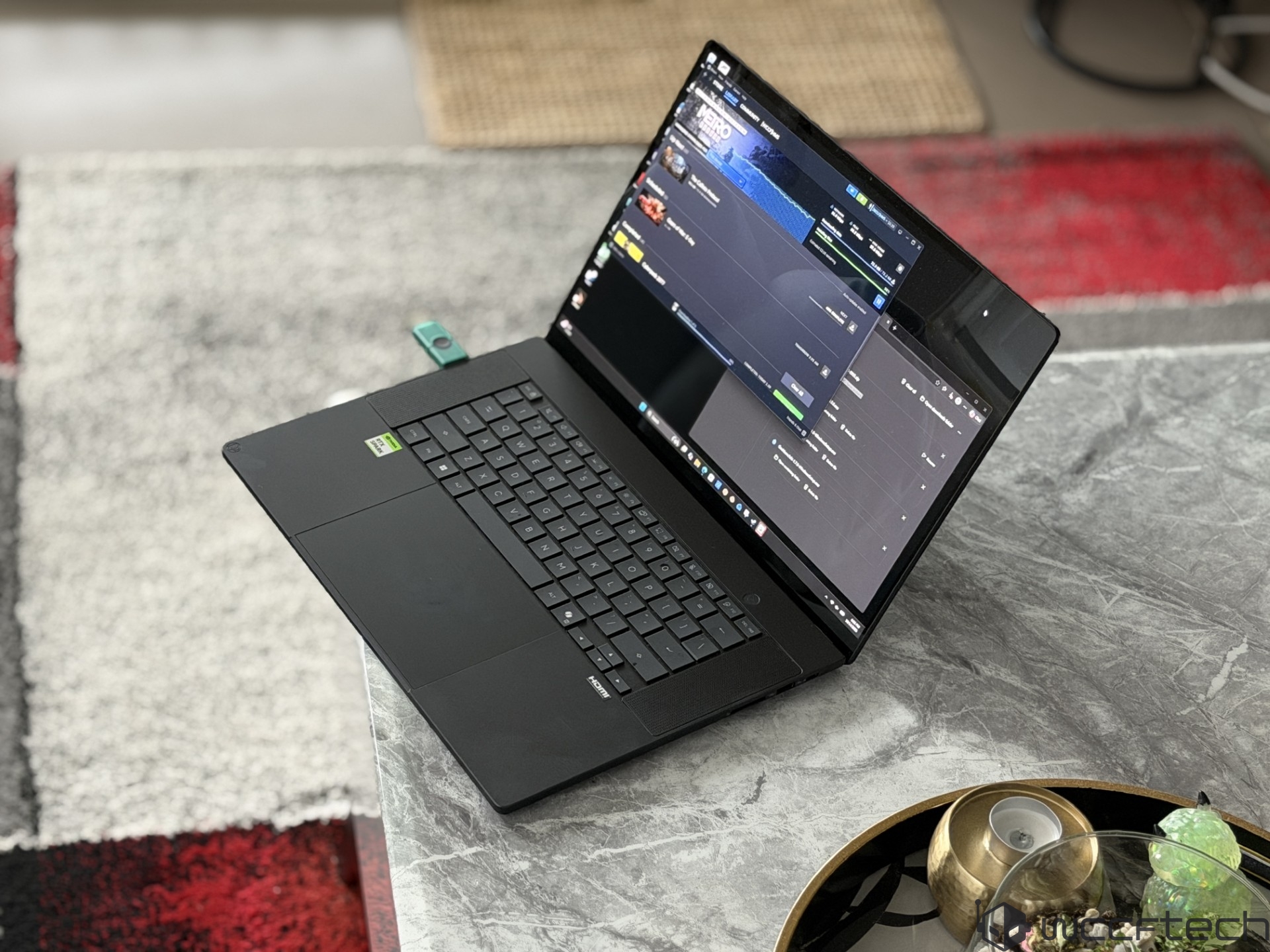
The laptop comes in two 16″ screen options: a UDH+ OLED (3840×2400 WQUXGA) panel with 700 nits of brightness (1600 HDR), a 120Hz refresh rate, and a 3K OLED panel (2880×1800) with 500 nits of brightness (1100 HDR), and up to a 120Hz refresh rate. There’s a built-in array of microphones and speakers with Smart Amp technology.
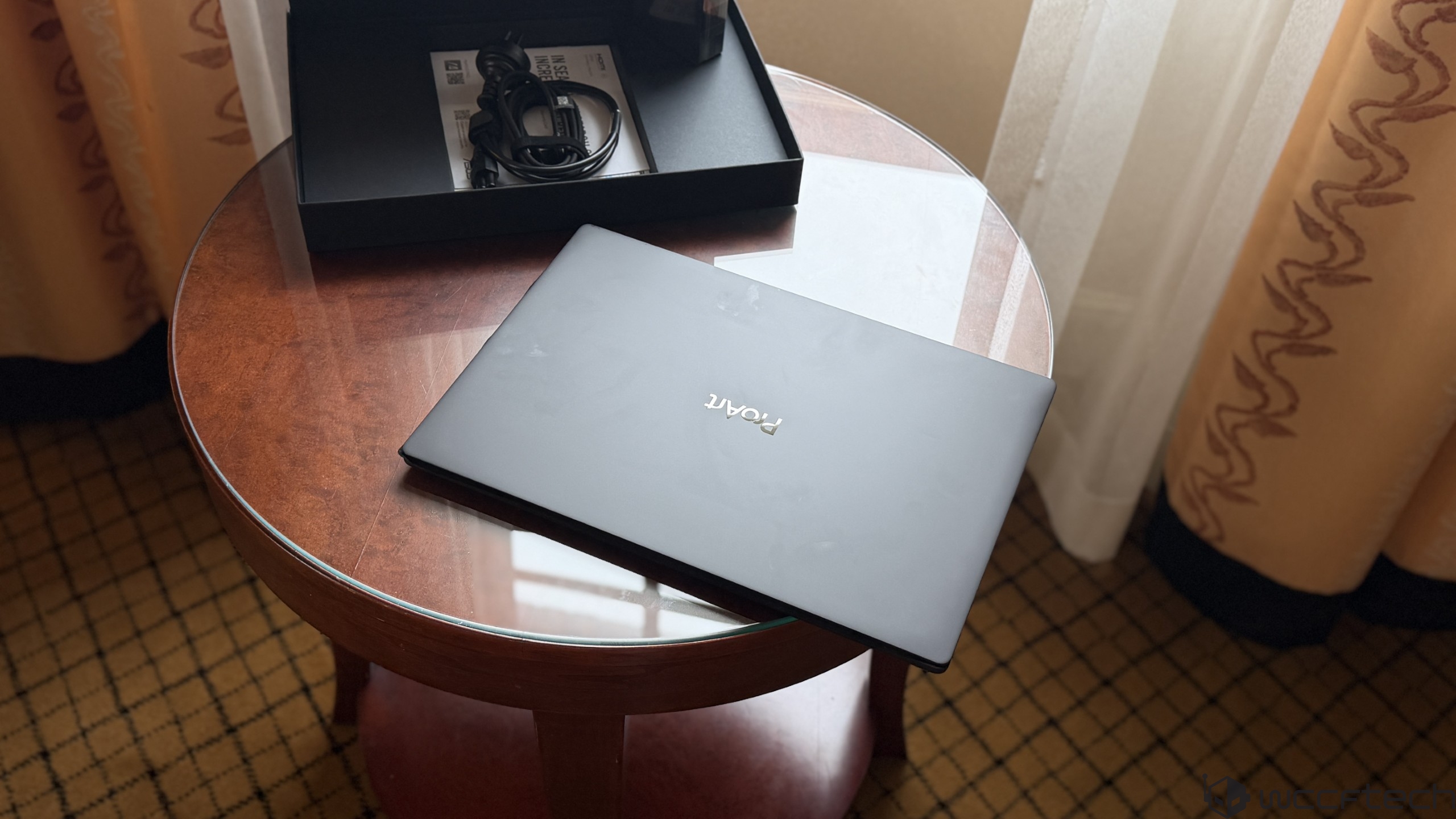
The laptop is very compact and lightweight, featuring a 1.29-1.59 cm thin design and weighing roughly 1.77 kg or 3.90lbs. The battery is a 99.9 Wh 4S1P 4-Cell Li-ion design, which is charged by a 140W Type-C power adapter.
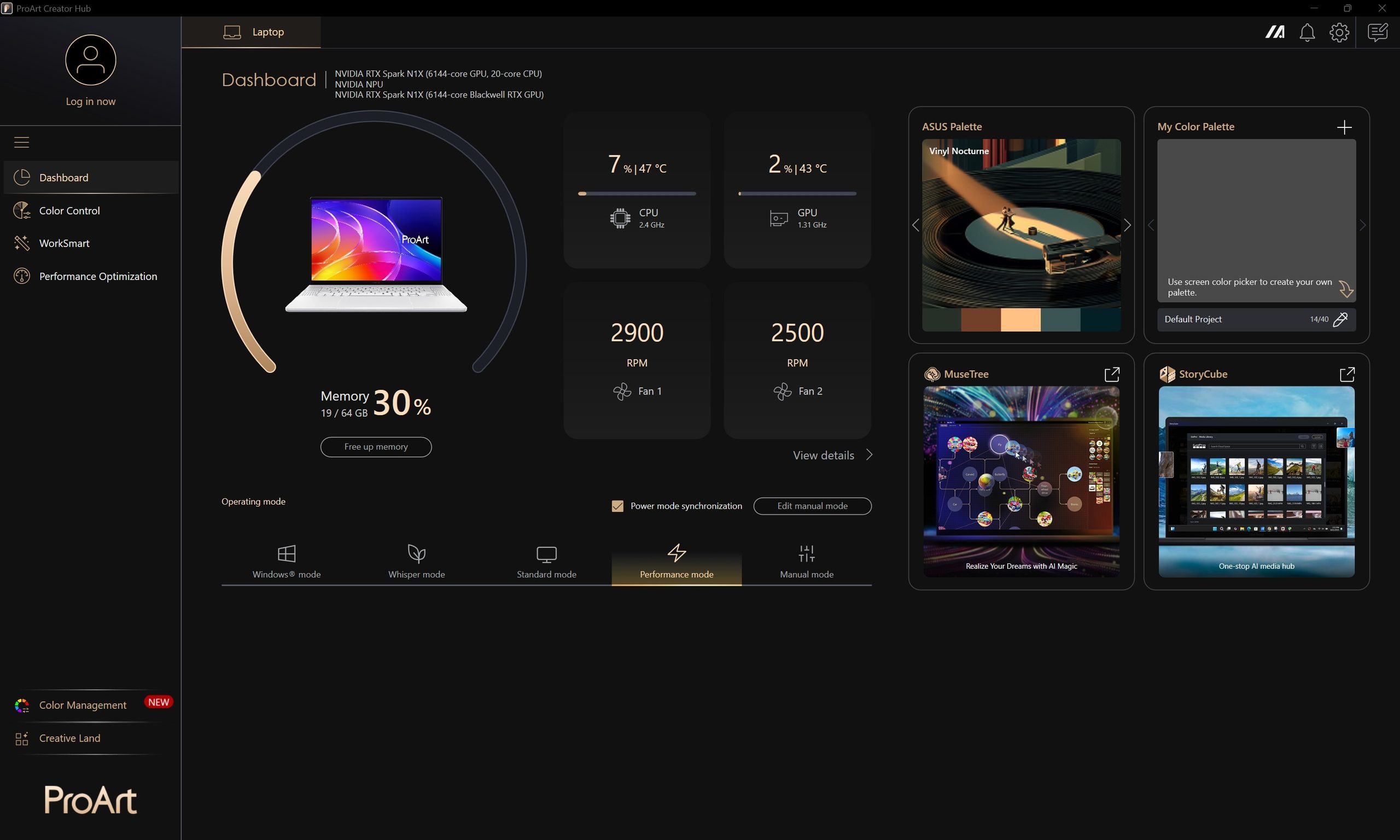
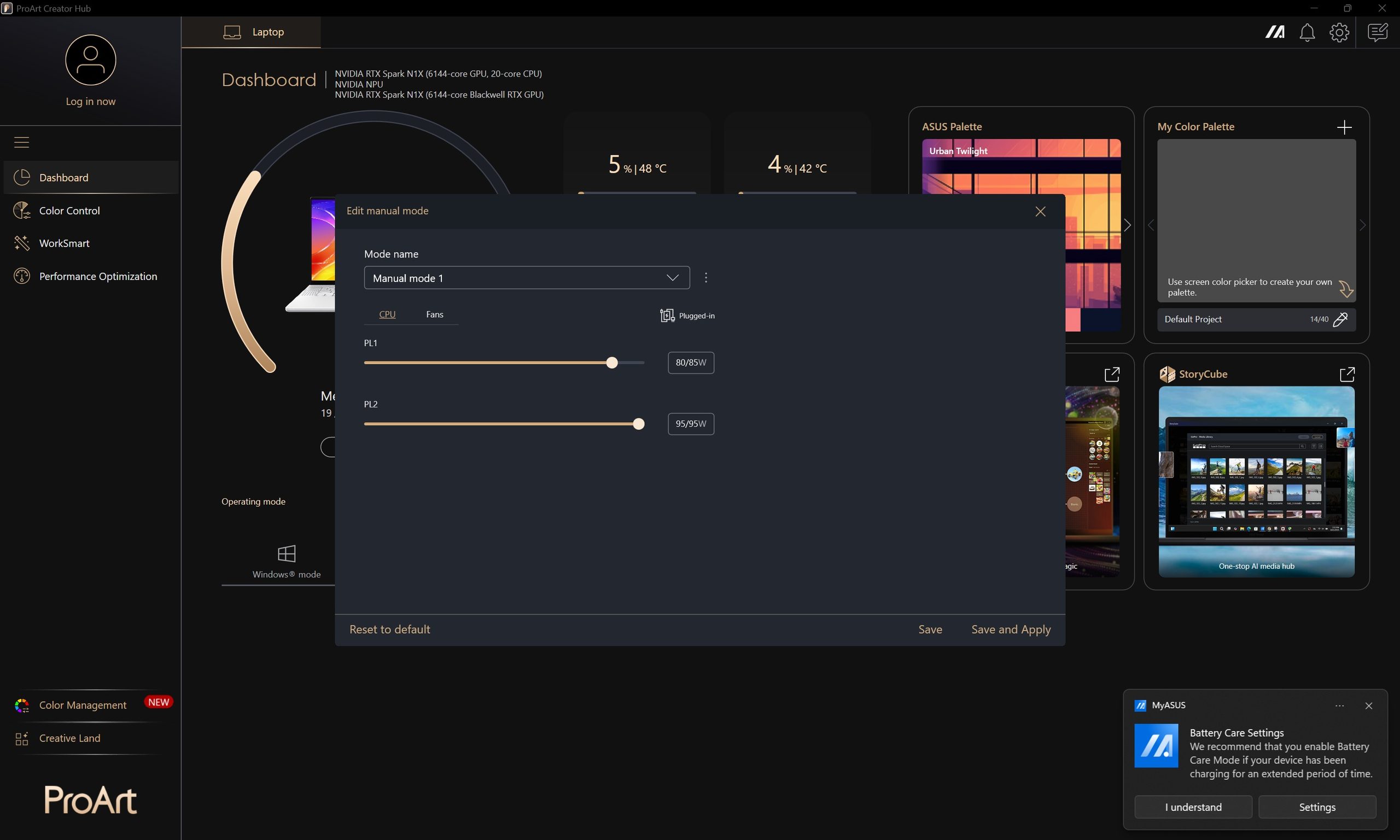
ASUS ProArt P16 Laptop – CPU Performance
We start by comparing the 3DMark CPU Profile tests. The RTX Spark lags behind x86 options with higher core/thread counts in multi-threading, and also in single-core tests.
0
4000
8000
12000
16000
20000
24000
ASUS Zenbook Duo 2026 (Core Ultra X9 388H)
HP Zbook Ultra G1a (Ryzen AI MAX+ 395)
ASUS Zenbook A14 (Snapdragon X2E-88100)
MSI Prestige AI EVO 16 B2HMG (Core Ultra 9 285H)
ASUS ProArt P16 (RTX Spark)
MSI Prestige A16 AI+ A3HM (Ryzen AI 9 365)
ASUS Zenbook S14 (Core Ultra 7 258V)
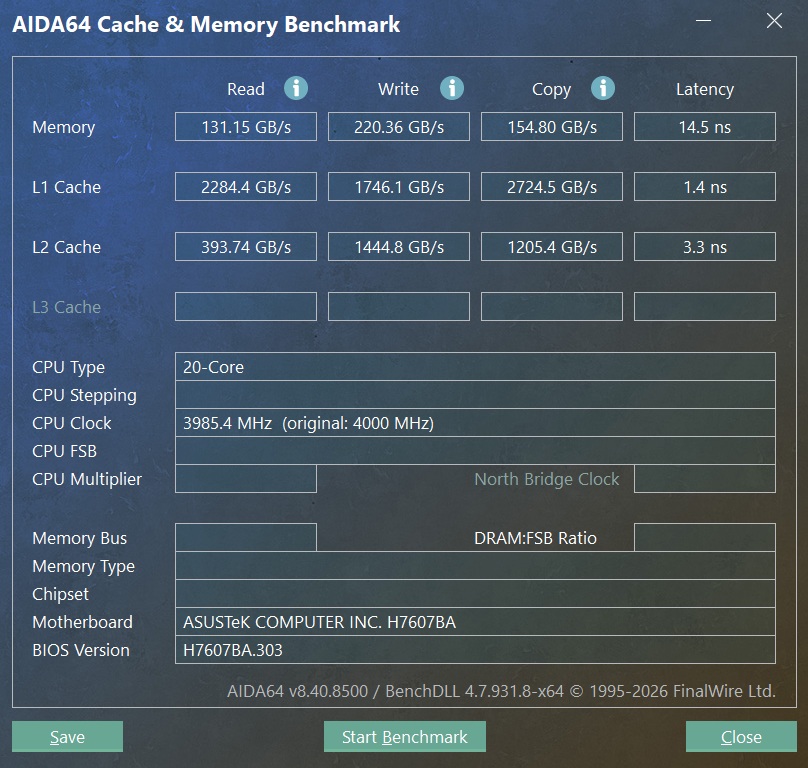
The memory bandwidth on the RTX Spark is the fastest of the bunch thanks to the wide 256-bit interface and the use of 9600 MT/s LPDDR5X memory.
0
36727
73454
110181
146908
183635
220362
ASUS ProArt P16 (RTX Spark)
HP Zbook Ultra G1a (Ryzen AI MAX+ 395)
ASUS Zenbook A14 (Snapdragon X2E-88100)
Zenbook Duo 2026 (Core Ultra X9 388H)
MSI Prestige A16 AI+ A3HM (Ryzen AI 9 365)
ASUS Zenbook S14 (Core Ultra 7 258V)
MSI Prestige AI EVO 16 B2HMG (Core Ultra 9 285H)
For Blender, the RTX Spark outperforms the Panther Lake chip but is slower than Ryzen AI MAX+ 300 SoCs. Blender does offer many DLSS technologies, which will provide better performance vs. the chips used for comparison here.
HP Zbook Ultra G1a (Ryzen AI MAX+ 395)
ASUS Zenbook A14 (Snapdragon X2E-88100)
ASUS ProArt P16 (RTX Spark)
ASUS Zenbook Duo 2026 (Core Ultra X9 388H)
MSI Prestige AI EVO 16 B2HMG (Core Ultra 9 285H)
MSI Prestige A16 AI+ A3HM (Ryzen AI 9 365)
ASUS Zenbook S14 (Core Ultra 7 258V)
In CPU-Z, the RTX Spark offers the fastest single- and multi-core performance out of the bunch.
0
4000
8000
12000
16000
20000
24000
ASUS ProArt P16 (RTX Spark)
ASUS Zenbook A14 (Snapdragon X2E-88100)
HP Zbook Ultra G1a (Ryzen AI MAX+ 395)
ASUS Zenbook Duo 2026 (Core Ultra X9 388H)
MSI Prestige AI EVO 16 B2HMG (Core Ultra 9 285H)
MSI Prestige A16 AI+ A3HM (Ryzen AI 9 365)
ASUS Zenbook S14 (Core Ultra 7 258V)
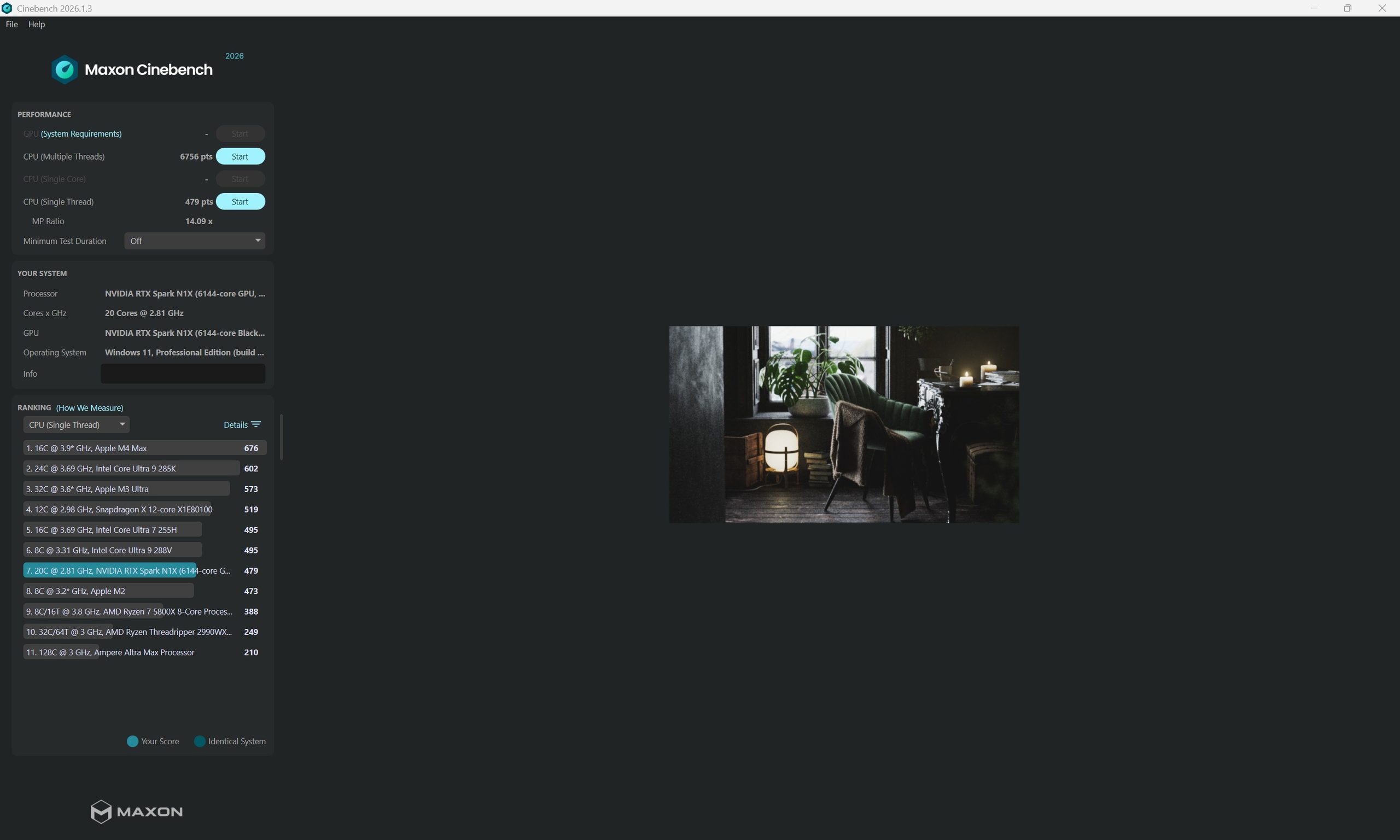
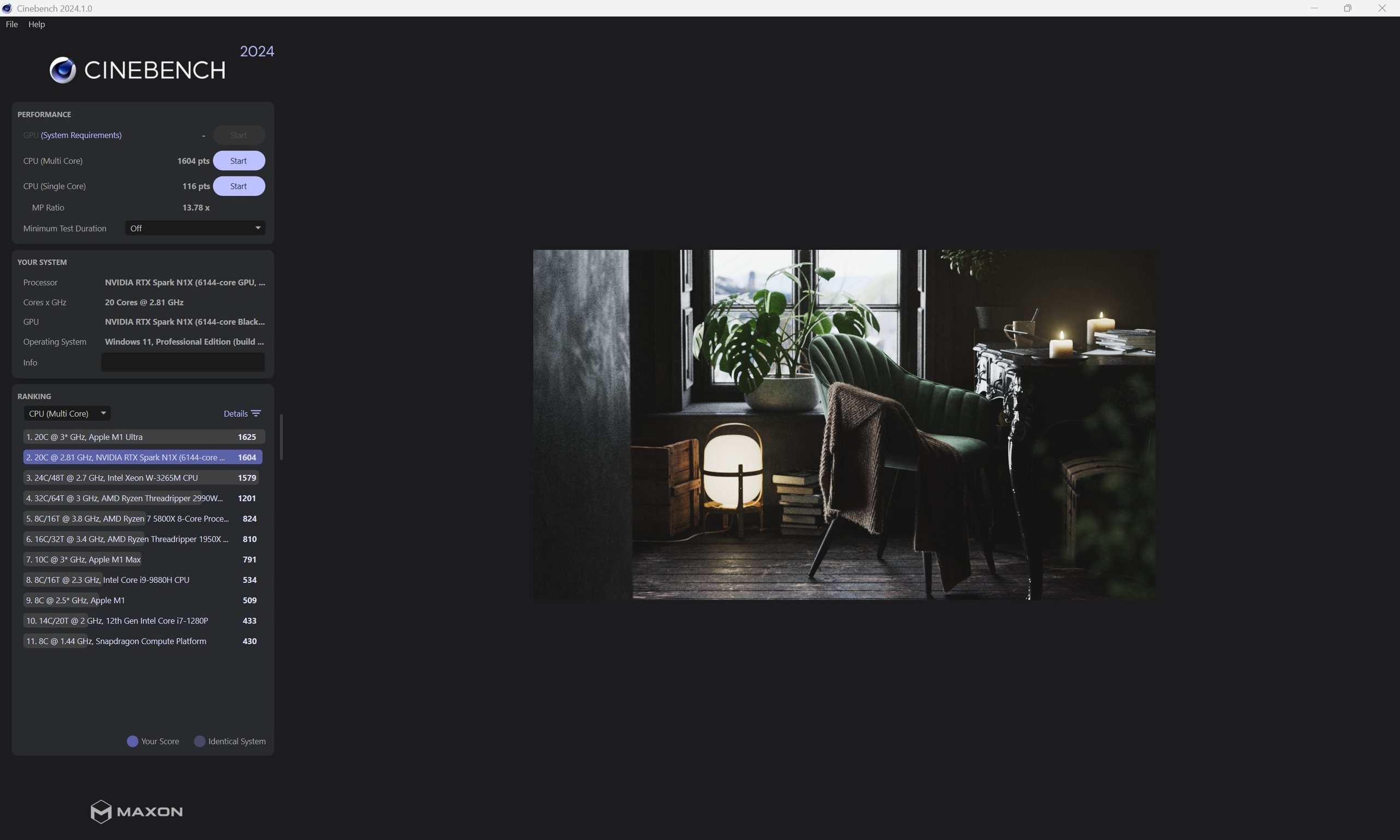
For Cinebench, we see strong single- and multi-core performance on the N1X chip, leading against AMD’s Ryzen AI MAX+ 395, Snapdragon X2 Elite, and Intel’s top Panther Lake SoC.
ASUS ProArt P16 (RTX Spark)
ASUS Zenbook A14 (Snapdragon X2E-88100)
HP Zbook Ultra G1a (Ryzen AI MAX+ 395)
ASUS Zenbook Duo 2026 (Core Ultra X9 388H)
MSI Prestige AI EVO 16 B2HMG (Core Ultra 9 285H)
MSI Prestige A16 AI+ A3HM (Ryzen AI 9 365)
ASUS Zenbook S14 (Core Ultra 7 258V)
In Geekbench 6, the Arm SoCs perform quite well. The RTX Spark leads against the Intel Panther Lake, and AMD Ryzen AI MAX+ 300 SoCs.
0
4000
8000
12000
16000
20000
24000
ASUS Zenbook A14 (Snapdragon X2E-88100)
ASUS ProArt P16 (RTX Spark)
ASUS Zenbook Duo 2026 (Core Ultra X9 388H)
HP Zbook Ultra G1a (Ryzen AI MAX+ 395)
MSI Prestige AI EVO 16 B2HMG (Core Ultra 9 285H)
MSI Prestige A16 AI+ A3HM (Ryzen AI 9 365)
ASUS Zenbook S14 (Core Ultra 7 258V)
In Procyon Office, the RTX Spark offers decent performance, but Panther Lake and Ryzen AI MAX lead the charts.
0
2000
4000
6000
8000
10000
12000
ASUS Zenbook Duo 2026 (Core Ultra X9 388H)
HP Zbook Ultra G1a (Ryzen AI MAX+ 395)
ASUS Zenbook A14 (Snapdragon X2E-88100)
ASUS Zenbook S14 (Core Ultra 7 258V)
MSI Prestige AI EVO 16 B2HMG (Core Ultra 9 285H)
ASUS ProArt P16 (RTX Spark)
MSI Prestige A16 AI+ A3HM (Ryzen AI 9 365)
WinRAR’s compression tests showcase Gorgon Point-like performance, which should be enough.
0
5000
10000
15000
20000
25000
30000
HP Zbook Ultra G1a (Ryzen AI MAX+ 395)
ASUS Zenbook Duo 2026 (Core Ultra X9 388H)
ASUS ProArt P16 (RTX Spark)
MSI Prestige A16 AI+ A3HM (Ryzen AI 9 365)
ASUS Zenbook A14 (Snapdragon X2E-88100)
MSI Prestige AI EVO 16 B2HMG (Core Ultra 9 285H)
ASUS Zenbook S14 (Core Ultra 7 258V)
ASUS ProArt P16 Laptop – AI Synthetic Performance
Next up, we have our AI benchmarks for the latest Intel, AMD, and Qualcomm CPUs. For UL Procyon, we see the fastest performance.
ASUS ProArt P16 (RTX Spark)
ASUS Zenbook Duo 2026 (Core Ultra X9 388H)
HP Zbook Ultra G1a (Ryzen AI MAX+ 395)
ASUS Zenbook S14 (Core Ultra 7 258V)
MSI Prestige AI EVO 16 B2HMG (Core Ultra 9 285H)
MSI Prestige A16 AI+ A3HM (Ryzen AI 9 365)
0
2000
4000
6000
8000
10000
12000
ASUS Zenbook Duo 2026 (Core Ultra X9 388H/GPU @ INT8)
ASUS Zenbook S14 (Core Ultra 7 258V/GPU @ INT8)
MSI Prestige AI EVO 16 B2HMG (Core Ultra 9 285H/GPU @ INT8)
ASUS ProArt P16 (RTX Spark)
HP Zbook Ultra G1a (Ryzen AI MAX+ 395/GPU)
ASUS Zenbook Duo 2026 (Core Ultra X9 388H/GPU)
ASUS Zenbook S14 (Core Ultra 7 258V/GPU)
MSI Prestige AI EVO 16 B2HMG (Core Ultra 9 285H/GPU)
MSI Prestige A16 AI+ A3HM (Ryzen AI 9 365/GPU)
ASUS ProArt P16 (RTX Spark)
ASUS Zenbook Duo 2026 (Core Ultra X9 388H/GPU)
ASUS Zenbook Duo 2026 (Core Ultra X9 388H/NPU)
ASUS Zenbook A14 (Snapdragon X2E-88100)
HP Zbook Ultra G1a (Ryzen AI MAX+ 395/NPU)
ASUS Zenbook S14 (Core Ultra 7 258V/NPU)
MSI Prestige A16 AI+ A3HM (Ryzen AI 9 365/NPU)
ASUS Zenbook S14 (Core Ultra 7 258V/GPU)
MSI Prestige AI EVO 16 B2HMG (Core Ultra 9 285H/GPU)
MSI Prestige AI EVO 16 B2HMG (Core Ultra 9 285H/NPU)
We also loaded up LM Studio and tried various models, with the performance of each LLM listed below:
0
1000
2000
3000
4000
5000
6000
Based on the tests we conducted, the majority of AI LLMs ran decently on the machine, making it a replacement for many cloud services that you would otherwise have to pay for. NVIDIA and the developer community keep on rolling out fine-tuned models with MTP/NVFP4 support, while we also get newer models such as the Nemotron Bolt and VL, which use fewer resources and are made specifically for 24 GB RTX Spark platforms.
We also used MLPerf Client 2.0.1 to evaluate Agent and GenAI performance. For GenAI, the model loaded was Flux 2 Klein, which is a 4B parameter model with NVIDIA Diffusers for CUDA GPU. The image output was rated at 15.67 images/min. On the Agent side, we used Llama 3.1 8B Instruct with NVFP4 support and got around 7 seconds per tool operation.
ASUS ProArt P16 Laptop – GPU Synthetic Performance
Now we are going to look at the GPU performance, and before we present to you the gaming numbers, we first have to see how the performance fares in synthetic benchmarks. For this purpose, we first want to outline the synthetic performance.

In 3DMark Speed Way, a purely ray tracing benchmark, the RTX Spark’s Blackwell GPU is the fastest thanks to NVIDIA’s strong RT capabilities.


ASUS ProArt P16 (RTX Spark 6144 Core Blackwell)
HP Zbook Ultra G1a (Radeon 8060S)
ASUS Zenbook Duo (Arc B390)
ASUS Zenbook S14 (Arc 140V)
MSI Prestige A16 AI+ A3HM (Radeon 880M)
MSI Prestige AI EVO 16 B2HMG (Arc 140T)
ASUS Zenbook A14 (Adreno X2-90)

For 3DMark Steel Nomad, we once again see RTX Spark GB20B leading the charts.
ASUS ProArt P16 (RTX Spark 6144 Core Blackwell)
HP Zbook Ultra G1a (Radeon 8060S)
ASUS Zenbook Duo (Arc B390)
ASUS Zenbook A14 (Adreno X2-90)
MSI Prestige AI EVO 16 B2HMG (Arc 140T)
ASUS Zenbook S14 (Arc 140V)
MSI Prestige A16 AI+ A3HM (Radeon 880M)

In 3DMark Port Royal, the RTX Spark beats the Radeon 8060S by 66% and the Arc B390 by over 2x.
0
2000
4000
6000
8000
10000
12000
ASUS ProArt P16 (RTX Spark 6144 Core Blackwell)
HP Zbook Ultra G1a (Radeon 8060S)
ASUS Zenbook Duo (Arc B390)
ASUS Zenbook S14 (Arc 140V)
MSI Prestige AI EVO 16 B2HMG (Arc 140T)
ASUS Zenbook A14 (Adreno X2-90)
MSI Prestige A16 AI+ A3HM (Radeon 880M)

In 3DMark Time Spy, the Blackwell GB20B is once again the fastest thanks to its higher GPU and CPU performance.
0
4000
8000
12000
16000
20000
24000
ASUS ProArt P16 (RTX Spark 6144 Core Blackwell)
HP Zbook Ultra G1a (Radeon 8060S)
ASUS Zenbook Duo (Arc B390)
ASUS Zenbook S14 (Arc 140V)
MSI Prestige AI EVO 16 B2HMG (Arc 140T)
ASUS Zenbook A14 (Adreno X2-90)
MSI Prestige A16 AI+ A3HM (Radeon 880M)

For Fire Strike, we see RTX Spark almost matching the Ryzen AI MAX+ 395. It lags in CPU, but leads in graphics tests.
0
7000
14000
21000
28000
35000
42000
HP Zbook Ultra G1a (Radeon 8060S)
ASUS ProArt P16 (RTX Spark 6144 Core Blackwell)
ASUS Zenbook Duo (Arc B390)
ASUS Zenbook A14 (Adreno X2-90)
ASUS Zenbook S14 (Arc 140V)
MSI Prestige AI EVO 16 B2HMG (Arc 140T)
MSI Prestige A16 AI+ A3HM (Radeon 880M)

Lastly, we have 3DMark Night Raid, where the RTX Spark was ahead of the B390 and came close to the Radeon 8060S.
0
16667
33334
50001
66668
83335
100002
HP Zbook Ultra G1a (Radeon 8060S)
ASUS ProArt P16 (RTX Spark 6144 Core Blackwell)
ASUS Zenbook Duo (Arc B390)
ASUS Zenbook A14 (Adreno X2-90)
ASUS Zenbook S14 (Arc 140V)
MSI Prestige AI EVO 16 B2HMG (Arc 140T)
MSI Prestige A16 AI+ A3HM (Radeon 880M)
ASUS ProArt P16 Laptop – HD Gaming Performance
With the synthetic performance out of the way, we can start taking a look at pure gaming numbers, and we start off our testing spree with Cyberpunk 2077 running at Medium Preset at 1200P. We used DLSS 4.5 upscaling and Frame-Gen, and the performance was slightly behind the Radeon 8060S with upscaling applied, but Frame-Gen saw the RTX Spark chip go ahead of the 395.

HP Zbook Ultra G1a (Radeon 8060S)
ASUS ProArt P16 (RTX Spark 6144 Core Blackwell)
ASUS Zenbook Duo (Arc B390)
ASUS Zenbook S14 (Arc 140V XeSS)
ASUS Zenbook A14 (Adreno X2-90)
MSI Prestige AI EVO 16 B2HMG (Arc 140T XeSS)
MSI Prestige A16 AI+ A3HM (Radeon 880M FSR)
Medium (Balanced Upscale)
RT Ultra (Balanced Upscale)

In Forza Horizon 6, we ran the game using Quality Upscaling at the Medium Preset at 1200P, and the RTX Spark delivered the fastest performance. Even more impressive was the 2x Frame-Gen FPS result.
ASUS ProArt P16 (RTX Spark 6144 Core Blackwell)
HP Zbook Ultra G1a (Radeon 8060S)
ASUS Zenbook Duo (Arc B390)
ASUS Zenbook S14 (Arc 140V XeSS)

Lastly, we have Gears of War E-Day, which is fully playable without upscaling applied at a mix of High-Med settings, while MFG 3x mode sees the FPS jump beyond 100 FPS at 1440P+ resolutions.
1200P FPS (With 3x Frame-Gen)
1500P FPS (With 3x Frame-Gen)
ASUS ProArt P16 Laptop – Thermals, Power & Battery
A major factor of today’s laptops is their power consumption, and in that regard, the ASUS ProArt P16’s RTX Spark chip has a default TDP of 45W, which goes up to 85W.
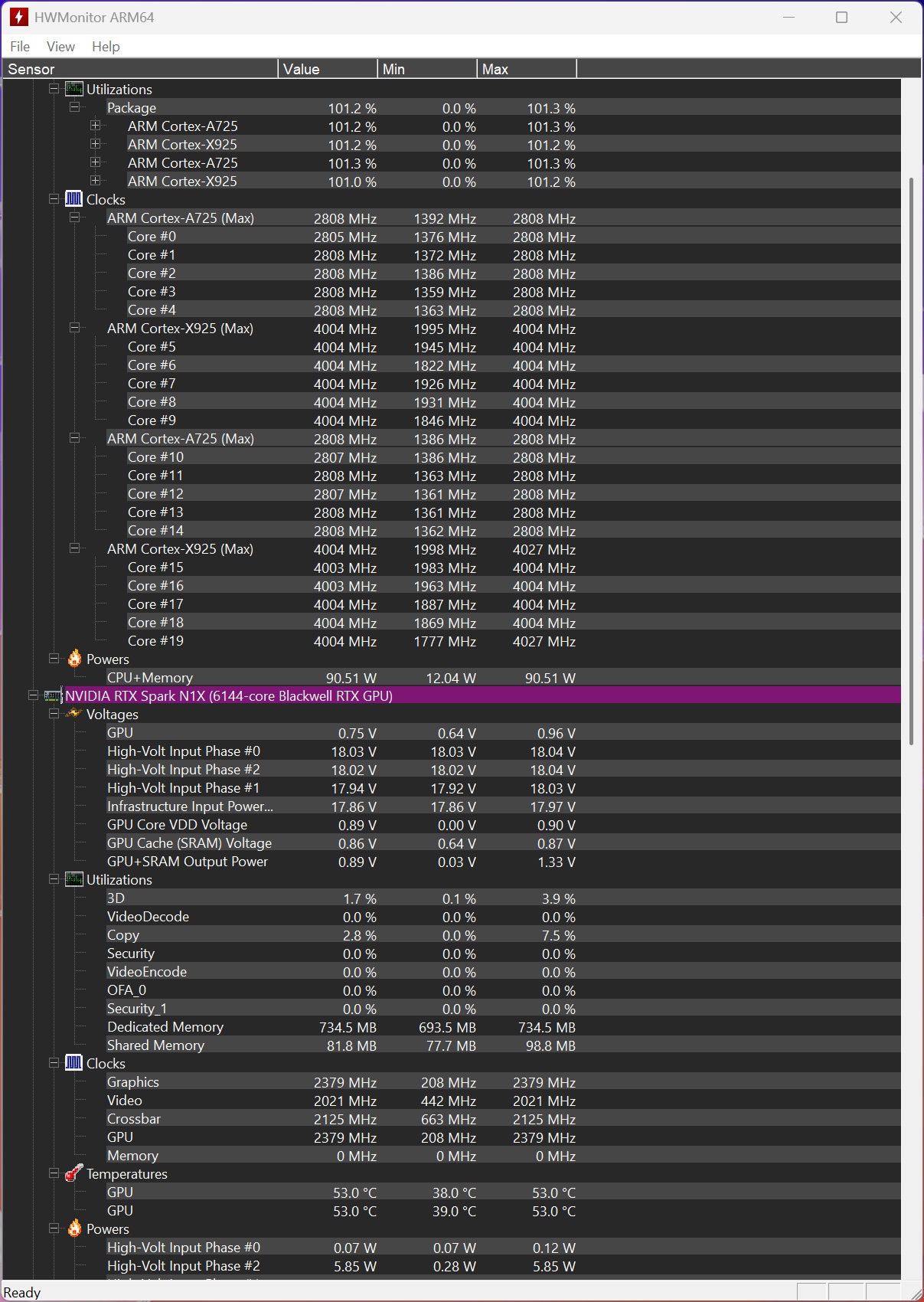
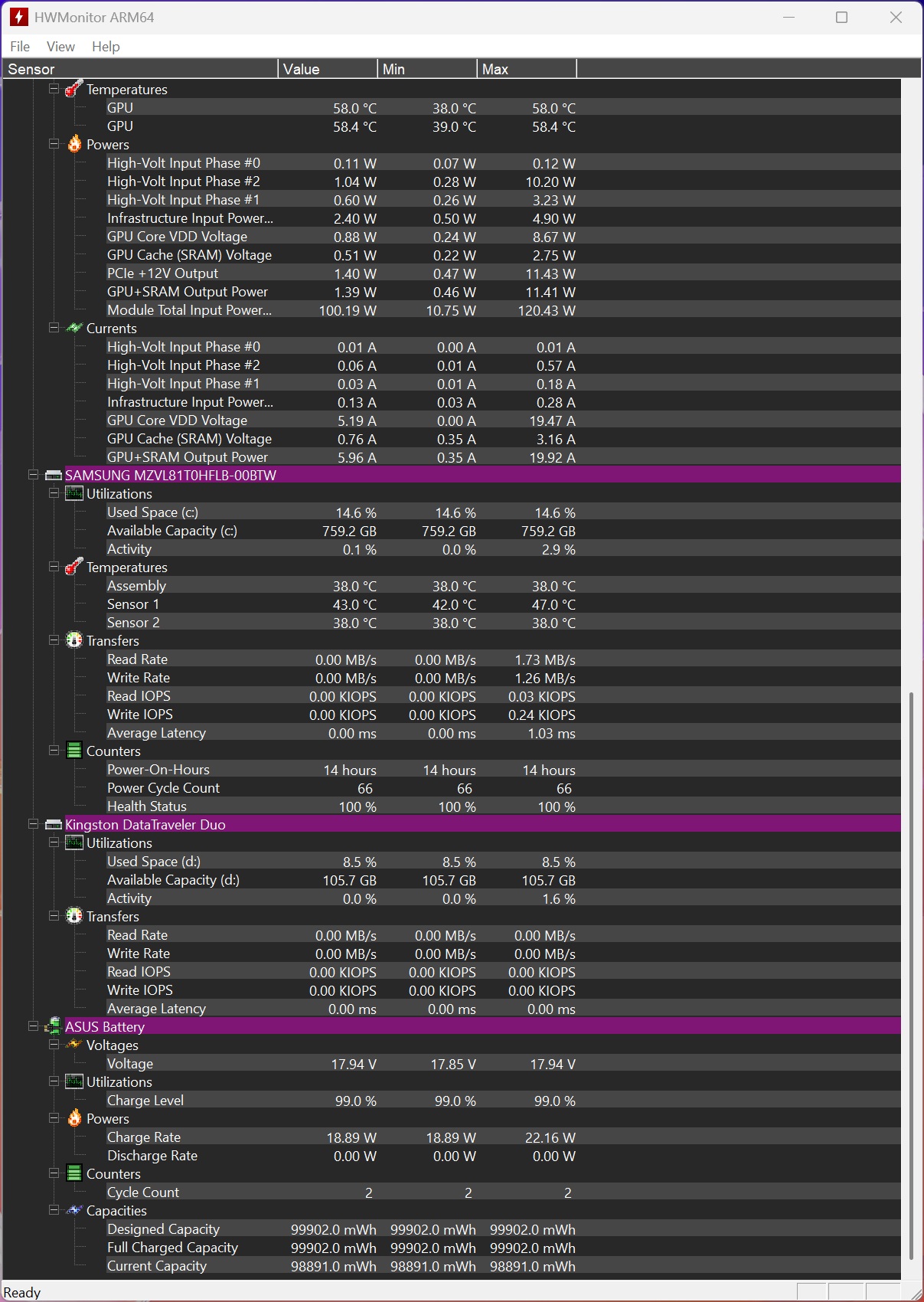
While the peak power of both laptops was seen at 80W, the gaming power was slightly different. We saw the gaming use end up in the 40-55W range, which is decent.
The ASUS ProArt P16 is a compact machine and features a dual-fan cooling solution with copper heat pipes and a large base heatsink.
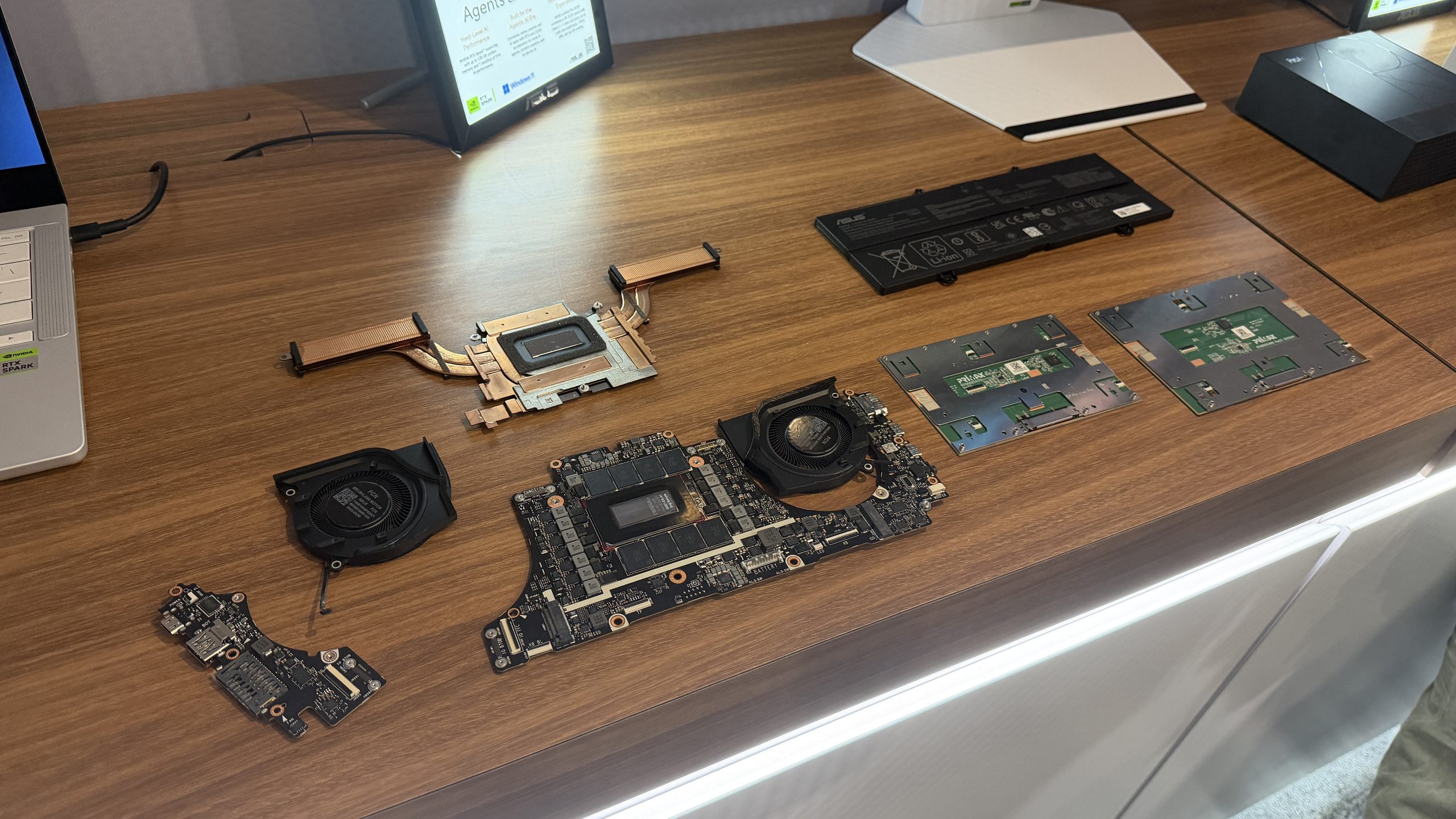
At peak load, the laptop does get really warm, hitting 88C temperatures, and the fans really spin up loudly. Setting the PC to standard mode does lead to better noise levels.
The A14 comes with a 70Whr battery, but still manages to deliver some nice battery times.
ASUS ProArt P16 (RTX Spark)
ASUS Zenbook Duo (Core Ultra X9 388H)
MSI Prestige AI EVO 16 B2HMG (Core Ultra 9 285H)
MSI Prestige A16 AI+ A3HM (Ryzen AI 9 365)
HP Zbook Ultra G1a (Ryzen AI MAX+ 395)
ASUS Zenbook S14 (Core Ultra 7 258V)
ASUS Zenbook A14 (Snapdragon X2 Elite)
ASUS Zenbook Duo (Core Ultra X9 388H)
ASUS Zenbook S14 (Core Ultra 7 258V)
ASUS Zenbook A14 (Snapdragon X2 Elite)
MSI Prestige AI EVO 16 B2HMG (Core Ultra 9 285H)
ASUS ProArt P16 (RTX Spark)
MSI Prestige A16 AI+ A3HM (Ryzen AI 9 365)
HP Zbook Ultra G1a (Ryzen AI MAX+ 395)
Conclusion
So that rounds up our testing of the first RTX Spark PC. Let’s share what we think about the platform.
CPU Performance
The NVIDIA N1X SoC delivers strong multi-threaded results, topping charts in CPU-Z multi-core (~15,972) and Cinebench 2024 multi (~1,604) while remaining competitive in Blender. Single-thread performance is more mixed, leading in CPU-Z (~1,197) but trailing in 3DMark CPU Profile and Cinebench single-core.
Memory bandwidth is excellent (especially write/copy), aided by the high-speed LPDDR5X and coherent fabric. It is not the absolute single-core leader versus the best x86 parts, but it is more than capable for productivity and creative workloads, with the large on-package cache and unified memory helping real-world responsiveness.
GPU Performance (Gaming + Synthetic)
This is where the platform really flexes. The 6,144-core Blackwell GPU sits at or near the top of almost every synthetic benchmark we ran, particularly the ray-tracing ones. In actual games at 1200p with upscaling and frame generation, it delivers genuinely playable (often smooth) results, Cyberpunk hovering around 95 FPS with nearly 200 using frame gen, Forza comfortably in the 70s and climbing well past 180 with FG. It isn’t quite matching the absolute best discrete-class iGPUs in pure raster titles, but for a thin-and-light it’s seriously impressive, especially once you lean on DLSS and frame generation.
Furthermore, the RTX Spark has the biggest suite of technologies backing it up than any other iGPU on the market. It has DLSS MFG 6x support, it has DLSS 5 support, it supports the latest DLSS models, and as a Windows on Arm platform, it has the widest list of games compatible from the start, and more optimizations are landing soon.
AI Performance
AI is easily one of the biggest highlights of the RTX Spark platform. It posts the highest scores in UL Procyon AI Text Generation (excellent time-to-first-token and tokens/sec), strong image-generation results, and leading integer-precision NPU/GPU scores. With 64–128 GB of unified memory, it runs practical local LLMs (GLM, GPT-OSS, Gemma, Nemotron, Qwen, etc.) at usable speeds, while NVFP4, Tensor cores, and ongoing model optimizations further improve efficiency.
Combined with the large memory pool, it makes local agentic and generative AI far more practical than on typical 16–32 GB discrete-GPU laptops, reducing reliance on cloud services for many workloads. For anyone doing serious local inference or agent work, it’s a real step up from most laptops.
Battery & Thermals
The 99.9 Wh battery delivers respectable endurance (roughly 14 hours of office productivity and ~3 hours of gaming in the tested suite), though it sits mid-pack among similarly sized batteries; higher sustained power and the Blackwell GPU’s appetite keep it from matching the most efficient x86 or Snapdragon designs.
Thermals are well-managed for the form factor (gaming ~66 °C, peak ~88 °C), but the dual-fan system becomes audible under sustained load. NVIDIA’s claim of full performance on battery is largely borne out in the power charts (gaming ~40–55 W range, peak up to ~90 W), which is impressive for an Arm SoC of this capability.
Overall Thoughts
The ASUS ProArt P16 with NVIDIA RTX Spark N1X feels like a genuine first-class Windows PC rather than a compromised “Windows on Arm” experiment.
The software side is polished enough that most people won’t notice they’re on Arm, and you get the full NVIDIA feature set (DLSS, Reflex, CUDA, solid ray tracing, etc.). It’s strongest as a creator and AI machine—plenty of GPU grunt, a big unified memory pool that lets you load larger models and scenes, and capable multi-core performance.
+Strong GPU performance for a thin-and-light, especially in ray-traced synthetics and games once you enable upscaling and frame generation.
+Excellent AI capabilities thanks to the Blackwell GPU, NVFP4 support, and a large pool of unified memory that lets you run decent local models without constantly relying on the cloud.
+Capable multi-core CPU performance for productivity and creative work.
+Efficiency shows in gaming applications
+Feels like a normal Windows laptop rather than a compromised Arm experiment—software compatibility and day-to-day experience are polished.
+Big 99.9 Wh battery delivers a full workday of lighter use, and the machine can still sustain solid performance on battery.
+Compact and relatively light for the performance on offer, with a high-quality OLED screen option
+Good connectivity (USB4, Wi-Fi 7, etc.).
-Battery life is respectable but not class-leading, especially under gaming or heavier loads.
-Fans get audible, and the chassis warms up under sustained performance.
-Gaming is good with DLSS/frame gen, but more optimizations need to be done
-Very Very Expensive
Gaming is better than expected once you use the upscaling tools. Battery life and peak fan noise are the main compromises, but the combination of real performance, the memory capacity, and NVIDIA’s longer-term roadmap makes this the most convincing Windows-on-Arm effort yet. It’s not perfect, but it’s the first one that feels like it could stick around.

You can find additional information about our hardware review process and ethics policy here.

About the author: A Software Engineer by training and a PC enthusiast by passion, Hassan Mujtaba serves as Wccftech’s Senior Editor for hardware section. With years of experience in the industry, he specializes in deep-dive technical analysis of next-generation CPU and GPU architectures, motherboards, and cooling solutions. His work involves not only breaking news on upcoming technologies but also extensive hands-on reviews and benchmarking.
Follow Wccftech on Google to get more of our news coverage in your feeds.