
Apple’s iOS 26 update brought a lot of changes to the best iPhones, including a new Liquid Glass look and new features. Apple has been working on the follow-up, and iOS 26.1 could be with us as soon as next week.
As noted by MacRumors, iOS 26.1 isn’t the most feature-rich release. Instead, it focuses more on quality of life improvements. If you were hoping for the long-rumored Siri update, then I am afraid you’ll have to wait until at least Spring 2026.
You may like
iOS 26.1 Cheat Sheet: Biggest changes New clear or tinted toggle for Liquid GlassUsers can turn off swiping activating the Camera app on the lock screeniPhone alarm needs to swiped to turn offNew language support for Apple Intelligence and translationNew ways to swap between songs on Apple MusicApple Fitness lets users create their own workout planNew Apple TV iconPhotos app has new video scrubber and improved options on selected imagesSafari app’s tab bar is now wider, and more curvediOS 26.1 solves two issues with the display and lock screen
(Image credit: Future)
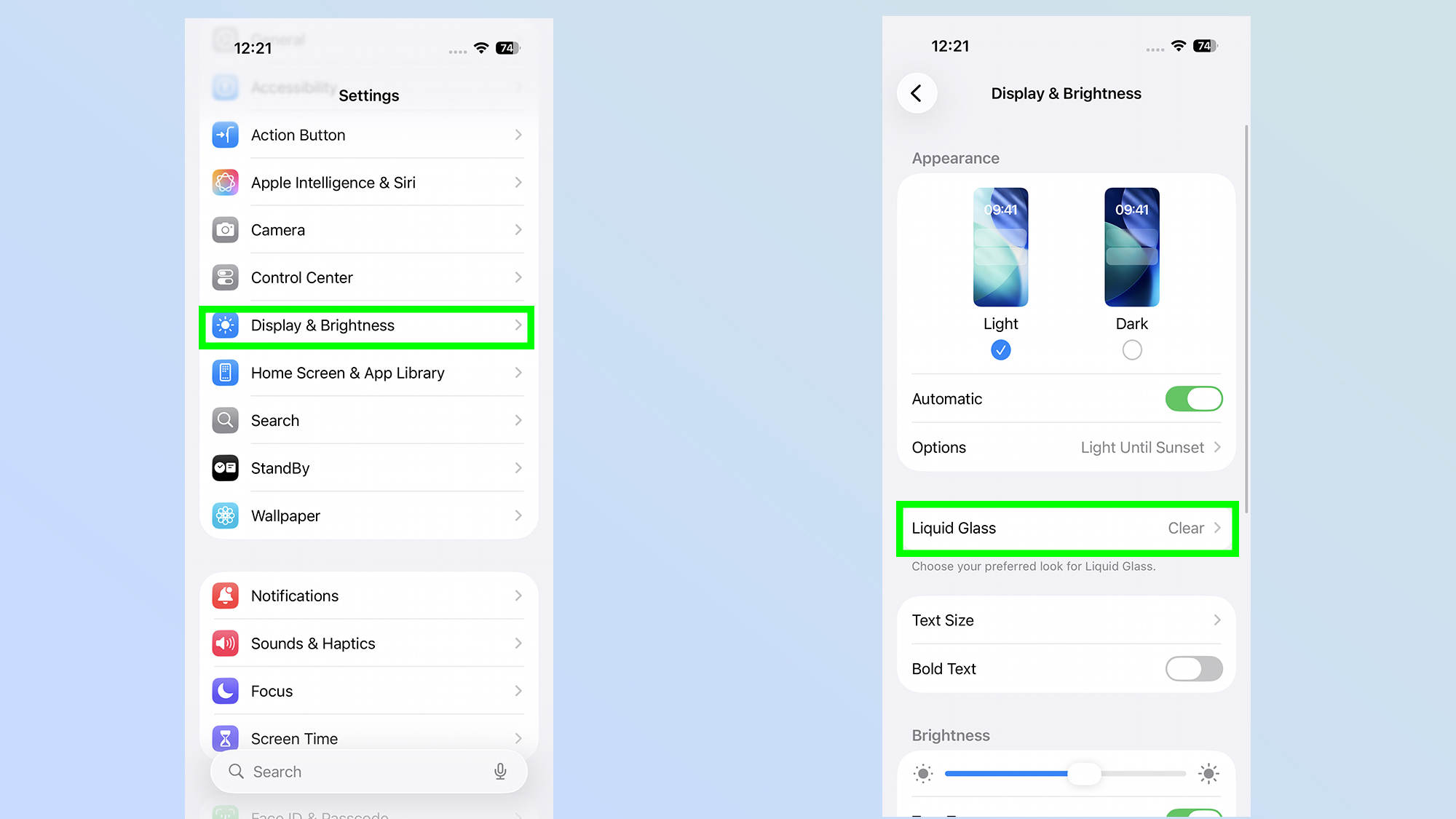
One of the biggest additions introduced in iOS 26 was the new Liquid Glass design. It’s a unique look, but it didn’t appeal to everyone, with some users complaining that it made the screen hard to read.
While iOS 26.1 is introducing Liquid Glass to the Phone app, it also adds a new transparency toggle to the settings. The toggle allows you to select either Clear or Tinted modes, with the latter reducing the opacity of menus, buttons and other details.
(Image credit: Future)
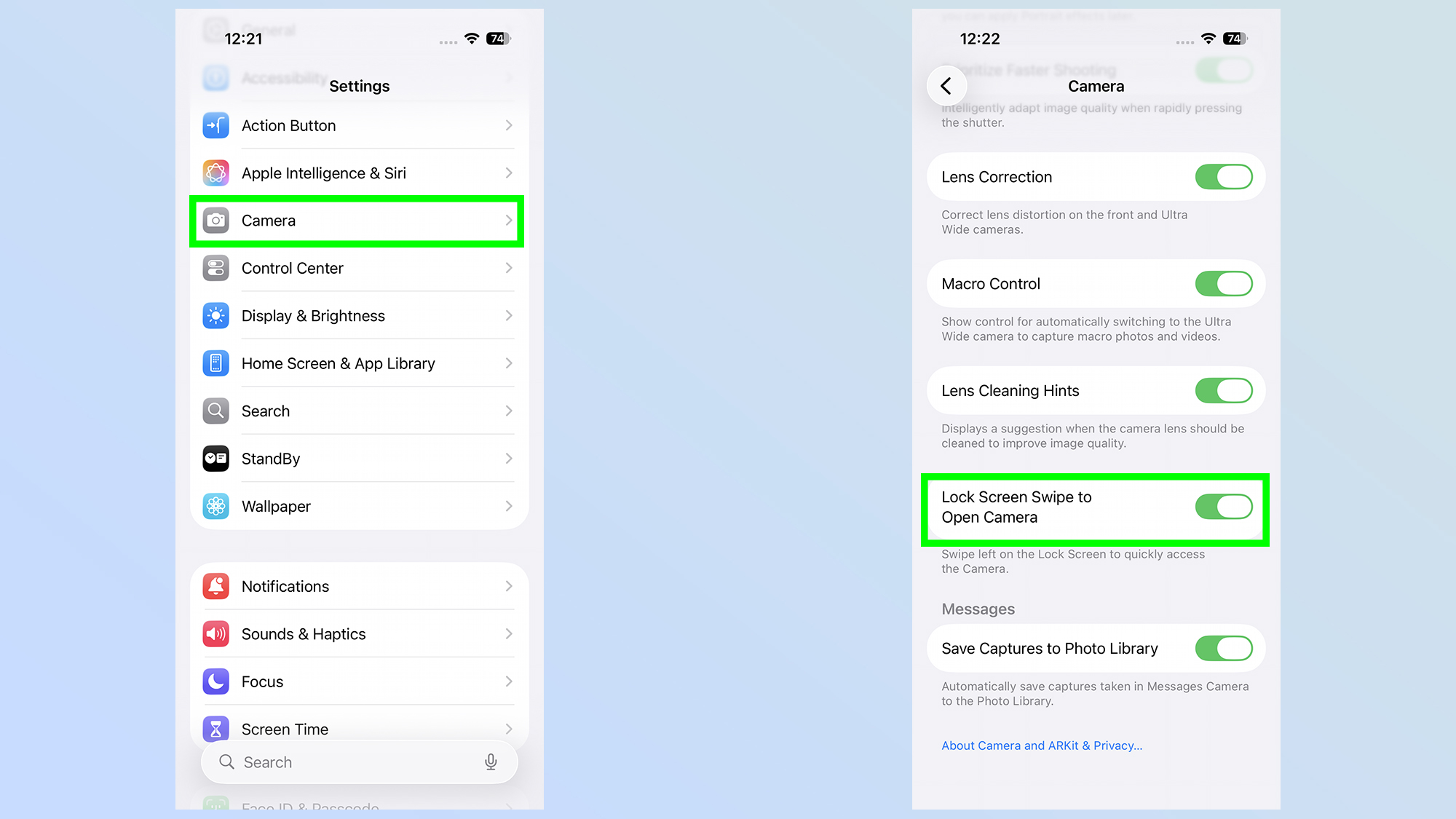
The update doesn’t just change how your phone looks, as it also removes one of the more annoying features on an iPhone. With iOS 26.1, users can finally turn off the option to open your Camera app on the lock screen with a swipe. That means we no longer have to completely disable the camera app to avoid this happening.
iOS 26 also allows you to turn off haptic feedback when a call is connected or dropped, although I tend to find this feature quite useful, so I would likely leave it on.
iOS 26.1 brings a new alarm screen and new languages
(Image credit: Future)
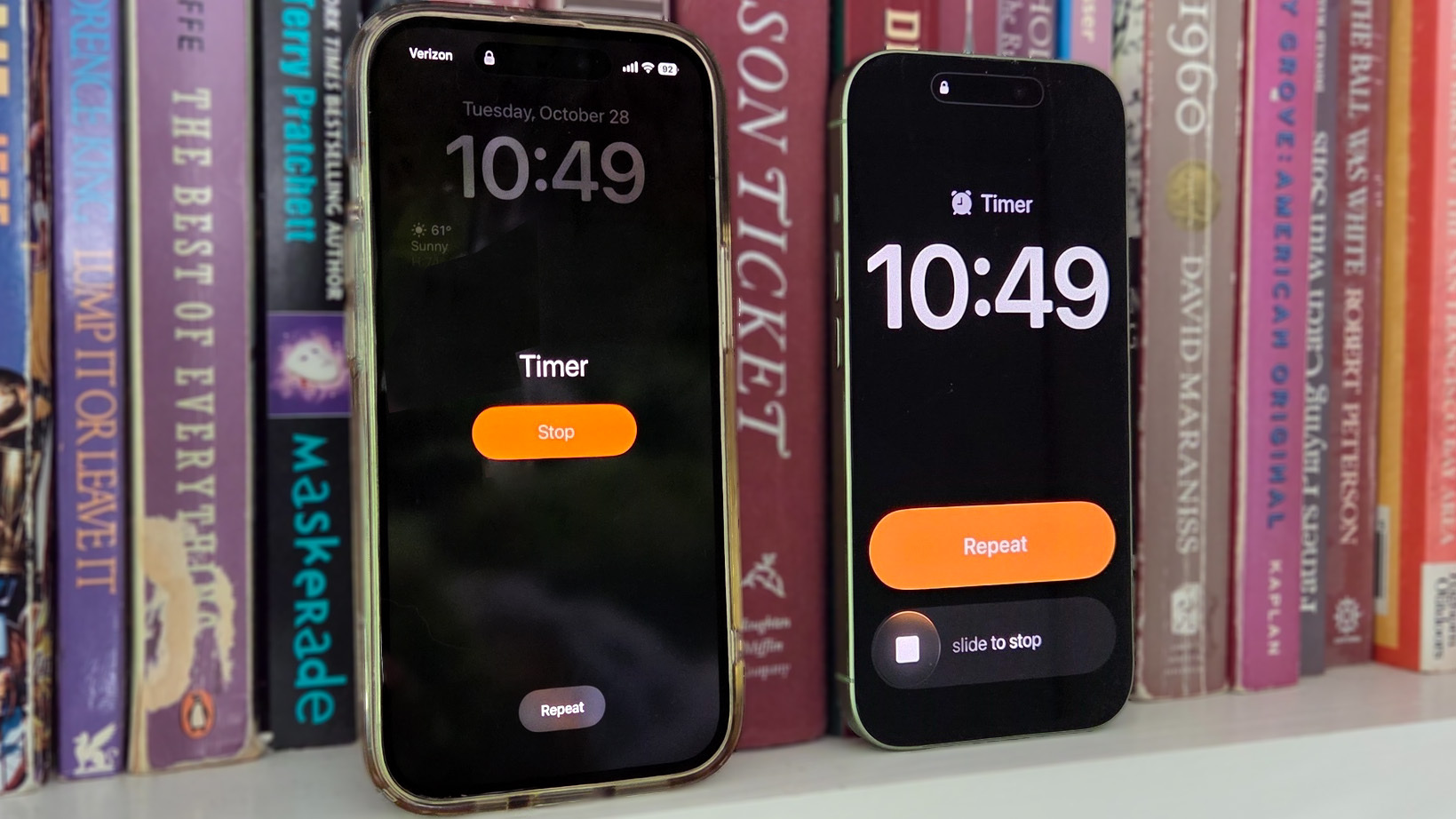
One new addition to iOS 26.1 is a redesign of the iPhone’s alarm, with the new version making it so that users have to swipe to turn off an alarm. The aim is to make it harder to accidentally turn off your morning wakeup, instead of snoozing it. The idea is sound in concept, but only time will tell if it makes a big difference to my wakeup routine.
What could make a big difference is the addition of more language support for Apple Intelligence. iOS 26.1 makes it so that Apple’s AI is now available in Danish, Dutch, Norwegian, Portuguese (Portugal), Swedish, Turkish, Chinese (Traditional), and Vietnamese.
On top of that, the Apple AirPod Live Translation feature will add support for Japanese, Korean, Italian, and Chinese (both Mandarin Traditional and Simplified).
You may like
Apple Music, Fitness, Apple TV and the Settings are also seeing some changes
(Image credit: MacRumors)
iOS 26.1 is also bringing some changes to many of our favorite apps. For example, Apple Music will allow users to swipe on the music player when they want to switch songs. It’s a lot more seamless than before, as you can just slide your finger across the song listing to go back and forth.
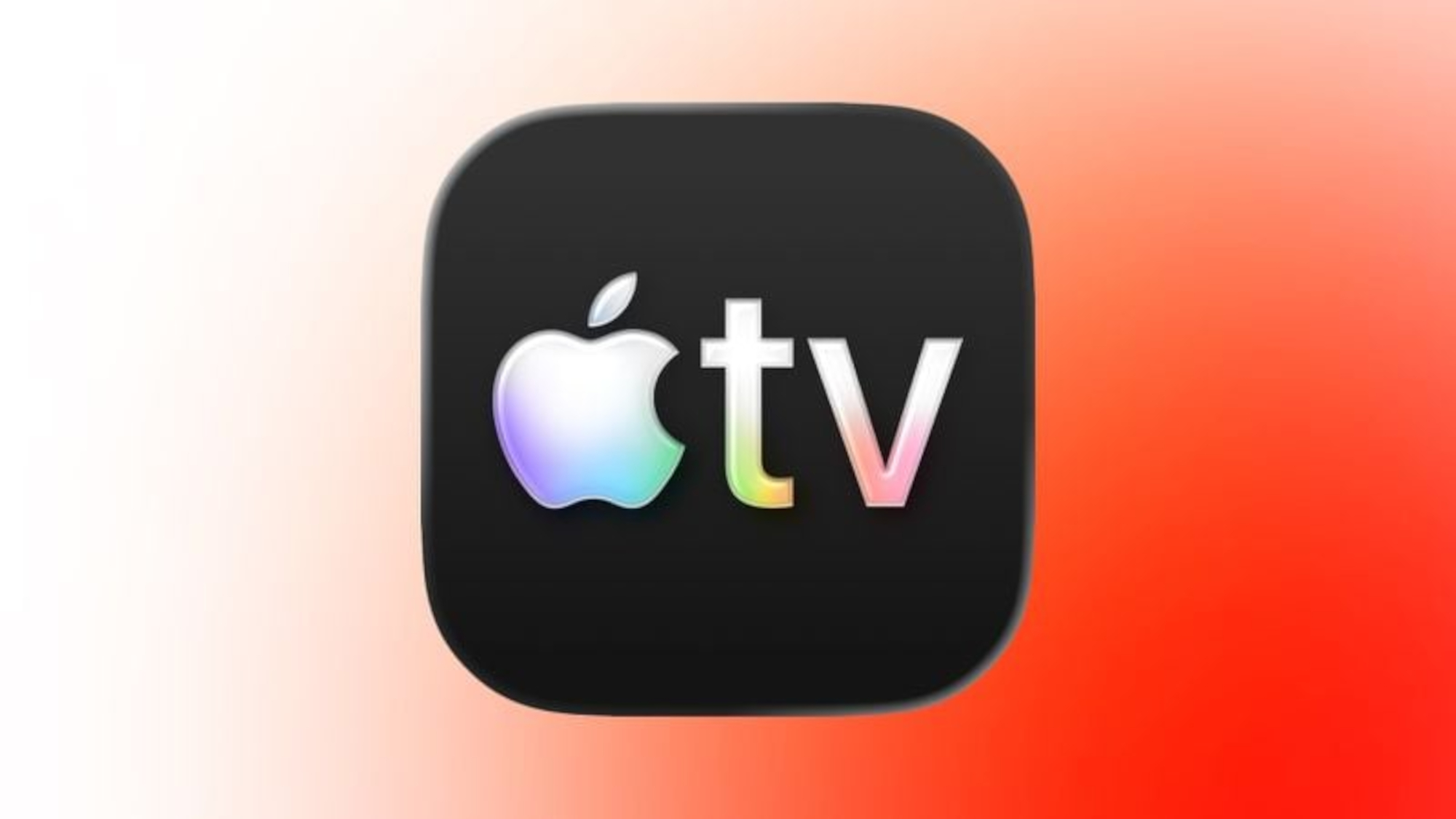
Meanwhile, the Apple Fitness app now allows users to quickly create their own custom workouts. Users will be able to select options based on workout type, the estimated active calories, effort, duration and a start time. Meanwhile, the Apple TV icon is getting a redesign to appear more colorful, while also changing the name to simply Apple TV.
iOS 26.1 is also changing the Settings menu by changing the alignment of the icons and text. In the new version, Apple is moving all headers with text to a left alignment instead of a center one. It might not sound like much, but it makes the screen look much more organized.
iOS 26.1 improves navigating the photo and Safari app
(Image credit: Macrumors)
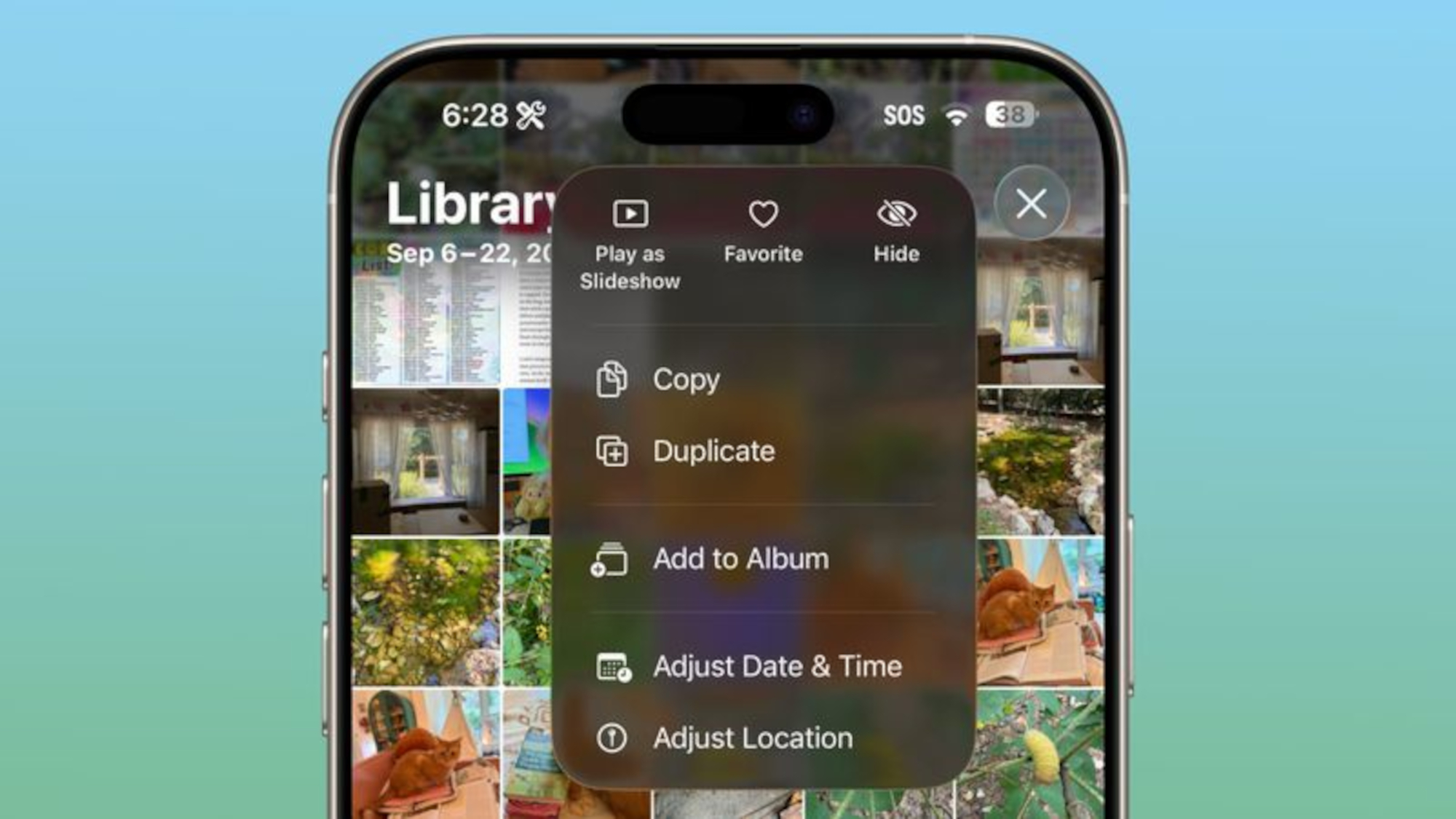
Apple has redesigned the slider that allows us to move through videos in the Photos app. On top of that, the update also gives the navigation bar a new frosted look that makes it easier to see.
The update also tweaks the interface when you select multiple photos, with the option to Play as Slideshow, select a Favorite and Hide certain images now at the top. Speaking of new looks, iOS 26.1 redesigns the tab bar in the Safari app to be wider, while also making it look more rounded.
These are only a few of the likely changes coming for iOS 26.1.
If you want to experience some of these changes, then you can still download the iOS 26.1 beta. However, considering how betas can affect certain apps, I’d recommend waiting for the full release, which seems likely for next week.
Let us know what you’re most looking forward to, as well as what you would want to see from future iOS updates.
Follow Tom’s Guide on Google News and add us as a preferred source to get our up-to-date news, analysis, and reviews in your feeds. Make sure to click the Follow button!
More from Tom’s Guide