
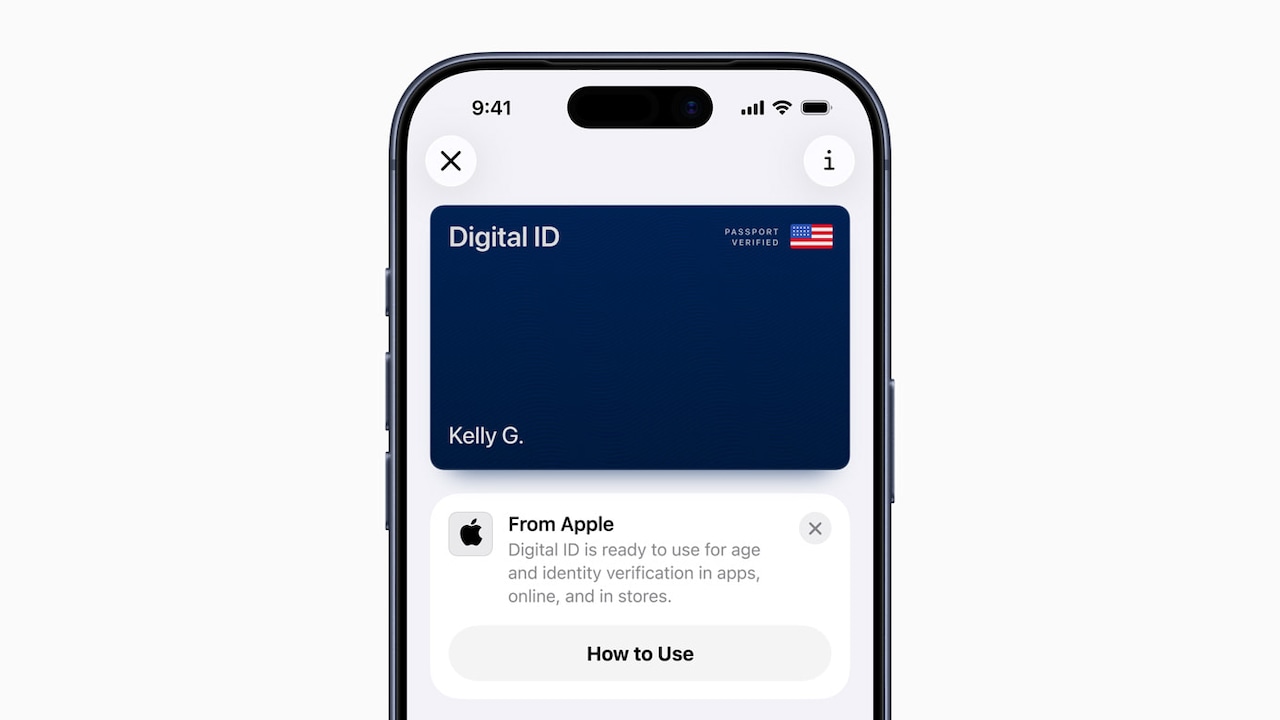
Apple users can now use their iPhone or Apple Watch to show their passports at TSA checkpoints in more than 250 airports across the U.S. when traveling domestically.
Known as Digital ID, the new program is being rolled out in beta and allows people to add their U.S. passport to the list of existing government IDs supported in Apple Wallet.
Users are able to use Digital ID even if they don’t have a REAL-ID-compliant driver’s license or state ID, Apple explained. However, this ID does not replace a physical passport and is not supported for international travel or crossing borders.
“With the launch of Digital ID, we’re excited to expand the ways users can store and present their identity — all with the security and privacy built into iPhone and Apple Watch,” Jennifer Bailey, Apple’s vice president of Apple Pay and Apple Wallet said in a statement. “Since introducing the ability to add a driver’s license or state ID to Apple Wallet in 2022, we’ve seen how much users love having their ID right on their devices. Digital IDs brings this secure and convenient option to even more users across the country, as they can now add an ID to Wallet using information from their U.S. passport.”
Users can create their Digital ID by tapping the “Add” (+) button in the Wallet app, then selecting “Driver’s License or ID Cards.”
From there, users select Digital ID and follow the onscreen instructions to start the setup and verification process.
Users are then asked to use their iPhone to scan the photo page of their physical passport as part of the process. They will also be asked to use their iPhone to read the chip embedded on the back of their passport to ensure the data’s authenticity.
The next step is to take a selfie for verification, and as another security step, they will be prompted to complete a series of facial and head movements during the setup process. Upon verification, their Digital ID is added to Wallet.
This ID can be presented when users double-click the side button or Home button to access Apple Wallet and select Digital ID. Users can then hold their iPhone or Apple Watch near an identity reader, review the specific information being requested and use Face ID or Touch ID to authenticate.
Apple noted that in the future, users will be able to present their Digital ID at additional select businesses and organizations for identity and age verification in person, in apps and online.
The tech company clarified that Apple cannot see when or where users present their ID or what data was presented.
While the feature is accepted at more than 250 checkpoints, it has not fully rolled out to all device readers nationwide, including in Massachusetts, according to the TSA’s website.
As a precaution, travelers are urged by the administration to continue carrying their physical U.S. passport or REAL ID as a backup.
A full list of states supporting mobile IDs is available here.
If you purchase a product or register for an account through a link on our site, we may receive compensation. By using this site, you consent to our User Agreement and agree that your clicks, interactions, and personal information may be collected, recorded, and/or stored by us and social media and other third-party partners in accordance with our Privacy Policy.