

iOS 26.2 is launching for all users next month, but I’ve been using the new update for a few weeks already in beta. Here are my three favorite new iOS 26.2 features so far.
#1: Automatically created chapters in Apple Podcasts
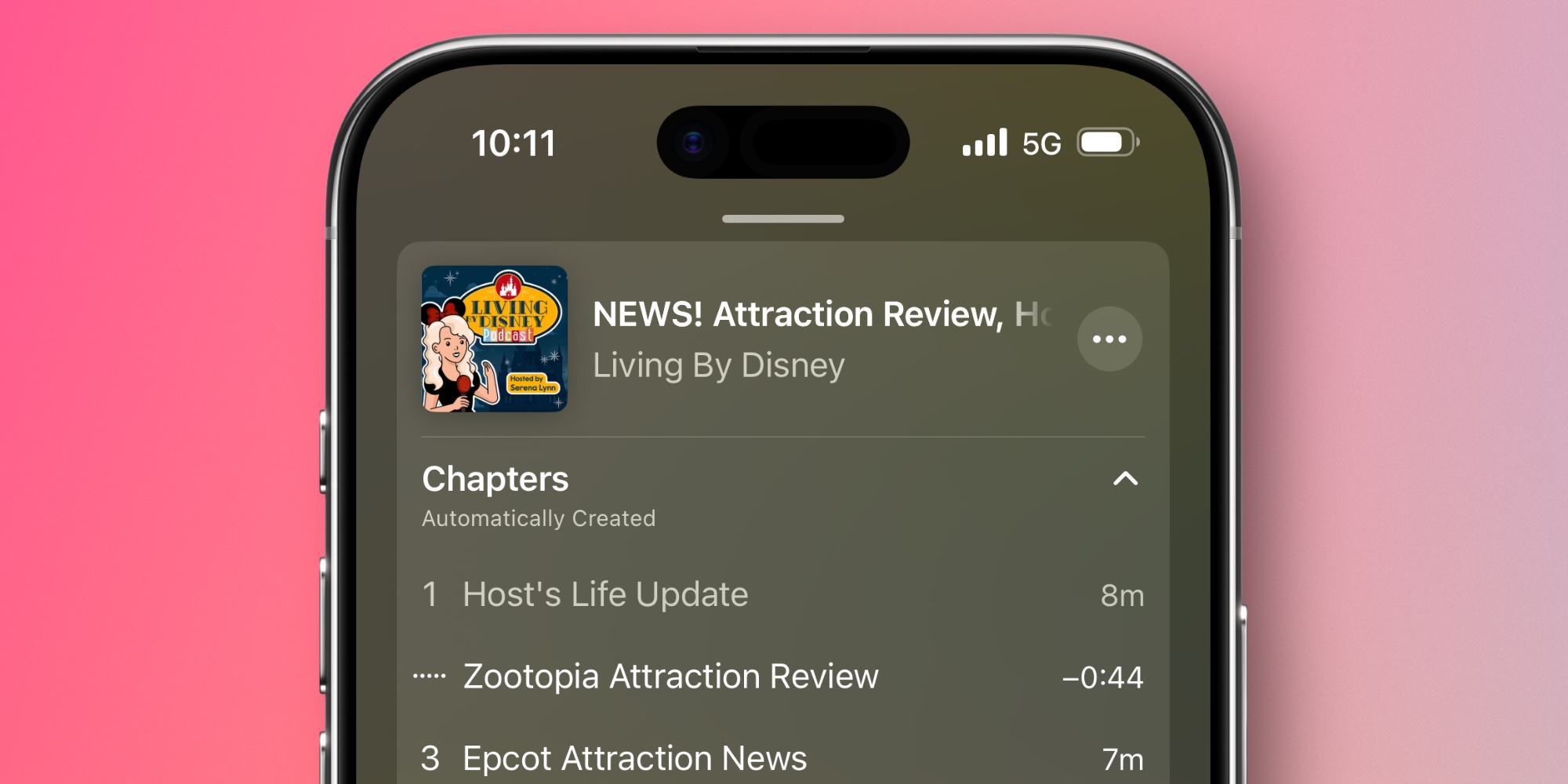
I’m a big fan of chapters in podcasts. They provide a quick way to skip around, and there are plenty of shows I listen to—especially longer ones—where it’s helpful to have that option.
But I also like chapters because they provide an overview of where a show is going, and how long each segment will be.
Many Apple-centric podcasts (like 9to5Mac Happy Hour) offer episode chapters. But the vast majority of podcasts do not.
Which is why I’ve been thrilled in iOS 26.2 to find that all of my favorite podcasts now have chapters.
Thanks to Apple Intelligence, Apple Podcasts now automatically creates chapters for all podcasts. Creators don’t need to do anything. The app already generated transcripts automatically, and now it’s using AI to make chapters for every show based on those transcripts.
Shows can choose to opt out, but I very much hope that doesn’t happen, because automatic chapters are a huge upgrade for the listening experience.
#2: ‘Urgent’ option in Reminders app
Apple’s Reminders app used to lag behind more full-featured task managers in significant ways. But in recent years, Apple has invested heavily into adding ‘pro’ features that take Reminders beyond a simple list app.
And in iOS 26.2, Reminders is getting a new feature I’ve wanted for years.
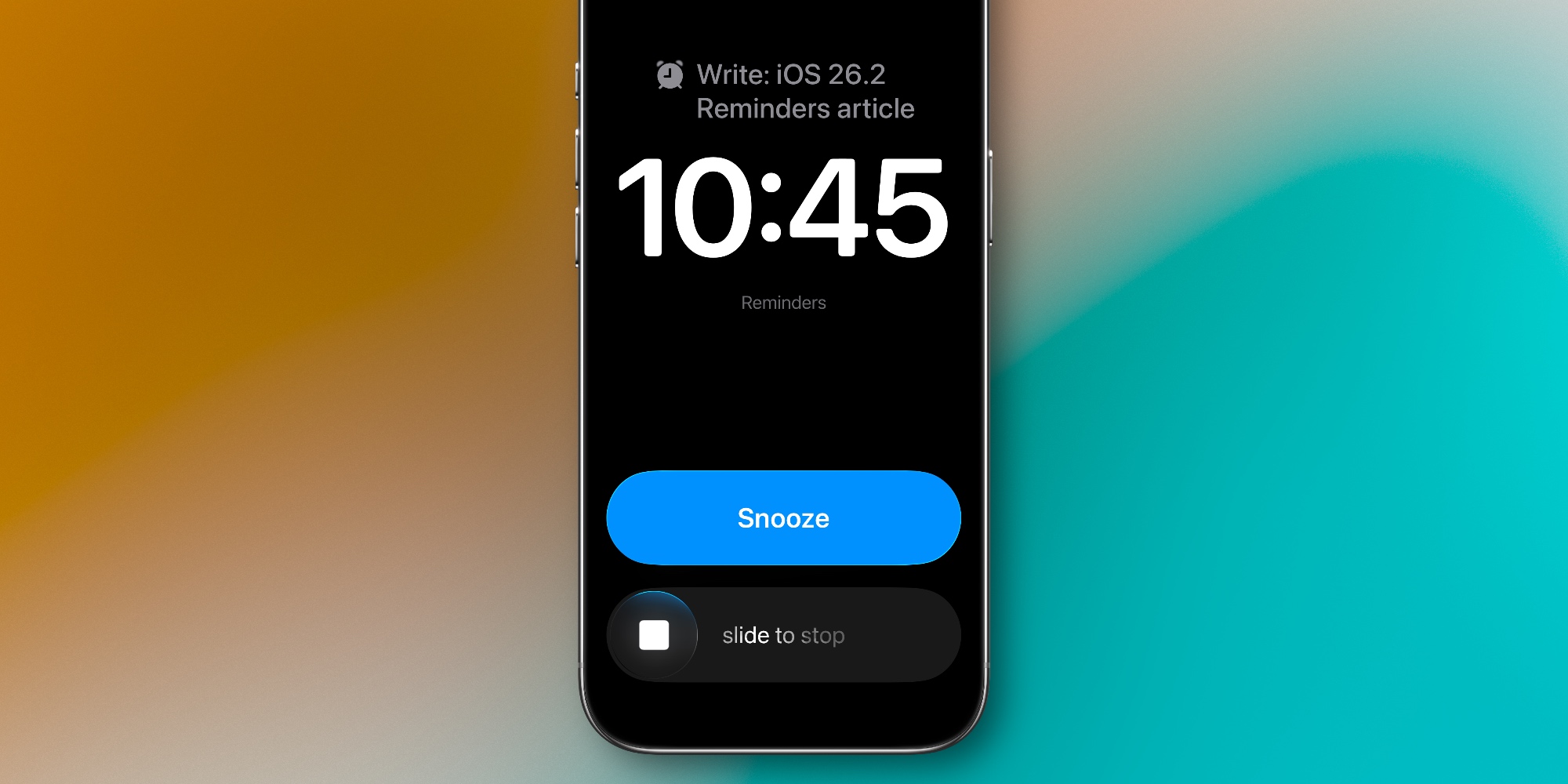
Now when creating or editing a reminder, you’ll see an ‘Urgent’ option appear if that reminder has a due time.
If you set a reminder as ‘Urgent,’ an alarm will go off when its due time arrives. So instead of a standard push notification, the reminder gets the full alarm treatment.
Just like your morning wakeup, the alarm will keep going off until you stop or snooze it. Snoozing will bring the alarm back in nine minutes. If you stop the alarm, you’ll still see the task displayed prominently on your Lock Screen until it’s marked complete. A Live Activity is even activated to make sure you don’t forget the task.
Overall, it’s a very well done feature, and easily among my top iOS 26.2 additions.
#3: Apple News navigation updates

Apple News used to be an app just for news, but in the last few years it’s added daily puzzle games, sports features, recipes with a dedicated cooking mode, audio stories, and more.
Until now, lots of these additions have been jammed into an overstuffed search screen. But iOS 26.2 makes some great navigation changes to put key features front and center.
Now at the top of the Today view, you’ll see a row of quick links to open Sports, Puzzles, Politics, or Food sections.
By removing Sports from the bottom tab bar, Apple freed up space for a new Following tab. This takes everything that used to be hidden behind Search and makes it easier to find. So now, the search screen can focus exclusively on search.
If you’re an Apple One or Apple News+ subscriber and play the app’s daily puzzles, or use the recipe and cooking features often, these changes are a big improvement from the previous design.
Which new iOS 26.2 features are you most looking forward to? Or if you’re on the beta, what have been your favorites so far? Let us know in the comments.
Best iPhone accessories


FTC: We use income earning auto affiliate links. More.