
When going around the expo area at UnitedXR, I was pretty surprised to find a standalone headset proposed by an Italian company… especially because I’m Italian and I did not know anything about it before. The company is called Youbiquo, and the headset is called Leonardo XR, and I’m going to tell you a few words about it.
Leonardo XR
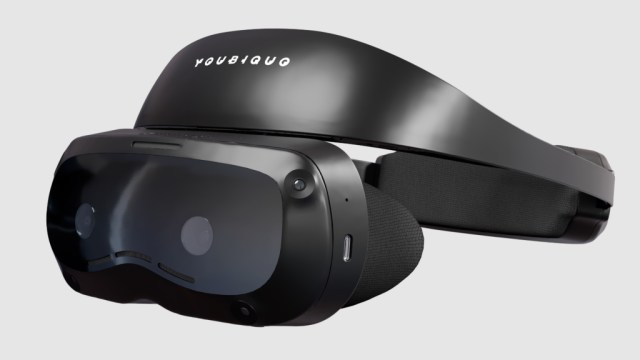 Leonardo XR headset (Image by Youbiquo)
Youbiquo is a company based in Southern Italy (around Salerno) and is proposing a VR headset called Leonardo XR dedicated to immersive learning and training. The CEO, Pietro Carratù, told me they built a headset around what their customers wanted the most. He said that they were not looking for the top-notch product on the market, but their priorities were having something affordable, and that could allow long training sessions. This means that the headset should have been comfortable and not applied too much weight on their faces. So they started from a reference design from Qualcomm and optimized it according to these specific needs.
This explains why the headset still runs an XR2 Gen 1, the same chipset as the Quest 2, and has a resolution even inferior to that of the Quest 2. But for instance, it has a much bigger battery life than Quest 2 and even than Quest 3. This guarantees longer training sessions.
This shows once more how the priorities for B2B customers are very different from those of consumers and even from those of us enthusiasts. As a VR fanboy, hearing that a headset still has the XR2 Gen 1 chipset makes me roll my eyes. But as an entrepreneur, I think that a Quest 2 horsepower is more than enough to run a simple training experience, and it is useless for the customers to pay more for some computational power they are never going to use.
Specifications
Chipset: Qualcomm Snapdragon XR2 Gen 1
Display: Double 2.1″ Fast-LCD display
Resolution: 1600×1600 pixel, 1058 PPI
Framerate: 72Hz
Lenses Type: Pancake
FOV: 95 – 105°
Audio: integrated dual speakers and dual microphones
Storage: ROM 128 GB, RAM 8 GB
Battery: 5500 mAh battery
Connectivity: Wi-Fi 6, Bluetooth, DisplayPort
Comfort: 0-5,00 deg./eye myopia adjustment
Weight 436 g
Hands-on Leonardo XR
I had a five-minute demo with this device in which I tried an enterprise application related to safety training. This time was good enough to gather some first impressions about the headset, which I’m reporting below. Of course, five minutes are not enough to complete a full review, so take everything I’ll write with a pinch of salt.
Design
To be honest, from an Italian company I was waiting for something more fashionable, but we have all to remember that Leonardo XR is a very practical headset for enterprise users. It just looks like a small black headset, without any fancy components. The headset, per se, is very small, thanks to the use of pancake lenses, and what makes up the bulk of it is its fitting system.
I took some pictures of it, so you can see how it looks from different angles.
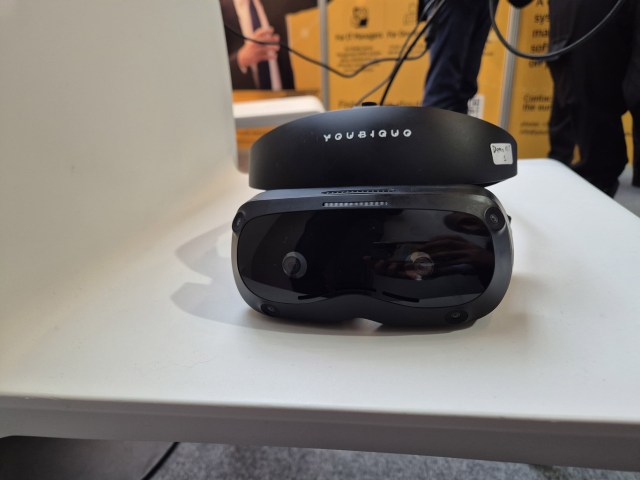 Front view of the device
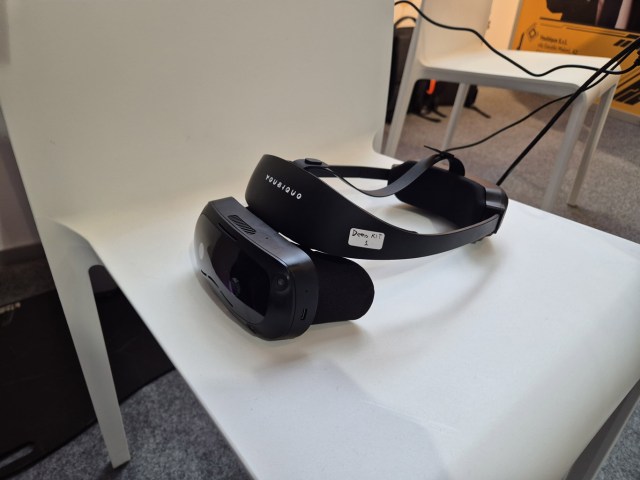 Lateral view
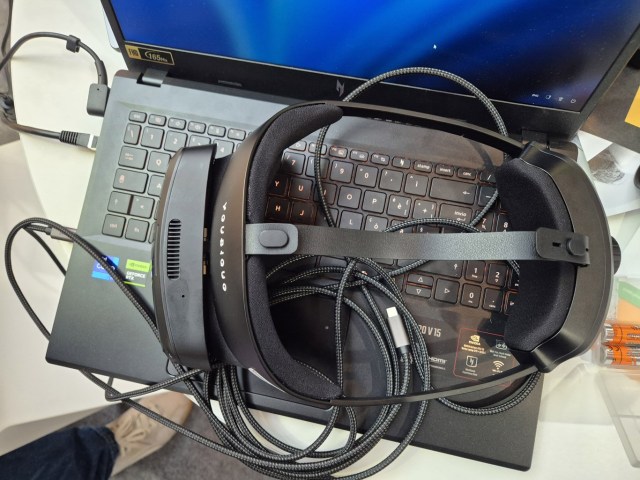 Top view. The cable you see is for charging and mirroring. The headset is standalone
Comfort
The big claim by Youbiquo is that this headset is very lightweight and optimized for long-term use. And in my quick tests on it, I confirmed the claims.
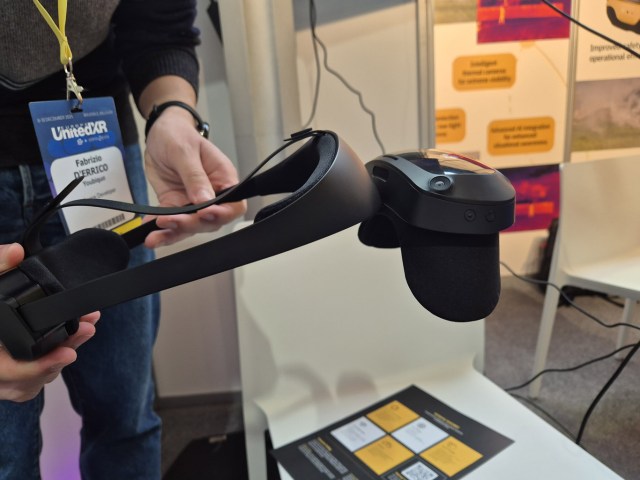 The flip up mechanism of Leonardo XR
The headset has a halo crown that you wear around your head and then tighten with a knob on the back. The knob looked a bit cheap and made a weird sound when I operated it, but it did its job. The weight of the device is distributed so that it all goes around your head and on the forehead, with the top strap that helps in balancing it even more. The result is that you have no weight pressing your face. Since the headset is lighter than the Quest alternatives, and the weight is well distributed around the head, I felt very comfortable wearing it.
But there is a big but: I hate halo crown because you have to decide if putting the headset so it feels comfortable for the head or for the eyes. If you fit the headset very well on your head, then the eyes are probably too distant from the lenses. You can adjust the headset so that the eyes fit well, but then it would feel a bit weird on the head. Ergonomics are very subjective, so there are people who actually are ok with this solution, but others, like Ben Lang and me, are actually pretty annoyed by it.
You can rotate a ring around the lenses to adjust the optical parameters for myopia, so that, if you are affected by it, you can use this HMD without wearing glasses. There is also mechanical IPD adjustment by just grabbing the lenses and moving them closer or apart. The display is flip-up up and then the facemask can be easily removed (it is just held by magnets) so that it to be cleaned thoroughly (which is important for enterprise use)
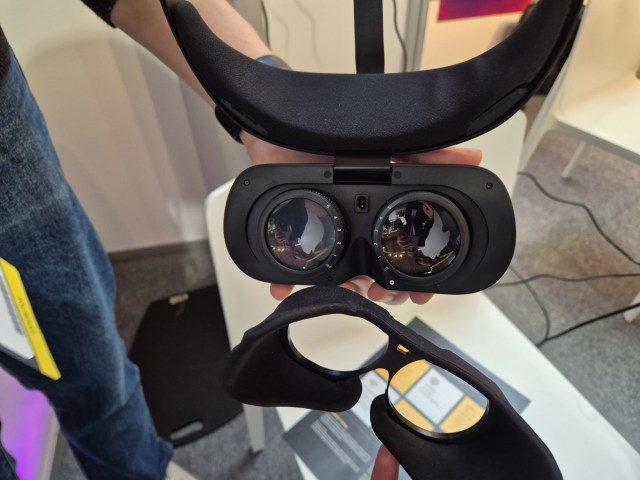 Removing the facemask from this device is very easy
Visuals
The simple training application I tried was not enough to put the visual system under stress, so I’ll just tell you my high-level impressions of the visual system.
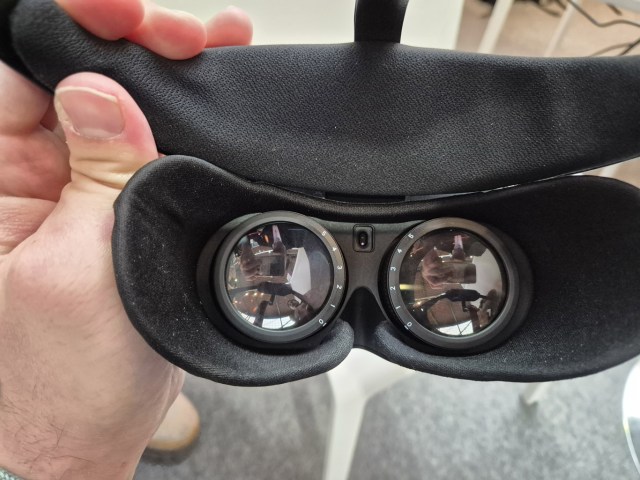 The lenses of the HMD with the diopter adjustment system around them
The FOV seemed to me a bit smaller than the Quest headsets I’m used to. I guess the reason for that is in the fitting system more than the optical one: because of the halo crown, I had the headset a bit too distant from my eyes, and so the perceived FOV was less than the actual one.
As for the resolution, I think the display is one of the biggest shortcomings of this device, and in fact, I was still able to clearly see the screen-door effect. Apart from this, there were no big artifacts like it happens on some cheap headsets (e.g., no visible chromatic aberration), but just the usual spherical aberration close to the edge of the lenses.
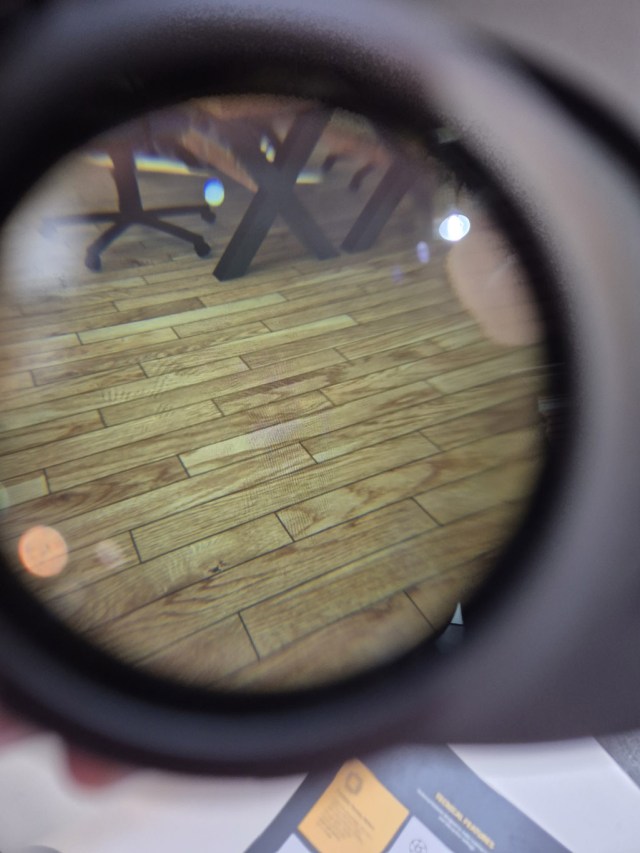 Through the lens with Leonardo XR: images are between Quest 1 and Quest 2 levels
Controllers
The two controllers showed the usual setup with one system button, a thumbstick, two A/B buttons, a grip, and a trigger button. They were very narrow, and their shape reminded a bit of the Quest 1 controllers.
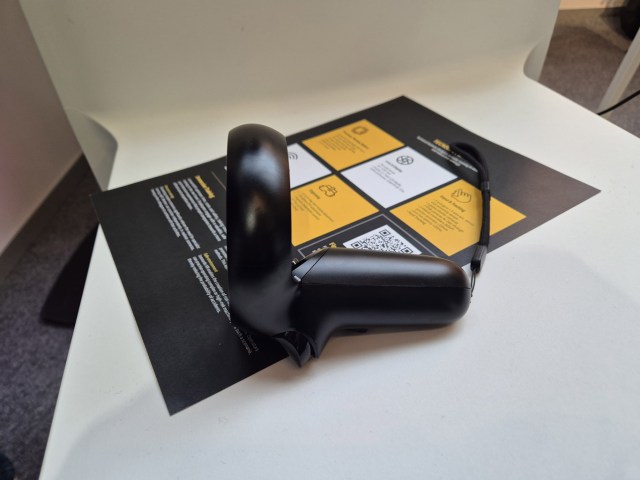 Lateral view of the controller
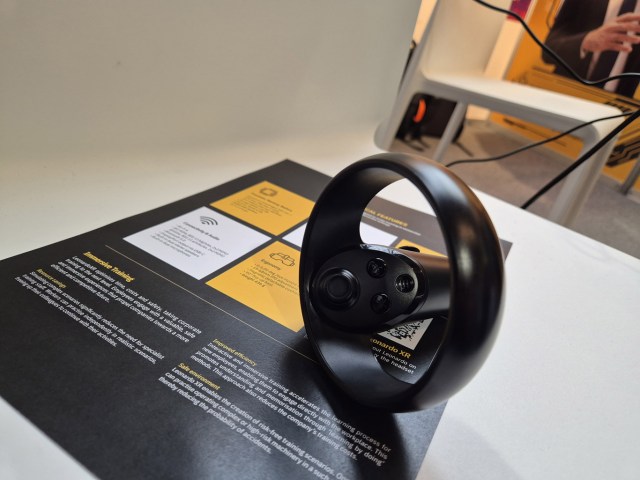 Top view of the controller
I didn’t find them super-comfortable to operate, especially because the thumb did not have any space to rest (if you remember well, this was one of the feedback Meta got from the community about Quest 1). The left and right-hand controllers also look very similar, and it is very hard to distinguish at a first glance which one is which: often, the easiest way is just to wear one of them and see if it feels comfortable.
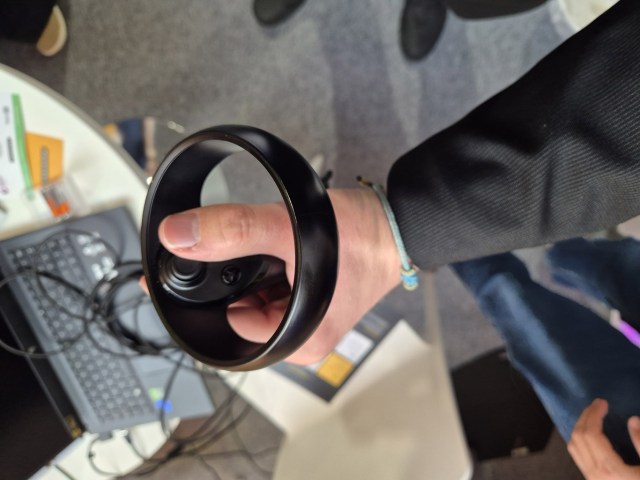 The controller in my hand
Tracking
The headset offers 6DOF tracking for itself and its controllers. I didn’t stress test them, but from my quick tests, the tracking was good enough.
Leonardo XR also offers hand tracking, which was not as good as Meta’s, but still good enough to perform the training experience.
Passthrough
The headset features colored passthrough, which had a decent definition, but of course looked worse than Quest 3 or Apple Vision Pro. Especially, the depth correction was not on the same level as you can find on a Quest device. But still, it was good enough to see my real environment and operate in it.
Device management
Youbiquo not only provides the headset, but interested customers may also use its device management (MDM) software to manage a fleet of headsets. I haven’t asked if it can also work with other management systems like ArborXR or Intune, though.
Being a headset offered by an Italian (hence European) company, it is fully compliant with GDPR. It may be used in the EU in sectors where the country of the company is important, like defense: in these cases, a headset whose company has headquarters in other parts of the world, like the USA or China, may be less preferable than one based in the European Union.
Future projections
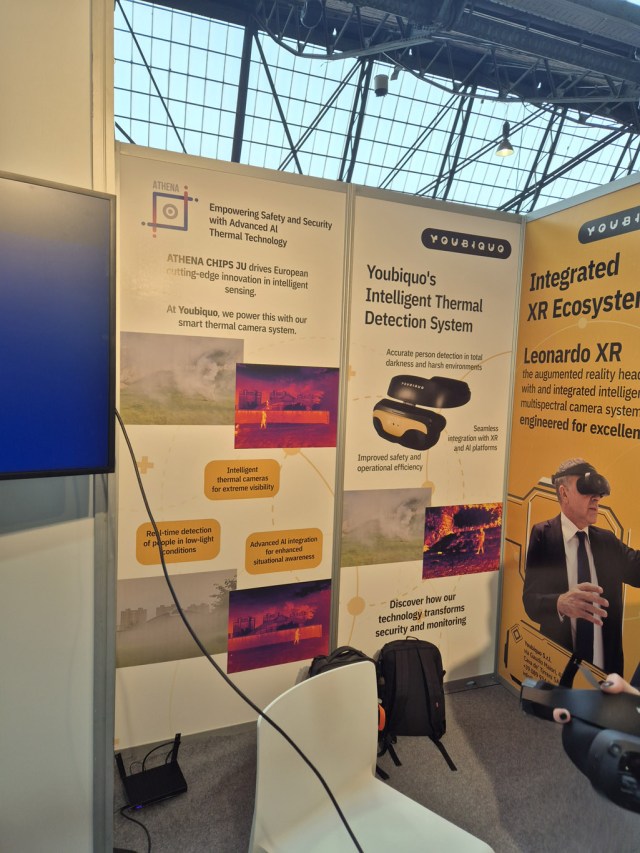 The part of the booth mentioning the upcoming thermal camera
Youbiquo is also carrying on a research project to develop a thermal camera to put in front of the headset. This would be pretty unique in the space and could be interesting in some specific enterprise niches.
Price and availability
Leonardo XR is already available on the Youbiquo website, priced at €600. It is 100€ cheaper than the Pico 4 Ultra Enterprise, and it has the same price as the Pico 3 Enterprise. Companies that have to be cost-effective may find it very interesting.
Final considerations
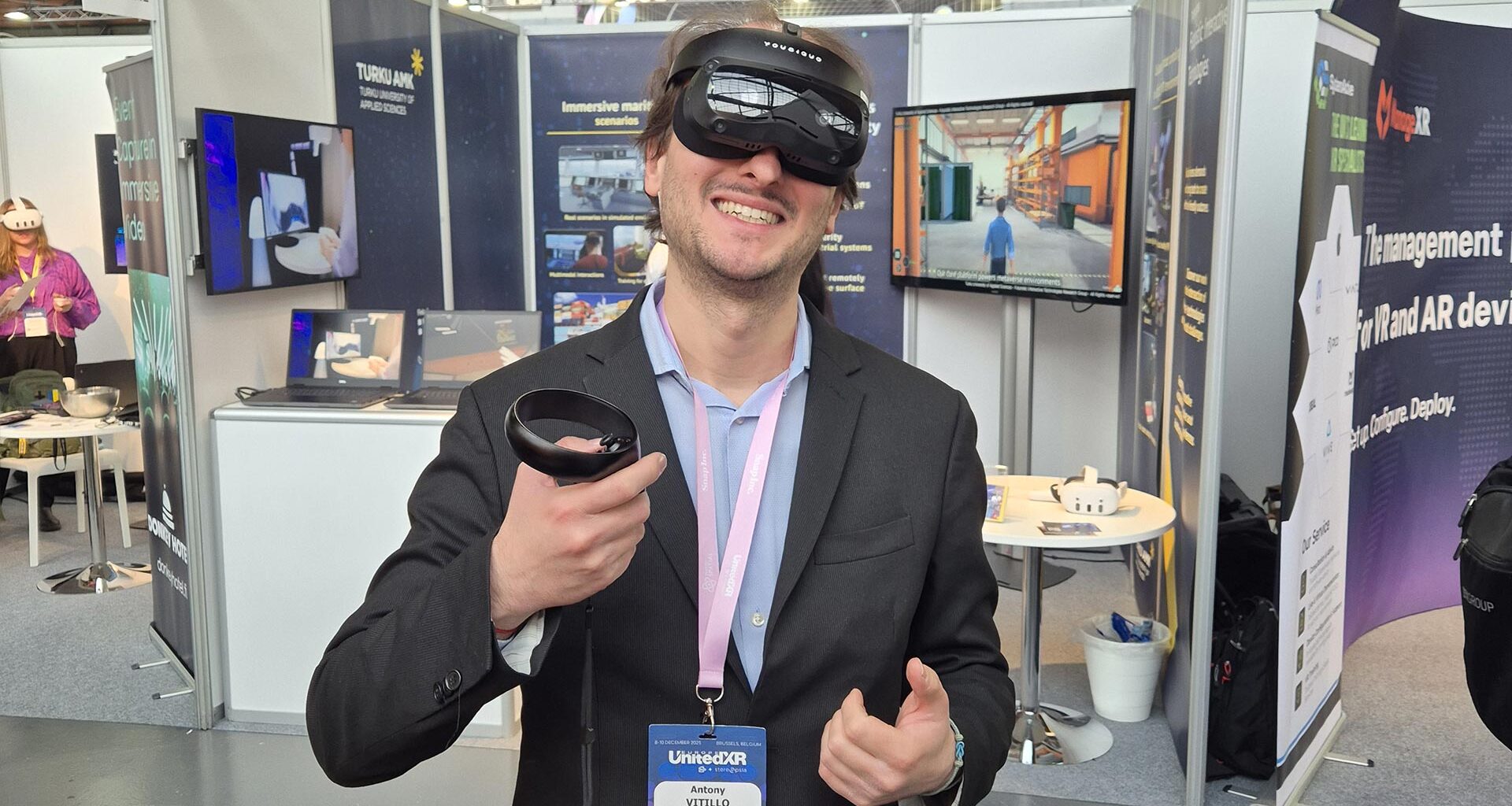
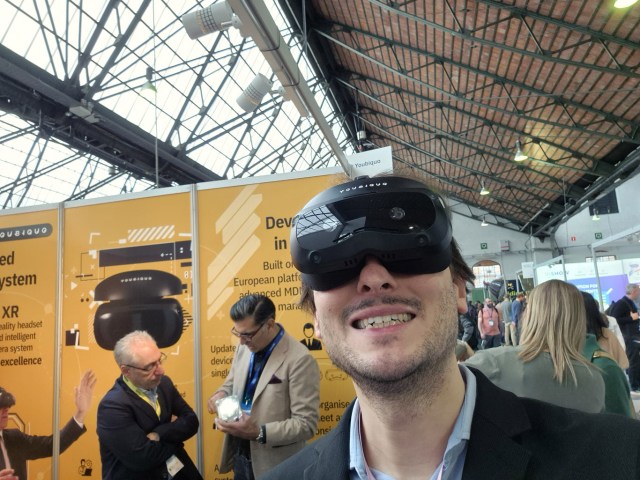 Every article of mine about a headset should feature at least a selfie… it is the rule!
If I have to judge Leonardo XR with the best there is in the market now, that is Quest 3, Pico 4 Ultra Enterprise, or even the Vision Pro, I have to say that it feels like a very dated headset. But if I have to judge it according to what it has been built for, that is, enterprise customers needing a lightweight and affordable device, I can say it is a decent device for its scope: it is pretty lightweight, has a long battery, and delivers a decent VR and MR experience. It is a bit cheap in some of its components, and I’m not a big fan of the halo ring, but for the rest, it is fine. I think that companies that are looking for a headset that is lightweight and affordable, has an enterprise license, and can run simple training applications, may be interested in it.
The competitor in the market for his headset is the Pico 3 Enterprise, which is the headset from the previous generation that companies that are not interested in top-notch applications can still buy. With Pico 3, Leonardo XR shares the same chipset (the Snapdragon XR2 Gen 1). It has less storage (128 GB vs 256 GB) and a worse fit. But it offers a better passthrough (color vs b/w), more RAM (8GB vs 6GB), and a better battery (5500 mAh vs 5300 mAh). So, interested customers can decide which one to buy according to their needs.
As an Italian, I’m personally happy to see a headset made by an Italian company. It will be interesting to follow its evolution and see if it can find a place inside Italian and European institutions and in the defense sector. I wish Youbiquo good luck on this side.
Disclaimer: this blog contains advertisement and affiliate links to sustain itself. If you click on an affiliate link, I’ll be very happy because I’ll earn a small commission on your purchase. You can find my boring full disclosure here.
Share this with other innovators
Related