
Android supports such a huge library of apps that some are bound to fly under your radar. I know this is true because my last list of open source apps wasn’t enough. Here are four more free apps that are so awesome I’d pay for them even if they weren’t free.
HTG Wrapped 2025: 24 days of tech
24 days of our favorite hardware, gadgets, and tech
PPSSPP
The best way to emulate the PSP experience on any Android device is through PPSSPP. It’s a free, open-source PSP emulator compatible with pretty much every PSP game. You can get great performance out of it, even on older Android hardware. For example, even on a mid-range phone, I usually get 60FPS playing most titles on maximum settings.
You can crank up the resolution to 4K, enable antialiasing, shaders, and image scaling for superb visuals that look better than the actual PSP. You can play multiplayer games over the same Wi-Fi network. You can even connect a controller, and it just works (no setup or configuration required). There are options to remap and configure the on-screen controller, too. Loading dumped game files is super easy.
Shizuku
Normally, when Android apps need advanced system access, you’d want to root your device first. Rooting your device does void the warranty, though, and some critical apps refuse to work on rooted devices. Thanks to Shizuku, however, you don’t need to root your device to get those elevated privileges for apps. It uses the wireless Android Debug Bridge (ADB) while running in the background to grant advanced permissions to apps.
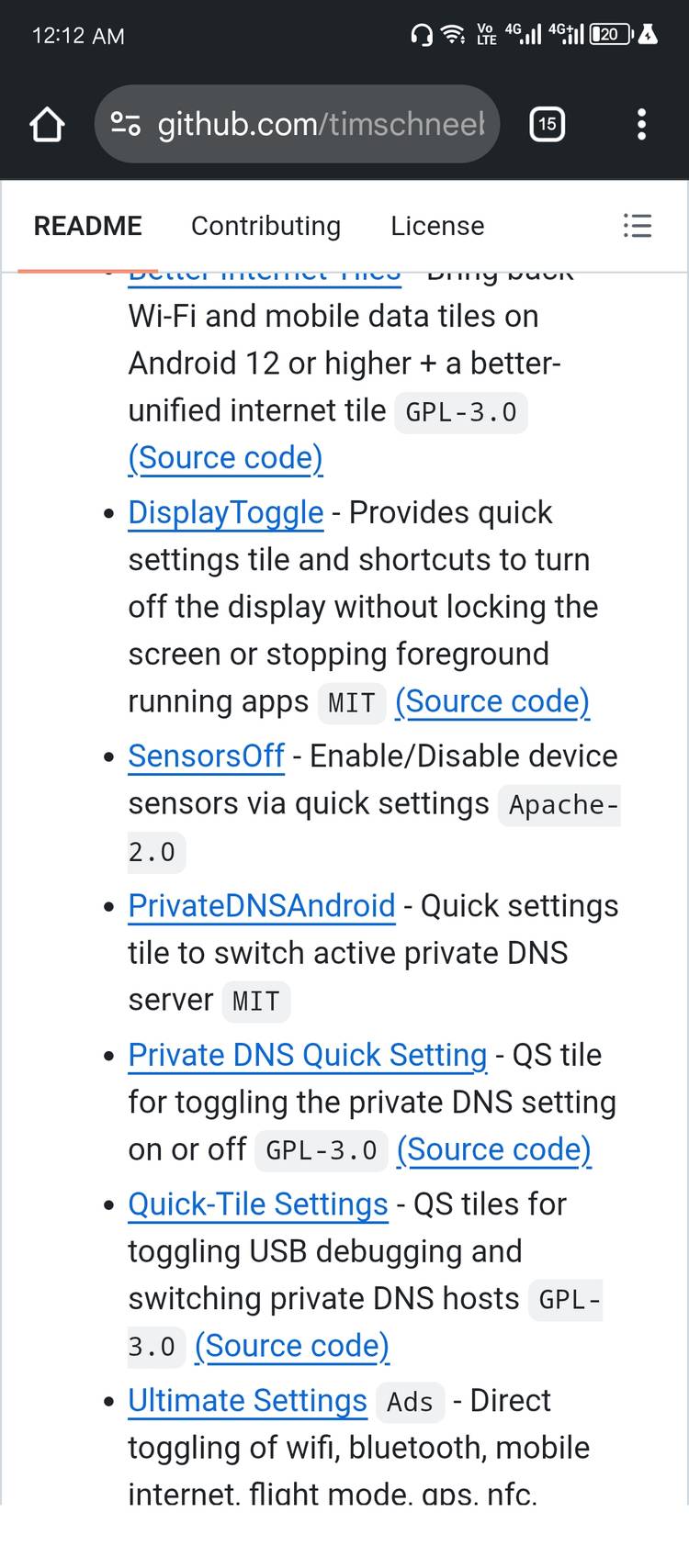
There is a big library of Shizuku-powered apps that covers pretty much every category. For example, you can uninstall any app or service on your Android device, including bloatware apps that cannot be removed by default. You can freeze or hibernate apps so they don’t drain any battery in the background. Normally, when you try to block specific apps from using the internet, you need to set up a VPN connection, which means you can’t use an actual VPN while that firewall is active. With Shizuku, you can do just that without depending on a VPN tunnel. You can access restricted storage directories like Android/obb or Android/data. You can create an edge swipe menu as you’d get with certain Samsung phones.
To set up Shizuku, you need to enable developer options and then wireless debugging. You’ll be asked to punch in a code to start the Shizuku server. Afterward, you can install apps that support Shizuku and authorize those apps to use Shizuku with a single toggle.
Nunti
If you’re sick of social media and algorithmic feeds, consider going back to the simplicity of RSS feeds. You can curate a feed of news stories and articles that you care about. Nunti is my favorite RSS reader app on Android. It has a cute interface, and it’s free without any ads. Unlike other RSS apps, which have you manually feed in RSS URLs, you can just select topics you care about, and Nunti will automatically create a feed for you based on those topics. You don’t need to manage URLs or OPML files, but Nunti supports those too.
Nunti has a basic recommendation system too, which kicks in after you’ve rated about 50 articles (you can rate articles by swiping right or left on the cards). You get a few reading views with Nunti, too. It can load the articles in the built-in app browser, in the external browser, or seamlessly open them in reader mode directly.
Kvaesitso
You’ll find a lot of launchers on the Play Store, but a lot of them are actually based on the AOSP launcher (the default launcher that ships with stock Android). Kvaesitso is different. It’s built from scratch, so it’s faster, and it has its own design philosophy, so it does things differently.
The first thing you’ll notice is just how polished this launcher is. It feels modern, and it pays attention to the little details. For example, a sleek charging animation loops on the homescreen when the phone is plugged in, along with the charging status.
You can customize Kvaesitso in a lot of ways, just like you could with Nova Launcher. You can change the appearance of the grid and the icons. You can customize the homescreen, the dock, the clock, the search bar, the status bar, and more. Kvaesitso also lets you customize fonts, shapes, color schemes, and transparency levels of the launcher, too.
There’s a widget page that’s accessible by swiping right, where you can see your calendar or weather at a glance or take notes on the fly. You can edit the widget page to include whatever widgets you like.
One feature that Kvaesitso has, but no other launcher does, is its ability to create actions and shortcuts. You can create unique shortcuts and pin them to the dock or the app drawer. For example, you could create a shortcut for opening a particular book in Google Play Books, starting a new document, launching Driving Mode in Maps, a specific settings shortcut like personal hotspot or anything else in the interface. You can manually tag apps and search or organize apps by tags instead of placing them in folders. It also has great gesture support.
The developers of these have clearly put a lot of love into these projects and published them for free without ads, and it’s a shame that they don’t get more recognition or support.