
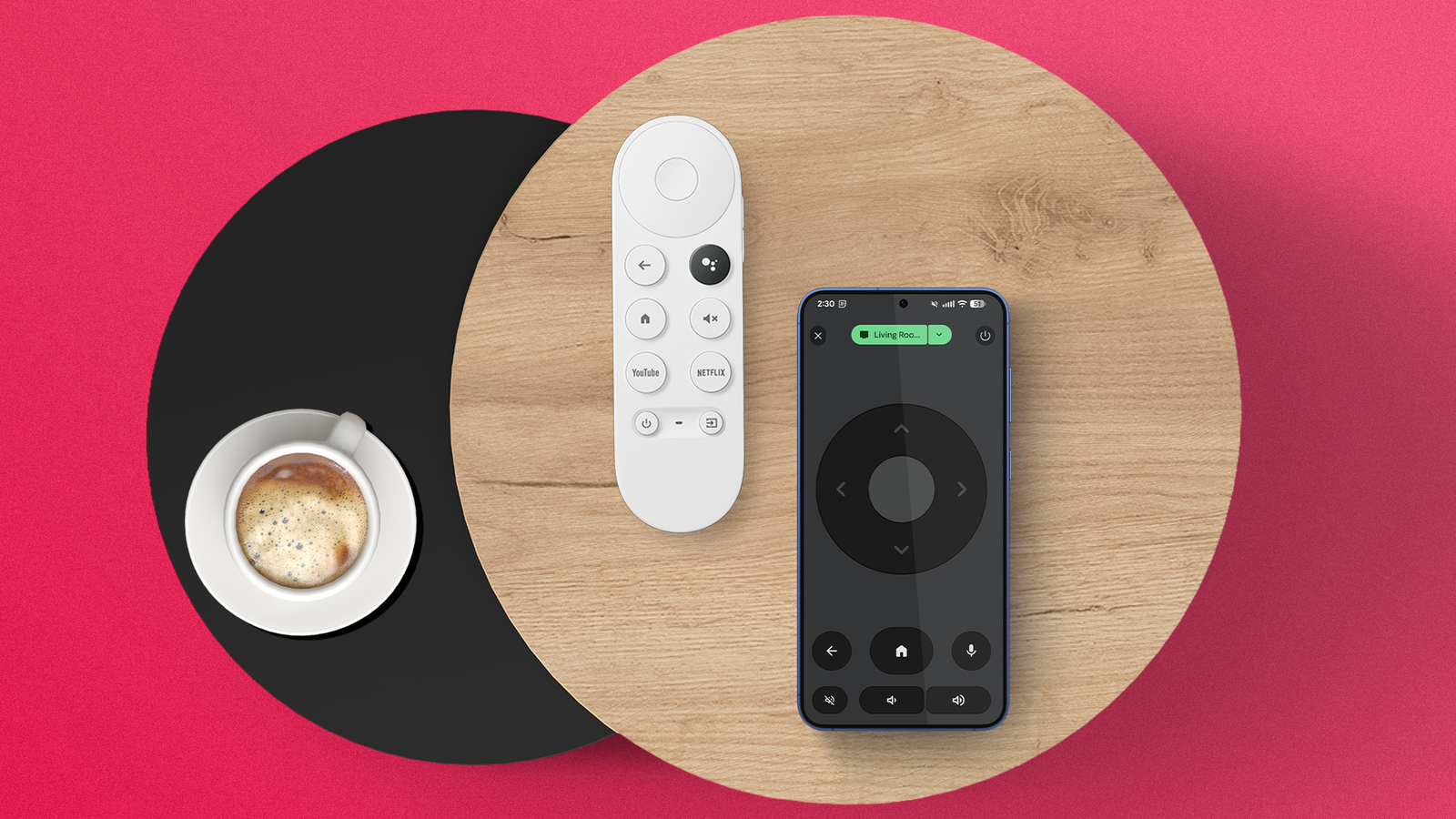
In the past, televisions were frustratingly useless without a remote.
Flat screens eliminated buttons from their design years ago, which means that the only way to do anything with your TV was by finding the tiny device that’s the exact shape and size of the space between your couch cushions.
Luckily, in 2026, technology has tackled this problem in a bunch of different ways.
From Bluetooth trackers that beep to streaming systems like the Google TV Streamer that will find your remote for you, there is finally some infrastructure out there to keep you from having to endure everyone’s least favorite pre-binge activity.
If you’re tired of the remote experience altogether, though, it’s time to embrace the glory of using your smartphone for any and all of your TV streaming needs.
Related
I put the remote-finding feature on the Google TV Streamer to the test
Long hallways, piles of cushions, and a refrigerator door couldn’t stop Find My Remote
Using your phone as a TV remote
The future is now, and it’s spectacular
I get it, using an actual remote as your TV remote is safe and comfortable. After all, that’s how we’ve been using TVs since the 1950s, and if it ain’t broke, history says there’s no reason to fix it.
However, the benefits of using your smartphone as your TV remote instead are simply too much to pass up if you know what you’re doing.
For one, you don’t lose your phone nearly as much as you lose your TV remote. It’s bigger, wider, and equipped with all kinds of technology in case you lose it.
On top of that, the flexibility of using your smartphone instead of a standard remote is unmatched.
Streaming services allow you to easily cast onto streaming devices seamlessly, and you can switch between devices without having to search for your particular show or movie.
If you have a Google TV device, like the Google TV Streamer, you can also use the Google TV remote function on your phone if you need the actual remote experience.
Suffice to say, there are options here, and they’re all better than an actual remote.
The downside of using your phone as a remote
Hey, nobody’s perfect
The only real issue with using your smartphone as a TV remote is speed.
While your phone is easier to find and operate than a TV remote, pulling up an app every time you need to fast-forward can be pretty frustrating.
Fortunately, there are some quick tricks you can use to make the Google TV remote almost as accessible as your TV remote, so you won’t have to wait to pause on a specific actor whose name you can’t quite remember, but it will come to you.
The most effective shortcut is the Google TV widget. In addition to showcasing some popular shows and movies in a simple scroll menu, the widget also features a tiny button in the upper-right corner, which will take you immediately to the remote interface.
More importantly, given the speed with which the Google TV mobile app can connect to your device, we can virtually guarantee that you’ll be able to skip that intro with seconds to spare.
So yes, using the remote will be a little bit faster. But with the right setup, using your phone as a TV remote can be as simple as a swipe and a tap away.
How to use your smartphone as a TV remote
It’s easy and fun!
If you’re now convinced that using your smartphone as a TV remote is the future you’ve been waiting for, it’s time to actually do so.
The process is very easy, as it should be, but a little guidance never hurt anyone.
For starters, you’ll want to open the Google TV app. On the screen, there should be a button that appears in the lower-right corner that shows whether a TV is nearby.
All you have to do is click that, and then select the streaming device that you’d like to control with your smartphone remote.
After you do, you’re taken to the remote interface, and you should be able to control your TV from there.
Again, though, we highly recommend using the Google TV widget with the dedicated remote button, because it speeds up the process by quite a bit.
The smartphone-remote combo is unmatched
Teamwork makes the dream work
If you really want to take your TV control to the next level, the answer is clear: use them both!
If you’re particularly comfortable on the couch and the remote is a few too many cushions away, bust out your phone and change the channel without moving a muscle.
If your phone is on the charger and the remote is on the coffee table, it’s fine to go back to the old ways for the sake of convenience.
Simply put, working together is always going to be better than the alternative.