
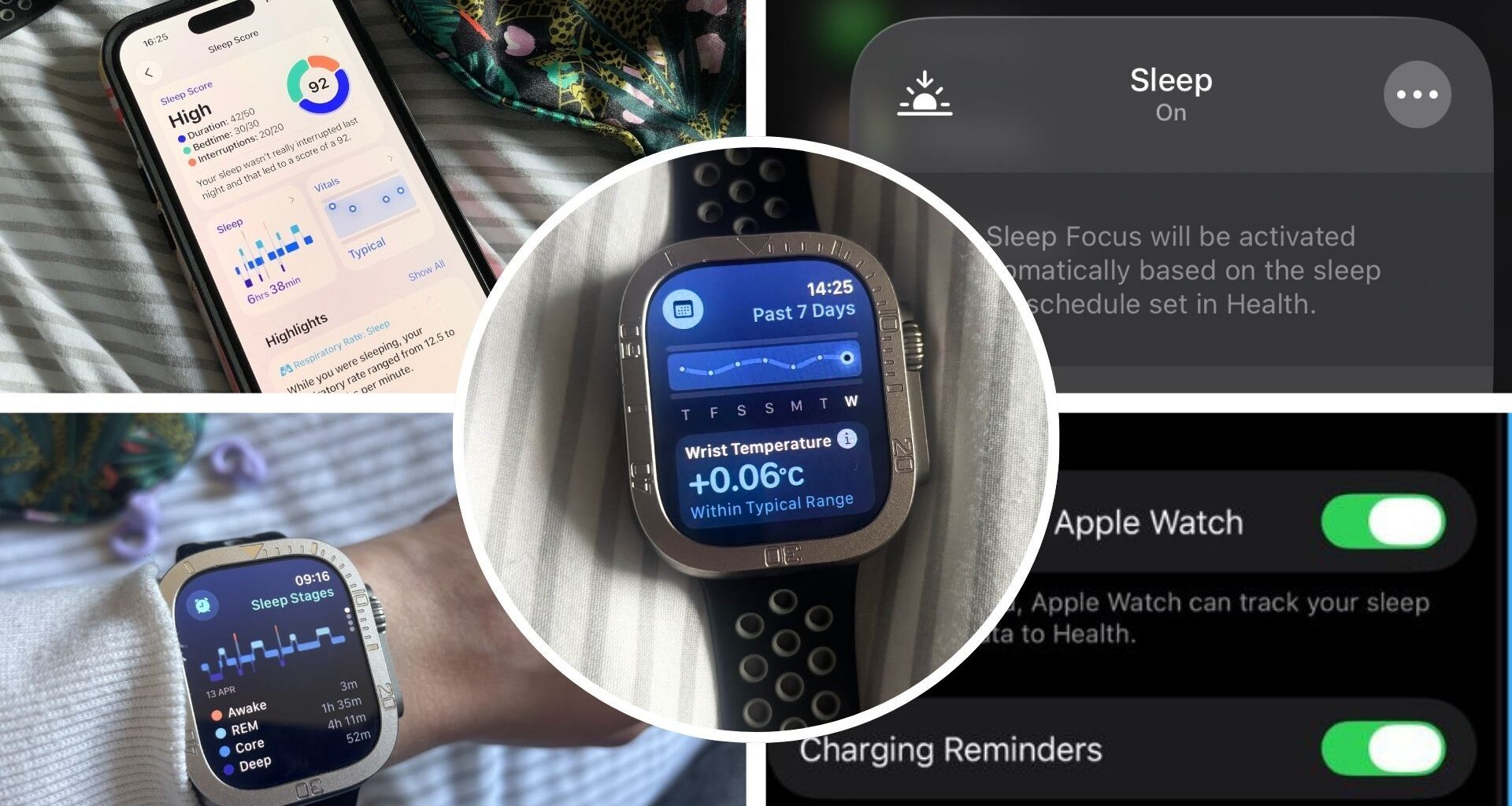
I’ve been wearing my new Apple Watch to bed for a week now, and I must say I’m impressed. From accurately tracking my sleep stages to giving me gentle nudges to start winding down, the Apple Watch has helped me understand my sleep while showing me key ways to improve it.
Still, as with every time I try out one of the best sleep trackers, I feel there are modes and settings that I’m completely oblivious to — and it could be standing in my way of seeing lab-accurate results.
You may like
Key takeaways: At a glanceThe Apple Watch can track your sleep duration and sleep stages, but there are key hidden settings that need to be activated for more accurate results.Activating Wrist Detection and Sleep Focus are vital for accurate results, as they allow your Apple Watch to know when you’re wearing your device and are intending to sleep.Other settings, such as Wrist Temperature and Sleep Apnea notifications, can give you invaluable insights into your health, such as sleep disorders, medical conditions, or illness.While research shows that consumer sleep-tracking wearables are improving in accuracy and can give you useful data on your sleep duration and patterns, board-certified sleep physician Dr Wells notes that an Apple Watch won’t give you data as accurate as a clinical sleep study’s data.The 5 vital Apple Watch settings for accurate sleep data 1. Sleep Focus
(Image credit: Future)
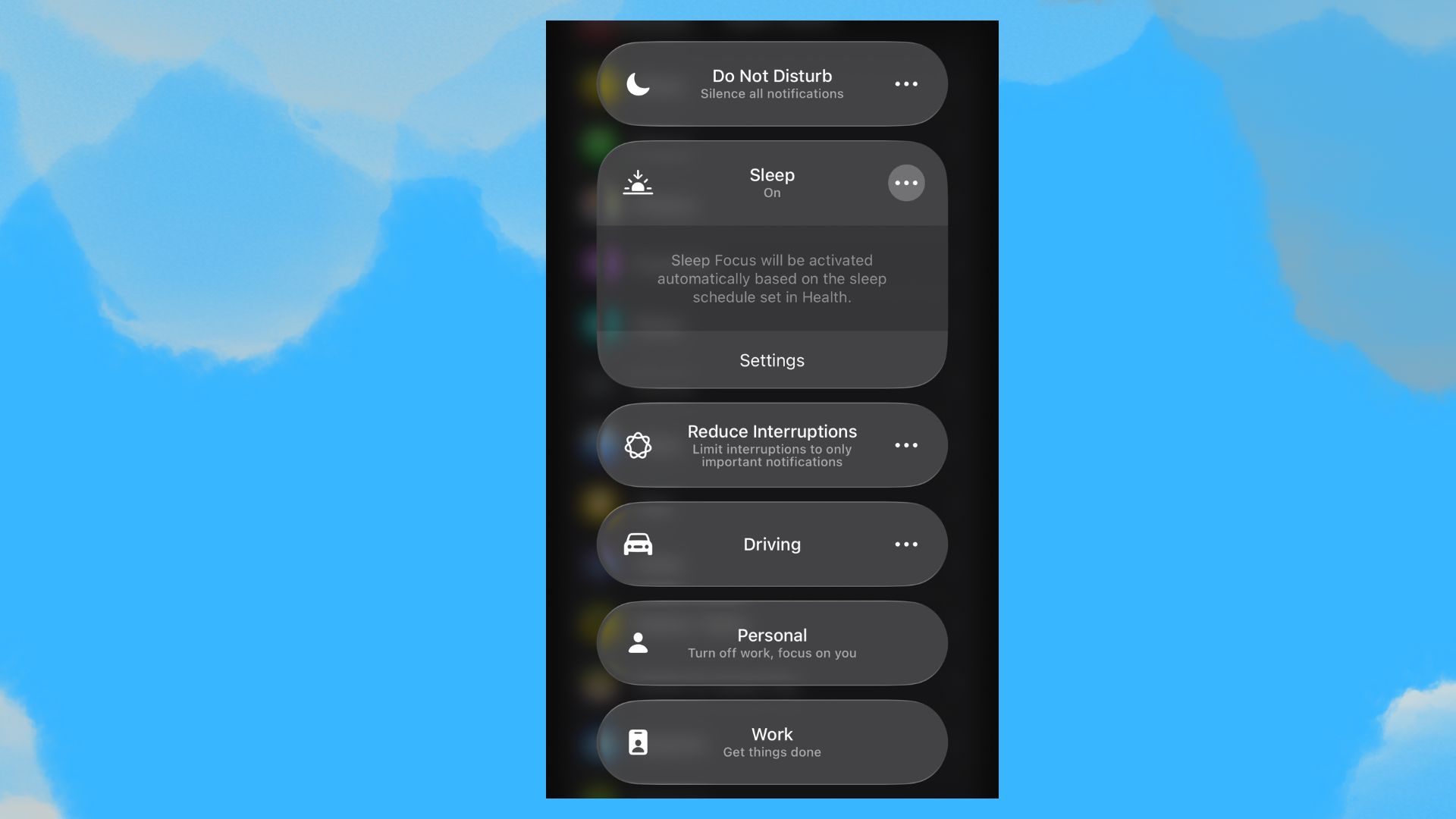
Let’s begin with one of the most important Apple Watch settings for your sleep: Sleep Focus mode. In fact, it was the first setting I learned about when I set up my Apple Watch, and while it prepares you for rest by reducing distracting notifications, it’s also needed for accurate tracking.
“Sleep Focus mode signals to the watch that you’re intending to sleep, and this allows it to more accurately detect when you fall asleep and stay asleep, rather than misinterpreting late-night phone use or movement as wakefulness,” says Dr. Roland, a board-certified sleep medicine physician.
“Without it, the watch may confuse quiet rest, like lying in bed scrolling your phone, with sleep,” agrees board-certified sleep medicine physician Dr Wells.
2. Wrist detection
(Image credit: Future)
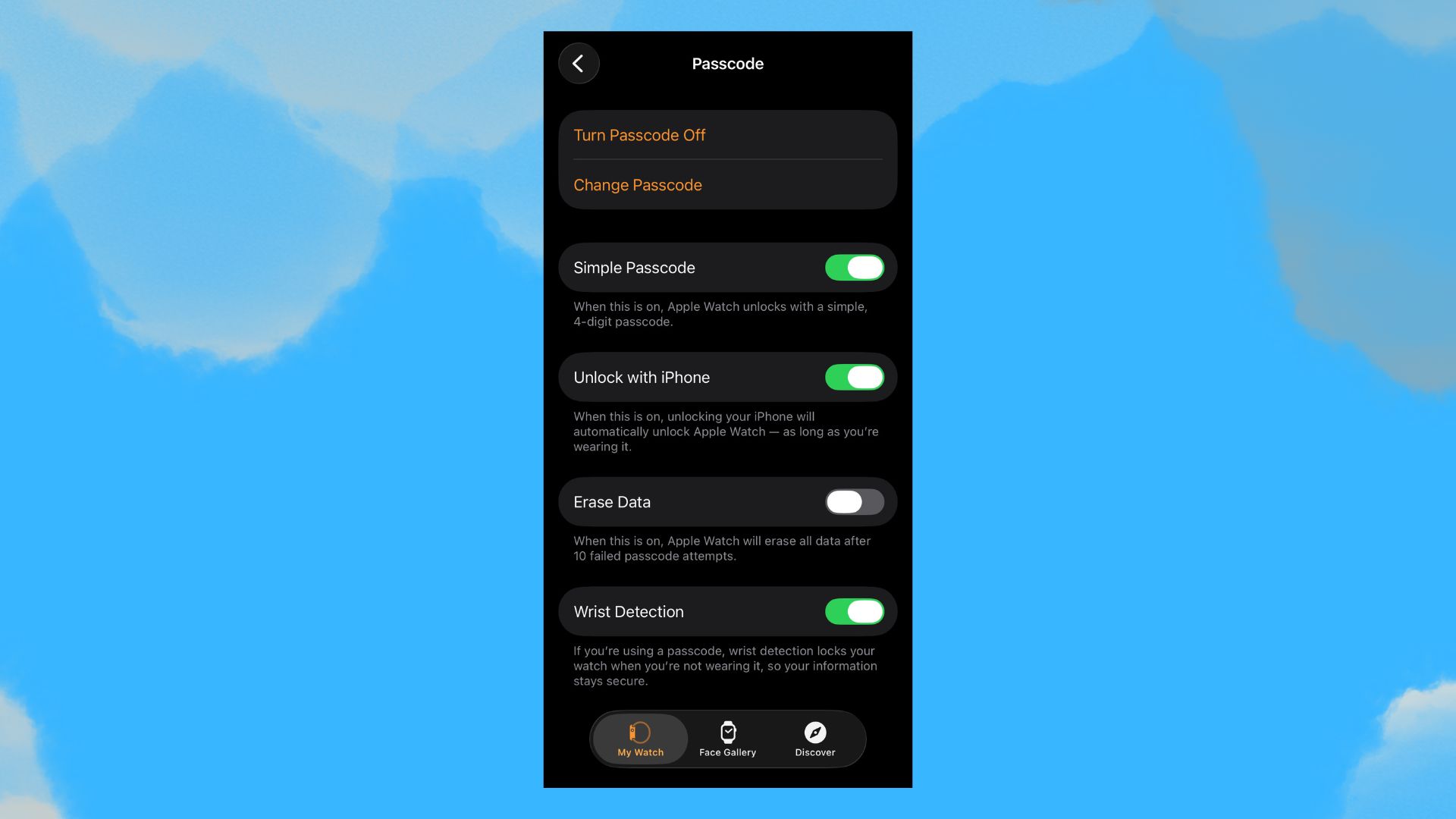
Wrist Detection is another important one as it lets the Apple Watch know you’re wearing it and, according to Dr Roland, it’s “essentially what allows all the sensors to function properly” when you’re wearing the watch to bed.
“Without it, the watch can’t reliably track movement, heart rate, or sleep stages, which means your sleep data may be incomplete or inaccurate,” the sleep expert warns.
Dr Wells also agrees that Wrist Detection needs to be on so the Apple Watch can track the “main signals” it uses for sleep. The doctor also reminded me of another essential thing you should do that’s outside your Apple Watch settings: wear the Watch correctly.
“If it’s too loose or not positioned correctly, the device can’t reliably track movement even with Wrist Detection,” she reminds me.
What to read next
3. Sleep apnea notifications
(Image credit: Future)
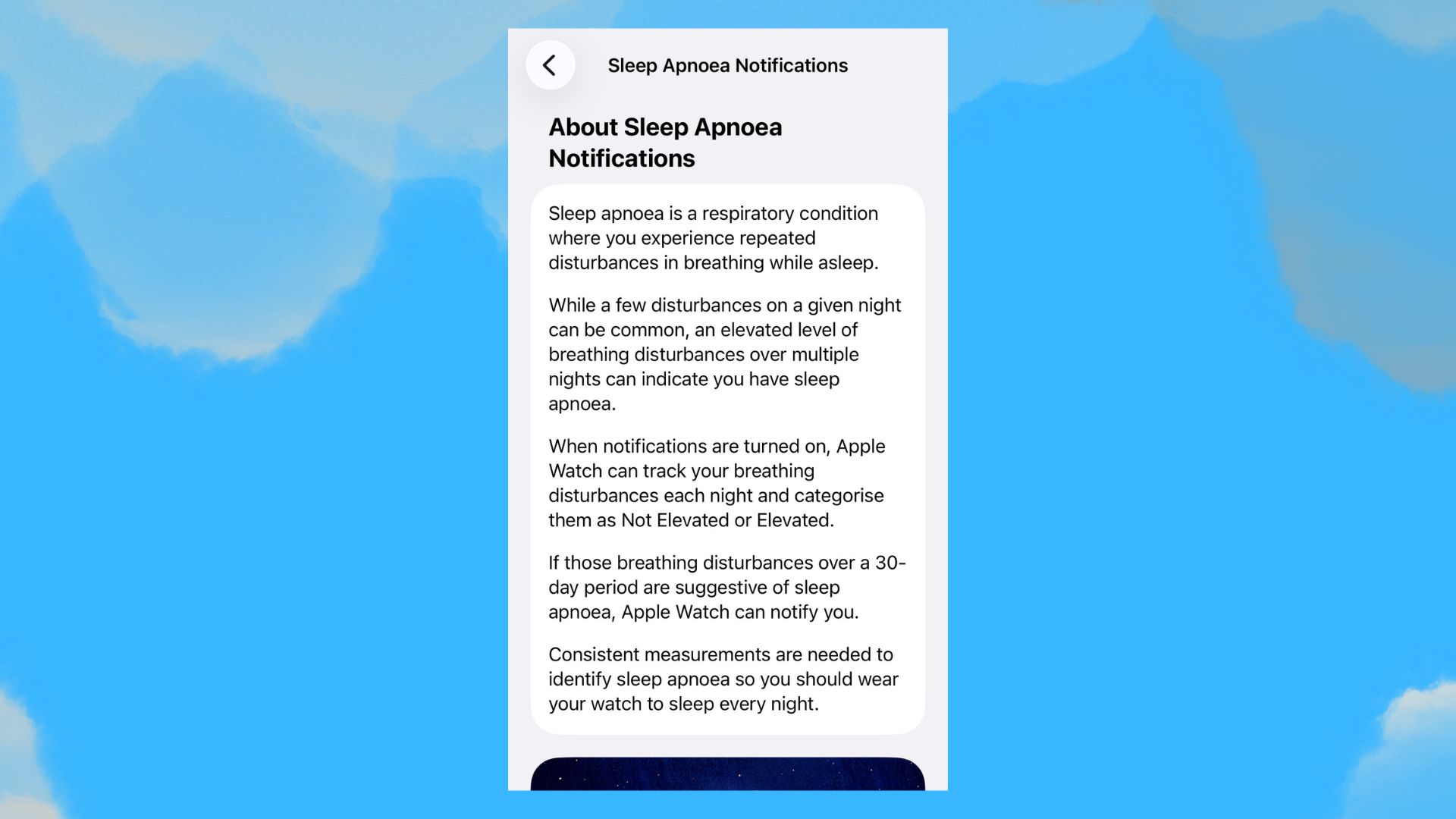
Okay, so the Sleep Apnea notifications tool is the one setting that I actually can’t activate as, according to Apple Support, it’s only available on the Apple Watch Series 9 or later, the Apple Watch Ultra 2, or Apple Watch SE 3.
However, sleep tech writer Eve Davies swears it’s an essential hidden Apple Watch sleep tracking feature if you or your partner are prone to snoring.
This sleep apnea tool flags potential breathing disturbances during sleep, which Dr Roland emphasizes is important, as you probably don’t notice these disturbances yourself.
“Sleep apnea often goes undiagnosed, but it can seriously impact sleep quality and overall health,” he explains.
“Having a tool that monitors for irregular breathing patterns can prompt you to seek medical evaluation if something seems off,” he adds.
4. Wrist temperature
(Image credit: Future)
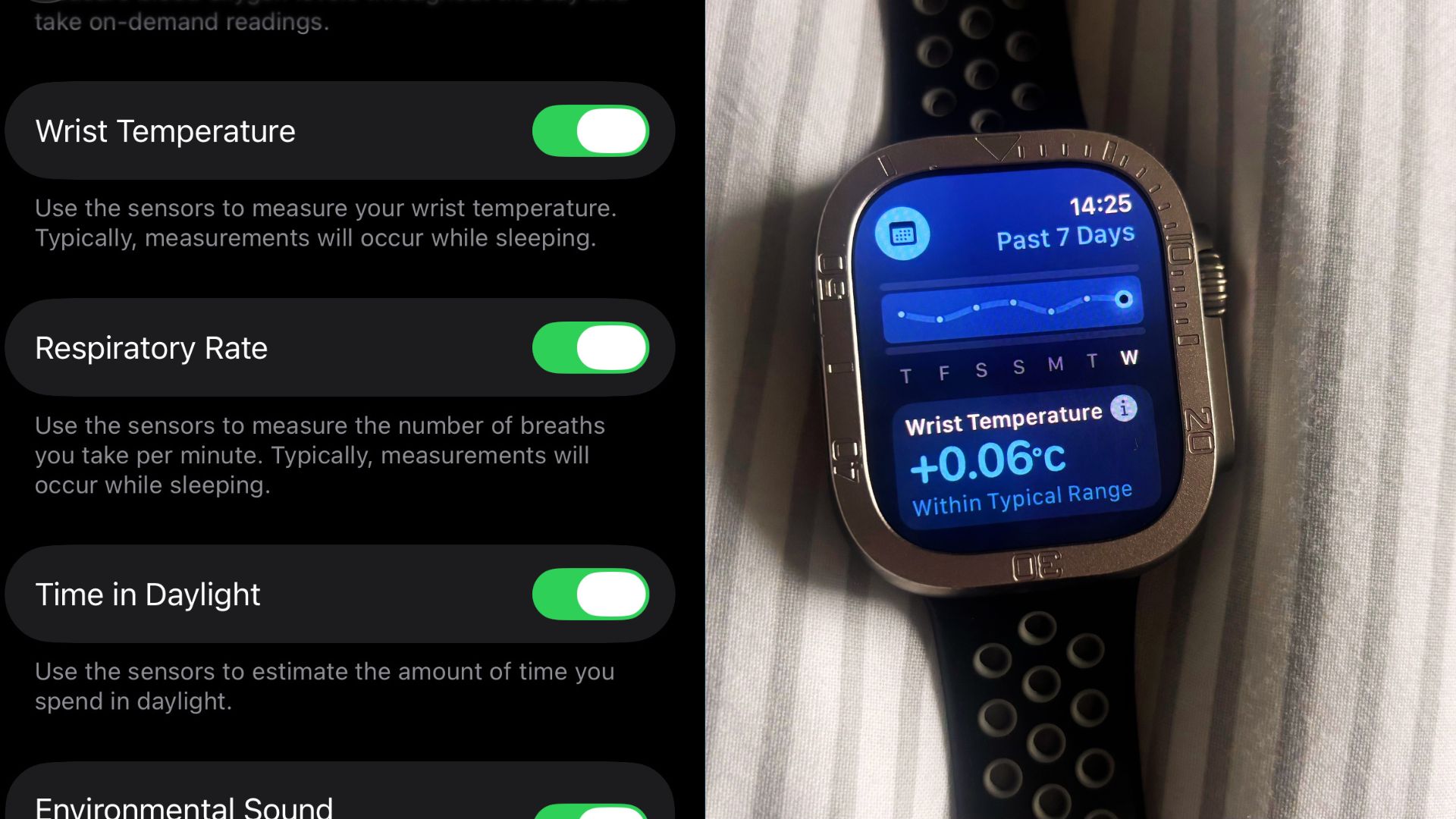
One of the health metrics (or vitals, as Apple calls them) I was eager to see was the Wrist Temperature measurement. Dr. Roland told me the Wrist Temperature setting was important for assessing my “body’s overnight physiology”.
“Changes in skin temperature while you sleep can reflect things like illness, hormonal shifts, including menstrual cycle phases, or recovery status,” notes the physician.
I was a little disappointed to wake up after the first couple of night and seeing no Wrist Temperature data, but Dr Wells assures me this was normal.
“Wrist temperature doesn’t measure sleep quality or diagnose sleep problems, so think of it as a trend over time, not a single-night insight,” she tells me.
Dr Wells says that, as wrist temperature can give you helpful context about you nocturnal patterns (including changes to your overall health and circadian rhythm), “it may be worth paying attention if you notice consistent changes.”
5. Charging reminders
(Image credit: Future)
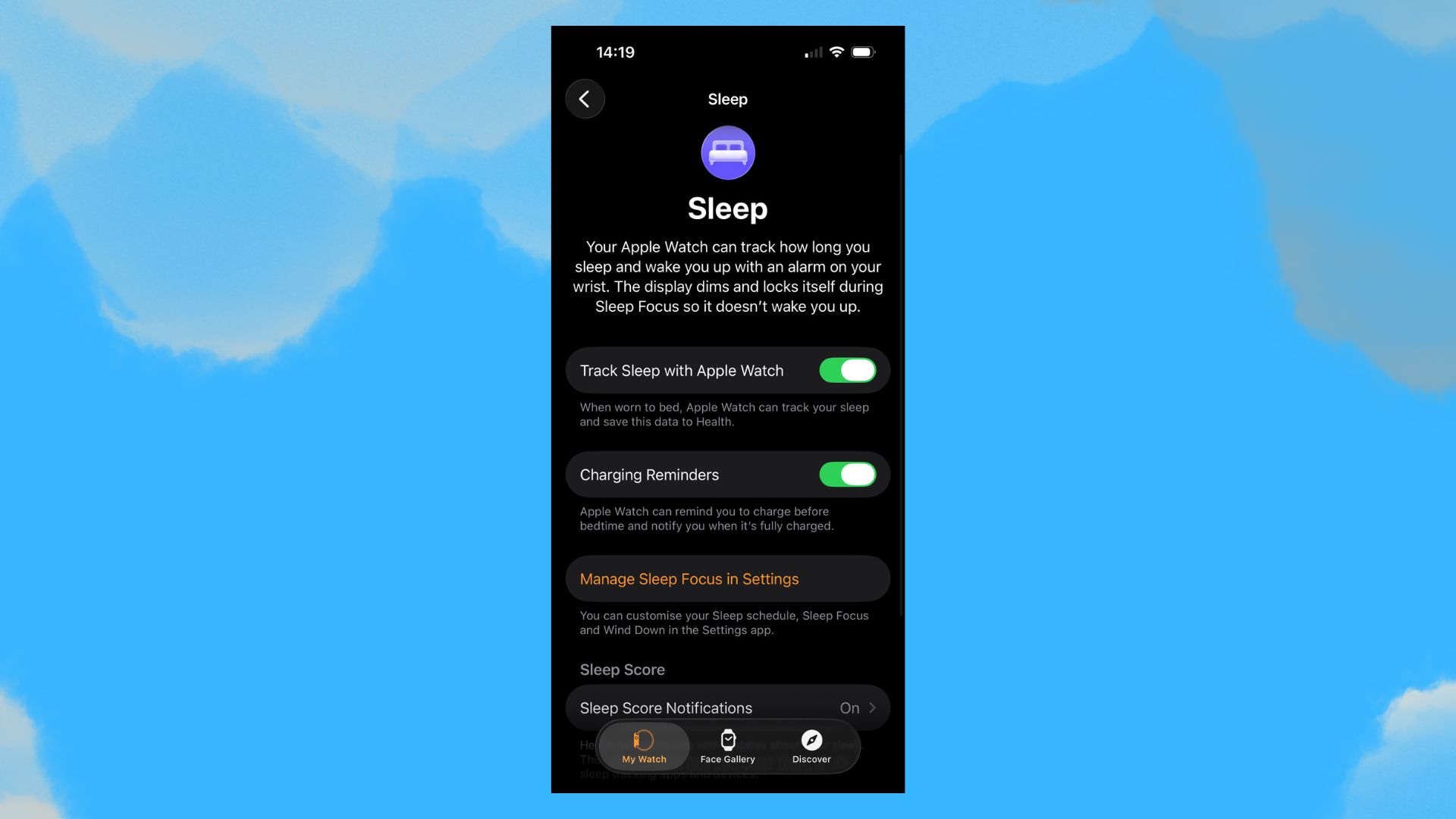
Charging Reminders are a setting you may not even associate with sleep tracking, but it’s important for accuracy because, as Dr Wells puts it, “If your watch runs out of battery overnight, you won’t get sleep data.”
“The real value of wearables comes from consistent trends over time, not one or two nights of data,” says the sleep expert. “So charging reminders help you build that consistency so you get to know your own patterns and the information is actually useful.”
3 things my Apple Watch data has revealed about my sleep 1. My average sleep duration is way less than the recommended 7-9 hours
(Image credit: Future)
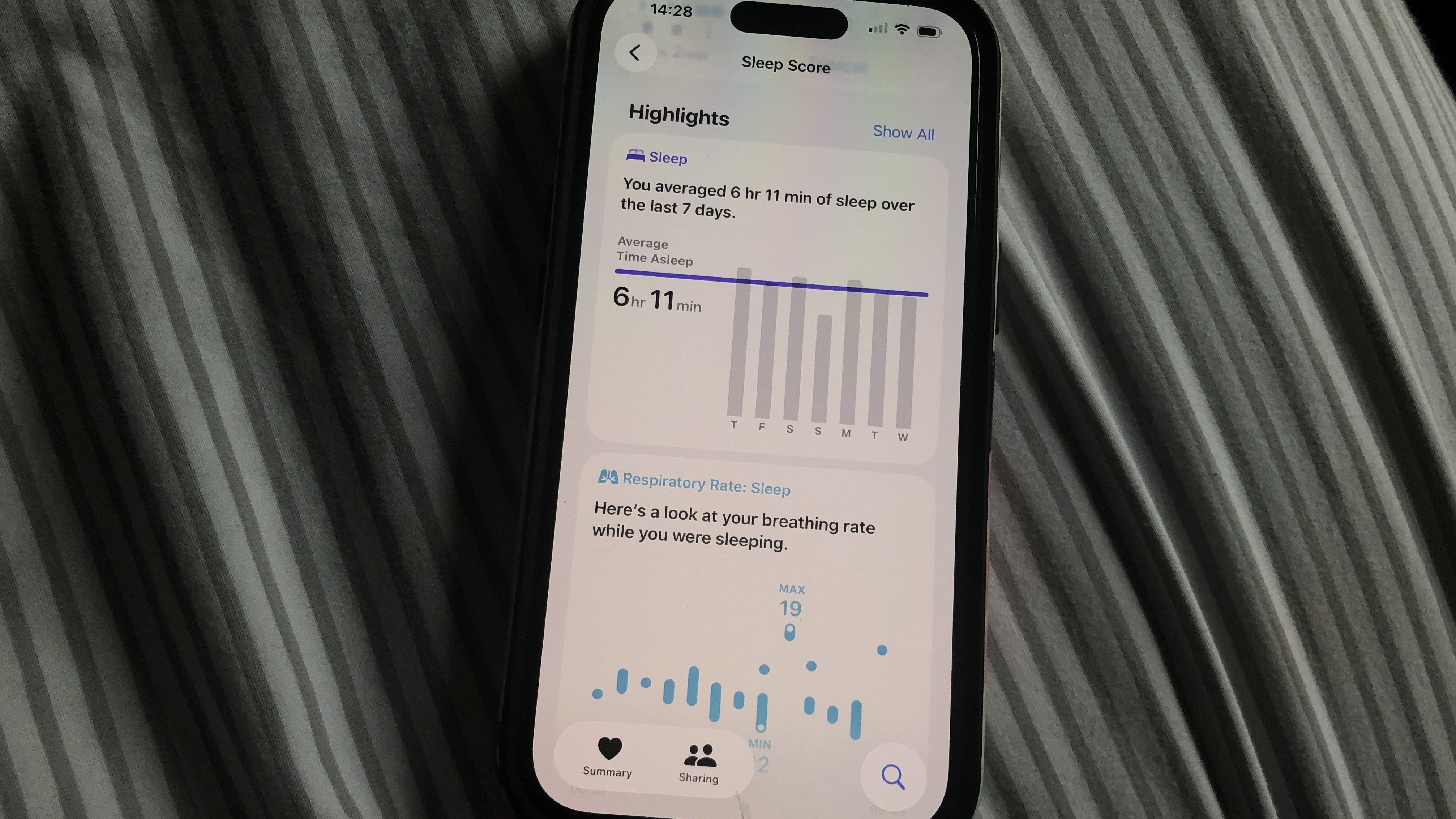
The main draw of the Apple Watch’s sleep tracking is seeing how much sleep you managed to get each night, along with amount of time you spent in each sleep stage.
After I started building enough sleep data, the Health app gave me overview of how much sleep I get on average. Today’s weekly average? 6 hours and 11 minutes.
Now, some people may be tugging on my neck collar, wondering how on earth I can function on so little sleep. After all, the recommended sleep duration for adults is seven to nine hours. But…
2. …but my high sleep scores say it’s not a huge problem
(Image credit: Future)
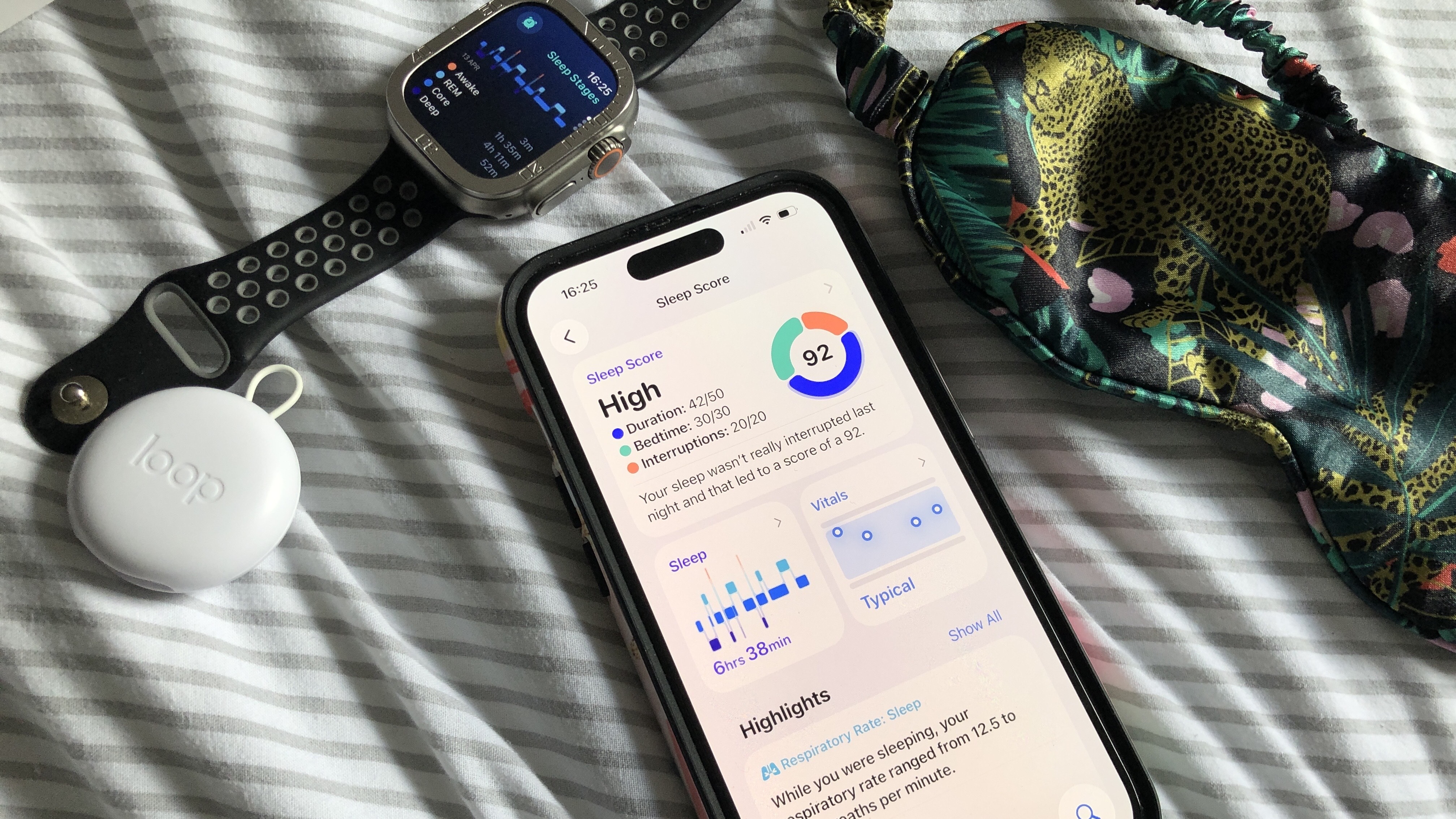
…I’m scoring pretty high sleep scores on less than seven hours of sleep. Apple Watch sleep scores are basically marks out of 100, categorised into four scoring groups: very low, low, high, and very high. On average, I’m achieving a ‘high’ score — sometimes even in the 90s.
Of course, your sleep score isn’t only calculated on duration. It also takes into account your sleep regularity (for example, going to bed within the same window every night) and how many times you experience nighttime awakenings.
3. Health metrics rule out any sleep disorder
(Image credit: Future)
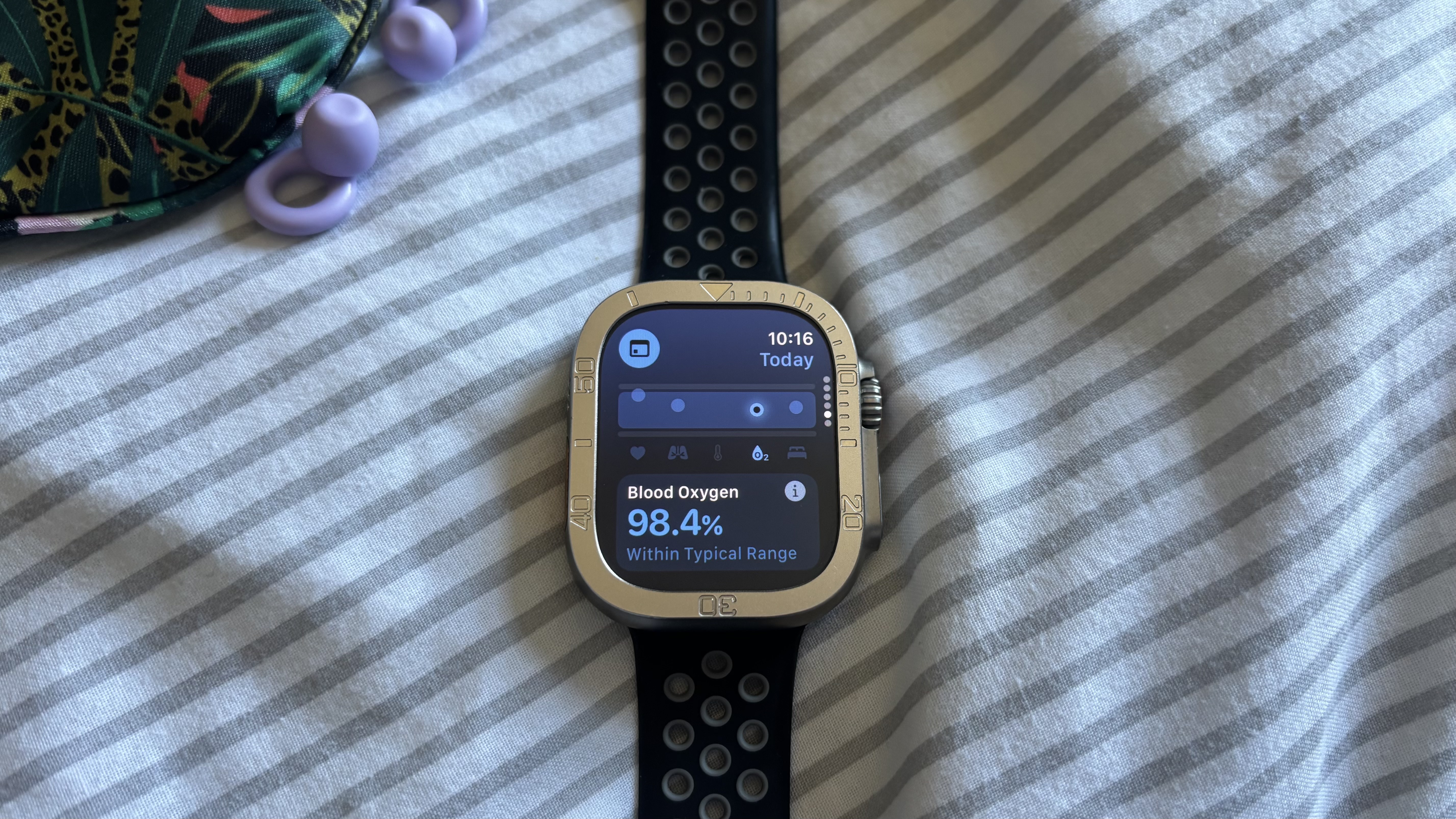
As I mentioned above, there are some tools I can’t access (most importantly the Sleep Apnea Notifications), but I still get to see important health metrics on the Vitals app, an Apple Watch app that gives me a daily snapshot of key measurements.
These include respiratory and heart rates and blood oxygen levels, which can provide data used to suggest sleep disorders such as sleep apnea, dehydration, or overconsumption of caffeine or alcohol.
Luckily, my health metrics indicate that I’m not experiencing any sleep disorders, but I know that if I spot any changes outside my typical range, I can use these patterns to identify any problems.
Is Apple watch sleep tracking accurate?
(Image credit: Future)
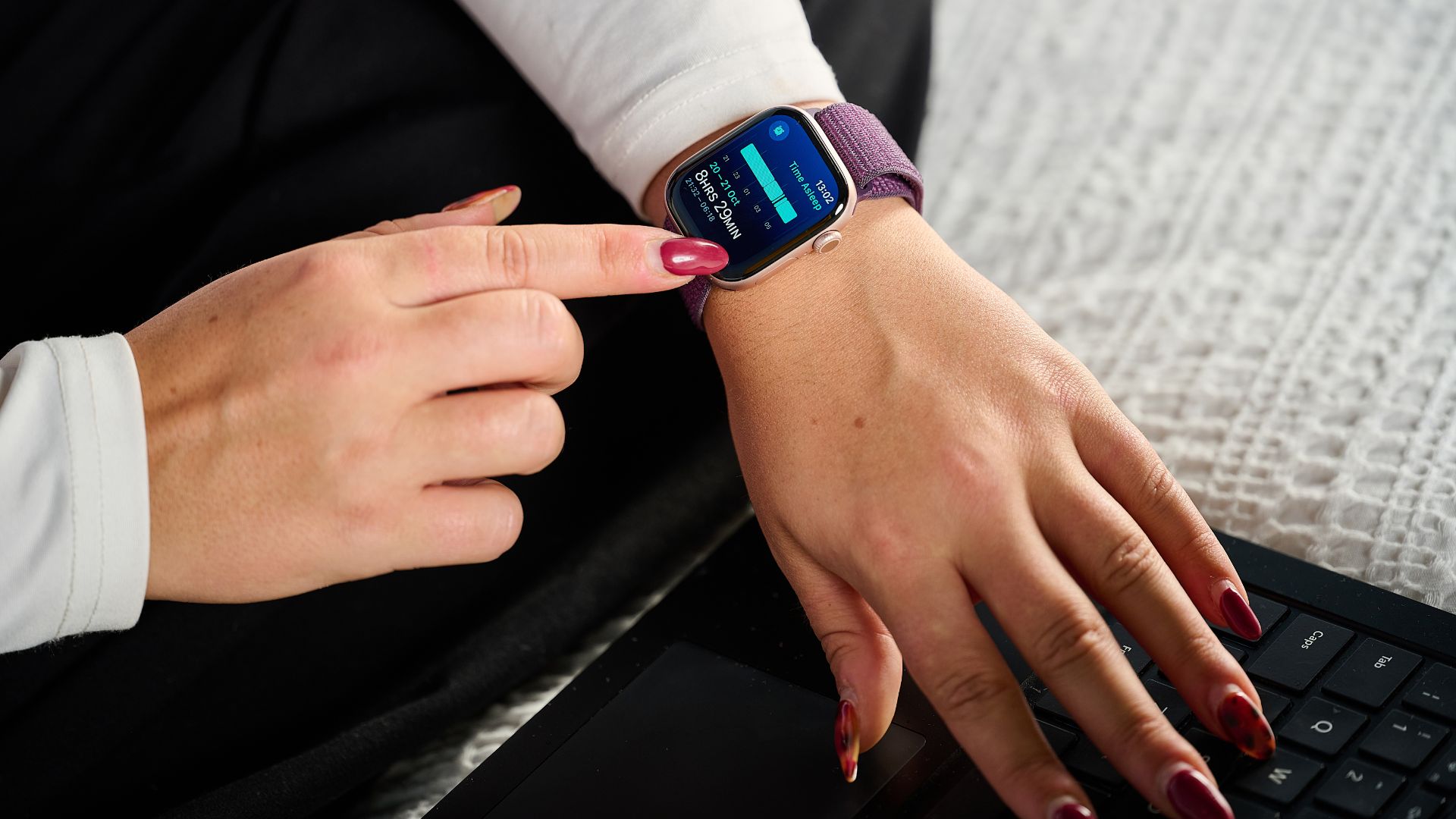
If you’re wondering how to make your sleep tracking more accurate, you’re probably also questioning how accurate an Apple Watch’s sleep trackers are (or how accurate wearable sleep trackers are in general).
Luckily, a study has proven the value of consumer sleep-tracking devices, concluding that at-home trackers have a similar accuracy to research-grade actigraphy when estimating total sleep duration.
Other research even predicts that consumer wearables will “likely provide sleep information on par with actigraphy.”
But are we there yet? According to Dr Wells, not quite. “The data should be viewed as an approximation of sleep patterns, not a precise measurement of sleep stages or quality,” says the sleep expert.
“Remember that the Apple Watch is estimating sleep based on patterns, not directly measuring brain activity like a clinical sleep study would,” she adds.
Today’s best Apple Watch deals