
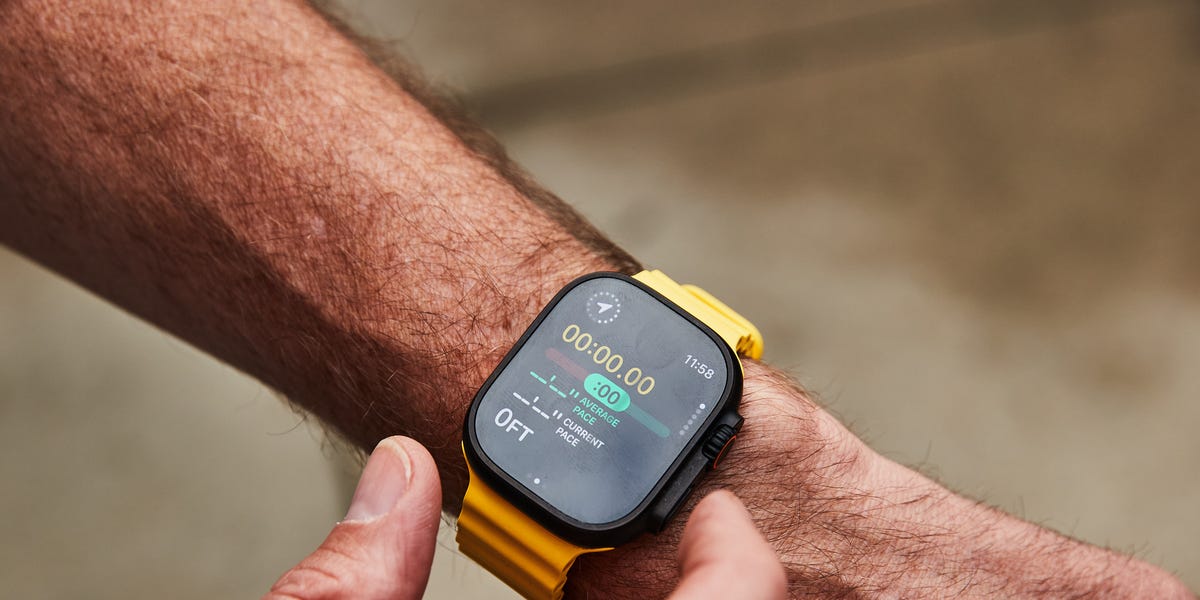
There are two seemingly opposite “struggles” that many runners—including myself—grapple with: 1) maintaining an effortful even pace for long runs and races, and 2) running easy miles too fast.
Pacing yourself is a skill—and it can be a pretty difficult one to master. I’ve been getting real-time feedback and training my own pacing intuitiveness via a lesser-known (and perhaps vastly under-appreciated) feature on Apple Watch known as Pacer.
The feature came out in 2022, but even as a devoted Watch user (I’ve consistently run with it since it came out in 2015!) I had yet to take full advantage of it. So, I decided to put it to the test this spring while training for the London Marathon on April 26, which I’ll be running with Apple. (This is a special one for me as my first-ever marathon was the 2013 race; I’ve since run 13 more.) Here’s what to know about the feature in general, plus how it helped restore some of my intuitiveness while—hopefully—giving me an edge on race day.
![Watch Series 11 [GPS 46mm]](https://www.newsbeep.com/us/wp-content/uploads/2026/04/bcc93935-d067-445d-a514-d14c994fa16f.jpeg "Watch Series 11 [GPS 46mm]") Size46 mmConnectivityGPSBatteryUp to 24 hoursWhat Is Pacer?
Size46 mmConnectivityGPSBatteryUp to 24 hoursWhat Is Pacer?
I’ve been through many Apple Watch hardware and software updates and this latest lineup—including the Series 11 and Ultra 3—is definitely the most sophisticated yet. “Running has always been a core experience of Apple Watch, and over time we’ve added a range of features designed to help runners of all levels,” says Craig Bolton from the Apple Fitness Technologies team.
In addition to heart rate zones, there are many other metrics you can glean via the Watch, including Vertical Oscillation, Stride Length, Ground Contact Time, and Power. You can also create custom views on the Watch screen, make Custom Workouts (think: specific speed intervals or marathon pace miles in the middle of a longer easy run), and notify someone that you’re starting a workout with the Check-In feature. The latest is Workout Buddy, an Apple Intelligence feature that pulls a users’ workout data and fitness history to give you real-time personalized, spoken motivation throughout the session. When I ran the NYC Half in March, it told me mid-race that I’d run more elevation than I had all year!
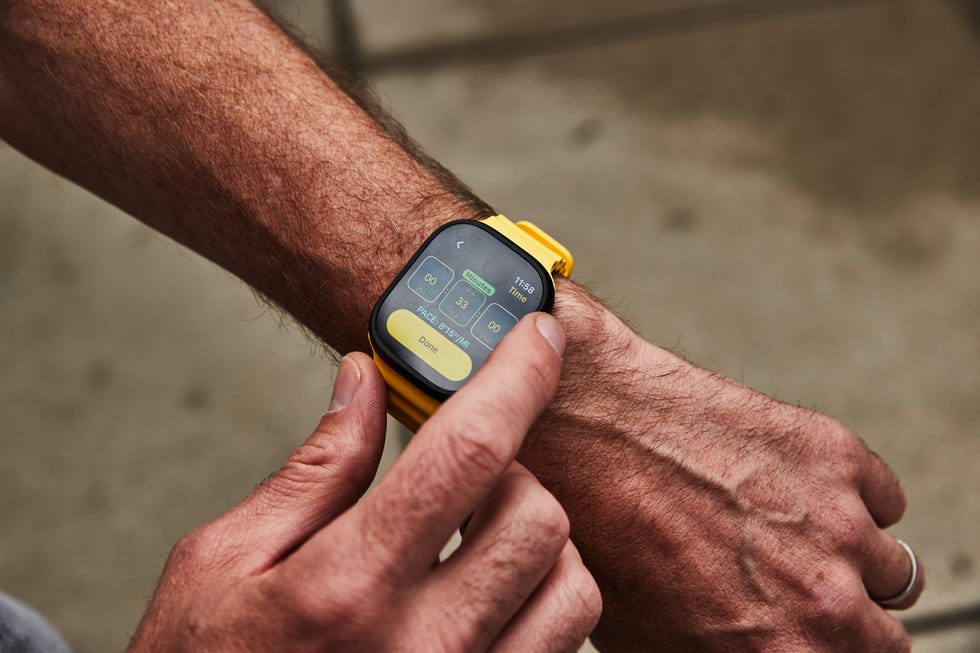
It’s easy to set distance and time within the Workout app.
But back to the Pacer feature. You can set this up easily on the Watch app on your iPhone or in the Workout App on the Watch itself, which I did primarily. You simply find the Outdoor Run workout, then click the icon in the top right corner and enter your total mileage and goal pace. Then hit start and the watch does the rest!
Then, while you’re running, you’ll see a green bar if you’re on pace and a red bar if you veer too far off. There are also optional audio updates from Siri that you can customize to let you know if you’re fast, slow, or right on target pace.
Related ArticlesWhy Are Even Splits Important?
Many runners—myself included—are guilty of going out too fast at the start of a marathon, then peetering out later on. It’s one of those “mistakes” that’s easy to make over and over because the combination of adrenaline, nerves, and excitement commingle to override your better judgement.
But beyond making the second half of a marathon suck less, even pacing can improve your overall time—a 2025 study of 146,000 runners in past Valencia Marathons found that runners with even splits ran an average of 27 to 34 minutes faster than those with significant negative or positive splits.
That’s more significant than many other variables we can manipulate, like wearing carbon-plated shoes, tweaking fueling, or regularly dunking yourself in cold water, etc, and yet it’s easy to get fixated on these other aspects.
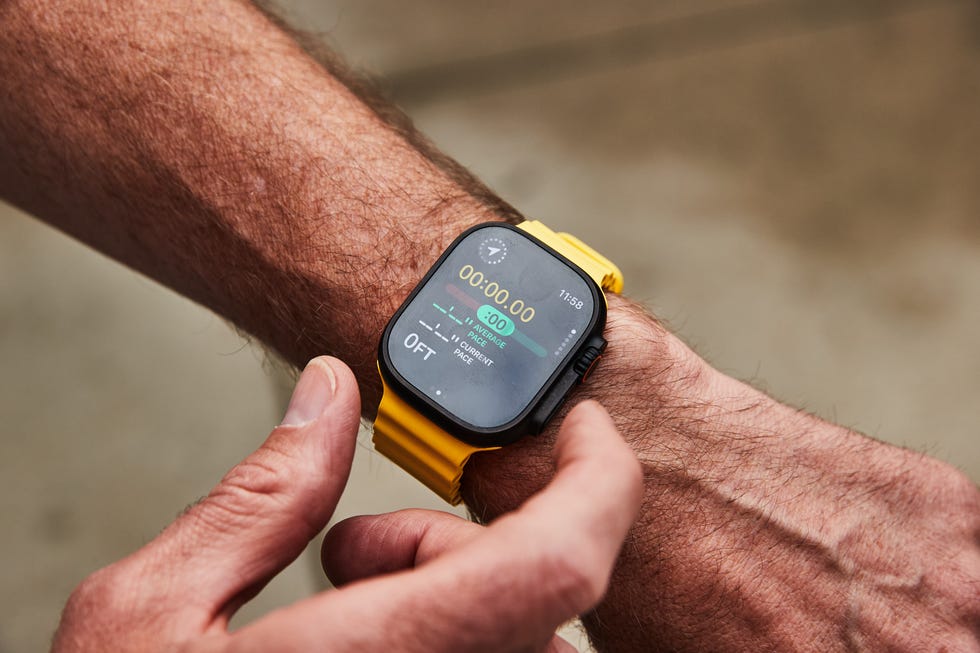
The Pacer feature will alert you if you get ahead or fall behind your desired pace.
Four Takeaways from Testing the Pacer Feature
I’ve been using this feature regularly (at least twice a week, sometimes more) for the past two months. Here are four things I learned that I believe (hope!) will benefit me on race day—and beyond.
It might be the next best thing to having a friend by your side: I also run with Apple AirPods Pro 3 and, in addition to a gentle buzz on my wrist, Siri gives me some real-time updates if I fall behind or ahead of my predetermined pace. These updates are not excessive (which I appreciate), but it’s a nice nudge in either direction if you zone out from checking your Watch for a bit. Collectively, Boulton says this is exactly the point: “What’s great about using Pacer is it allows you to put your focus on the run and staying in the moment, knowing Apple Watch will let you know if you drift away from your target pace.”It helped me avoid unnecessary distractions, which is something I’m guilty of: Stopping for a quick bathroom break just because I pass a public bathroom in Central Park and don’t want to miss the opportunity, extending walk breaks to open my gels or sip water, waiting at traffic lights instead of running an extra block or two to avoid them, etc. (I made a deal with myself not to pause my Watch for these types of breaks since the clock won’t stop in the marathon itself.) With the Pacer feature on, I was constantly aware of how far behind I was falling—so I was more motivated to keep moving.I realized I was running my easy runs too fast: Bolton got me thinking about less-obvious uses for the Pacer feature, including during recovery runs that can be easy to run too fast, which can ultimately result in inadvertent overtraining. By using the Pacer feature during easy runs, I was able to keep my heart rate—and overall training load—lower.It helped boost my intuition: I don’t have specific “before” data to compare this to, but on my most recent easy run, I did an “open” goal workout on the Apple Watch and only glanced at it to determine when to turn back. I did my best to evenly pace myself and at the end of the run, I checked the stats—I came in pretty close to my goal of 10 minutes per mile average. I can’t say for certain, but I have a feeling this is better than it would have been before my Pacer experiment, and it underscores an interesting counterintuitive phenomenon in that the most advanced tech may actually be able to help us hone our own inner software.
I’m looking forward to using this feature on race day (especially as a notorious go-out-too-faster). That said, it’s probably not the best idea to use it for the first time in a race environment—as mentioned, I’ve been using it for about two months now so I’m pretty familiar with it. “Pacer helps take away the mental math required to see how you are tracking towards that goal, and with a simple glance, or via an alert, it can help keep you on track,” says Boulton.

Jeff is Runner-in-Chief for Runner’s World and the director of product testing. He has tested and reviewed running shoes, GPS watches, headphones, apparel, and more for nearly two decades. He regularly tests more than 100 pairs of shoes each year, and once had a 257-day streak running in different models. Jeff can usually be found on the roads, racing anything from the mile to a marathon, but he also enjoys racing up mountains and on snowshoes. When he’s not running, you’ll probably find him hanging from a ladder making repairs and renovations to his house (he’s also director of product testing for Popular Mechanics).