
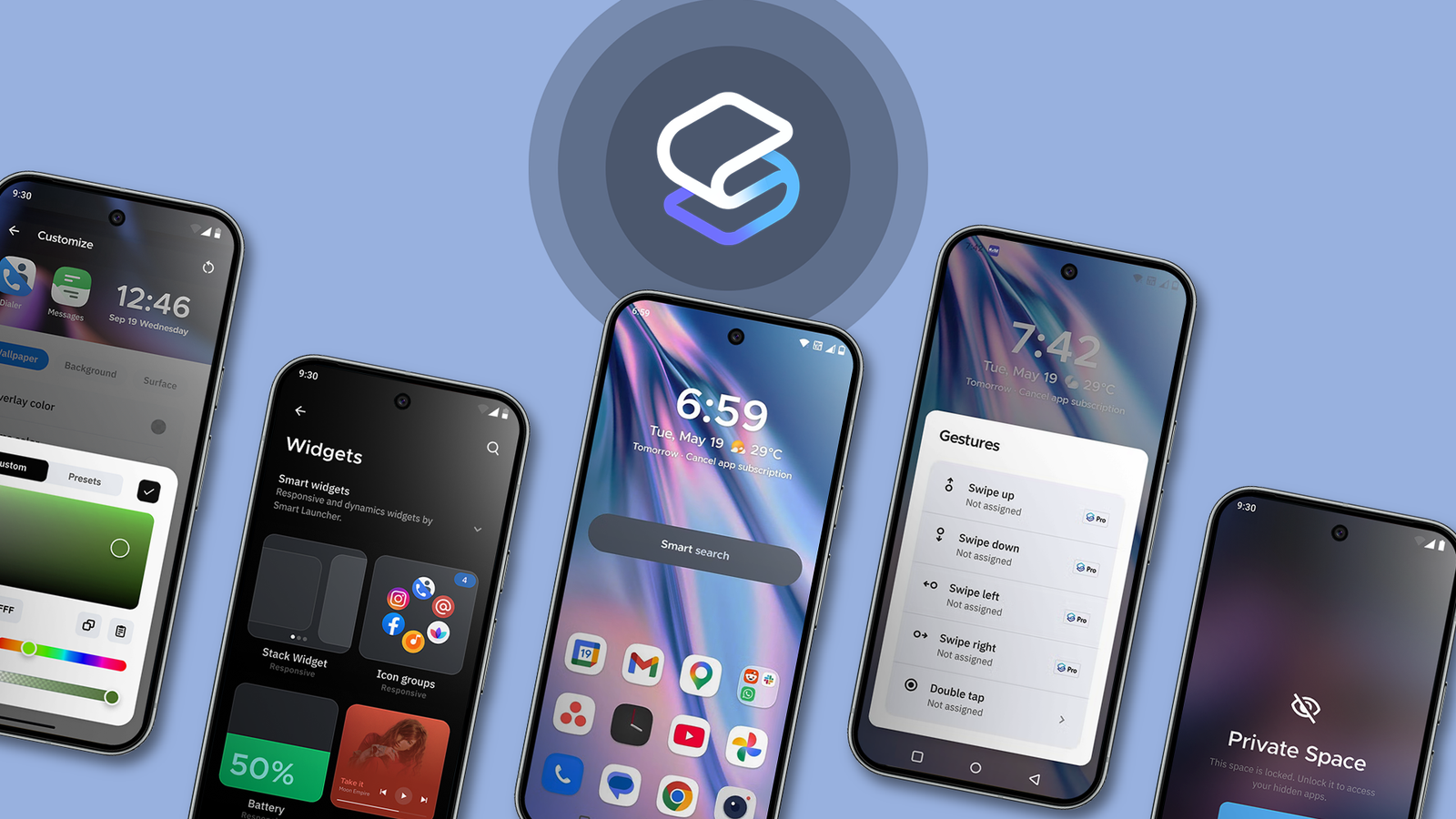
However, after trying Smart Launcher 6, I realized it takes a different approach to Android customization. Instead of overwhelming users with options right away, it focuses on solving a problem I often encounter with cleaner launchers like the Pixel Launcher: organization.
The more apps, widgets, folders, shortcuts, and notifications I accumulated on my phone, the harder it became to keep everything manageable. My home screen always started clean, but eventually drifted into clutter again.
Smart Launcher 6 is the first launcher I’ve tried in a long time that made my phone feel organized without making it feel complicated.
 Quiz8 Questions · Test Your KnowledgeAndroid and Pixel launchers
Trivia challenge
From app drawers to At a Glance — how well do you really know Android’s home screen history?
HistoryFeaturesPixelDesignApps
Begin
What was the name of the default launcher shipped with the very first Android device, the T-Mobile G1, in 2008?
ANova LauncherBLauncher ProCHomeDAndroid Launcher
Correct! The original Android launcher was simply called ‘Home.’ It was a barebones experience by today’s standards, featuring a basic app tray and a single home screen panel — a far cry from the feature-rich launchers we use today.
Not quite. The answer is ‘Home.’ This was the straightforward name given to the default launcher on Android 1.0. It lacked many features we now take for granted, like multiple home screen panels, but it laid the foundation for everything that followed.
Continue
Which Google launcher introduced the ‘At a Glance’ widget, showing date, weather, and upcoming calendar events at the top of the home screen?
AGoogle Now LauncherBPixel LauncherCGoogle Search LauncherDNexus Launcher
Correct! The Pixel Launcher, which debuted alongside the original Pixel phones in 2016, introduced the At a Glance widget. It quickly became a signature feature of the Pixel experience, giving users useful contextual information without opening any apps.
Not quite. The At a Glance widget was introduced in the Pixel Launcher, launched with the first-generation Pixel in 2016. The Google Now Launcher, its predecessor, focused more on surfacing Google Now cards rather than a persistent glanceable widget.
Continue
What swipe gesture does the stock Pixel Launcher use to open the full app drawer from the home screen?
ASwipe leftBSwipe rightCSwipe upDSwipe down
Correct! The Pixel Launcher uses a swipe-up gesture to reveal the full app drawer. This upward swipe also partially reveals the drawer when you swipe slowly, letting you see your alphabetically sorted apps in a smooth, fluid motion.
Not quite. The correct gesture is swiping up on the home screen. Google moved away from side-swipe drawers to this more intuitive upward gesture, which also became a common convention adopted by many other Android launchers and manufacturers.
Continue
Google Now Launcher was officially discontinued by Google in which year?
A2015B2016C2017D2018
Correct! Google officially pulled the Google Now Launcher from the Play Store in 2017. It was replaced in focus by the Pixel Launcher, which was exclusive to Pixel devices and represented a new design direction for Google’s home screen vision.
Not quite. Google Now Launcher was discontinued in 2017. It had been available on the Play Store for non-Pixel Android devices, but Google shifted its strategy to making the Pixel Launcher a key differentiator for its own hardware lineup.
Continue
Which Pixel Launcher feature uses on-device machine learning to predict and surface the apps you’re most likely to open next?
ASmart DockBApp PredictionsCAdaptive ShortcutsDNow Playing Shelf
Correct! App Predictions in the Pixel Launcher uses on-device machine learning to analyze your usage patterns and show the apps you’re most likely to need next. These predictions appear above the app drawer and in the dock, adapting to your habits over time.
Not quite. The feature is called App Predictions. It leverages Google’s on-device AI to learn your routines — for example, suggesting your podcast app during your morning commute or your fitness app when you usually work out.
Continue
Nova Launcher, one of Android’s most popular third-party launchers, was originally developed by which developer before being acquired by a larger company?
AChris LacyBKevin BarryCKoushik DuttaDMike Dodd
Correct! Nova Launcher was created by Kevin Barry under the TeslaCoil Software brand. It became one of the most beloved Android launchers for its deep customization options and reliable performance. It was later acquired by Branch in 2022.
Not quite. Nova Launcher was developed by Kevin Barry of TeslaCoil Software. Chris Lacy is known for creating Action Launcher, another highly regarded third-party launcher with its own unique features like Quickdrawer and Quicktheme.
Continue
What is the name of the Pixel Launcher feature that lets users search across apps, contacts, and web results directly from the home screen by swiping or tapping?
AGoogle Assistant BarBUniversal SearchCSearch AllDQuick Search Box
Correct! ‘Search All’ is the unified search feature built into the Pixel Launcher that allows users to search across installed apps, contacts, settings, and the web simultaneously. It’s accessible from the search bar at the bottom of the home screen.
Not quite. The feature is called ‘Search All.’ It’s one of the Pixel Launcher’s most practical tools, aggregating results from multiple sources in one place. The Quick Search Box was an older Google feature from the early Android days that served a similar but more limited purpose.
Continue
Which Android version first introduced support for home screen widgets, allowing third-party developers to embed interactive content on the launcher?
AAndroid 1.0BAndroid 1.5 (Cupcake)CAndroid 2.0 (Eclair)DAndroid 3.0 (Honeycomb)
Correct! Android 1.5, known by its codename Cupcake, introduced home screen widget support in 2009. This was a landmark addition that helped differentiate Android from iOS at the time, letting users place live, interactive content directly on their home screens.
Not quite. Home screen widget support arrived with Android 1.5 Cupcake in 2009. This feature became one of Android’s most celebrated advantages over competing platforms for many years, enabling everything from weather widgets to media controls right on the home screen.
See My Score
Challenge CompleteYour Score
/ 8
Thanks for playing!
Try Again
Smart Launcher 6 fixes the clutter I still associate with the Pixel Launcher
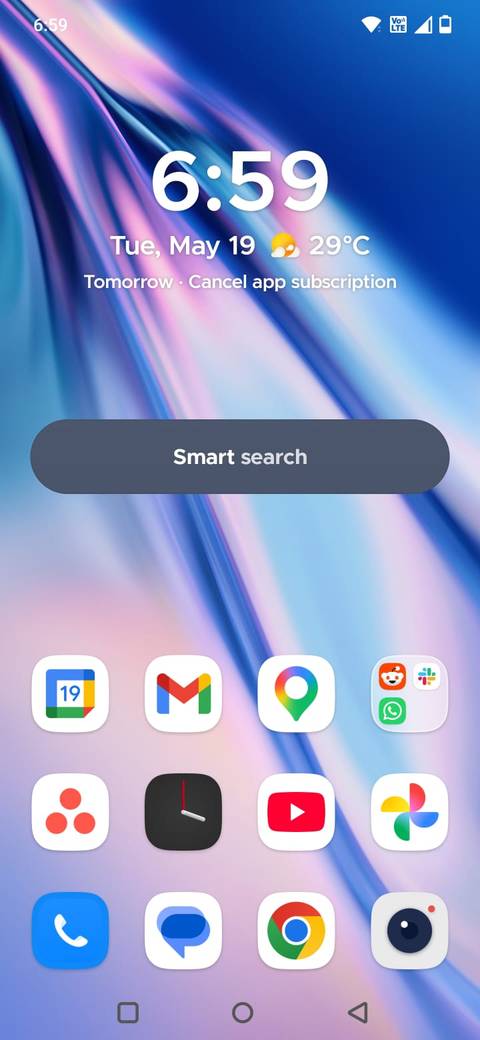
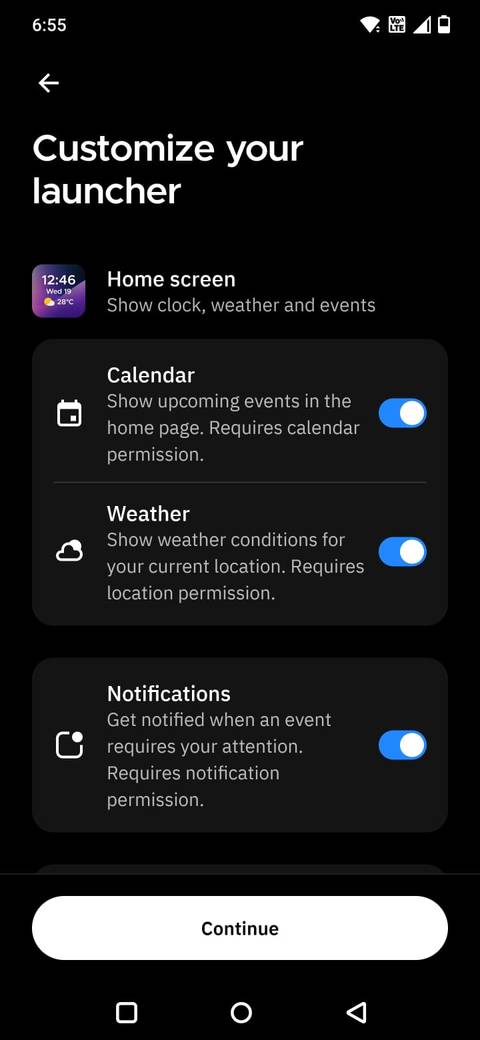
I’ve always liked the clean look of the Pixel Launcher, and I’ve spent time trying different Android launchers that recreate a similar experience on my OnePlus phone. Most of them either felt too complicated or focused so heavily on customization that the interface quickly became cluttered.
During my search, I discovered Smart Launcher 6, which takes a different approach compared to other launchers. In my opinion, it does a better job with organization and customization than the Pixel Launcher.
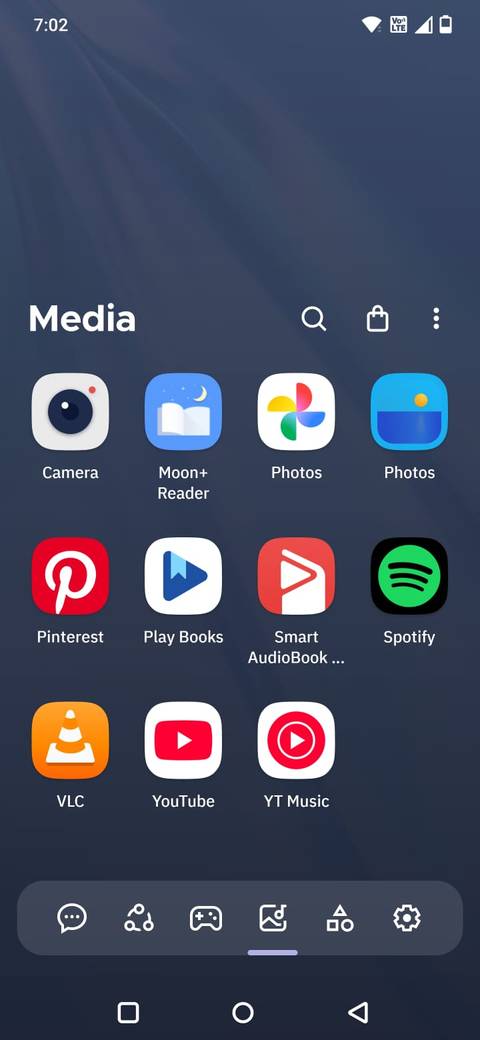
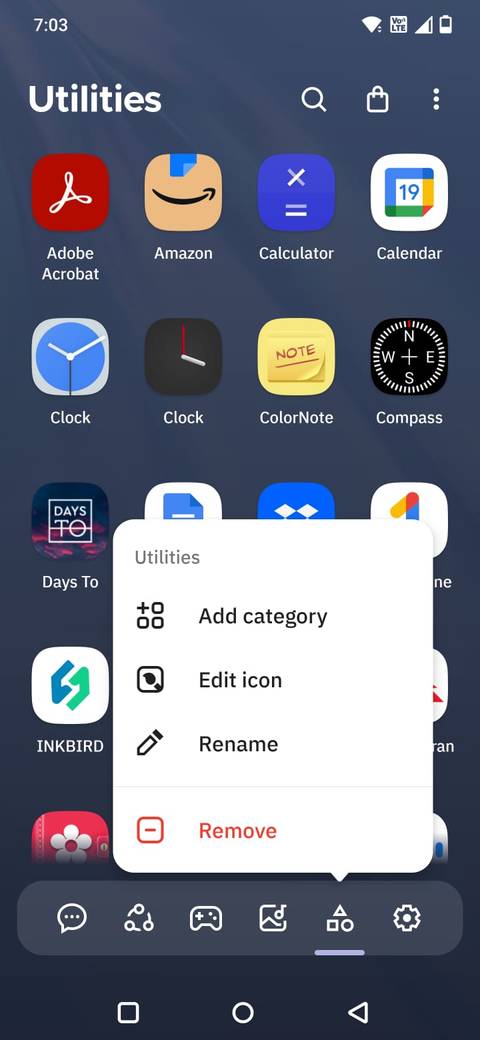
One aspect that immediately caught my attention was the app drawer.
Instead of listing every app in a single alphabetical order, Smart Launcher 6 automatically categorizes apps into groups such as Contacts, Internet, Games, Media, and Utilities.
I can also create my own categories, which makes the entire phone feel far easier to navigate when you have dozens of apps installed.
Its search system also feels more useful. I can quickly find apps, contacts, shortcuts, settings, and even web results from one place, which makes navigation much faster in daily use.
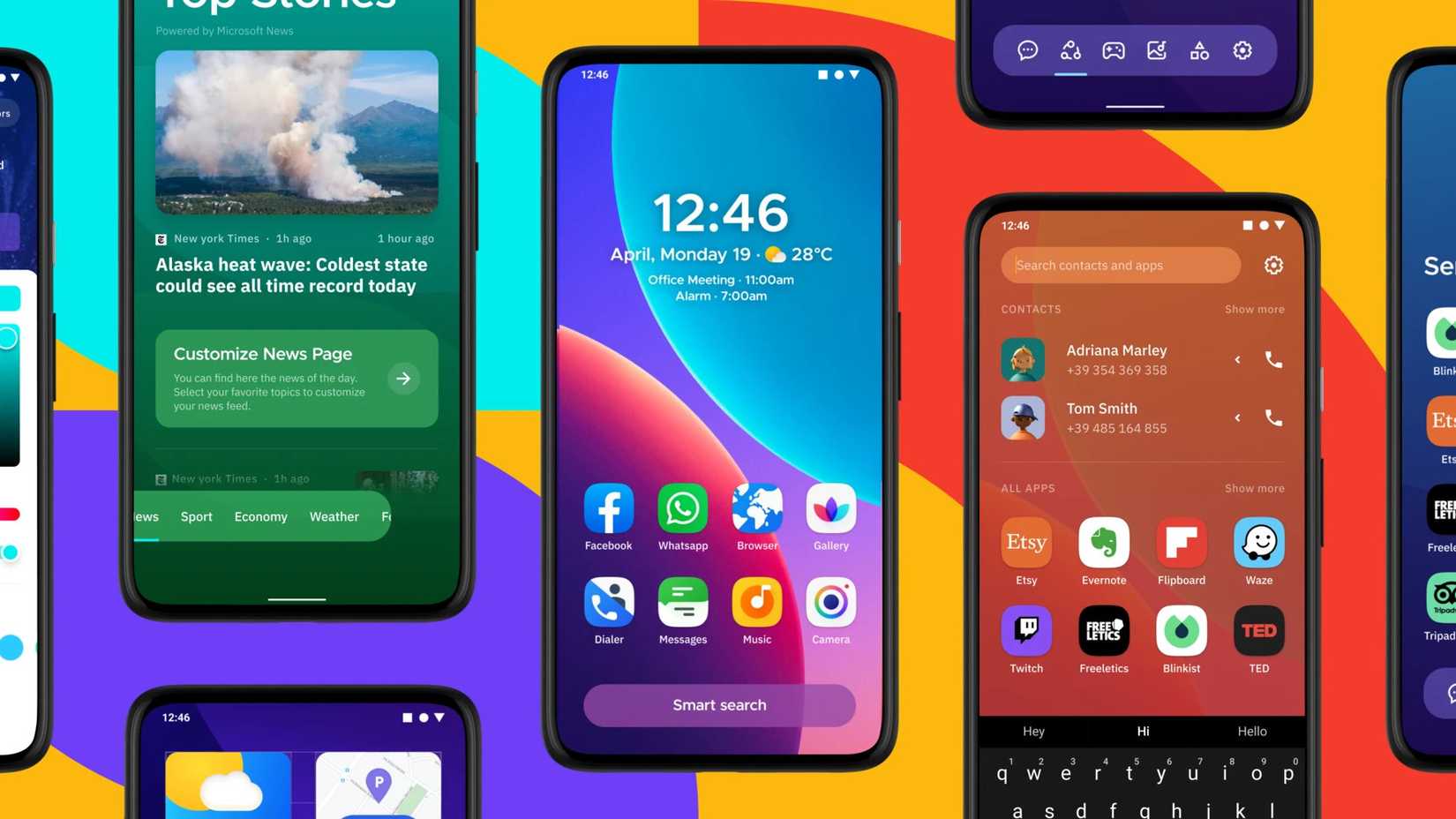
After setting Smart Launcher 6 as your default launcher, long-press anywhere on the home screen to access the Settings page.
It made customization feel practical
Credit: Smart Launcher
One reason I never stuck with most third-party launchers is that they usually go too far with customization. After a few tweaks, the home screen looks cluttered and overly complicated.
Smart Launcher 6 finds a much better balance.
I can change icon shapes, app grid sizes, gestures, folders, and widget layouts without turning my phone into a customization project.
I also like how Smart Launcher 6 handles themes. It automatically adapts colors and layouts based on my wallpaper and provides a setup that feels personalized without requiring constant adjustments.
Related
9 basic features that are still missing from Pixel Launcher after all these years
It’s clean, but way too limited
Smart Search makes my phone feel easier to navigate
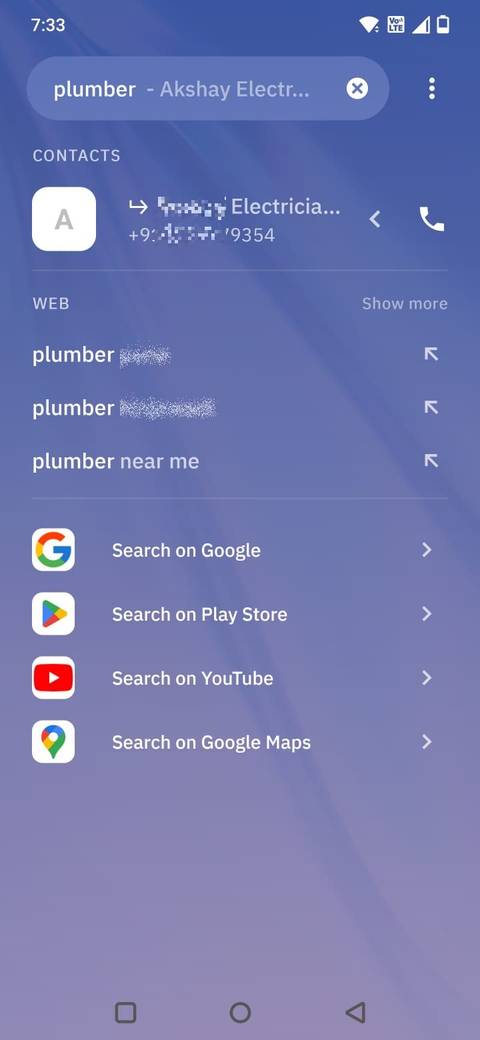
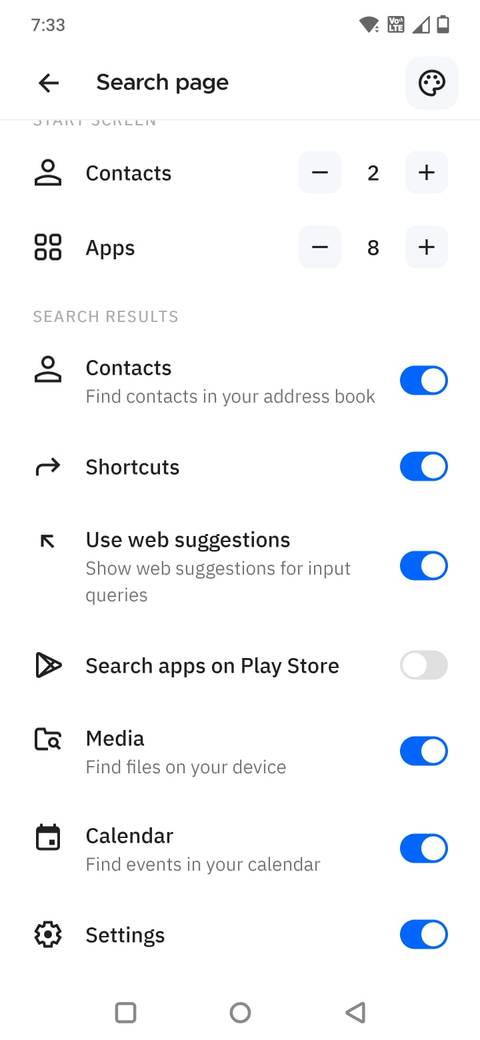
The Smart Search system in Smart Launcher 6 works like a central navigation hub for the entire phone. I can quickly search for apps, contacts, shortcuts, settings, and web results.
More importantly, it feels fast enough that I actually use it instead of endlessly scrolling through my app drawer.
It also helps keep my home screen cleaner. Since I can reliably search for almost anything in seconds, I don’t need to pin every frequently used app to the home screen. I can keep a simpler layout without sacrificing convenience.
Gesture shortcuts improved navigation
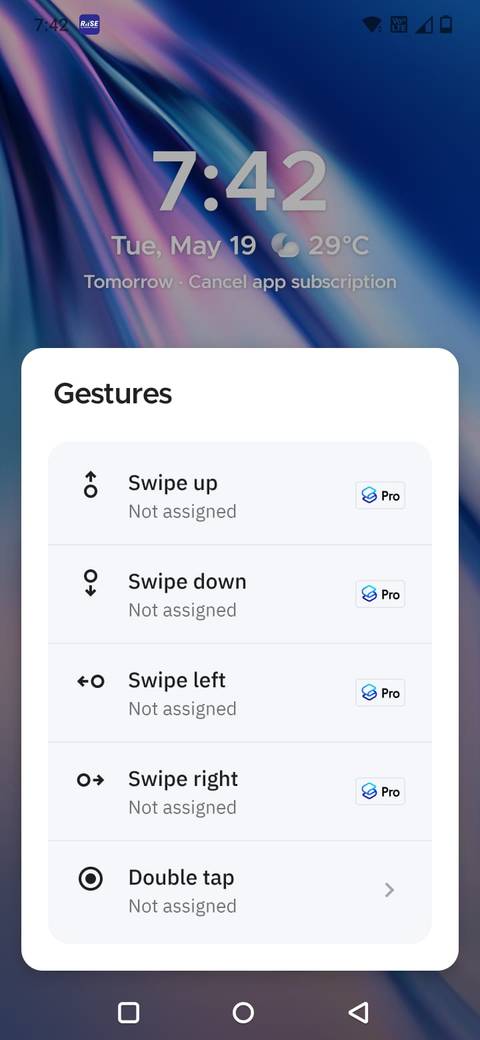
Smart Launcher 6 lets me add navigation shortcuts that save a surprising amount of time throughout the day.
I can assign gestures such as double-taps or swipes to specific tasks like opening the app drawer, launching search, locking the screen, or opening a favorite app. I head into the launcher settings to customize global gestures and even assign hot keys for quicker navigation.
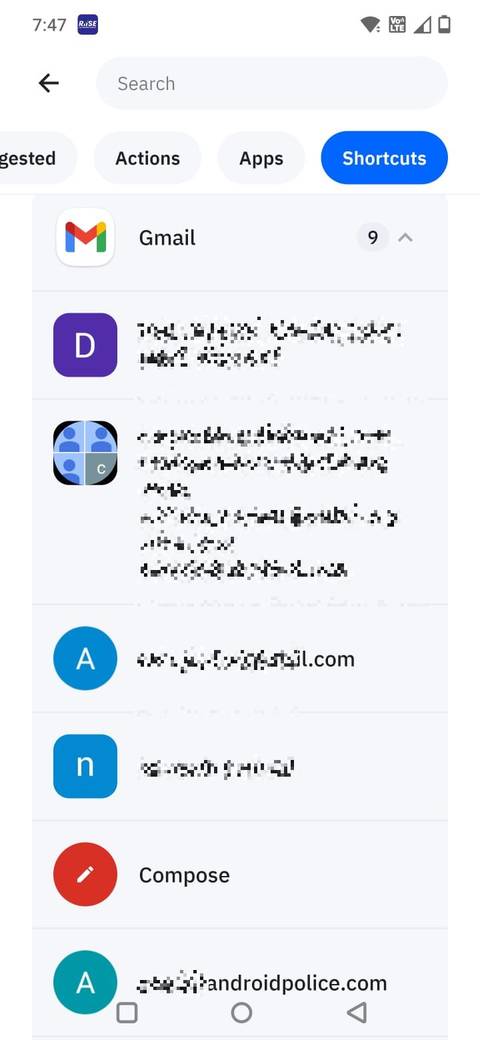
What makes this even more useful is that I can assign gestures to individual apps. I can long-press an app icon, tap the settings icon, open the Gestures menu, and assign an action, app, or shortcut to that icon.
For example, I’ve set a double-tap action on the Gmail icon to directly open the compose email screen instead of launching the main app first.
I can personalize the news feed
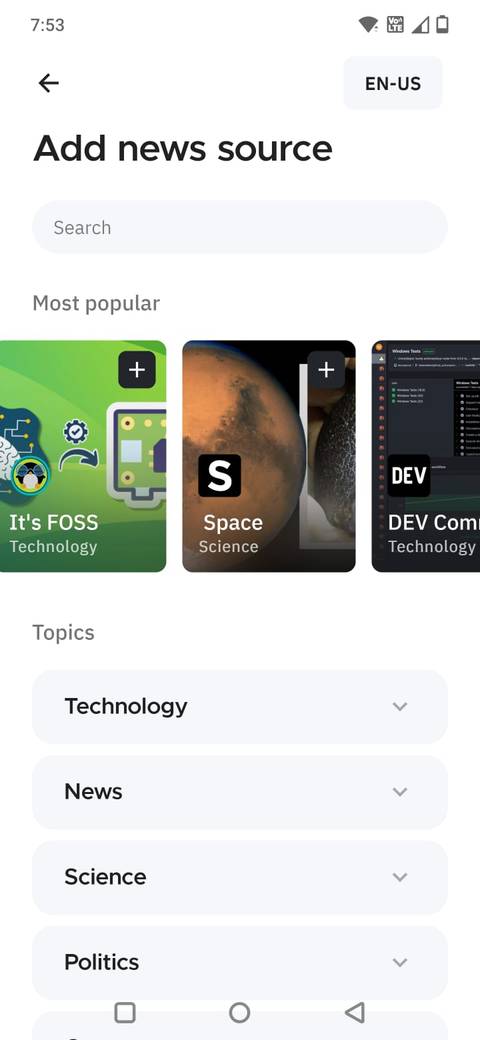
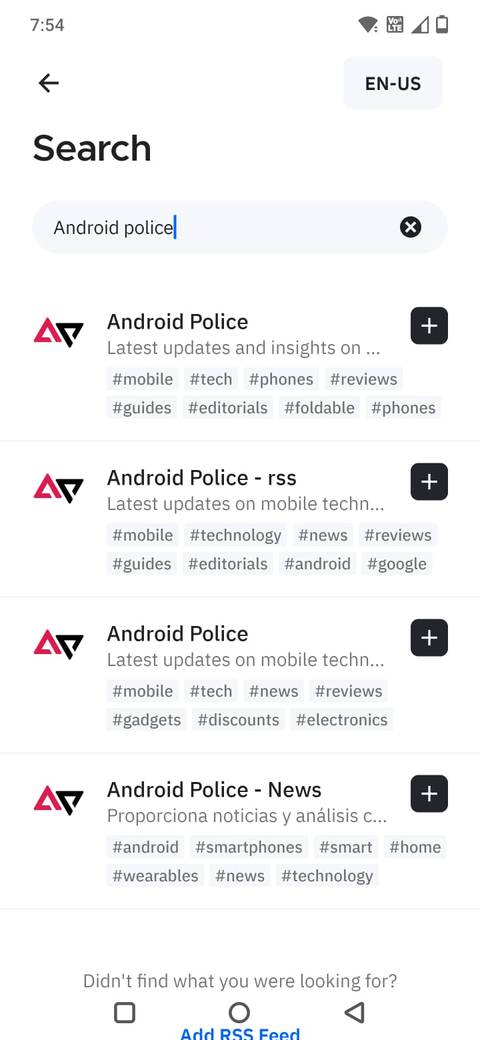
The first time I swiped right from the home screen, the launcher immediately asked me to customize my feed rather than forcing a default news layout on me.
I can choose from suggested topics and sources, or type my own interests into the search bar to add them manually. That made the setup feel much more personal from the start.
If I wanted to follow tech news, Android updates, productivity apps, or specific websites, I could add them in seconds.
To add more sources later, I tap the plus icon inside the feed page and add more topics or websites whenever I want. Smart Launcher even supports RSS feeds.
Related
6 Android tweaks I made to cut clutter from my phone
A quick cleanup helped me use my phone more mindfully
Smart Launcher 6 feels like a polished Android experience
After using Smart Launcher 6 for a few weeks, I realized it fixes several small frustrations that I had accepted as part of using Android. Better app organization, useful gestures, smarter search, and a customizable feed all make the phone feel easier to navigate.
The best part is that the launcher adds these features without making the interface feel complicated. It still looks minimal and modern, but it gives me far more control over how I use my phone every day.