
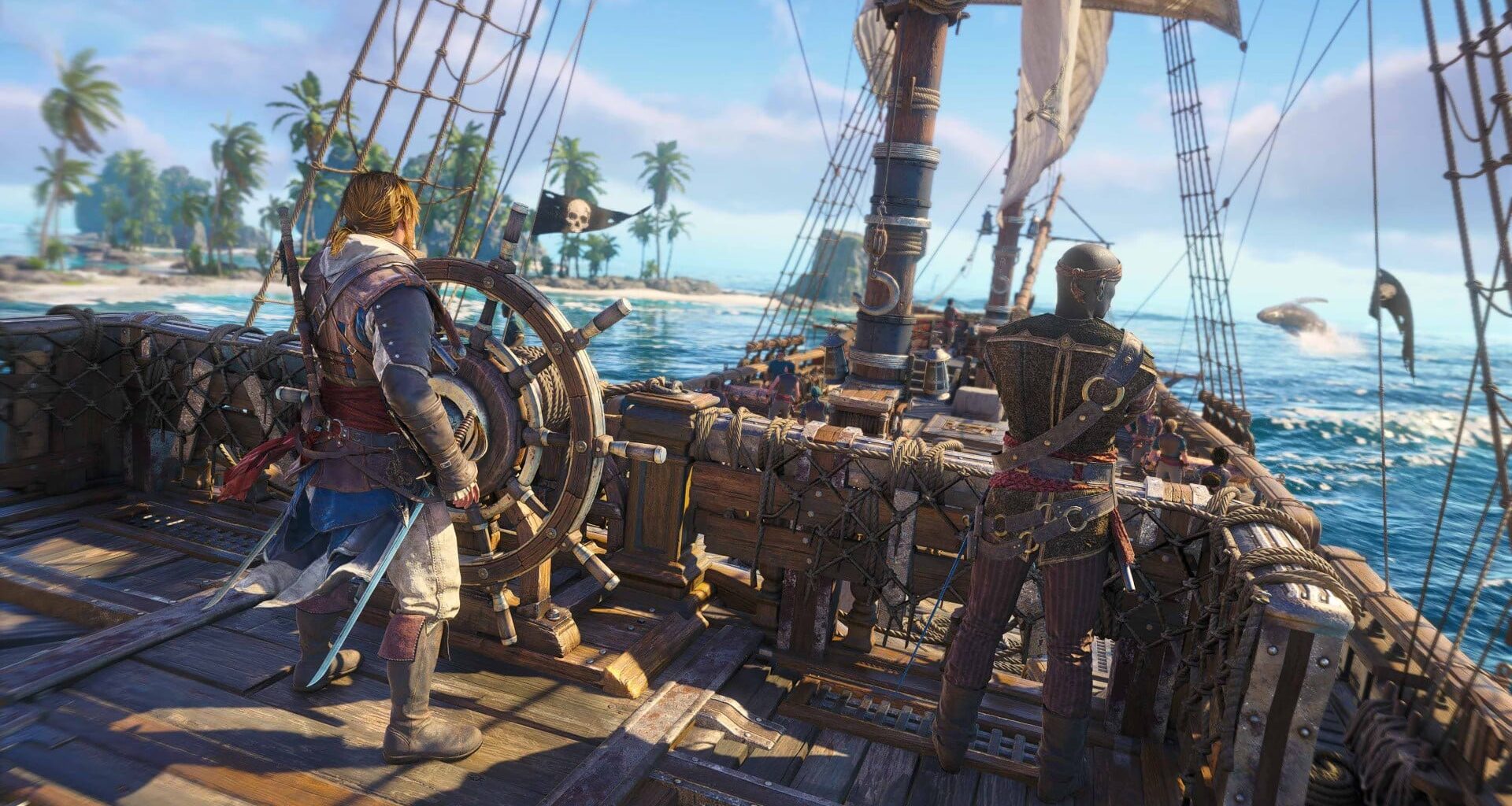
Here’s the full video that looks at the state of Resynced on PC and how each setting affects visuals and performance – as tested by contributor Rayan and presented by Rich.
Assassin’s Creed Black Flag Resynced is a tremendous port on consoles from Series S to PS5 Pro, so how does the PC release of this iconic piratical adventure stack up – in terms of PC-specific features and scaling beyond the console versions? And what are the best settings to use to get the best out of Ubisoft’s Anvil Engine?
We’ve run the numbers to find the best optimised settings available, with suggestions for both mainstream and higher-end PC setups. We’ve also got the exact settings used by the PS5 in both performance and fidelity modes, giving a little more insight into which options are worth tweaking to best balance visuals and frame-rates.
Before we get into the settings, let’s look at the state of the game on PC. In short, it’s already excellent, with a fast (~90s on Ryzen 5 5600) and refined PSO pre-warming system that effectively eliminates shader compilation stutter, a much-appreciated rarity these days for open-world releases. There’s also robust support for upscaling and frame generation technologies, so you can choose between multiple options including Ubisoft’s excellent TAAU regardless of your graphics card vendor of choice.
Here’s how the standard and extended RT modes compare – click to enlarge. RT can also be disabled for lower-end systems.
There’s also dynamic resolution scaling (DRS), a feature that is great to ensure a baseline level of performance but one that is often left out of PC releases. The game’s not perfect – cutscenes are still limited needlessly to 30fps in any custom graphics mode, the frame limiter introduces frame pacing issues, and selecting lower-quality upscaling presets mistakenly reduces the resolution scale below 100 percent – but these rank as minor, fixable bugs rather than game-breaking issues. For now, we’d recommend using the custom upscaler quality setting to set the maximum dynamic resolution to 100 percent if you choose to use DRS and/or upscaling.
The remake offers three distinct RT modes, with the extended option providing the most significant visual impact. By layering ray-traced specular reflections over existing screen-space reflections, the game achieves a natural, convincing look for water and wet surfaces. While this is demanding, the standard mode offers a solid alternative, providing high-quality diffused global illumination that remains the sweet spot for many configurations without sacrificing excessive performance.
Optimising the game requires a careful balance across various settings. For BVH quality, sticking to high is recommended as it offers identical visual fidelity to very high while providing a useful performance uplift. Similarly, the loading distance and geometry quality settings scale well; keeping these at high or medium tiers ensures a consistent draw distance and dense foliage without placing an undue burden on the GPU or exceeding VRAM limits.
The water rendering is perhaps the remake’s standout visual achievement. Beyond its aesthetic brilliance, adjusting water quality serves as an effective way to claw back performance. Texture resolution also scales gracefully; while very high is ideal for high-end systems, moving to medium is a sensible adjustment for 8GB VRAM cards, yielding significant memory savings with negligible impact on visual quality during typical gameplay.
Optimised Settings
Mainstream
Optimised Settings
High-End
PlayStation 5
Performance
PlayStation 5
Fidelity
RT Mode
Standard
Extended
Standard
Extended
RT Quality
Medium
High or Medium
Medium
High
BVH Quality
High
High
Medium
High
Character Quality
Medium or Low
High
Medium
Medium or High
Hair Strands
Player Only
All Characters Medium
Off
Player Only
Post Effects
High
High
High
High
Particles Quality
High
High
Very Low
High
Water Quality
Medium
High
Medium
High
Texture Resolution Quality
Medium (on 8GB VRAM)
Very High
High
Very High
Loading Distance
Medium
Very High
Low
Very High
Geometry Quality
High
Very High
Custom (High + Very Low)
Very High
Micropolygon
Medium
Very High
High or Medium
Very High or High
Screen Space Effects
Medium
High
Medium
High
Light Source Quality
Medium
Very High
Medium
High
Shadow Quality
Medium
High
Medium
High
Cloud Quality
Medium
High
Medium
High
Fog Quality
Medium
Very High
Medium
High
Terrain Quality
Medium
Very High
Medium
High
Scatter Density
Very High
Very High
High
Very High
Deformation
High
High
High
High
Terrain Texture Quality
High
High
High or Medium
High
Other graphical adjustments, such as light source and shadow quality, offer further avenues for refinement. Very high settings here often appear visually identical to ultra high, yet offer better frame rates. By selecting medium for mainstream setups, players can preserve most of the game’s atmospheric lighting and shadow definition while gaining meaningful performance improvements, ensuring a stable experience even in visually intense scenes.
On a mainstream test system with a Ryzen 5 5600 and RTX 3070, using these optimised settings at 1440p with DLSS in quality mode resulted in a nearly 40 percent increase over the very high preset, even while retaining the more demanding enhanced RT. You also have the option of dropping back to standard RT, which is 11 percent faster than the high preset. The end result is a game that needs only the gentle hand of DRS to keep frame-rates above 60fps throughout the opening missions.
Ultimately, the Black Flag remake is just as successful on PC as it is on consoles. Despite a few minor issues, the game scales beyond the consoles, supports a wide range of GPU makers, CPU performance is reasonable in the busiest ports and even mainstream desktop PCs, laptops and handhelds with limited VRAM can enjoy a good experience without the need for heavy settings tweakery. Well done.

Will is website editor for Digital Foundry, specialising in PC hardware, sim racing and display technology.