
Because the Android smartphone experience is designed to be single-user-focused, we don’t get many options for managing multiple accounts in third-party apps. One common solution to this problem is app cloning.
For someone who manages multiple accounts of a single app, though, it means quite a big number of apps. I had a similar issue on my second phone, which I use solely for work. The huge number of cloned apps was taking a toll on storage and RAM.
Things changed when I came across an Android app named Hermit that takes up barely 15 MB of storage space and helps me manage multiple accounts effectively!
Related
You’ve been closing apps wrong your whole life — and it’s slowing everything down
Here’s why you should stop swiping apps away and what you should do instead.
Nine apps were quietly cloning my chaos
Hermit solved the problem for good
My second phone has to manage multiple accounts on apps like Amazon, Reddit, Instagram, and others. On some apps like Instagram and Reddit, you have easy options to manage multiple accounts. In others, however, things are difficult. Using web browsers for the purpose is equally restrictive because you need this slow-dancing of signing out and signing back in. Because of this situation, I was using the App Cloner feature on my device, but it ended up creating too many apps!
Hermit, a lightweight Android app, solves this problem for good. Hermit lets users create “lite” apps to replace bulky, resource-intensive native apps. However, these lite apps do more than load a web version of, let’s say, Amazon.com. Instead, Hermit creates a more optimized environment where you can use the web-based version with ease and better control. You get several features, including a content blocker, a user agent manager, and, best of all, sandboxes. These features create an effective way to manage multiple accounts in a single app!
What Hermit’s sandboxes actually are
It’s free until you need a second login
Credit: Abhijith N Arjunan/MakeUseOf
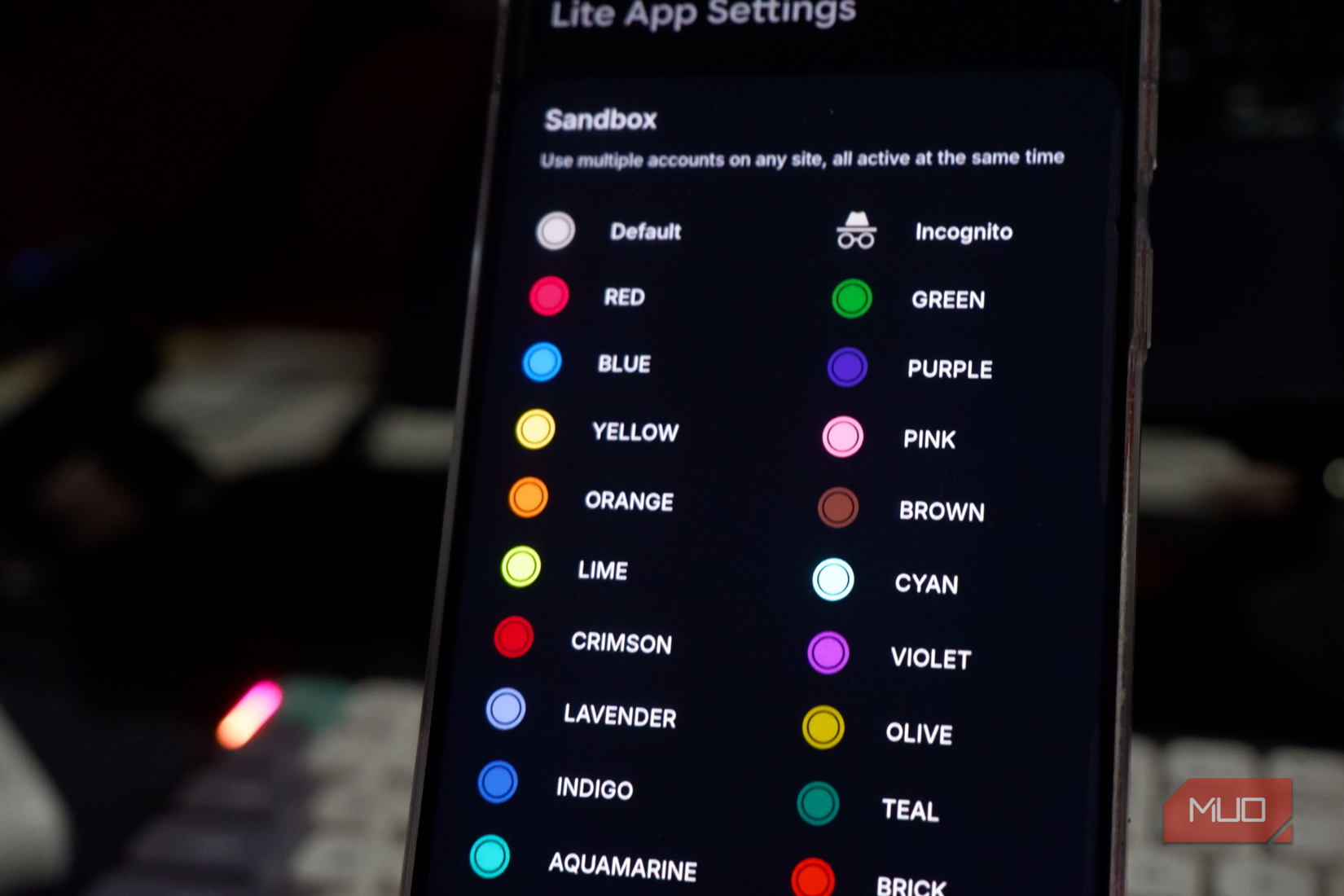
You can think of Hermit’s sandboxes as specialized containers you can use for different kinds of work you do. For instance, you can have one sandbox for work, using it for all work-related accounts, while other sandboxes are well-suited to individual projects or personal needs. This particular feature helped me to manage 5–6 Instagram accounts I oversee without installing 5–6 clones of the same app.
The sandboxes are designed to contain web cookies, storage space, and other elements like login states. This way, you can have a huge number of Instagram accounts on your device without dealing with the mess of app cloning. More importantly, I don’t waste RAM or storage resources for any of these accounts. On the contrary, everything happens within this small app.
Note: While the core functionality of Hermit is freely available, advanced options like sandboxing and reader mode are gated behind a one-time purchase.
Each lite app you create with Hermit also offers multiple customization options, including features unavailable in typical browsers like Chrome or Brave. For instance, you can enable content blockers for an ad-free experience or enable full-screen, frameless designs for better immersion. Additional options, such as custom user agent settings and desktop mode, are also great for a more tailored experience on a platform.
Building my first three lite apps
Swipe away, restart, repeat
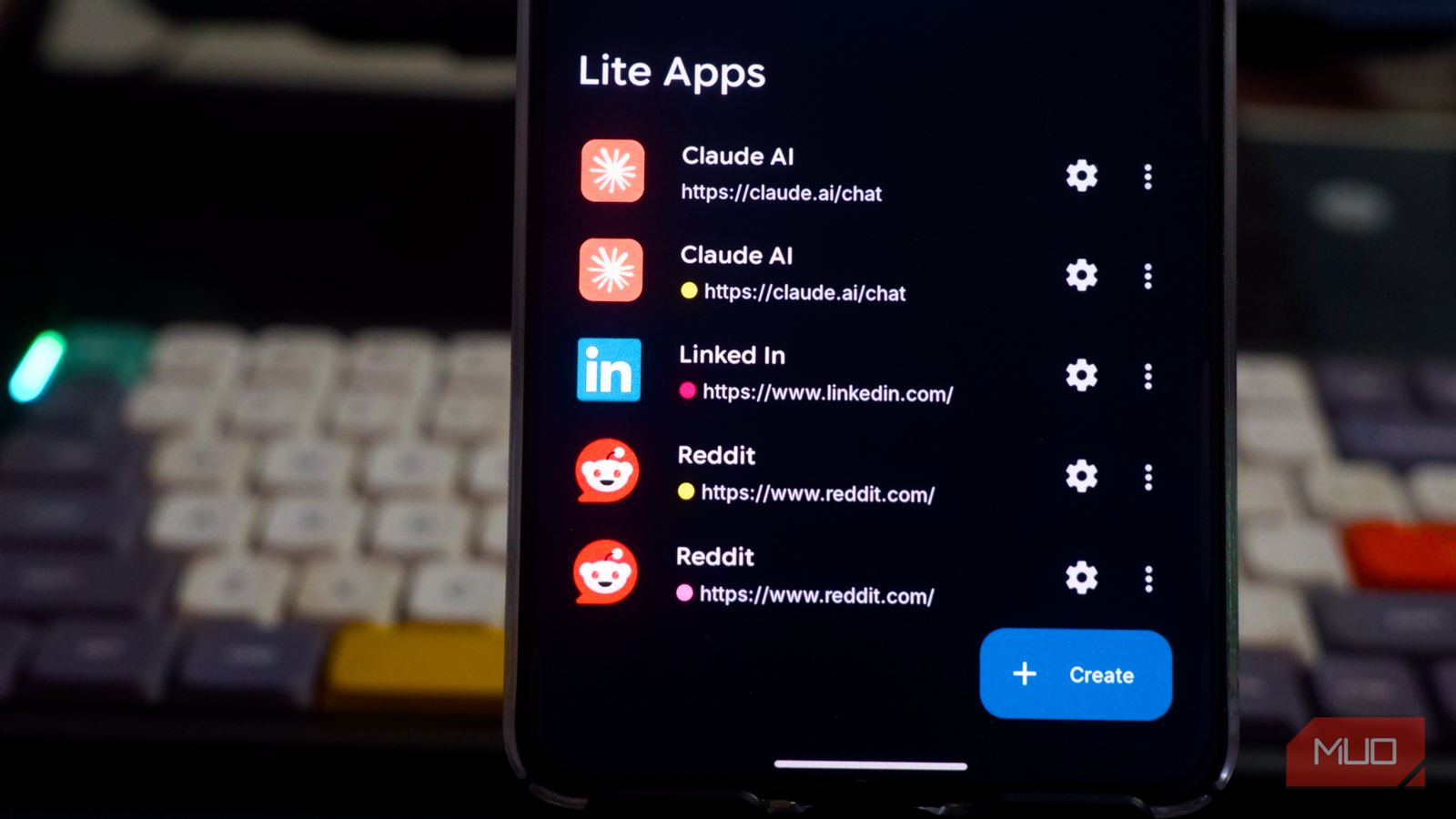
I’ve been using Hermit to replace several apps, and this experience has been redeeming. For better context, since I manage a couple of social media profiles, I wanted to have separate containers for each account’s credentials. This way, I could use a single container for all my accounts associated with a particular email ID. So, even when I have to manage five sets of such accounts, I need five sandboxes from Hermit.
Here’s how my setup went about:
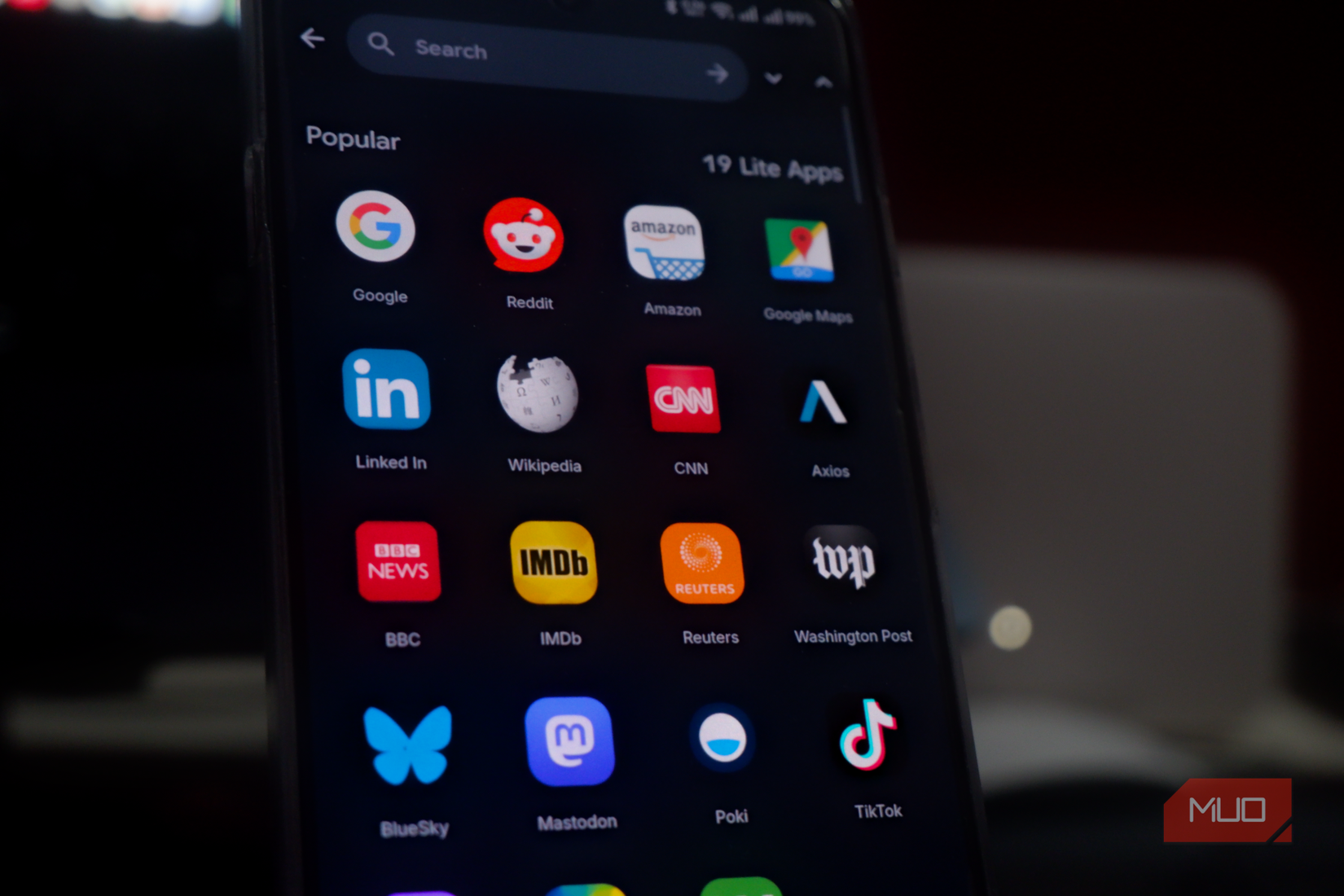
The first step was to create different lite apps for each account I wanted to manage. In this case, I had to create three LinkedIn Lite apps and three Reddit Lite apps, among others. I also wanted to manage a couple of Claude and Instagram accounts. Hermit makes everything easy by offering quick links to create lite apps from popular sites. Alternatively, I can type the webpage URL and go about the setup.
After this, Hermit let me assign a sandbox to the lite app from the Settings pane. You can also access other settings and controls using the right-swipe menu. Some options here include pop-up blockers, desktop mode, and the reader mode. I also love the option to enable user scripts. These built-in scripts allow you to disable video autoplay, force-enable text copying, enable Google Translate, or even remove footers from the webpage.
Sure, some of these options are available on native apps, but it’s nice to control everything from the comfort of a sidebar. Because you assign sandboxes to each lite app, Hermit also makes it easy to choose the right app every single time. It also takes care of some smaller things, such as replacing the Hermit icon with the current site’s icon whenever I have a Lite app open. I’ve also made it a point to store all these lite apps in a folder on my home screen for quick access.
Storage and battery, side by side
15MB versus what nine clones cost
Credit: Abhijith N Arjunan/MakeUseOf
The decision to switch from multiple native app clones to Lite apps has been a game-changer for my work smartphone. Earlier, all these cloned apps used to stress RAM and storage, and the experience was terrible. There was also the difficulty of choosing the right cloned app for the right account. With Hermit and Lite apps, however, I don’t have to worry at all. For starters, the Hermit app alone takes up about 15 MB.
I have found a significant difference in RAM consumption as well: the Lite apps from Hermit combined take up only a fraction of what all my cloned apps used to consume. This is more impressive given the additional controls I get over how each Lite app may behave, including content blockers and user scripts. Over the past few weeks, I’ve also noticed that my work phone lasts a couple of hours longer, thanks to the lack of background tasks.
Overall, the improvements make the switch feel great.

Related
I debloated my Android phone without root and it finally feels clean again
My Android phone now finally feels like mine.
Where this container setup breaks
While the setup with Hermit works for me, it has some disadvantages. For instance, even though Hermit offers many options, its lite apps don’t provide an experience identical to that of a native app. You must also check whether the one-time purchase is something you can afford for the features in question. In my case, however, the drawbacks of Hermit have actually been useful, as I was looking for a way to reduce the stress on my smartphone!