
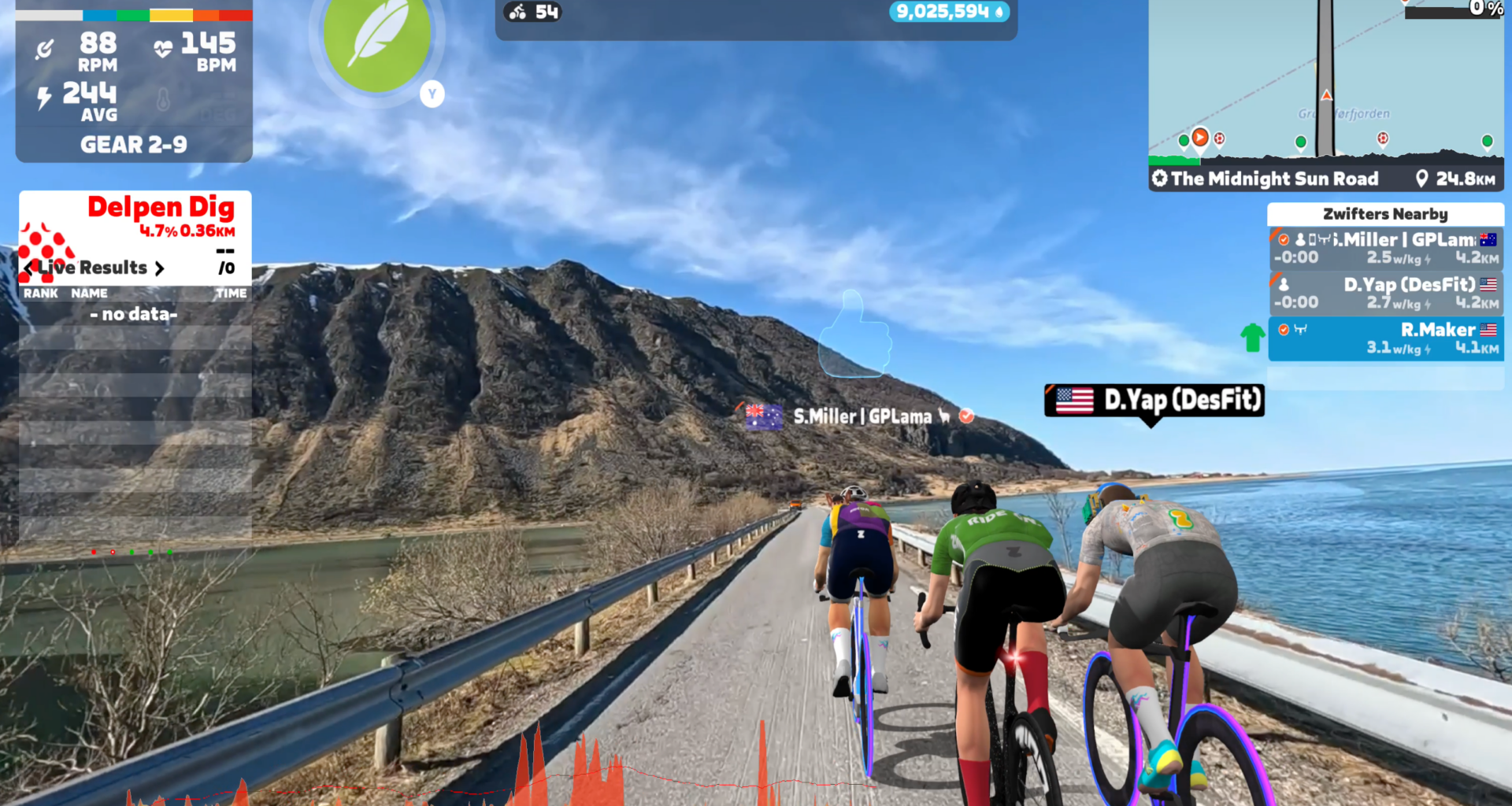
Roughly six months after acquiring Rouvy, Zwift is starting to do things with it. Or at least, starting to emulate it. In this case Zwift is rolling out a two-component premium tier called Zwift Plus, which includes both an adaptive coaching feature, and a new video routes function. Those video routes are like Rouvy, but…umm…not Rouvy.
Instead, they’re completely newly shot routes in ‘iconic cycling locations’, yet with the social aspect of Zwift riding built atop it. Zwift says all of this began before they acquired Rouvy, hence everything not being Rouvy at all. But, we’re getting head of ourselves.
In terms of pricing, the new Zwift Plus is $29.99/€29.99/£26.99 per month (instead of the existing $19/month), and there are annual plans that are $299 (instead of $199/year). Existing Zwift stays, and as we saw this past Monday, continues to get big expansions.This is purely focused on the new Zwift Coach and Zwift Video Routes pieces.
In any case, I’ve been riding it the past few weeks, so let’s dive into things.
Zwift Video Routes:
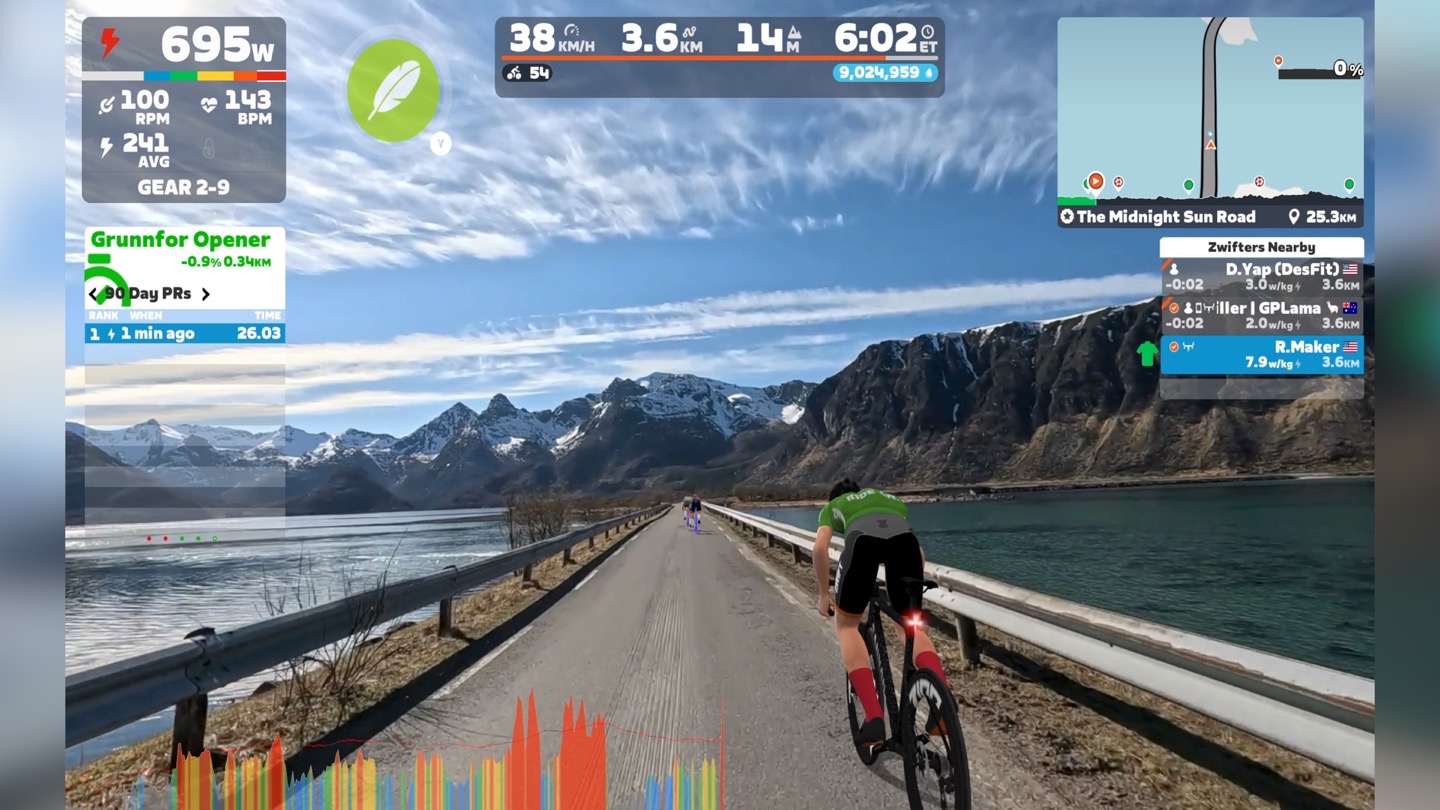
Firstly, no, this is not Rouvy merged into Zwift. It’s so much not Rouvy that Zwift literally went out and filmed every one of these routes by themselves, with their own team and their own equipment. One could (and probably should) have a solid debate about the logic in doing that, but nonetheless, they are indeed different videos…even if the places/locations near 100% overlap.
Zwift says their intent is to keep the company/videos/etc. separate. Rouvy keeps being Rouvy, and Zwift keeps being Zwift. By having a more curated selection, Zwift says it “maintains the social density Zwift is known for”. Further, all the routes are lap-able, though at launch there’s no support for meet-ups or organized events. However, it sounds like both are “fast-follows”, meaning they’re expected to launch quickly.
What Zwift is aiming for here is a more curated selection of routes, meeting a certain quality bar (both in terms of resolution, but also avoiding various road furniture, etc…), and then a continual drumbeat of new route drops every month (ideally looking at 5-10 routes per month). Further, the routes here tend to be a bit shorter (all but one can be completed in an hour), though all also support looping back to the start for continual riding. And of course, all of them will ‘feel’ like being in Zwift as Zwift overlays various things to the roads/etc (which Zwift says they started working on before they acquired Rouvy).
In any case, to select a Zwift Video Route you’ll choose ‘Routes’ at the top, and then use the gigantic Toggle to switch to video routes.
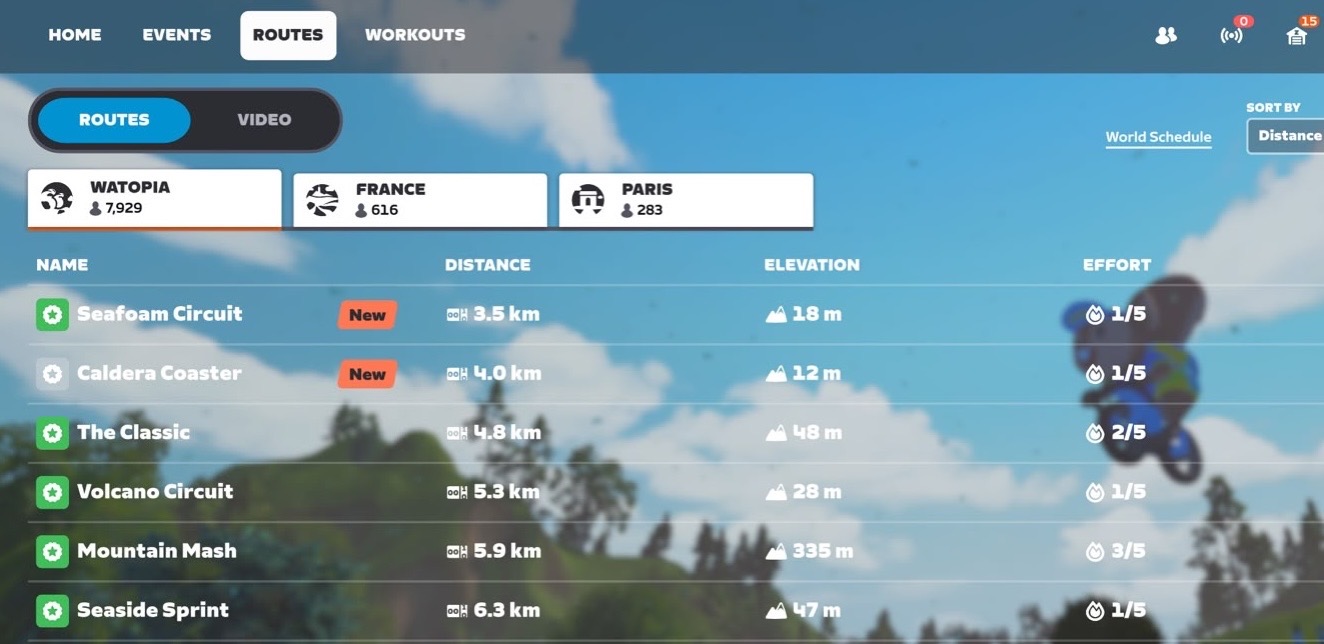
Once toggled, here’s what you see:
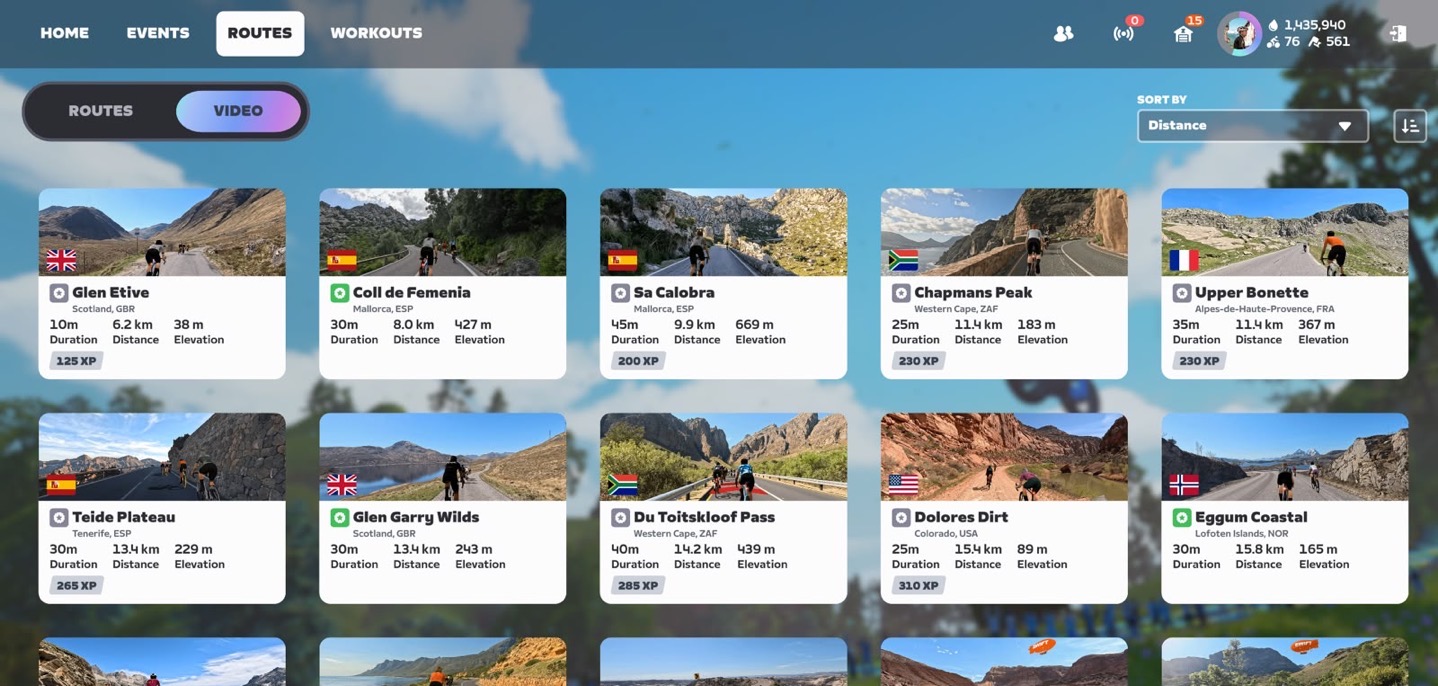
There are a few more routes if you scroll down; here’s what else there is – 21 routes in total today, covering 385km of roads:
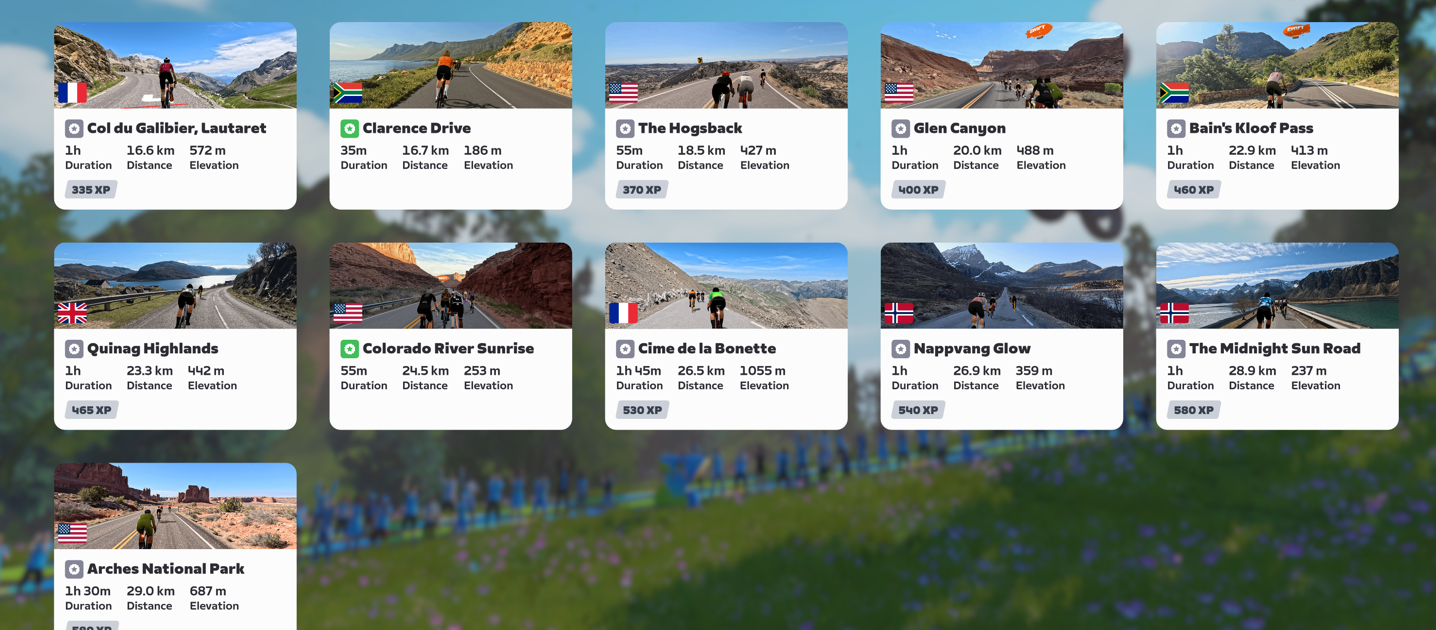
As you can see above, there’s a good variety in this starter pack, covering Europe, the US, and South Africa. They say they wanted to aim for “cycling icons” in terms of routes, and I’d generally agree with that. These routes are the definition of that.
If I hover over a route, I’ll see the elevation profile:
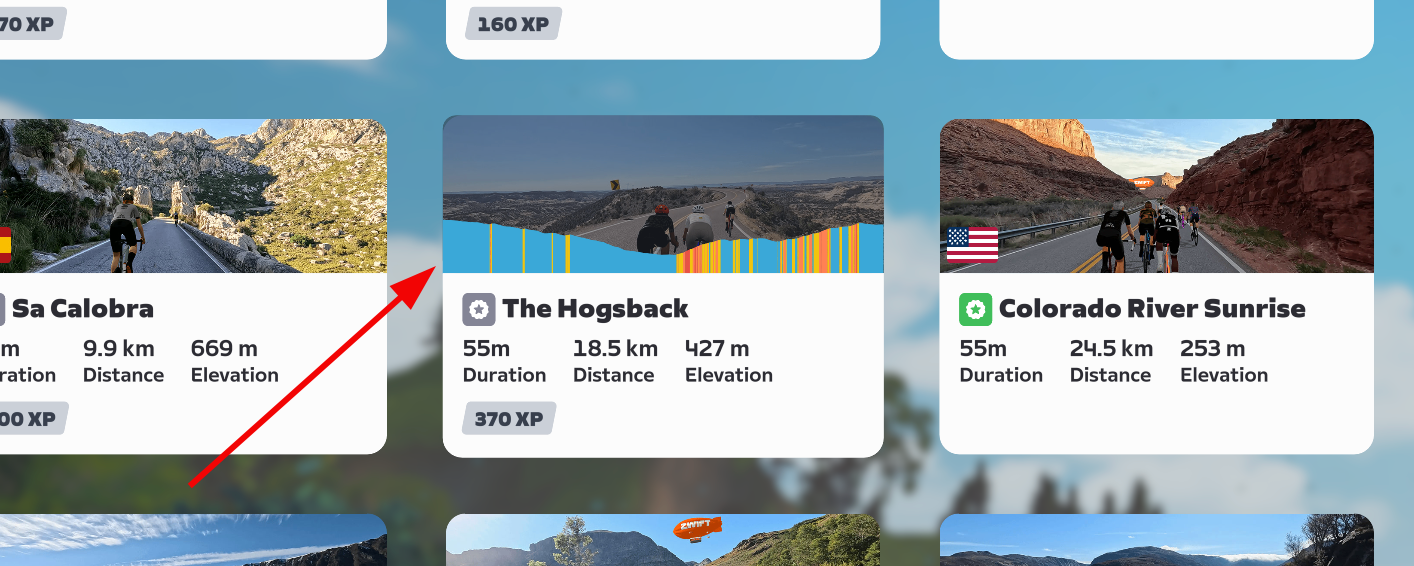
And then if I click it, I’ll see basically the same thing but with a short one-sentence description. I do feel like these descriptions could use a bit more love.
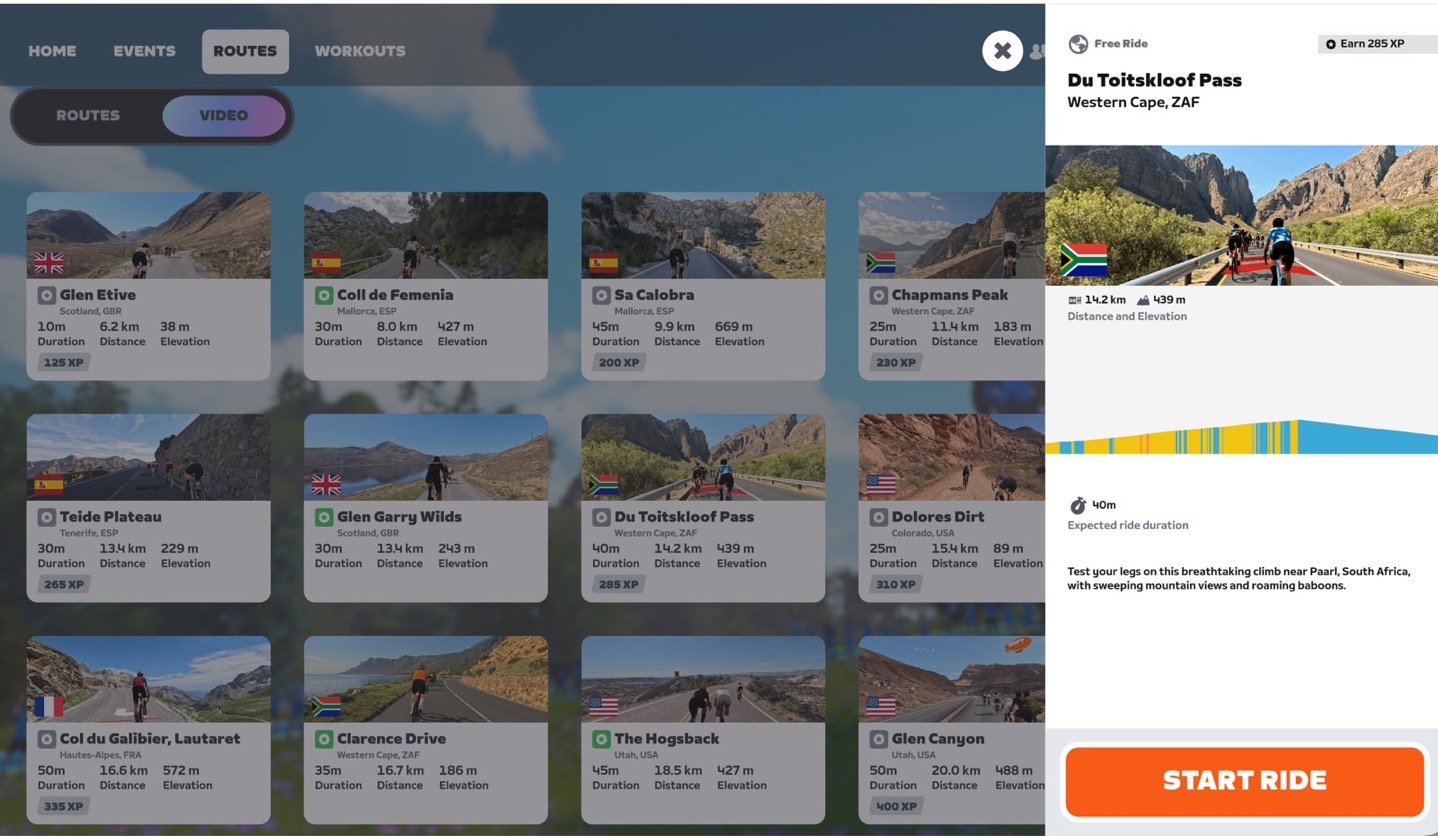
Nonetheless, once you’ve decided on where to route, you’ll simply tap ‘Start Ride’, and you’re brought to the starting area (just ahead of the start banners). For some routes, they have more of a start corral, and others don’t.
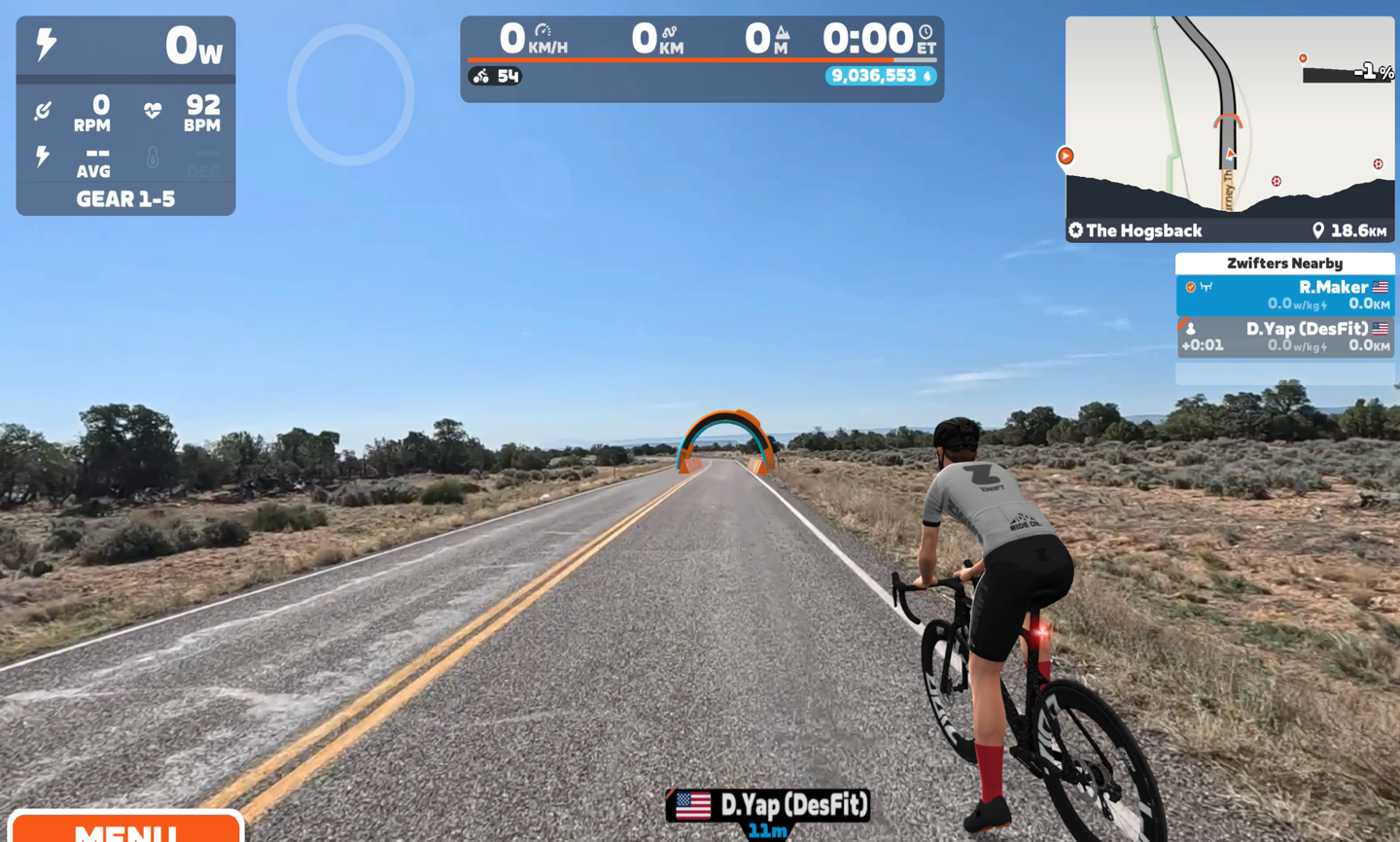
At this point, you’ll just pedal like normal. You’ll notice that there’s plenty of augmented reality bits, just like in Rouvy. For example, arches/banners for Sprint/KOM finishes, bits on the road, and even occasional Zwift vans.
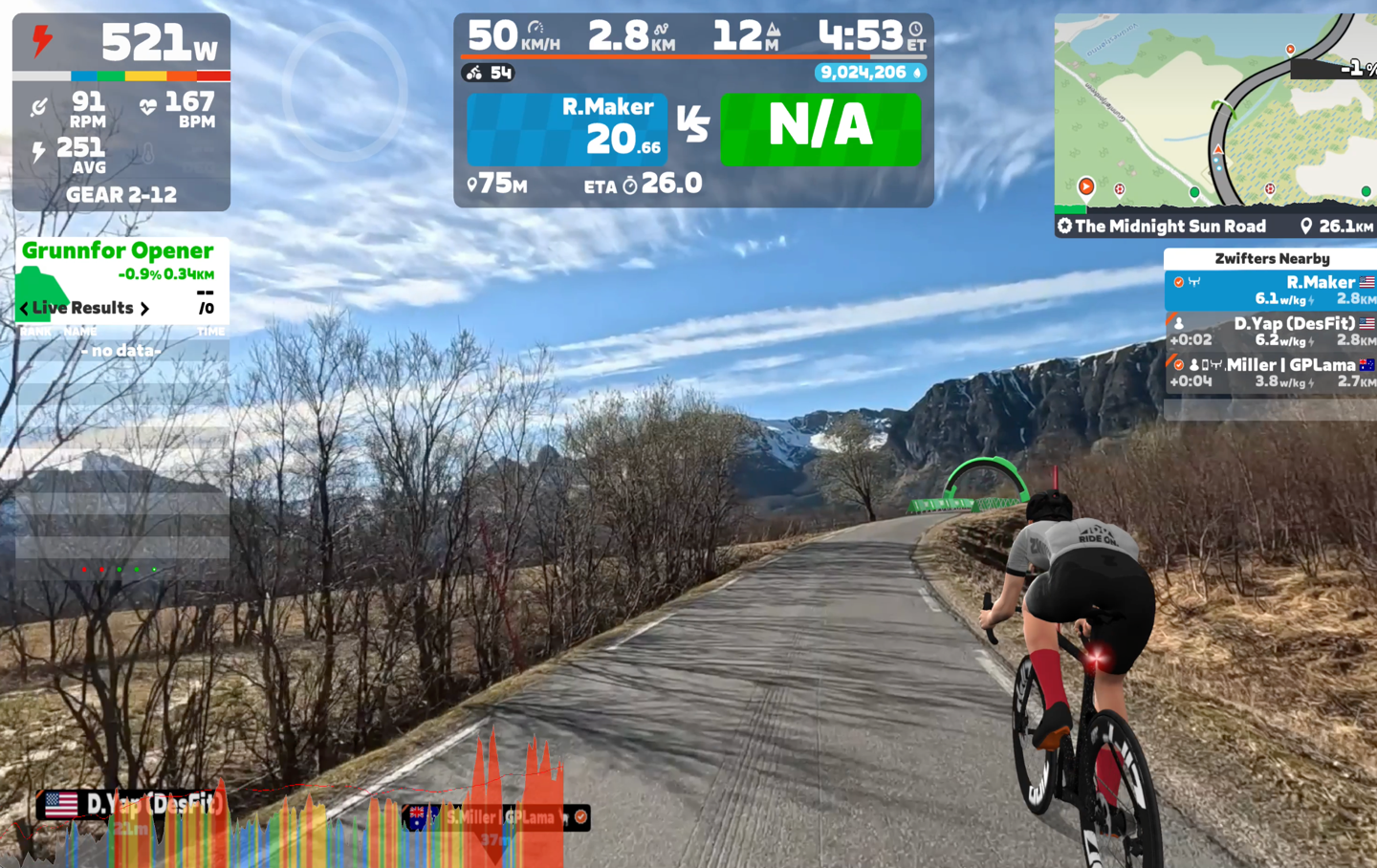
You’ll even see rider shadows on the boards too (just like you do in Rouvy):
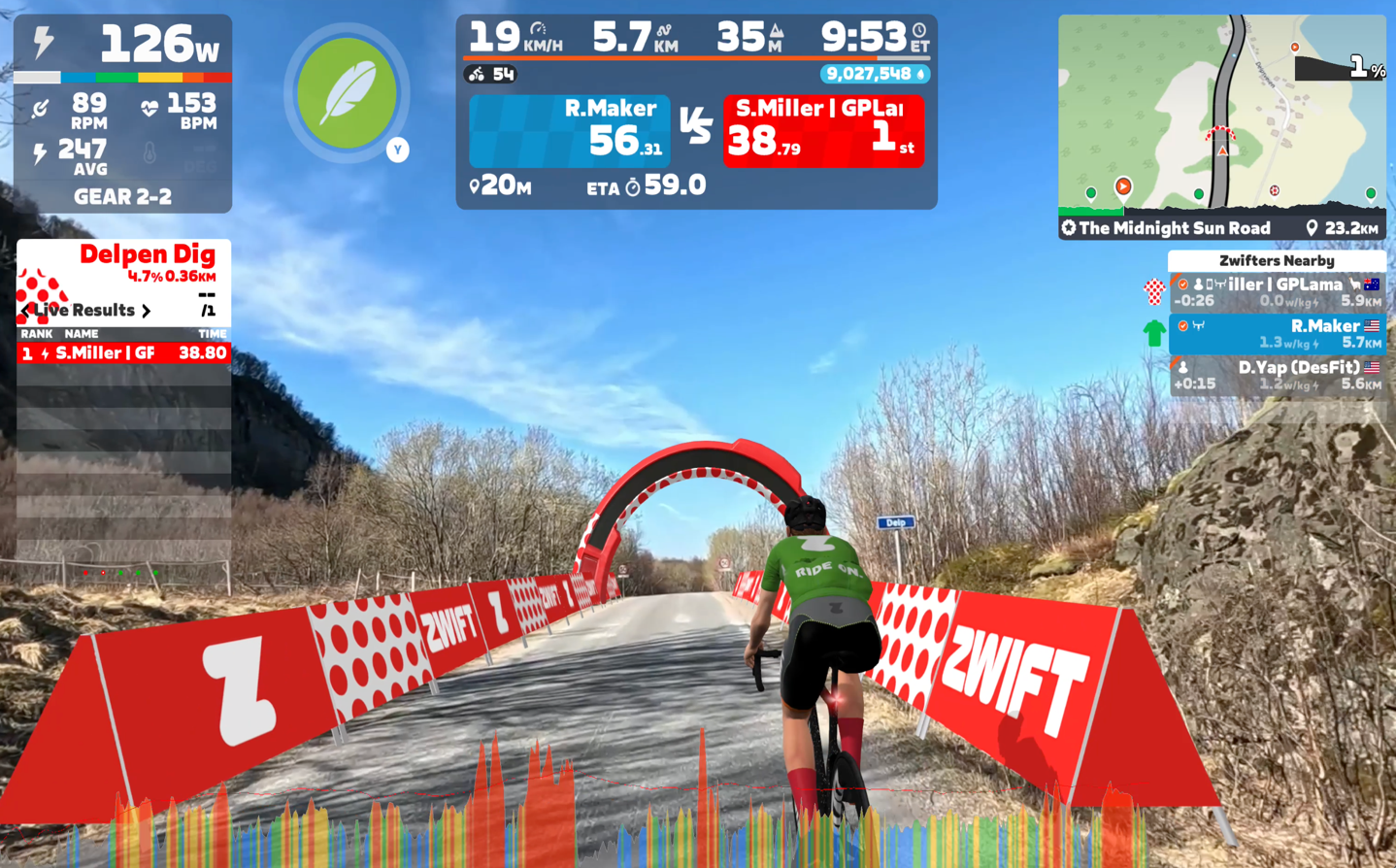
Here you can see the green painting on the road surface, plus the boards, plus the Zwift truck:
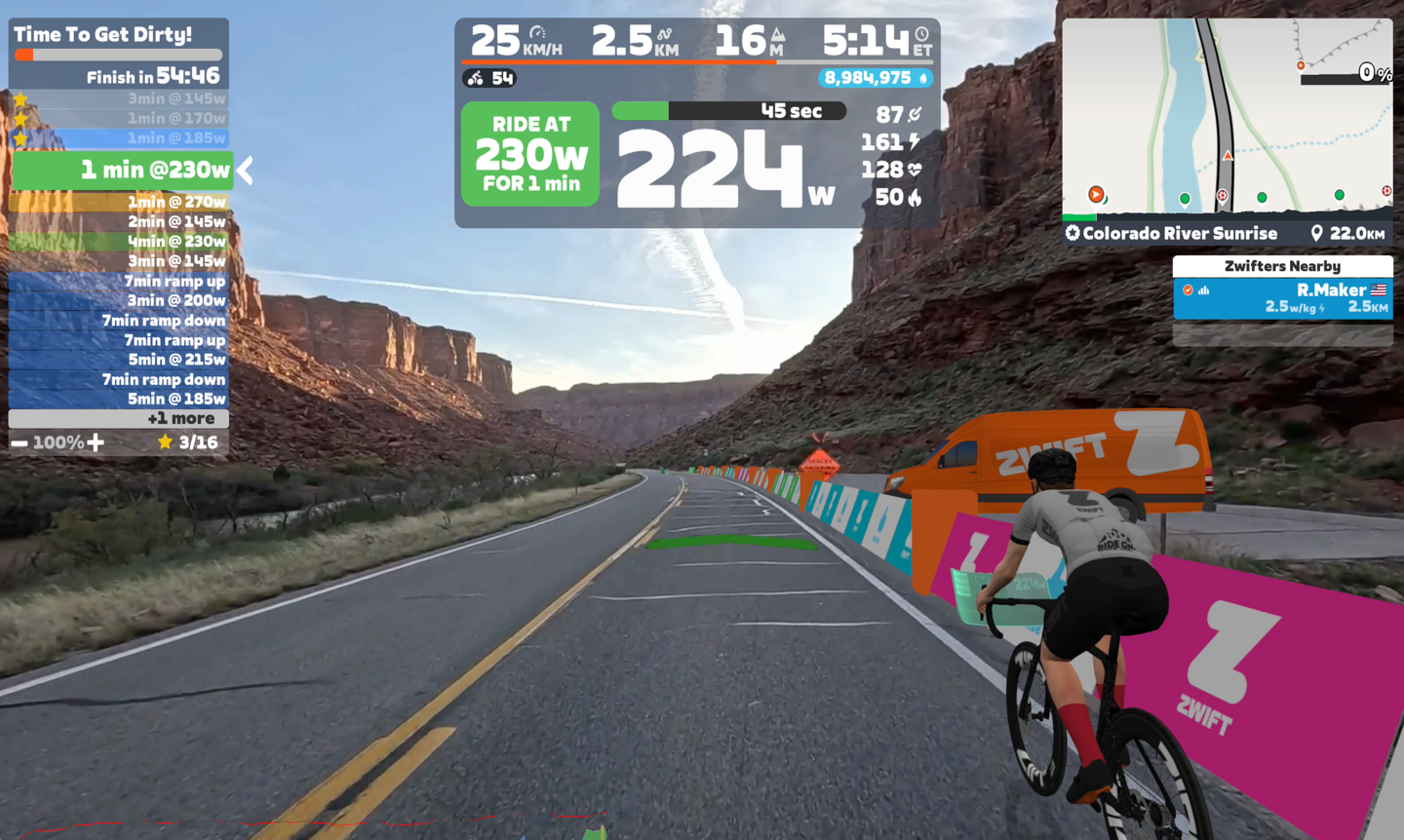
They’ve done a seemingly creative job at occasionally using these augmented reality bits to hide or conceal things like construction, some sketchy car situations, and more. It’s super well done. That orange van you see head, is actually an augmented reality Zwift van. And only at the very last second did I realize it wasn’t real traffic.
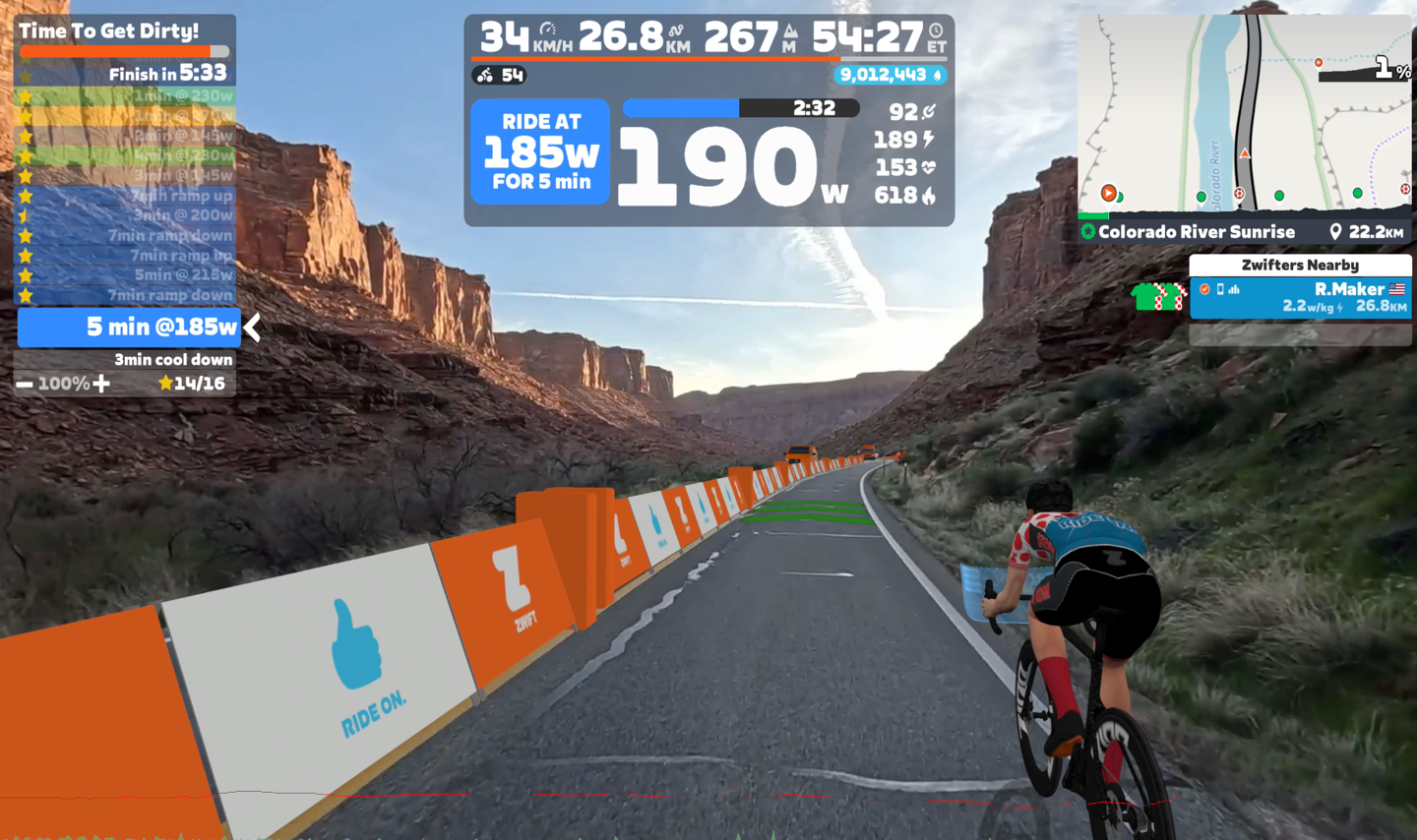
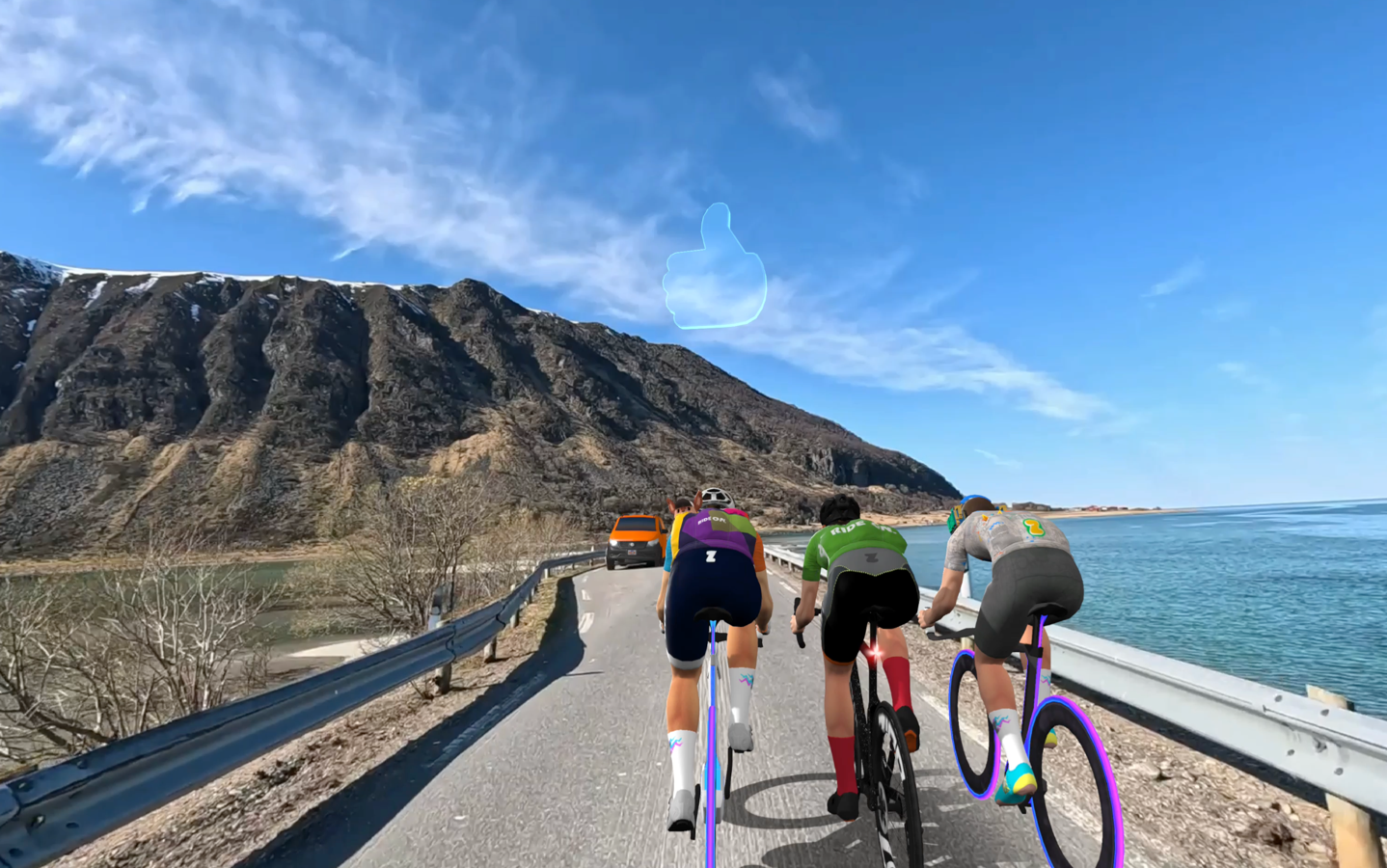
Likewise, I didn’t even notice that this van here waiting to cross this bridge was an augmented reality Zwift van, until I was capturing these screenshots from my recorded rides:
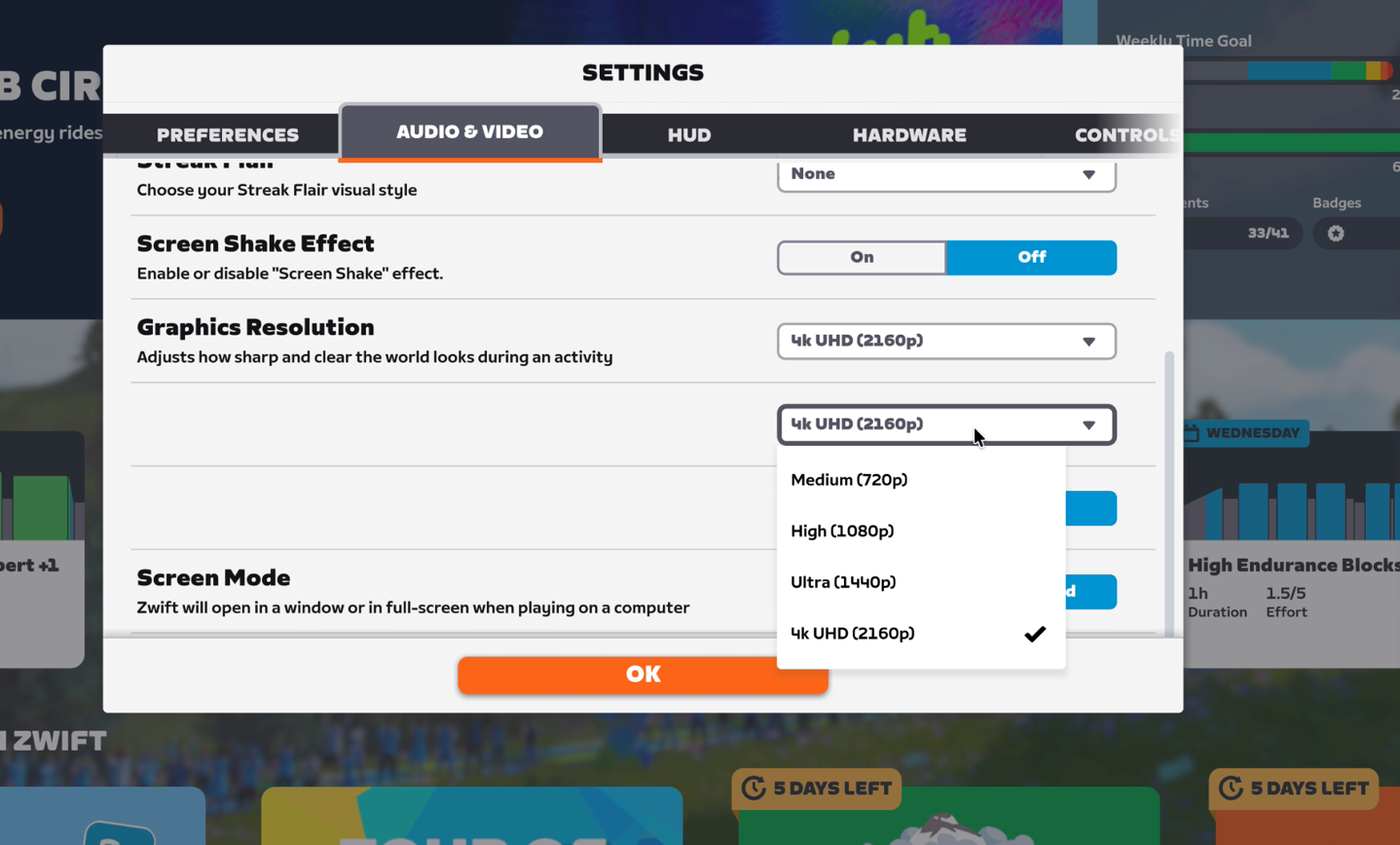
Now, there are different quality levels you can choose for the video streaming portion. Which is *different* than the resolution of the Zwift app on your display. In other words, you could choose 1080p video routes, but then have a 4K resolution from Zwift (which would be things like the metrics displayed/etc). I found 1080p on a MacBook totally fine in terms of resolution, but if I were on a bigger screen, I’d choose the higher resolution video streams:
It’ll do some initial buffering at the beginning, but as I found out on one ride where I tried to do 4K streaming, the hopscotch internet connection I had to where my bikes are in a shed-like place, didn’t quite work out. If you go beyond the buffer, you get orange roads:
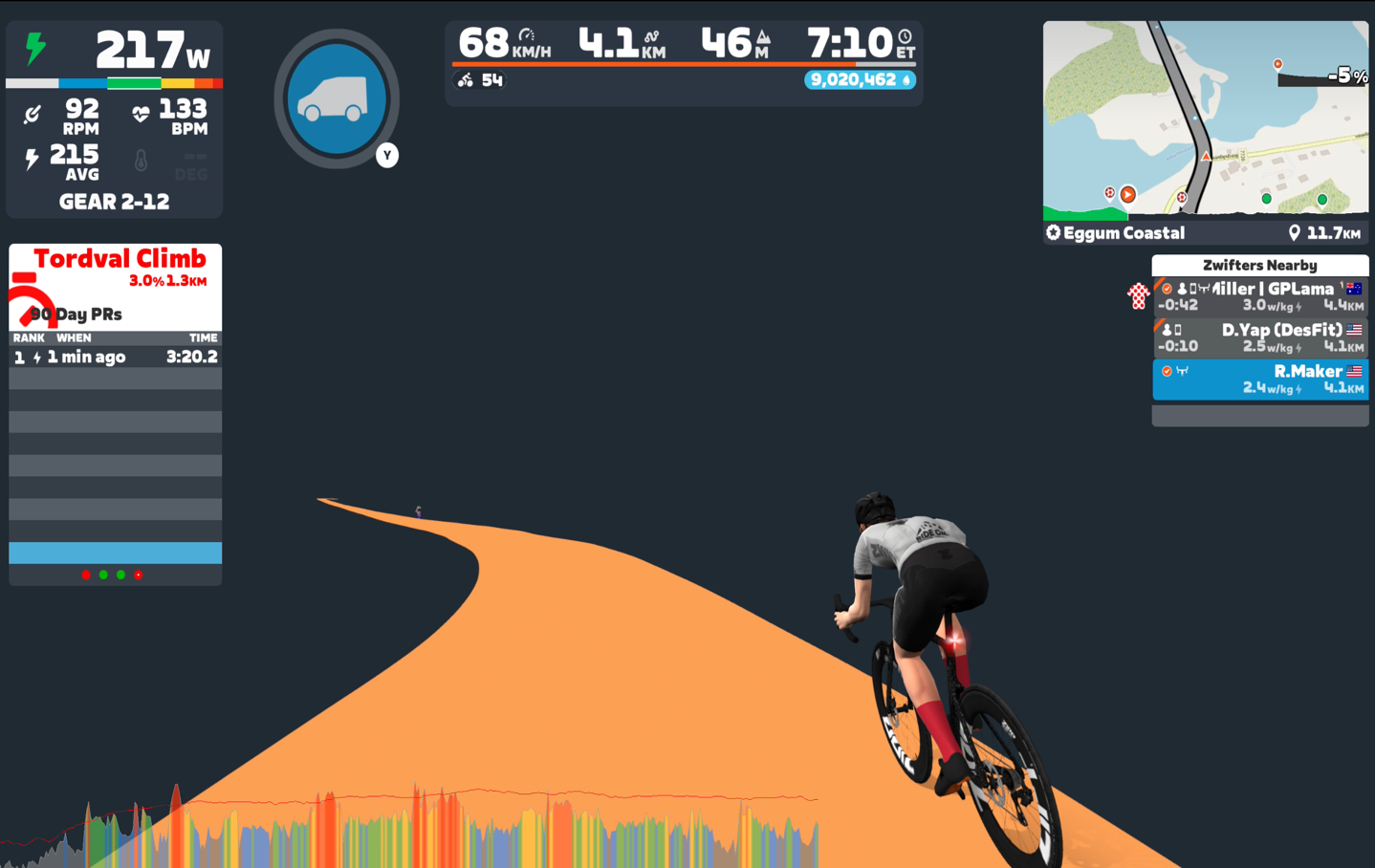
The Zwift game and other people and all the still work, you just lose the route video until it catches up. Meaning the whole thing doesn’t stop from a riding perspective. You can keep on riding just fine.
In terms of riding with other people, most of that works as expected. There are some minor quirks. For example, steering round others seems a bit wonky at times. Or rather, just the automatic steering around others doesn’t seem as fluid/normal as I’m used to in Zwift. Sometimes there’s hard and random swerves. However, they do a really good job of effectively ‘fencing’ portions of the road when there’s oncoming traffic, so you can’t have your avatar get hit by a car. Both Shane and I seemed to have the same idea here, trying to steer into this car, but you couldn’t. The ‘viable steering area’ was reduced as the car neared (as I was on the left edge of the road until shortly beforehand).
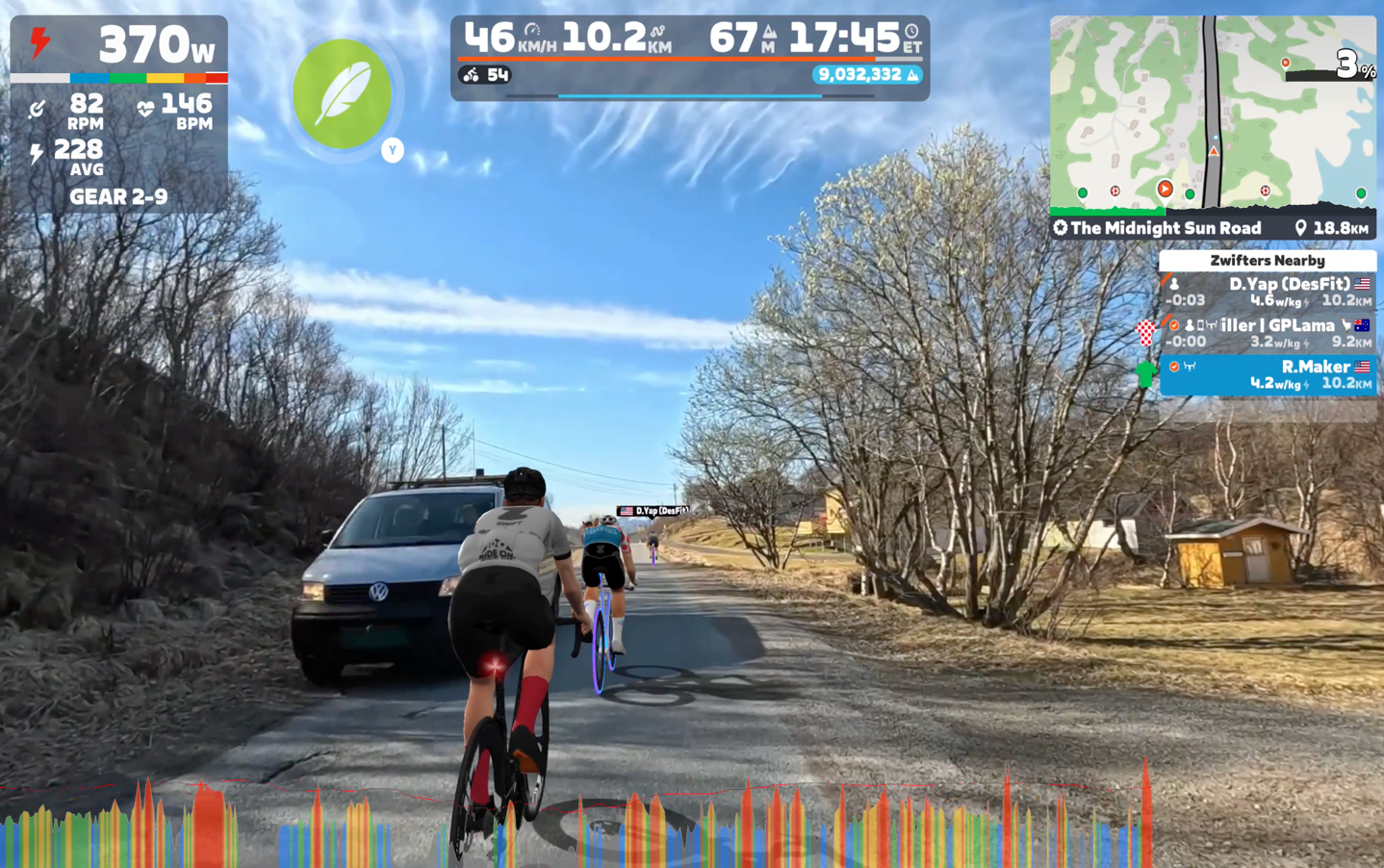
Likewise, when riders go far ahead of you, their avatar properly gets smaller and slowly fades away at normal human vision distances. All of this feels spot-on.
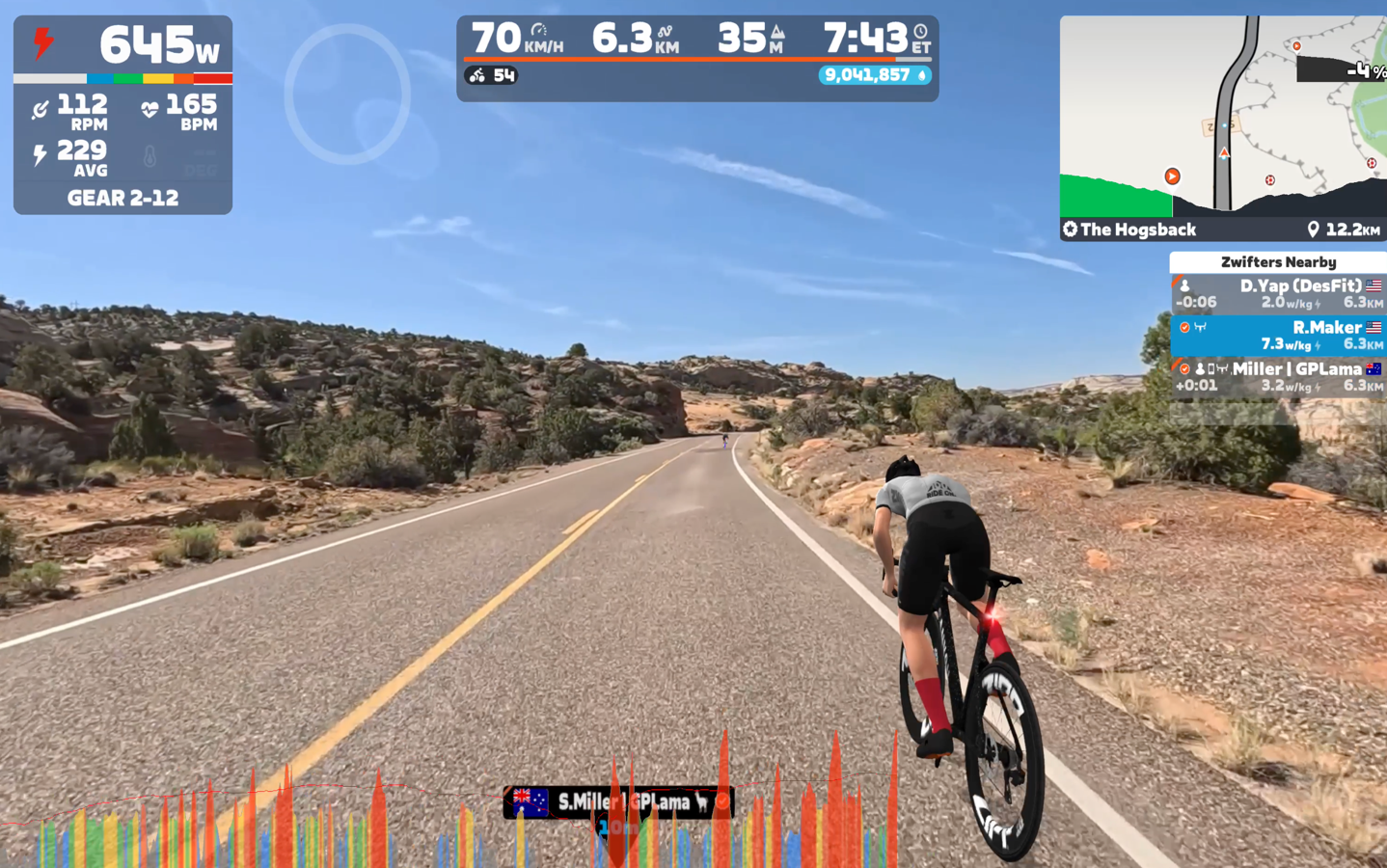
However, one thing that isn’t super ideal is that you’re always plowing through someone’s ass.
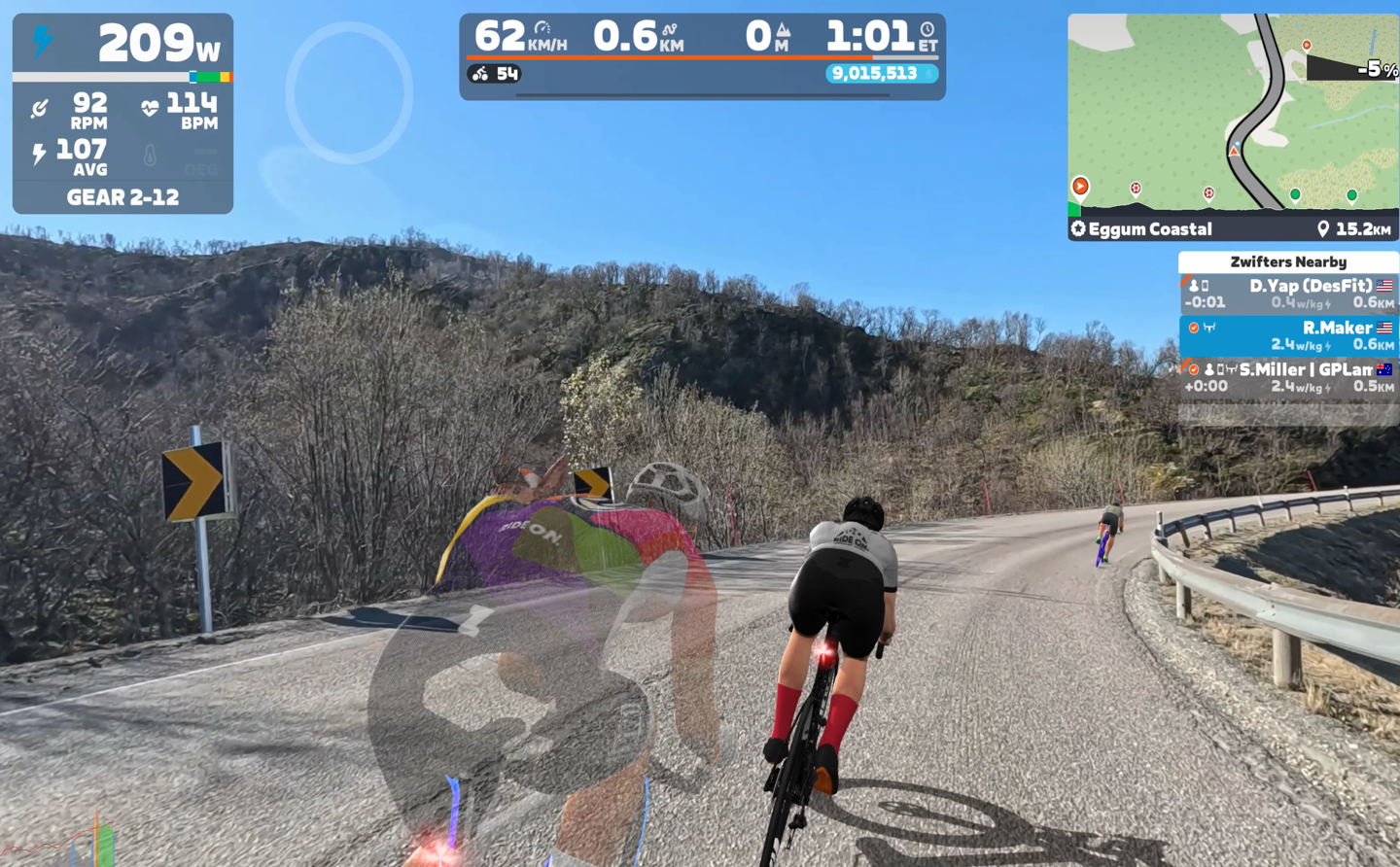
The fade effect is perfectly fine, but rather, it’s the issue that they filmed this to be roughly the same level as you would have your head on a bicycle (which makes sense). But that means when you add all these extra riders, you end up just looking at a lot of peoples butts all the time. An effect that’s gonna be even bigger when you have bigger packs. Whereas in normal Zwift, the camera angle is higher, so you’re not in butt-cam mode.
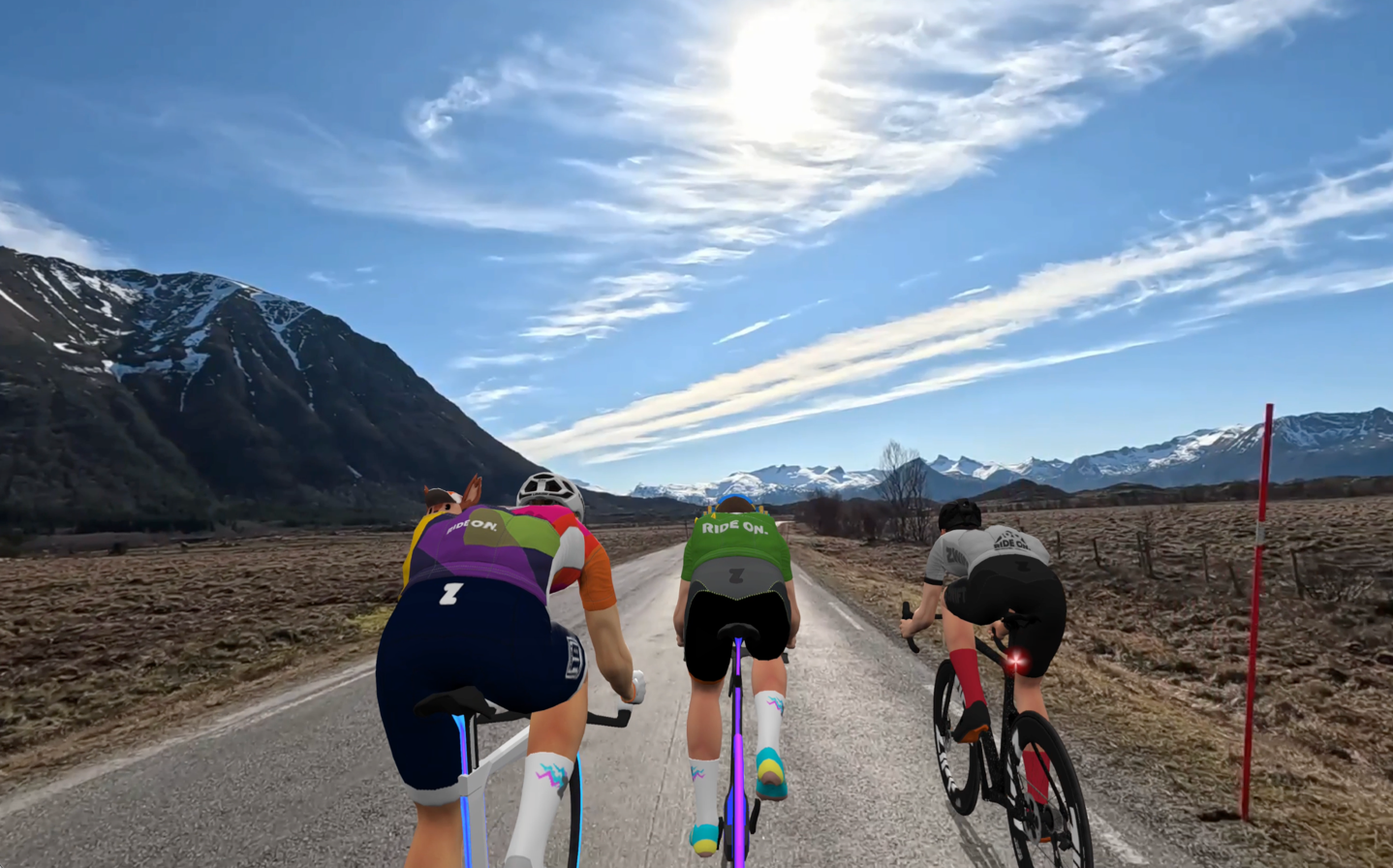
Meanwhile, you can do HUD-free mode (where you get rid of all the metrics), though not in ERG/structured workout mode. But for regular riding you can:
Now, when you reach the end of the route, it’ll simply ‘loop’ back to the start. You’ll basically teleport back for just continual riding over and over again. It would be cool to be able to ‘stack’ routes together, akin to what Peloton does for workouts (where you basically add things to a queue, and it just iterates through them without forcing you back to a menu). Here you can see me being looped back to the beginning of the route (note the time at 50-minutes, but starting me back at beginning of route):
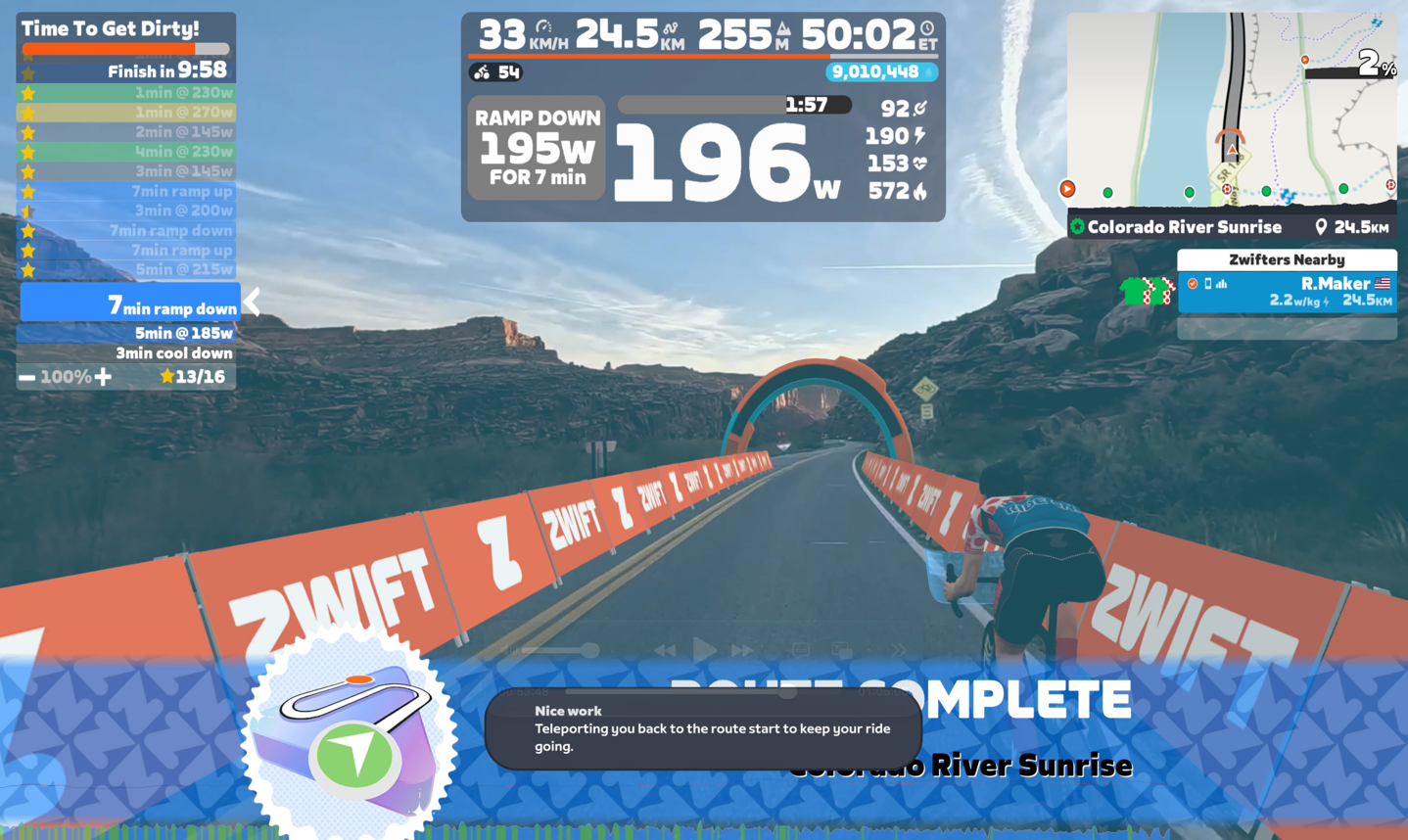
Meanwhile, shifting topics entirely, you’ve got structured workouts. These worked exactly as you’d expect in regular Zwift, but now with Video Routes and your structured workouts overlaid. I did a few structured workouts this way without any issue.
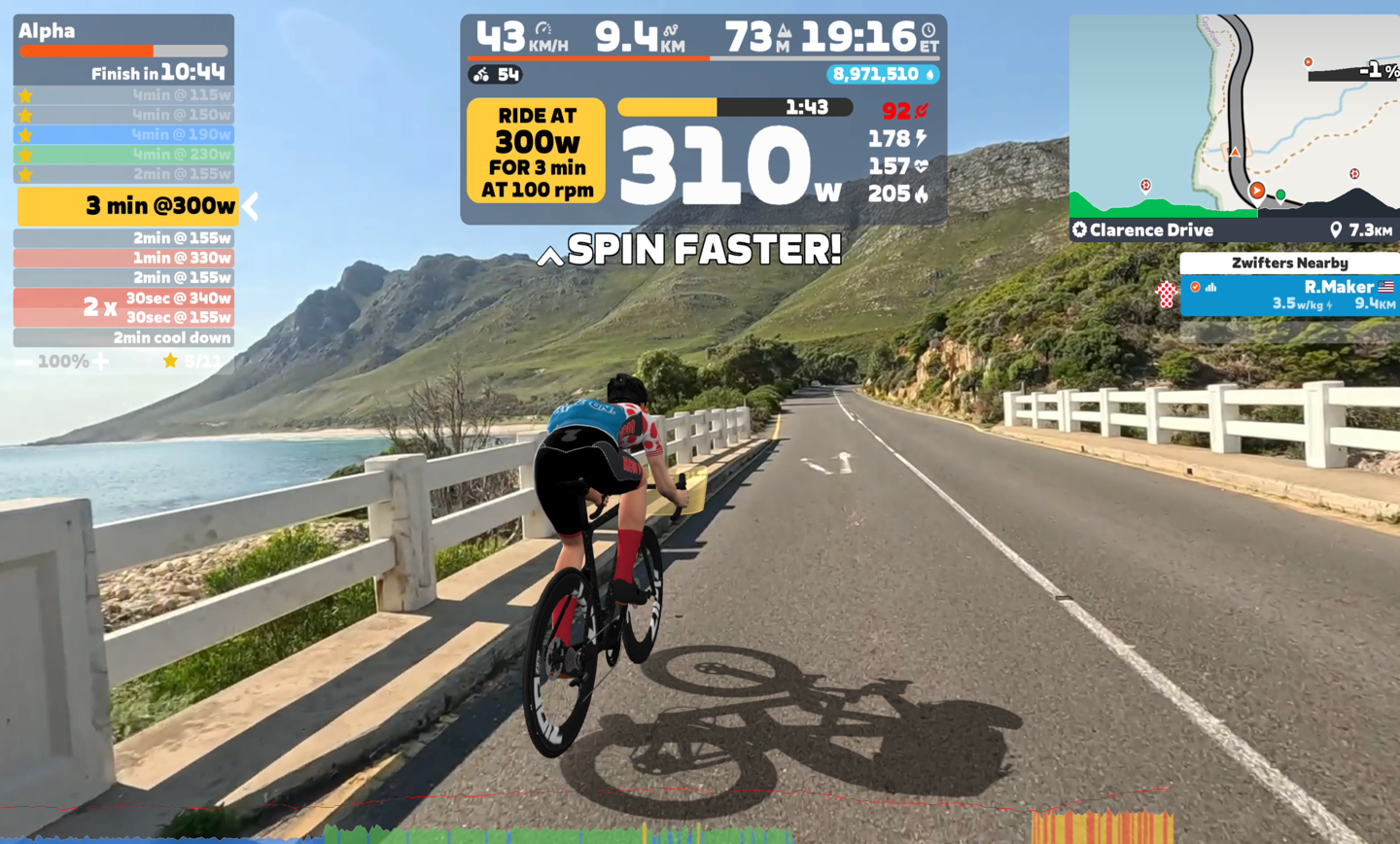
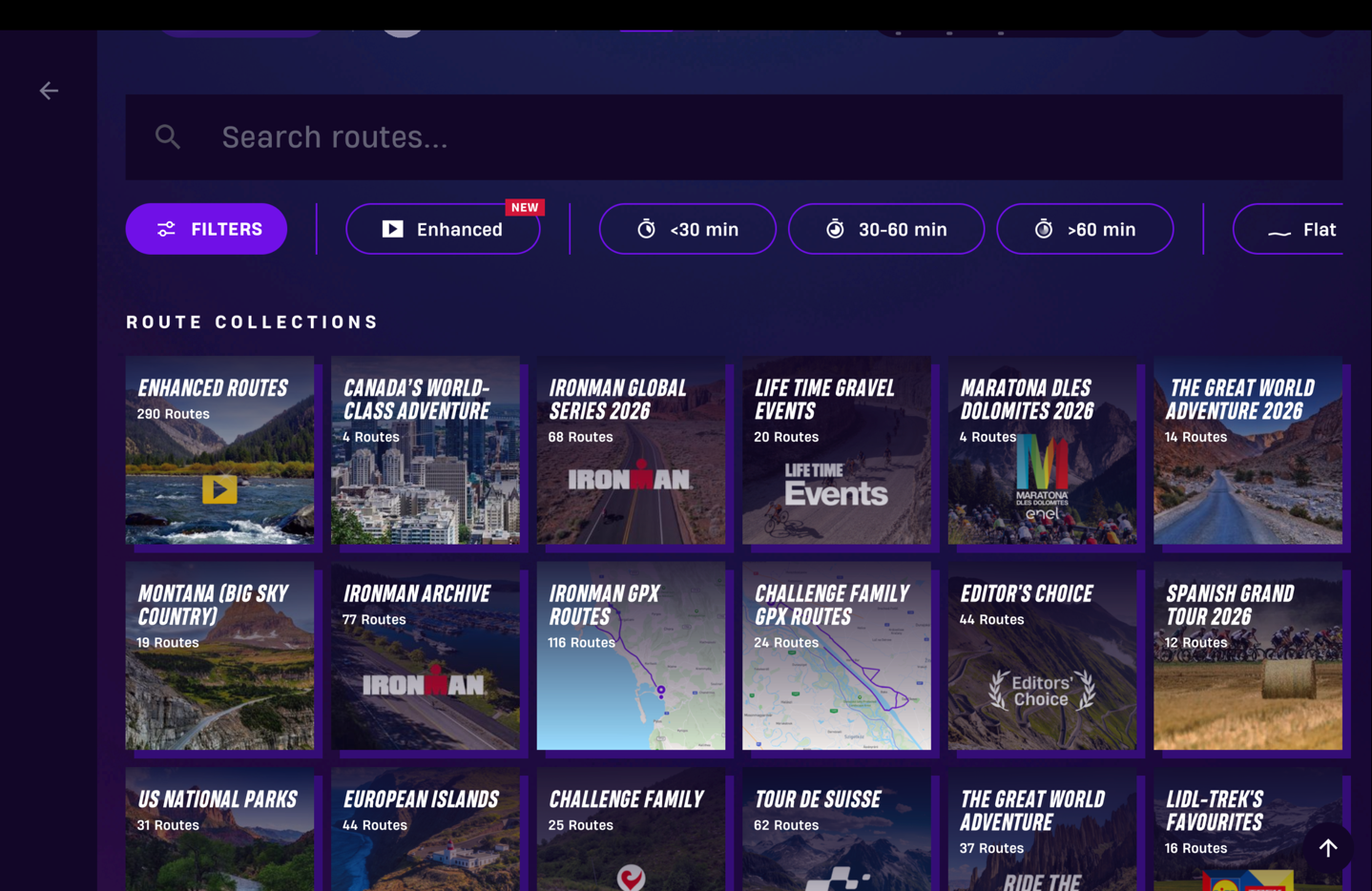
This is where you start to get into some of the obvious differences to Rouvy, in that Rouvy has a gazillion courses, but also caters to specific race routes – such as Ironman routes and more. So this is where there’s still a solid gap there in that Zwift is targeting cycling icons, whereas Rouvy is targeting basically everything, including race/event routes. So if a coach wanted to create a structured workout (e.g. a race plan) on a specific race route, you’re lacking those routes in Zwift.
Here you can see just a tiny sliver of those categories in Rouvy:RouvyR
And again, looking at the quality of certain routes, those on Zwift just seem higher, if I compare them side-by-side. Whether it be the weather conditions (e.g. sunny on Zwift vs. sometimes grey/overcast on Rouvy). A good example is Sa Calobra, which both platforms have. Zwift is a blue-bird sunny day, while Rouvy has two variants, one solidly overcast and one with some clouds. But even then, the video quality on Zwift is clearly higher – both in resolution, but just general clarity. To be super clear: Rouvy isn’t bad here by any means, but Zwift feels sharp.
It does feel like Zwift is likely doing some color grading, which makes them all pop a bit more. More on that down below through in the Zwift Video Routes shooting behind the scenes section.
Which again, I’m definitely not crapping on Rouvy’s routes. Rouvy has a *far* bigger library of routes here. It’s not even remotely close. And in order to have such a massive library, you often need to make trade-offs. You can’t sit around an extra few days to wait for perfect weather conditions. Whereas Zwift has said they’ll re-film multiple times, and then pick the best one. They’re choosing a slightly premium quality experience, which you may or may not care about.
Either way, on the whole I’d say that Zwift’s implementation here is super well done, and makes it feel very Zwift-like, despite being outdoor videos.
Zwift Coach:
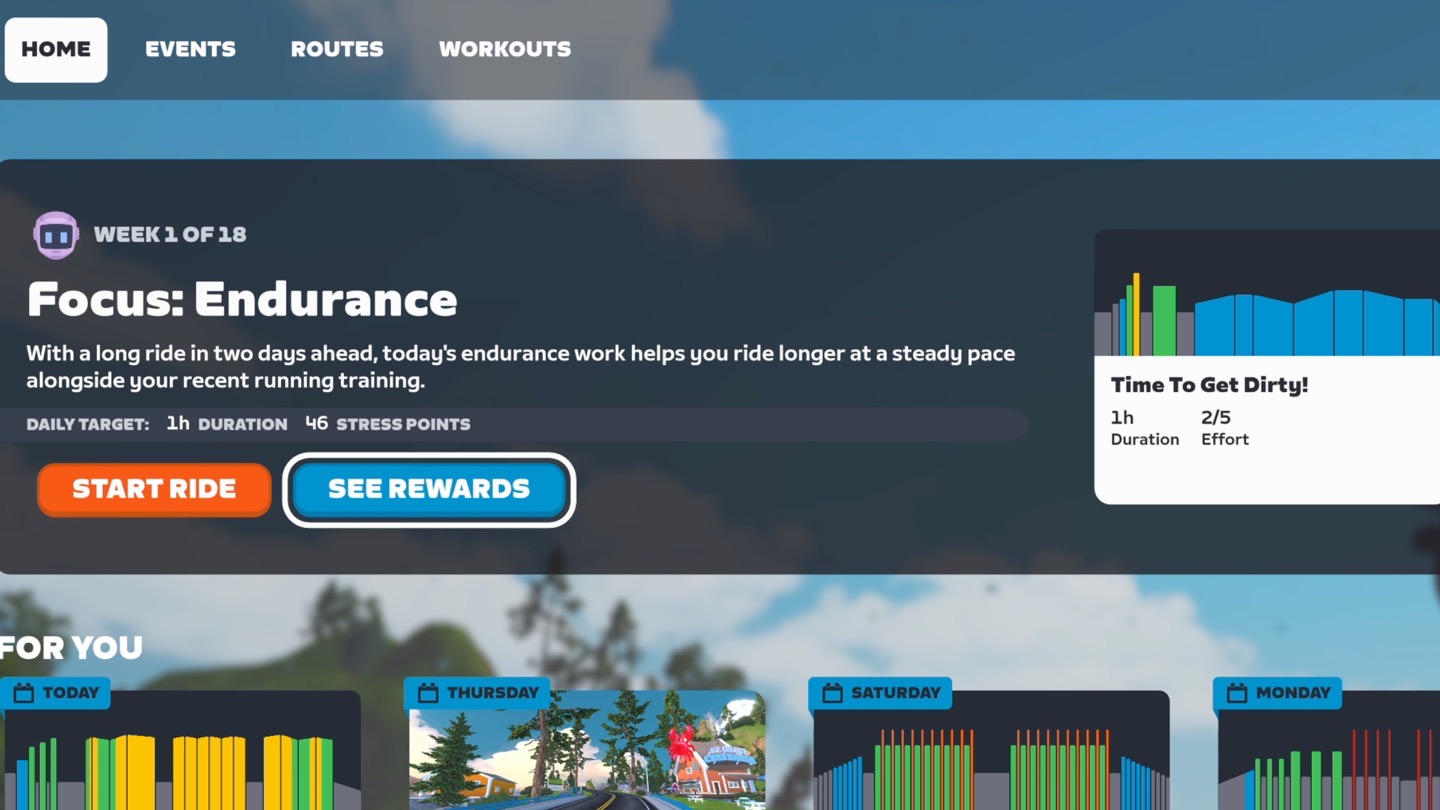
Next up there’s the new Zwift Coach pieces. It’d probably be easy to say this is just another customized AI coaching platform, and to a certain extent that’d be true. Perhaps I’ve become jaded with the never-ending attempts at AI coaching that almost always suck. However, this actually isn’t leveraging AI for the coaching specifically, which probably makes it more interesting to me.
Instead, it’s leveraging work from one of the creators behind BestBikeSplit, to assign also-human made workouts to athletes using existing models they have on choosing the right workout intensity and duration based on a given athletes historical data. Where AI comes into it is simply for assigning which Zwift ‘thing’ to do (e.g. which Zwift route, Video Route, structured workout, Pacer Group, etc…) to fulfill that training load/intensity/duration requirement. It uses to AI to look at components like whether or not you’ve done that route before, if you tend to do more routes than structured workouts, and so on.
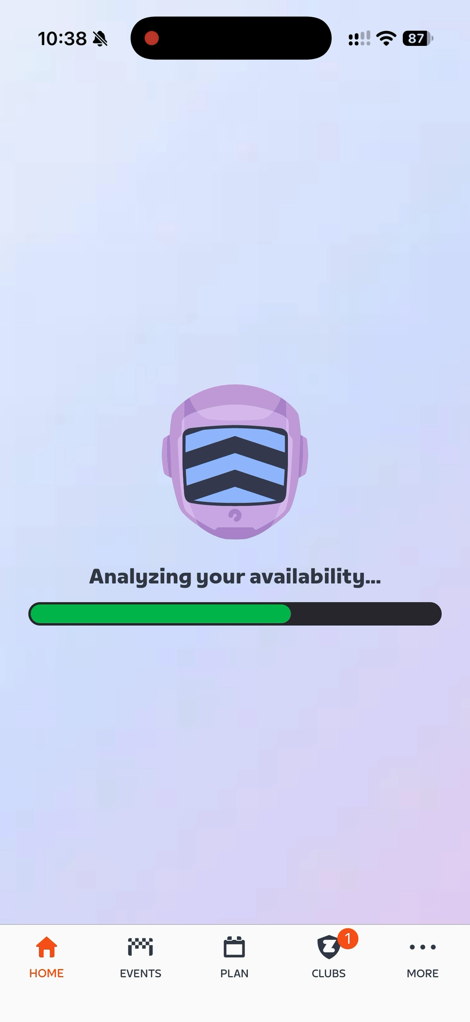
But first, to get started, you’ll fill out a bit of an onboarding questionnaire with your goals. You can have different targets, including specific races on specific days at specific lengths. All of this is relatively straightforward to be honest:
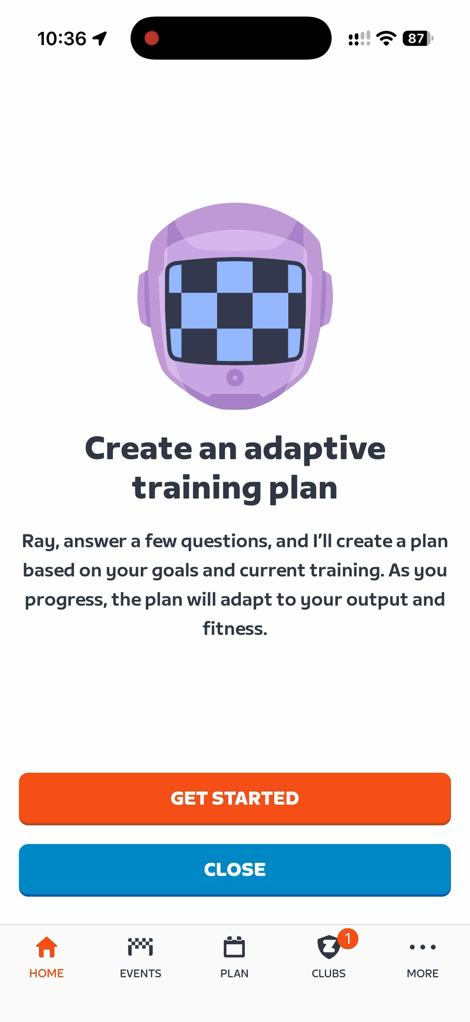
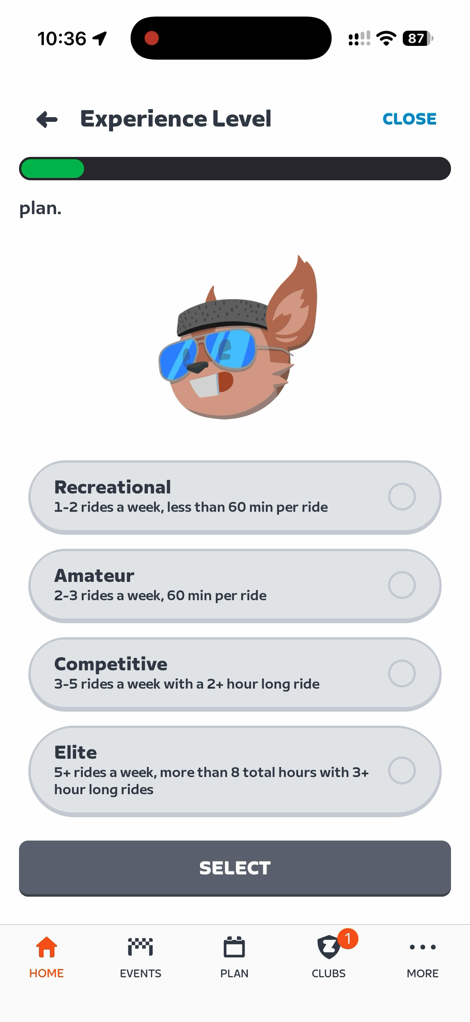
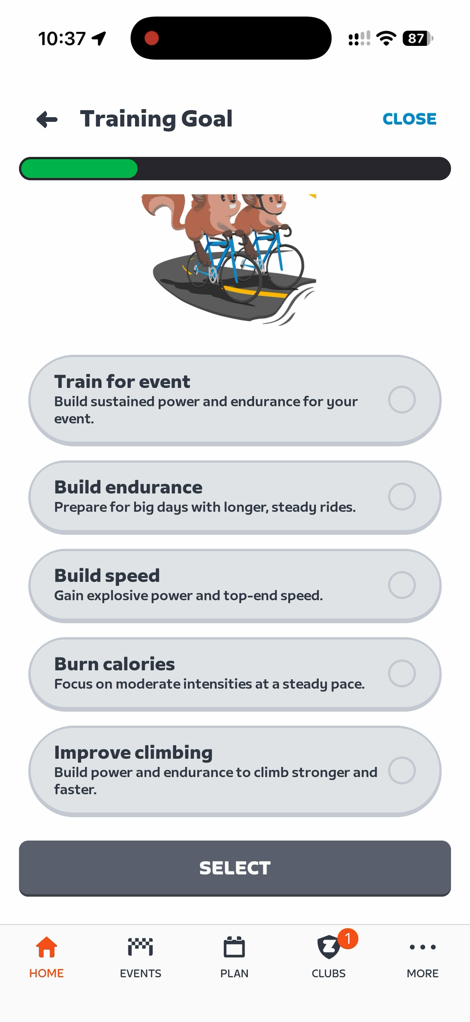
From there, you’ll see in your companion app (and on the Zwift main app), your upcoming schedule. This schedule is dynamic and responsive to other things you do off-plan. For example, yesterday I ignored the schedule and did about an hour of riding with DesFit & GPLama. Some of that was chill, and some of that was…unchill. As a result, when I opened things up today, it offered to adapt my schedule a bit. Specifically, it cut out some of my weekend riding to allow for more recovery before an internal run on Saturday:
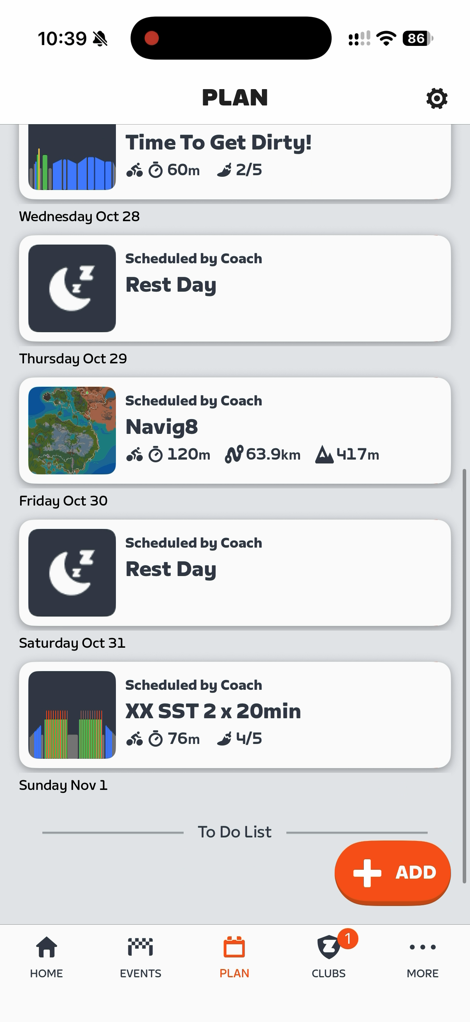
One quirky thing here though, is that while I have TrainerRoad connected to my account (which then pushes a workout of the day each day based on my training load), that can’t be temporarily disabled when I have a Zwift plan. Though at the same time, Zwift says those planned workouts are ignored by Zwift Coach, unless I actually do one. Then they get accounted for.
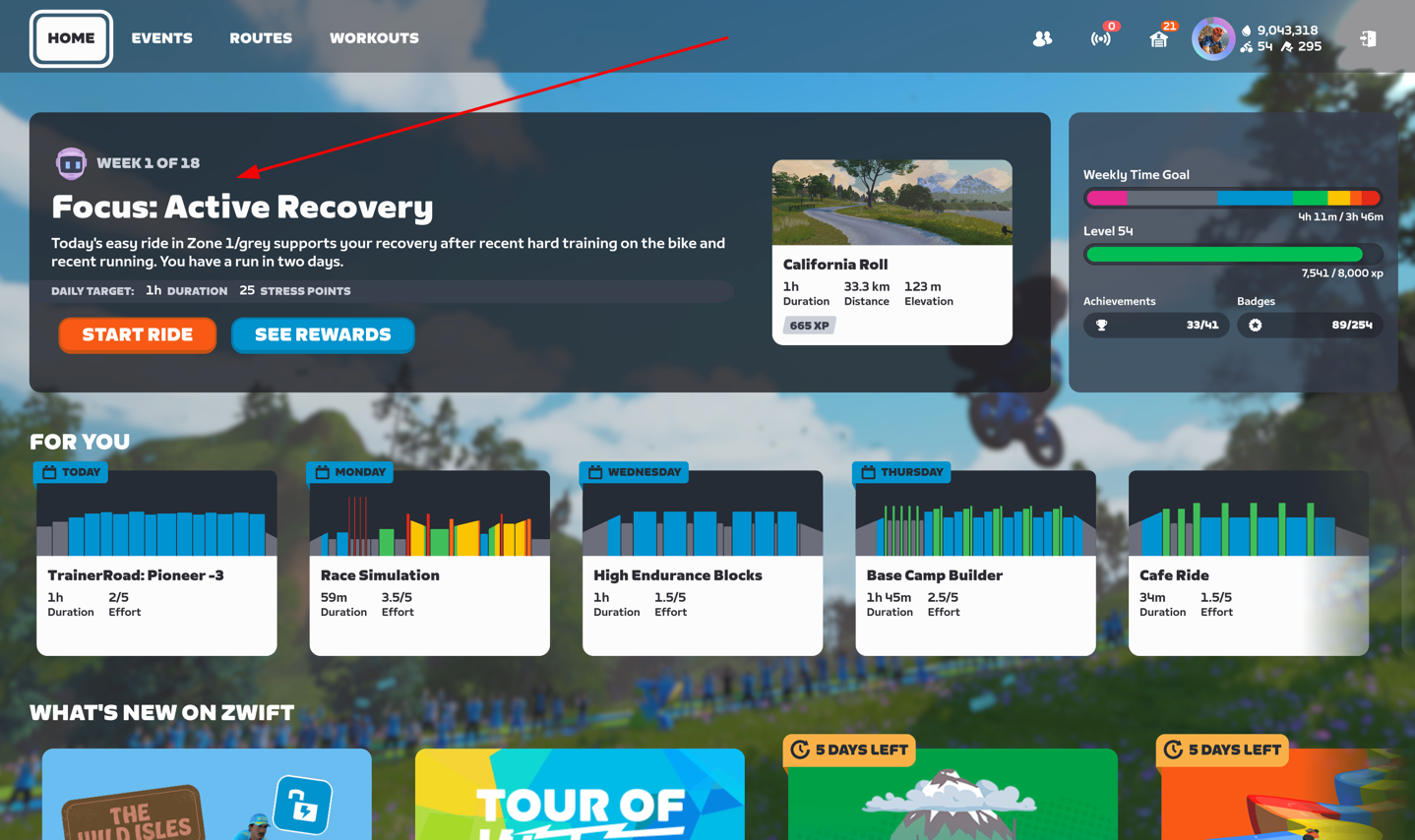
As you can see above, when it comes to things that Zwift will prescribe, it’s actually not just structured workouts. It can be anything. You can see it’s telling me to just go ride for an hour today on the California Roll route. Other days it’s a structured workout. But it can also give me a Pacer Group to go follow, or a Video Route. Eventually it sounds like outdoor ride options are in the cards too, but not today.
You’ll see the planned workout shown in Zwift when you open it up, with the little robot head next to it:
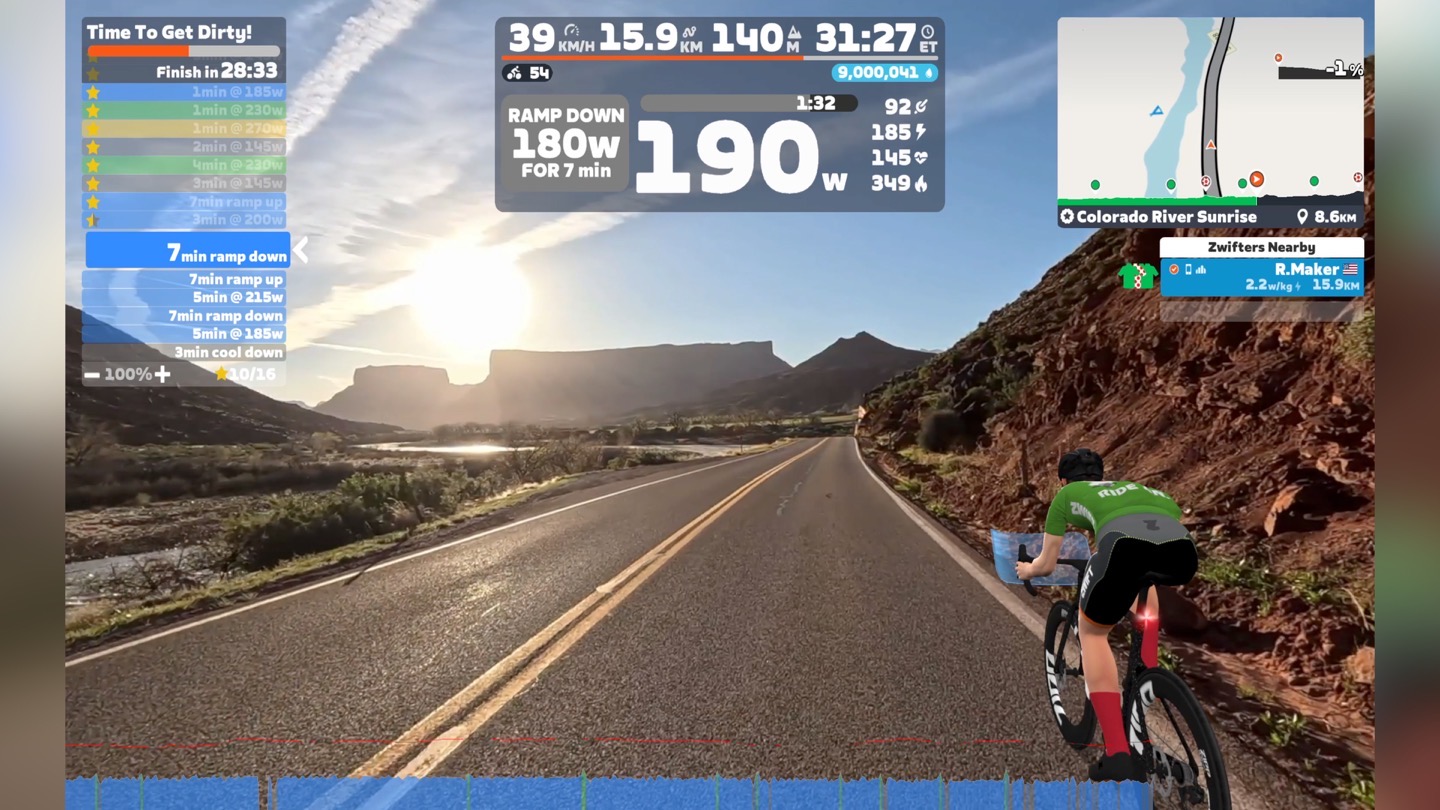
In terms of doing the workouts, it’s just like doing any other structured workout (if you were assigned a structured workout). There’s no difference there once you start that workout (you can select what route to do, or a video route in my case). Here’s a workout it had me do:
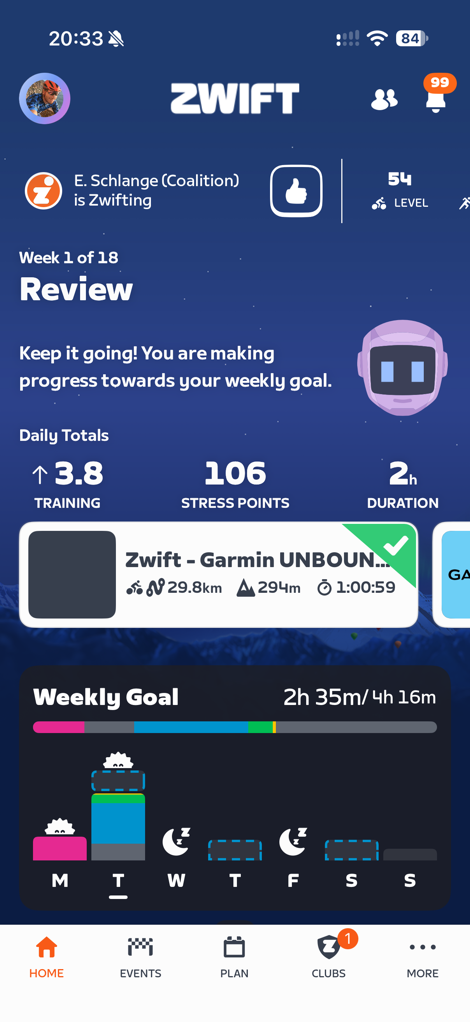
Then, after the workout it’ll give some brief comments in the Zwift Companion app to check out:
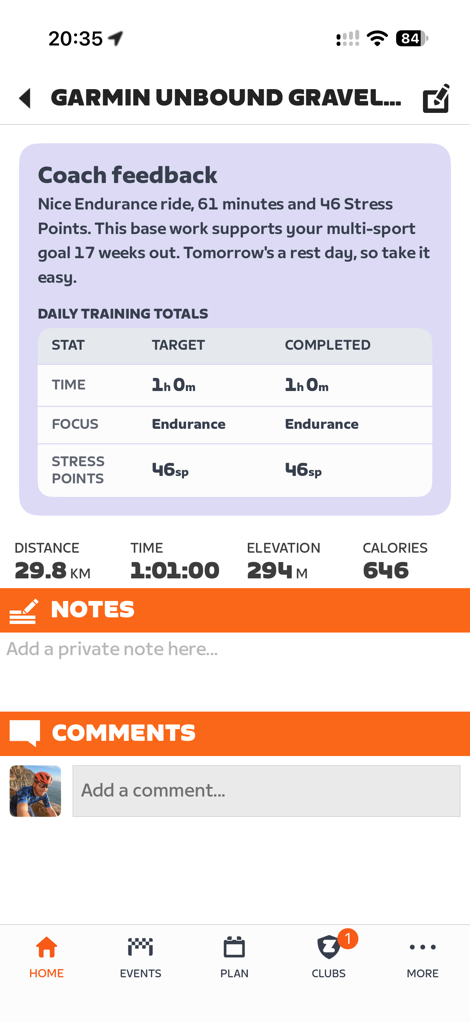
As you might expect, it’s a bit hard for me to judge any workout/training plan system without spending months with it. And given I’ve only spent a week or so with it, it’d be far too early. Plus, I find testing training plans tends to work best when you actually give it a specific race goal, and then let life get in the way. Thus far though, as I’ve ignored it roughly half the time, it’s zigged and zagged appropriately to try and keep the ship on course. That’s a good start.
Zwift Video Routes Tech Tidbits:
As always, I’m curious about some of the tech behind the tech. This isn’t a super long section, but there are some things I thought were interesting when it came to how they filmed the Zwift Video Routes.
First up, as noted above, they have a team that travels around and shoots these. They aren’t using some fancy car, these all just look like random rental cars. Instead, they have a suction cup-mounted system they travel with that just pops onto the car:
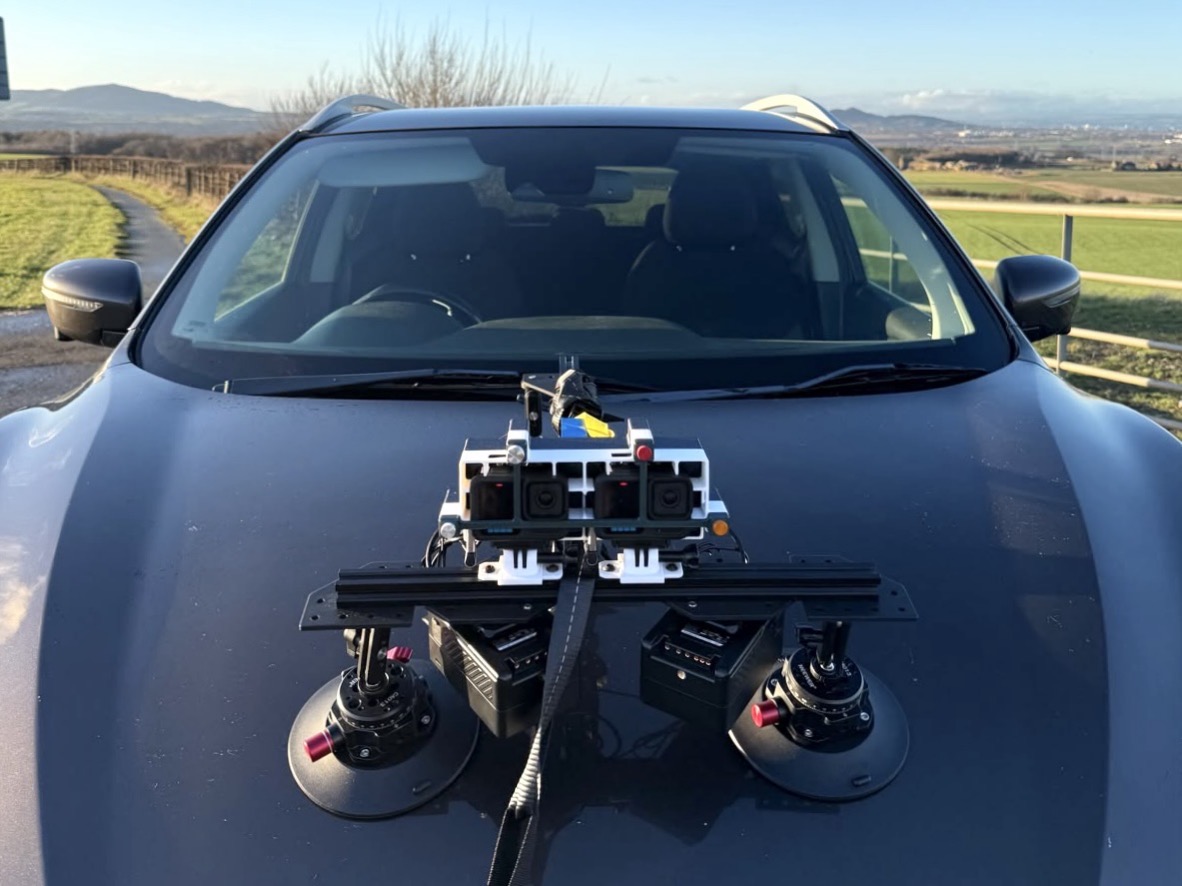
That system looks like they’re using:
– Two GoPro Hero 13 Black cameras
– Neewer CA013 suction cup mounts (three of them)
– Custom rig/cross-bar for mounting the camera
– Two V-mount battery packs
– A few 3D-printed camera mounting brackets
– Extra straps for stability/safety (seen below going horizontal, or above going vertical)
Each of those suction cups supports 110LBS/50KG of weight. Here you can see the rig out on the road, with all the straps, and a slightly different battery placement (my guess is this has evolved over time):
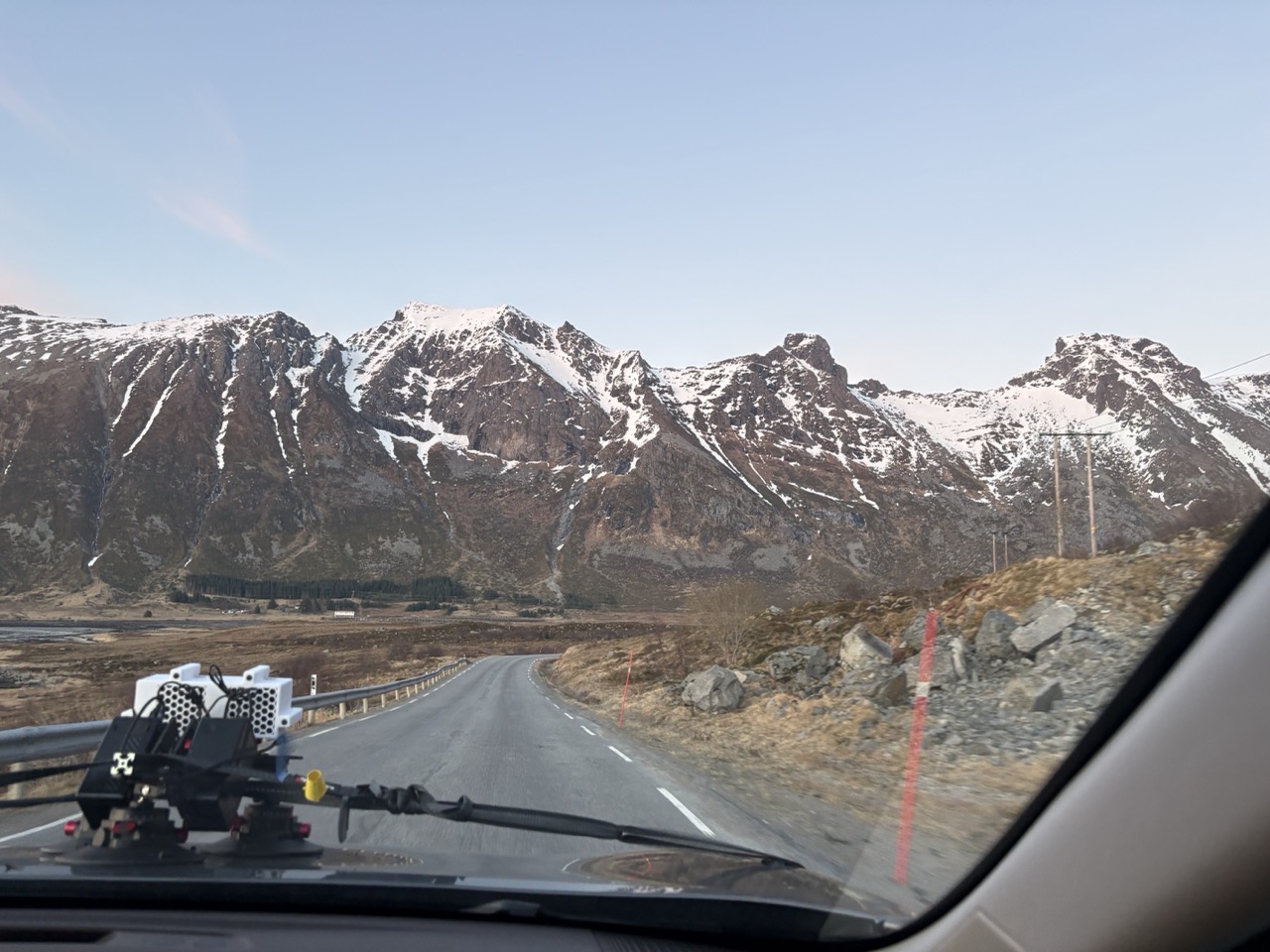
And again here:
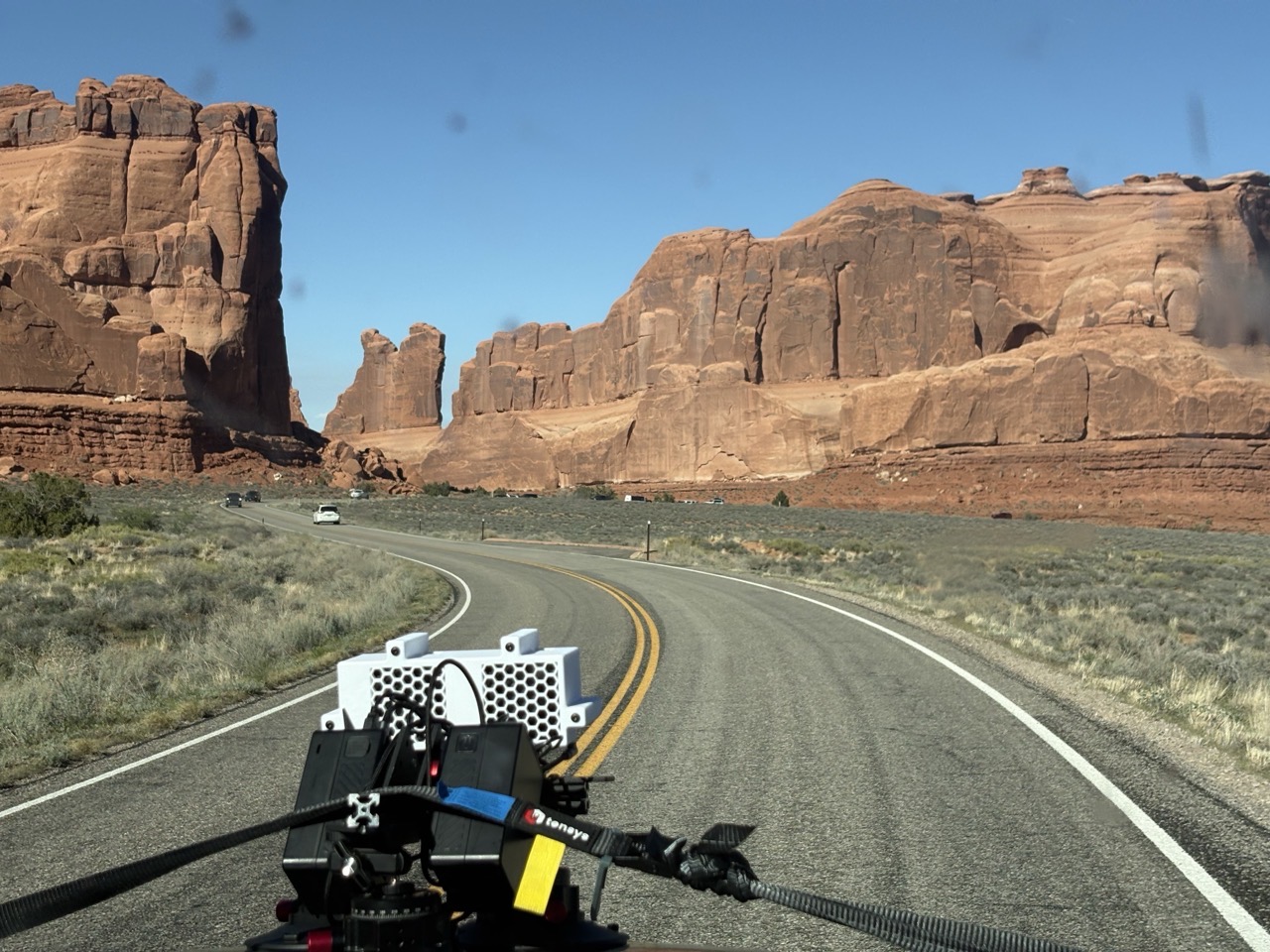
Meanwhile, inside the car they’ve got a few things going on. You’ll see two tablets (upper) at left with feeds from each of the cameras. They’re shooting at 4K/120fPS in the ‘Wide’ profile. They’ve then got a Hammerhead Karoo 3 that’s recording the ride, which they’d leverage the GPS track & barometric altimeter data later to create the road. And then you can see the course down below on the laptop with RideWithGPS pulled up.
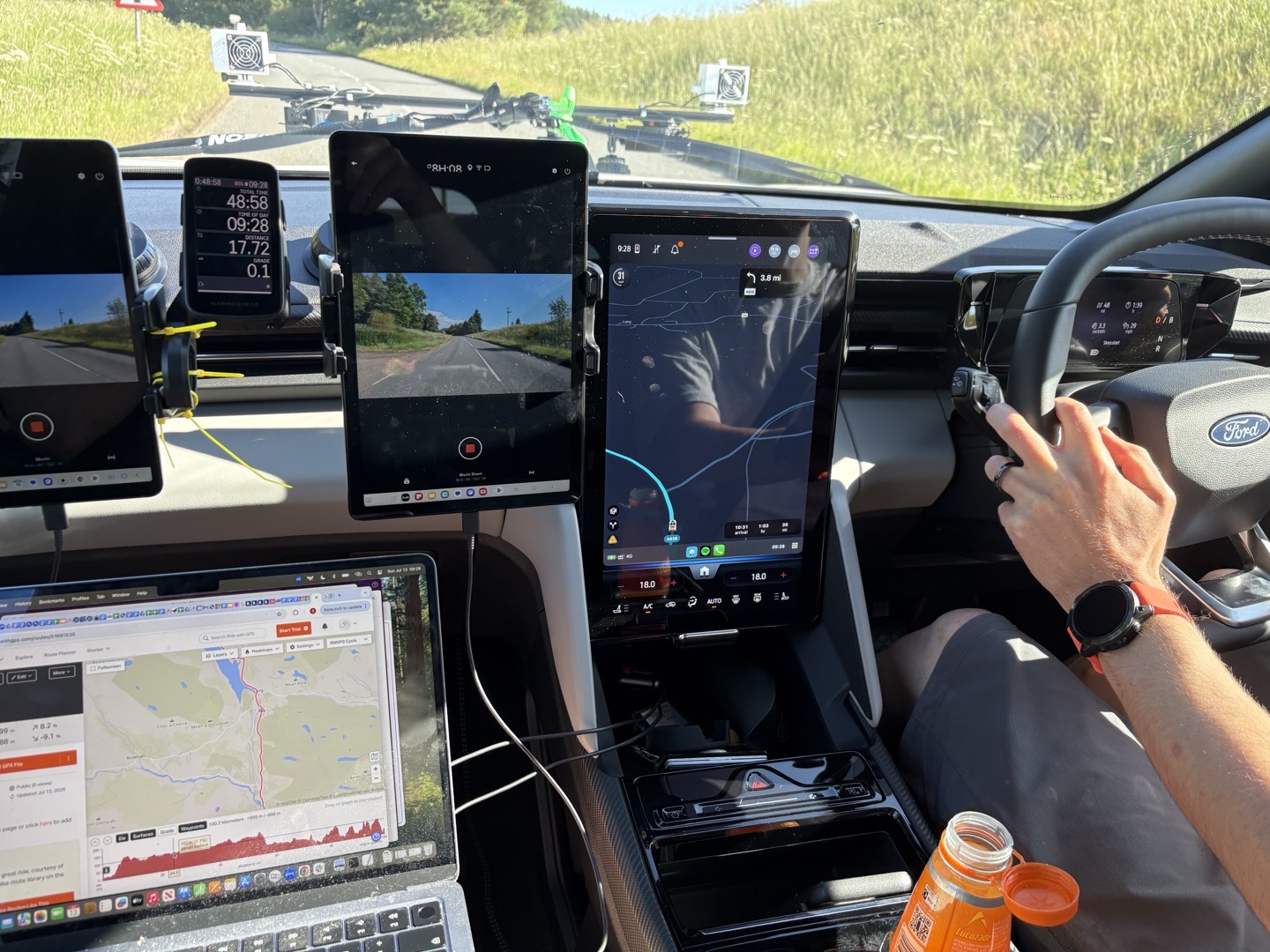
All of this seems pretty logical to me. In the above photo, it looks Like they were trying a variant with the cameras out wide for two different perspectives. All of the other BTS shots they sent had them close together. While there are reasons you’d use dual cameras for 3D-type video later, I can’t imagine that’s the case here. That’s been tried and failed countless times for all sorts of reasons (mainly sweat kills most headsets).
Instead, I suspect the reason is much simpler here: It costs a lot to reshoot things, whereas a GoPro costs $400 once, and you can ensure you’ve got a backup. Even if it’s because a bee landed on the camera lens:
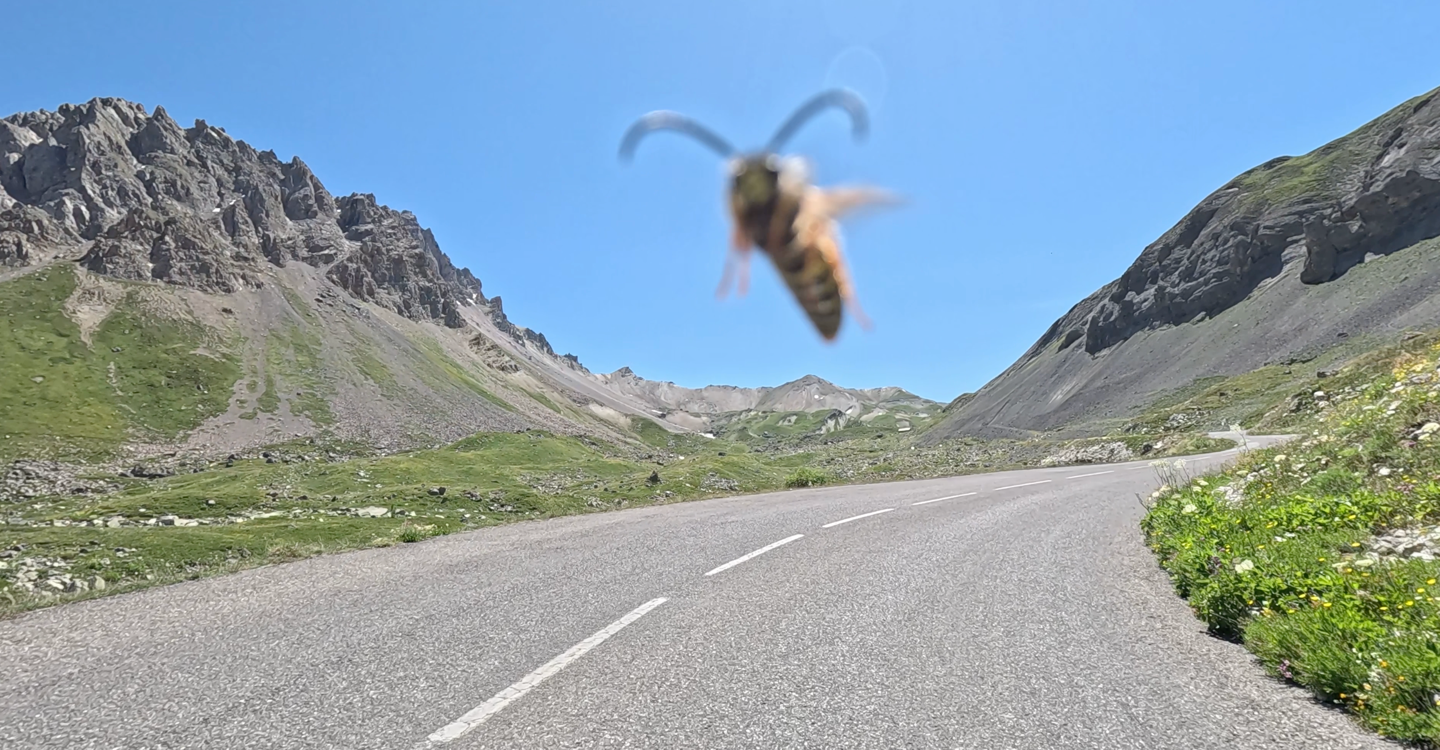
Speaking of which, they often reshoot things. They said for Sa Calobra they reshot it 5 times. However, not to piece it together, but to find the single continuous take that had the least problematic things in it. Other takes could be ‘ruined’ by vehicles/drivers doing weird things, unexpected checkpoints…or just sheep and cows. Both of these are actual outtakes from Zwift Video attempts:
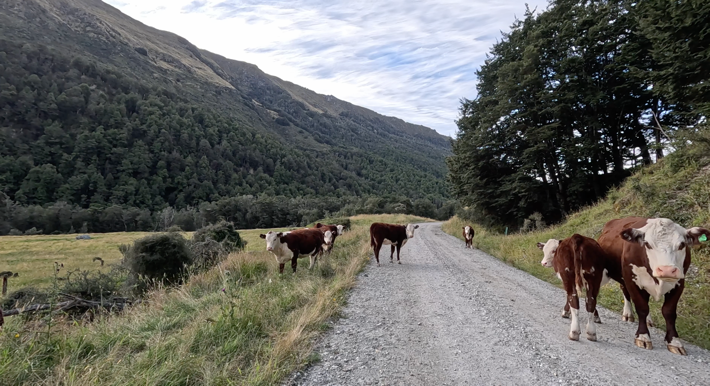
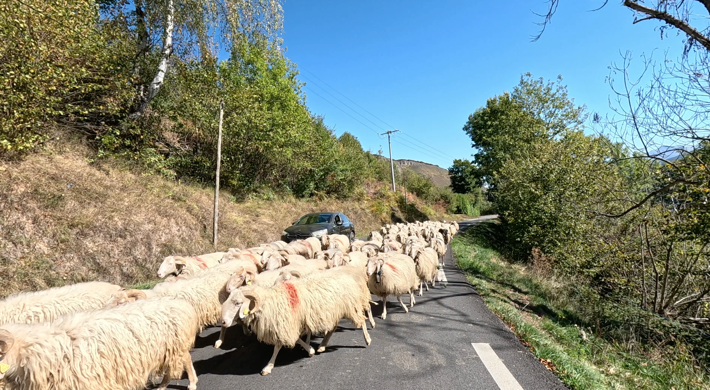
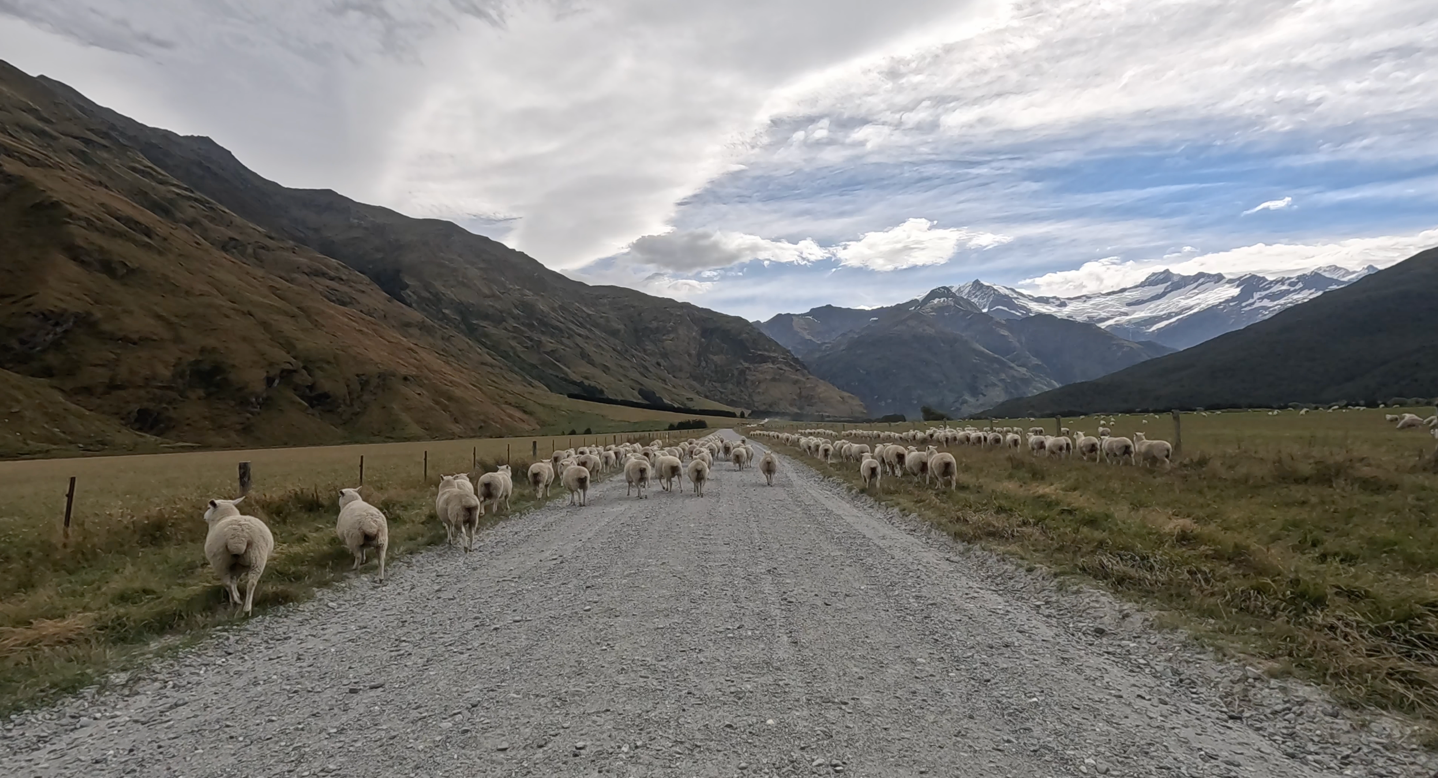
Zwift says all of them are continuous shots, noting:
“We don’t currently splice different sections of footage together – we want the highest quality continuous footage only as a bar for high quality for this product. So there does end up being lots of footage on the cutting room floor that cannot be used.”
In terms of the speed they were shot, Zwift says they had a bit of a model for gradient and then matched that to a certain speed. Meaning, they didn’t have a car driving at 20MPH/30KPH up at 10% grade. Instead, the car would slow down as much as viable for steeper hills, and then try and match cyclist speeds at other grades (such as going downhill).
The closer you can get the original footage to a real cyclist’s speeds, the better, as all other things seen in the video (passing cars, people, other real-world cyclists in the video), will feel ‘right’. Otherwise, they leverage the footage being shoot at 120FPS in order to speed up/slow down the footage in realtime as you ride it.
Anyway, I thought all the above was kinda interesting. I’ve seen lots of filming rigs over 15+ years of seeing companies shoot various real-world style videos. Many have used motorcycles, since that tends to give other drivers a bit more flexibility. But conversely, using cars tends to force other vehicles ‘further’ away from the camera, which results in a safer-feeling video when you ride it on your computer. Some companies also shoot it on regular bicycles, which can work out, but is really hard to get right/perfect for long stretches. And many companies will splice video together from multiple attempts to deal with road randomness. So it’s kinda interesting that Zwift is aiming for the ‘one-shot-wonder’ approach here.
Going Forward:
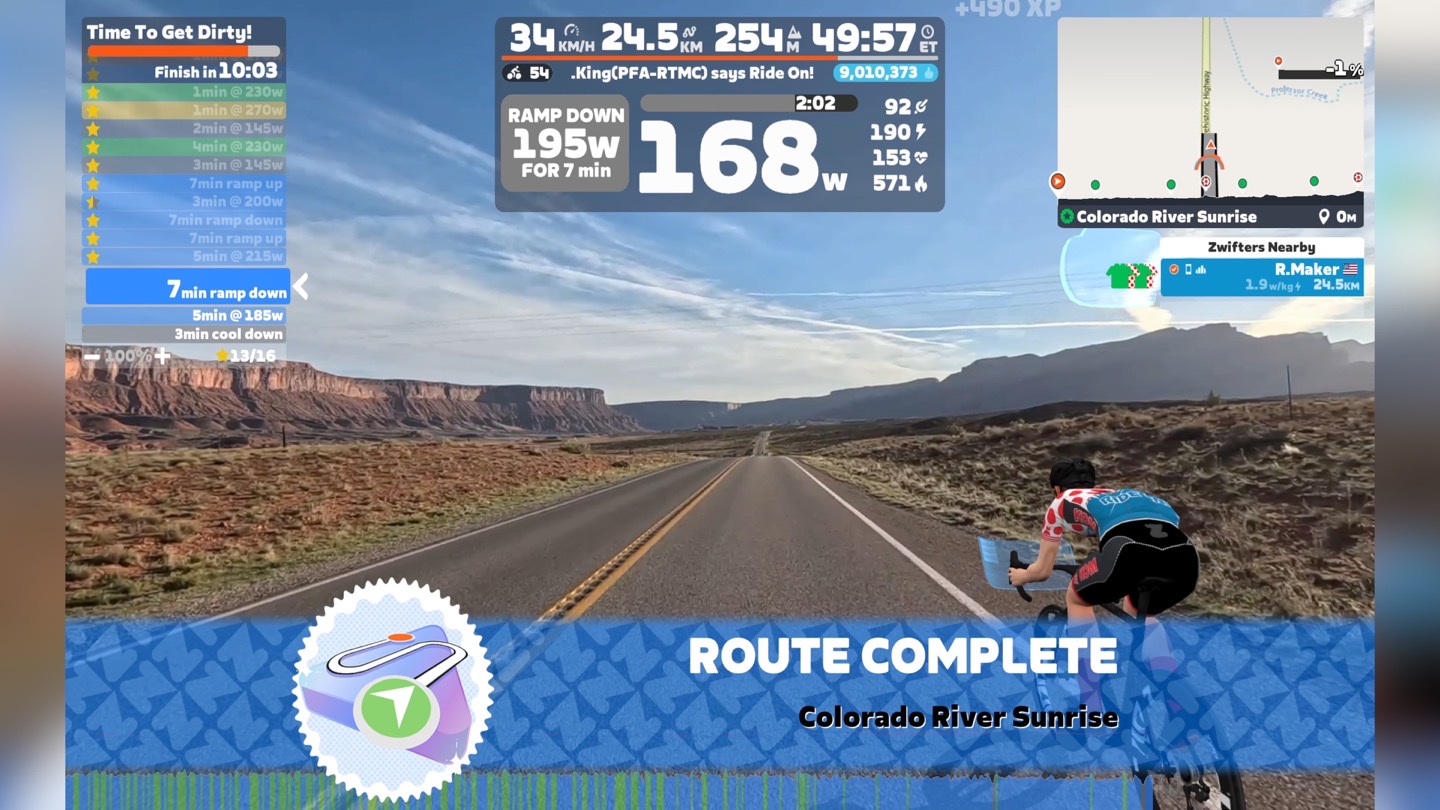
In an era of ever-expanding subscription costs and AI-driven coaching things, I suppose it’s only time before Zwift was going to jump in on it. Though, I didn’t exactly expect Zwift to ‘combine Rouvy without actually combining Rouvy’. Nonetheless, here we are, where it’ll cost you an extra $10/month (or an extra $100/year). For folks who wanted occasional video access akin to Rouvy, but didn’t quite want to pay that much extra atop their Zwift subscription, this probably makes sense.
But first, looking at Zwift Coach, this is largely what I expected Zwift to eventually do. Though admittedly, I thought they’d do it a decade ago, either through partnerships with Xert or TrainerRoad. But what they’ve put forth here is roughly in line with what most other platforms offer in terms of adaptive cycling training plans. The key difference is giving you more than just a structured workout, but rather lots of options to get that training load in (regular rides, video routes, etc…). That’s unique in this space.
Meanwhile, looking at the Video Routes, it’s clear they spent some time ensuring that *all* of the routes met their given quality bar. This kinda reminds me of what FulGaz was aiming for back in the day. Certainly, there are many high-quality videos on Rouvy, but Rouvy’s goal was always more variety (thousands of routes) with sometimes varying quality. Here on Zwift Routes, it’s more curation over quantity. Still, one has to look at this and struggle to wonder how this all plays out for Rouvy in a few years. By Zwift’s own hopes, they want to have at least a 100 routes within a year, still a fraction of Rouvy’s 6,000 routes. Nonetheless, the fact that Zwift didn’t use Rouvy people to film these routes says a lot (either organizationally/directionally, or just Zwift’s long-known penchant for spending money).
That said, as a consumer, setting aside branding, if Zwift ends up having all the same features and routes as Rouvy, do we actually care where it ends up? It’s an uncomfortable question to ask, but certainly one I’d imagine Zwift is pondering.
Anyway, in the meantime, if you want to spend an extra $10 for routes and coaching, go forth. While I don’t tend to be a video routes person most of the time, I will say the way Zwift has executed these makes them feel premium, and also feel like Zwift, and thus, makes the experience seem more akin to what I tend to gravitate to. But again, to each their own. I’m on the fence if I’ll upgrade my membership.
With that – thanks for reading!
FOUND THIS POST USEFUL? SUPPORT THE SITE!
Hopefully, you found this post useful. The website is really a labor of love, so please consider becoming a DC RAINMAKER Supporter. This gets you an ad-free experience, and access to our (mostly) bi-monthly behind-the-scenes video series of “Shed Talkin’”.
Support DCRainMaker – Shop on Amazon
Otherwise, perhaps consider using the below link if shopping on Amazon. As an Amazon Associate, I earn from qualifying purchases. It doesn’t cost you anything extra, but your purchases help support this website a lot. It could simply be buying toilet paper, or this pizza oven we use and love.