
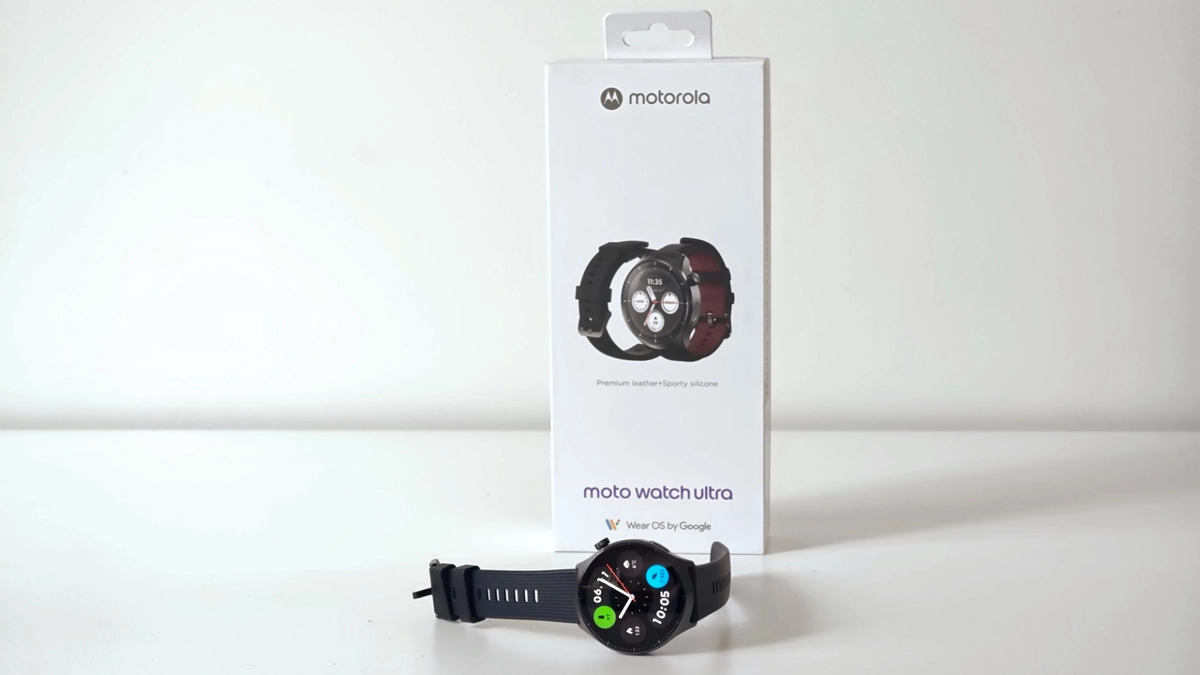
Motorola was a pioneer of Android smartwatches, launching the first-generation Moto 360 in 2015 with a round design and an almost circular display. However, the company’s last Wear OS model was released back in 2019, and the category has received no updates since. With Motorola returning to the flagship smartphone segment with the Motorola Signature, the company has also decided to expand its ecosystem more actively. This year, at IFA, the manufacturer unveiled the Moto Watch Ultra. It’s the company’s first Wear OS smartwatch in many years, featuring eSIM support, dual-frequency GPS, and health algorithms from Polar. In this detailed review, we’ll see how well the new model performs.
Features of Moto Watch Ultra
Materials and color Stainless steel, Corning Gorilla Glass 3; black, silver Dimensions and weight 46.26 x 12.1 mm, 51 g Protection IP68, 5 ATM Display 1.5″, LTPO pOLED, 466×466 pixels (311 ppi), 1-60 Hz, up to 2700 nits, Always-on Platform Qualcomm Snapdragon W5+ Gen 1 (4 nm), 4 Cortex-A53 cores up to 1.7 GHz + energy-saving coprocessor Memory 2 GB RAM, 32 GB internal storage Operating system Wear OS 6, two major updates promised Communication LTE (eSIM), Bluetooth 5.3, Wi-Fi, NFC Navigation Dual-frequency GPS (L1 + L5) Sensors Optical heart rate monitor, SpO2, accelerometer, gyroscope, barometer, compass Battery 550 mAh, up to 2 days of active use without Always-on Charging Magnetic docking station, 15 minutes gives up to 24 hours of operation Straps 22 mm, silicone and leather included Recommended price 21,900 UAH
Design and Materials
The Moto Watch Ultra looks like a classic round watch, and you could even call it a tribute to the design of the Moto 360, which many consider iconic. The model has a stainless steel case measuring 46 mm in diameter and 12.1 mm thick, and weighs 51 g. There’s only one size available, so people with slimmer wrists would be better off trying it on before buying.

On the right side of the watch is a crown for navigating the interface, which also opens the main menu when pressed. Below it is a flat button that opens the recent apps menu. However, both controls can be assigned additional actions. A double press of the crown or a long press of the flat button can be configured to launch any app installed on the watch. This is very convenient: I assigned the flashlight to the lower button and Google Wallet to a double press of the crown.

As for the word Ultra in the name, it refers more to the feature set than the materials. Instead of titanium and sapphire crystal, as used in other manufacturers’ flagship watches, Motorola opted for steel and Corning Gorilla Glass 3. It’s fairly durable glass, but it doesn’t resist scratches as well as sapphire. And considering that the glass isn’t recessed into the bezel but instead protrudes slightly above the case to make finger gestures easier, scratches will probably appear over time. Still, I should note that I didn’t get a single scratch during two weeks of use.

The Moto Watch Ultra’s case is IP68-rated and offers 5 ATM water resistance. You can swim in a pool or exercise in the rain while wearing it, but it isn’t designed for diving.

There’s a nice bonus in the box. The watch comes with two straps: a silicone one for workouts and a leather one for everyday use. The attachment uses the standard 22 mm size, so any third-party strap of that width will fit.

Display and Hardware
The Moto Watch Ultra features a round 1.5-inch LTPO pOLED display with a resolution of 466 × 466 pixels (311 ppi) and a variable refresh rate ranging from 1 to 60 Hz. In static scenes, the screen lowers its refresh rate to conserve battery power, increasing it again in menus and during workouts. Always-on mode is supported, and the glass has 2.5D curved edges.

Peak screen brightness reaches 2,700 nits. That’s lower than the 5,000 nits found in some smartwatches today, but it’s generally more than enough to see the display clearly even in direct sunlight. Besides, image quality is genuinely excellent, with sharp visuals, vivid colors, and deep blacks. Thanks to the 2.5D curvature, the icons and interface elements sometimes seem to sit right on the surface of the glass. As a result, watch faces look particularly impressive.

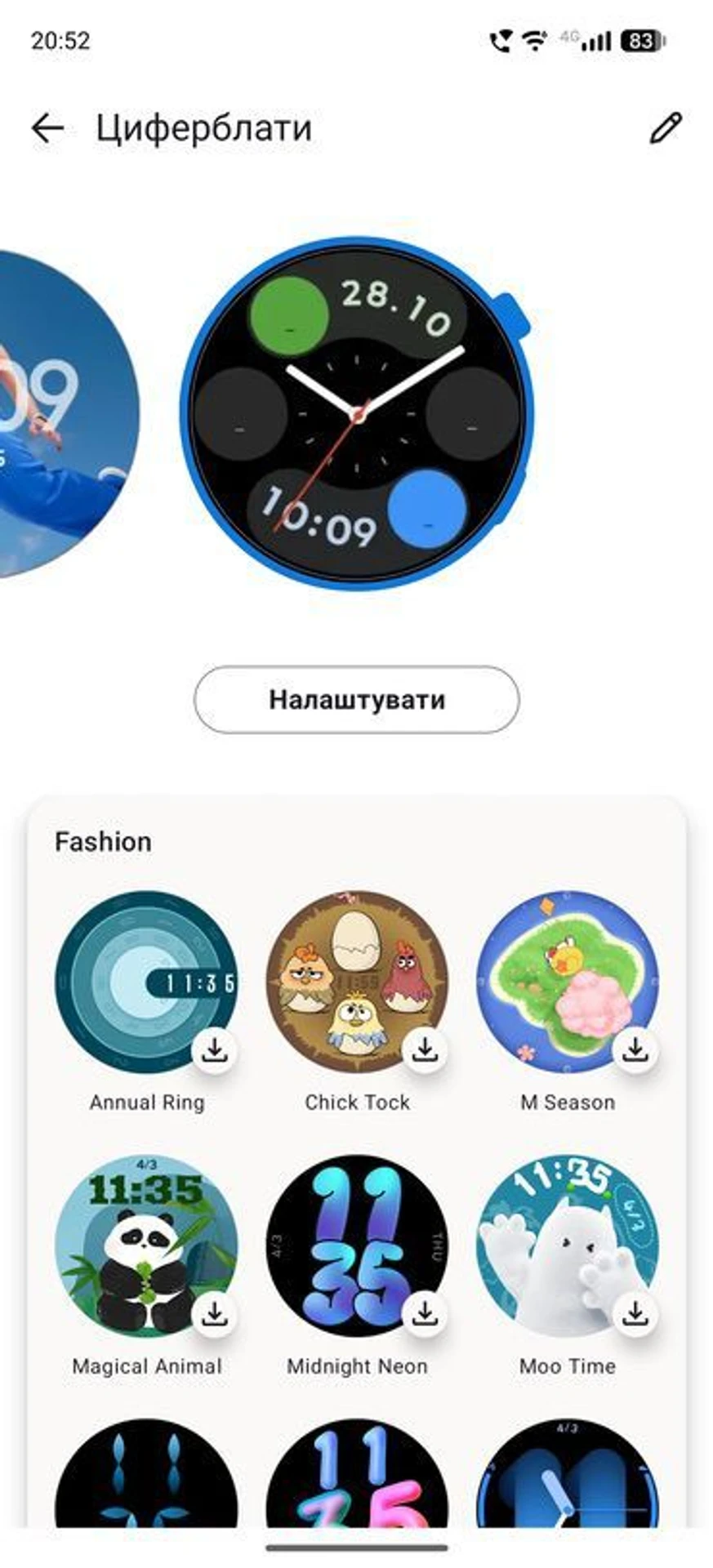
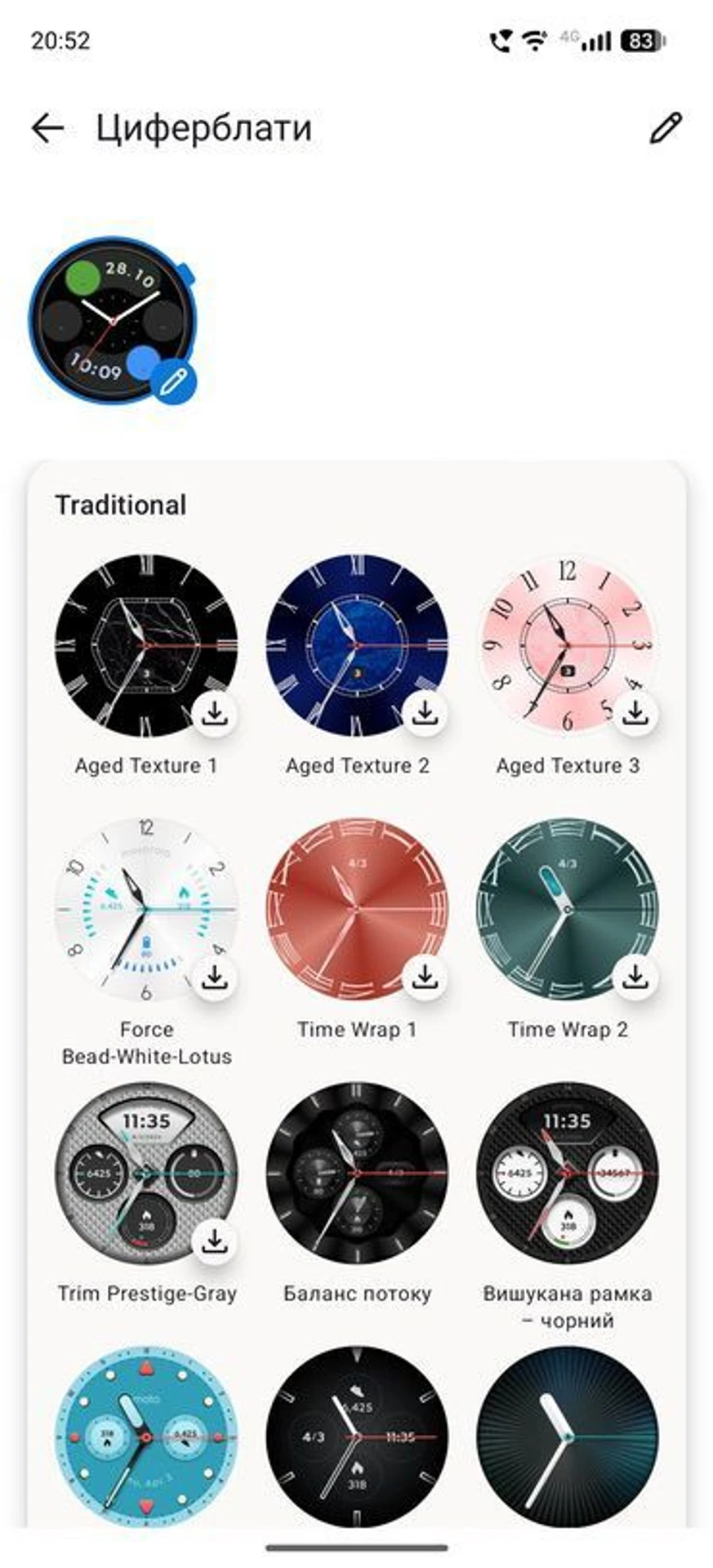
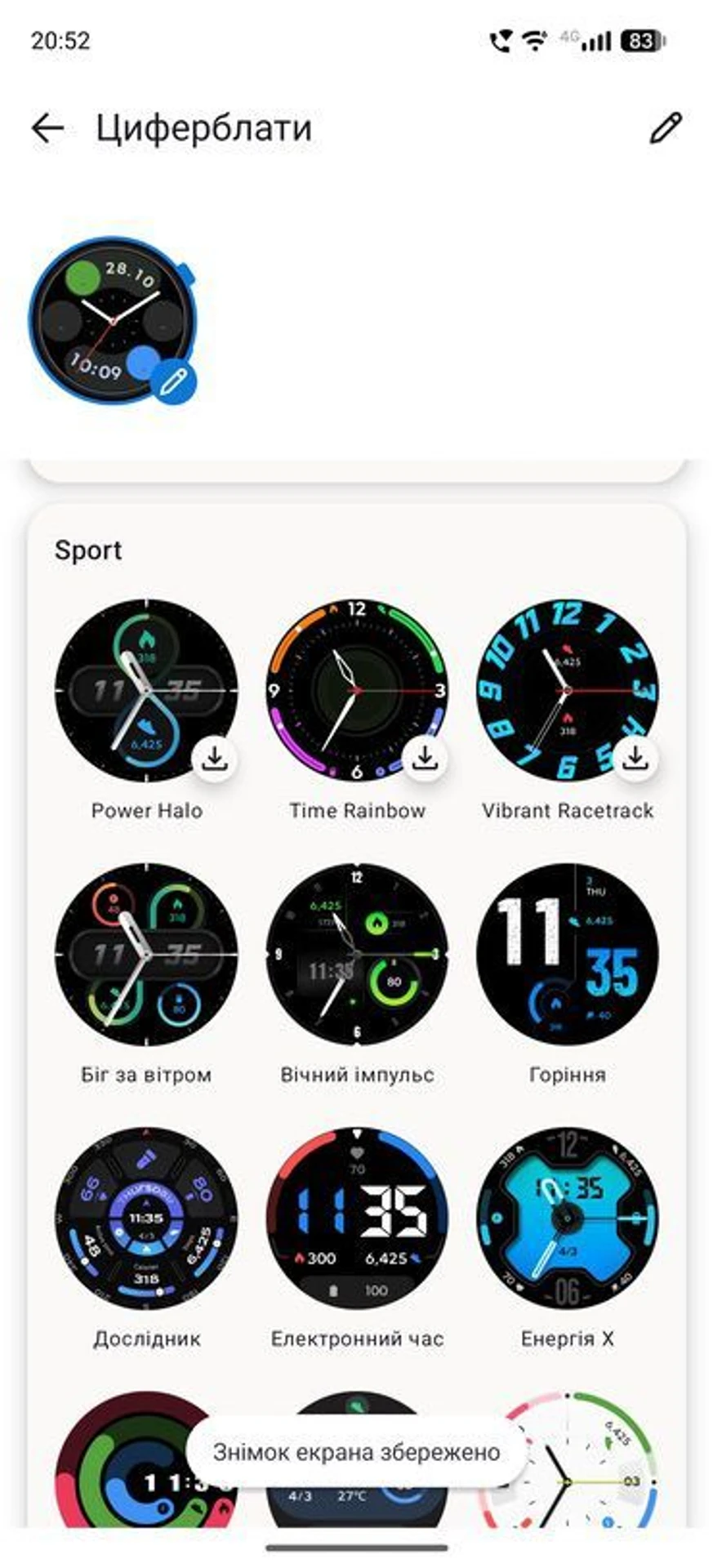
On the other hand, the selection of watch faces on the Moto Watch Ultra is quite limited, and most are very simple. It feels as though the designers didn’t pay much attention to this aspect. However, there are plenty of third-party watch faces available for Wear OS, so everyone should be able to find something they like.
An unusual decision by Motorola was to equip the watch with the Qualcomm Snapdragon W5+ Gen 1, which was released back in 2022. This 4 nm chip has four Cortex-A53 cores and a separate low-power coprocessor that handles background tasks such as notifications and heart rate monitoring. It’s paired with 2 GB of RAM and 32 GB of internal storage.

Despite being far from a new platform, it still performs quite well, with no noticeable lag when navigating the interface. Compared with the newer Snapdragon Wear Elite chip, the difference is only noticeable when launching apps such as Spotify or YouTube Music, which take five seconds to open instead of three. That’s still fairly quick. The one thing we can say with certainty is that the older platform remains comfortable to use today, but it doesn’t have as much performance headroom as newer solutions.
Software and Features
The Moto Watch Ultra runs Wear OS 6 and has access to Google Play, allowing users to install third-party apps. Google Maps, Google Messages, YouTube Music, and Google Wallet are available out of the box. Like most modern Wear OS smartwatches, the Moto Watch Ultra is designed to work with Android smartphones.

Motorola promises two major operating system updates. However, the watch launches with Wear OS 6, while the latest version is already Wear OS 7. This means the Moto Watch Ultra is already one version behind at launch, and one of its two promised updates will merely close that gap.

Two voice assistants handle voice features. Google Gemini works with any compatible smartphone, while Motorola’s proprietary Qira requires a compatible Motorola phone or Lenovo device and a Moto ID account. Qira also doesn’t support Ukrainian yet, making Gemini not only the more versatile option but also the better localized alternative.
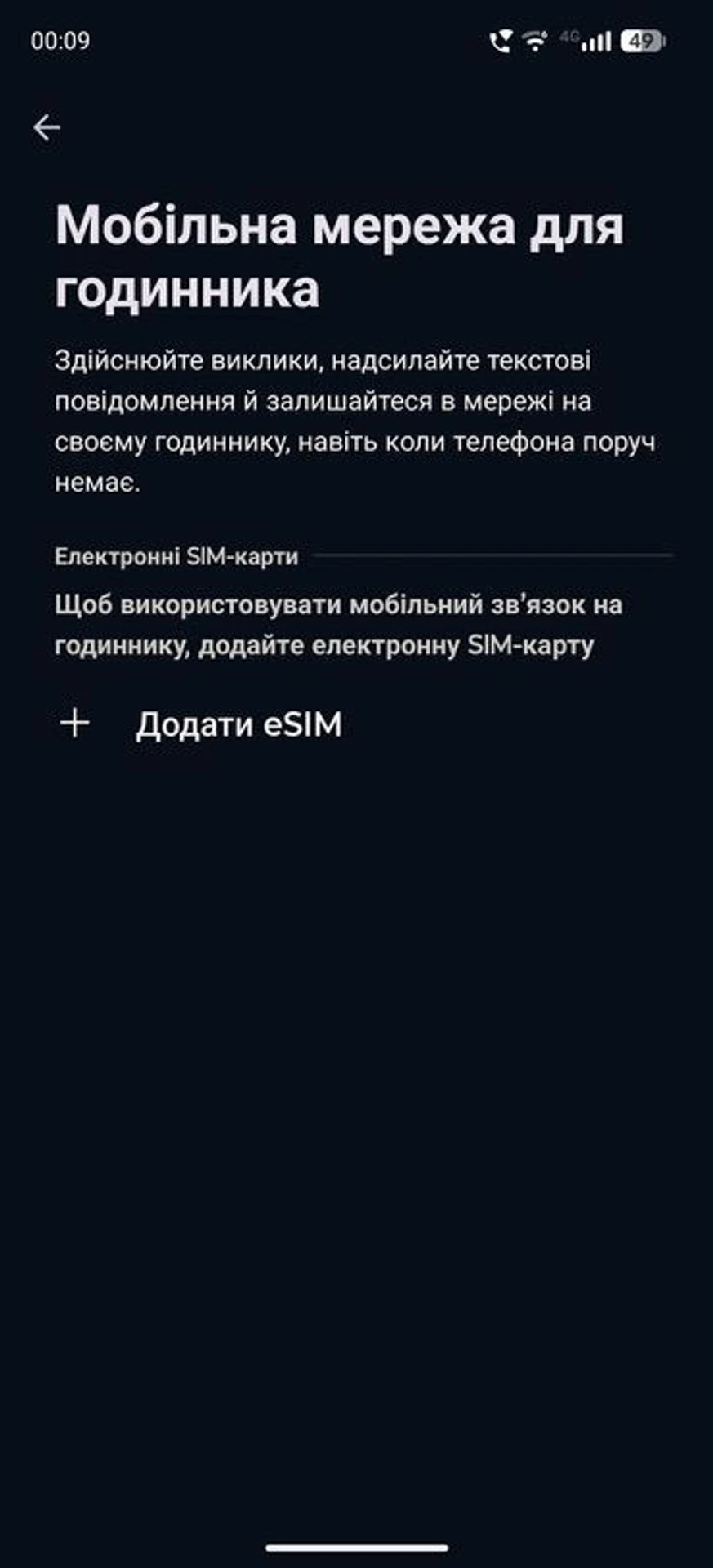
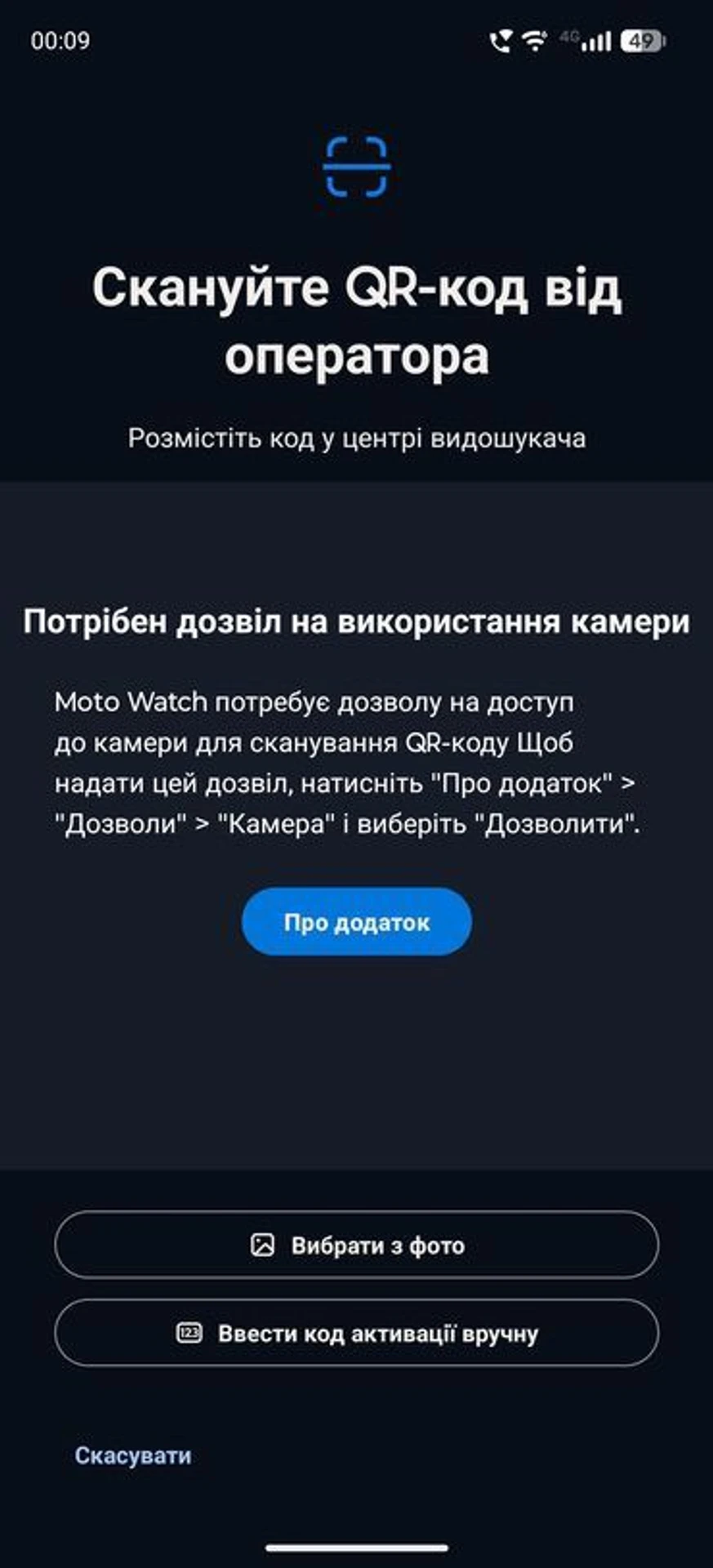
The Moto Watch Ultra is also Motorola’s first smartwatch with LTE support. Thanks to eSIM, it can receive calls, send messages, and display notifications without a smartphone nearby, for example, while running. However, not all Ukrainian mobile operators support eSIM on smartwatches, so it’s worth checking with your carrier before relying on this feature. NFC and Google Wallet are available for contactless payments.
Another major advantage of the Moto Watch Ultra is that it isn’t tightly tied to Motorola smartphones. Apart from the Qira assistant, all other features are fully available when paired with phones running Android 12 or newer.
Health and Fitness
Rather than building its own health platform from scratch, Motorola entrusted this part of the experience to Polar. The Finnish company has been making heart rate monitors and sports watches for decades, and its algorithms here analyze heart rate, sleep, stress, blood oxygen levels, and physical activity. Data is collected using an optical heart rate sensor, SpO2 sensor, accelerometer, gyroscope, barometer, and compass. Motorola does not list ECG support in the specifications.

Polar’s most interesting contributions are in sleep and recovery tracking:
Nightly Recharge assesses overnight recovery by combining sleep quality with autonomic nervous system metrics, not just duration. Sleep Plus Stages divides sleep into light, deep, and REM phases and compiles them into a personalized score. Serene provides breathing exercises with biofeedback and shows how much time you spent in each of the three relaxation zones.

For daily activity, the watch sets a personalized goal and tracks progress toward it. Movement is divided into light, moderate, and vigorous activity zones, while a reminder to stretch appears after prolonged sitting.

The watch calculates calories burned using heart rate, arm movements, weight, and age, while the “Endurance” feature shows which energy sources the body uses during exercise.

The watch supports more than 100 activity types and includes a coaching feature with running and walking plans that provide pace guidance directly on the wrist. Route accuracy is handled by dual-frequency GPS (L1 + L5), which maintains a more reliable signal in densely built-up areas.
Overall, the Moto Watch Ultra does a fairly good job of tracking physical activity and collecting a substantial amount of data. The only issue is that the proprietary Moto Watch app, which connects the watch to a smartphone, has a rather confusing interface.
It feels as though the app was originally designed for simpler fitness trackers focused on step counts and calories burned, with smartwatch support added later.

Completed workouts aren’t displayed on the home screen, so you have to dig deeper into the menus to find them. Meanwhile, a separate “Workouts” tab, where you’d expect them to be collected, contains only training programs and plans.

Overall, I’d like to see a more modern and intuitive interface in the Moto Watch app.
Battery Life and Charging
One of the biggest weaknesses of Wear OS smartwatches is battery life. For comparison, Motorola offers a simpler Moto Watch running its proprietary operating system that lasts up to 13 days. Even with its 550 mAh battery, the Moto Watch Ultra cannot achieve anything close to that. With Always-on disabled, so the screen only lights up when you raise your wrist, the watch lasts up to two days. With the display permanently active, the Moto Watch Ultra needs to be charged every day. Overnight sleep tracking with continuous heart rate and blood oxygen monitoring consumes 12–15% of the battery, a 5 km run with GPS uses 8–10%, and an hour of swimming takes another 6–7%.

The watch charges using the included magnetic dock. Fast charging is supported: 15 minutes restores 50% of the battery, while 30 minutes brings it to 80%. A full charge takes approximately 50 minutes. Overall, fast charging makes battery life less of a concern with a device like this. If you get into the habit of topping up the watch in the morning, for example while drinking coffee, you won’t need to take it off before going to bed.
MEZHA SCORE
What we liked
Design
Steel case and two straps included
Standard 22 mm strap attachment
Bright LTPO display reaching up to 2,700 nits
Wear OS with Google Play
Contactless payments via Google Wallet
eSIM support
Compatibility with a wide range of Android smartphones
Dual-frequency GPS
Polar’s sleep, recovery, and activity tracking algorithms
What we didn’t like
Older hardware platform
Only two major Wear OS updates promised
Battery life of up to two days without Always-on
Relatively high launch price
Despite the Ultra branding, Motorola’s new smartwatch doesn’t attempt to outdo its competitors with premium materials or the fastest hardware platform. But that doesn’t prevent it from offering an excellent display, a responsive interface, full support for third-party apps thanks to Wear OS, and accurate tracking of physical activity and workouts. For Android users who want a full-featured smartwatch with an emphasis on sleep and recovery, it’s a good option. However, its battery life won’t be suitable if you’re preparing for multi-day hikes or ultramarathons.