
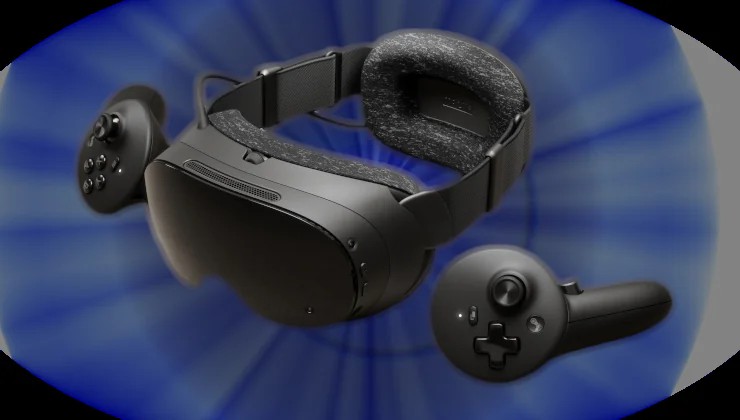
Valve just released SteamOS 0.5.8 Beta for Steam Frame and SteamVR Beta 2.19.2 for all users, bringing numerous improvements to smoothen some rough edges.
SteamVR 2.19.2 Updates
Steam Link:
Fixed several regressions with overlays and game menus introduced in SteamVR 2.19.1.
Fixed an occasional crash when the streaming resolution changes.
Fixed transient visual artifacts when streaming resolution changes.
Restored the ability to reduce the encoding resolution down to 512.
Improved resilience to brief network-related stream interruptions.
Linux:
Fixed launch issues on Linux when running the SteamRT3 client but the Legacy Steam Runtime was not installed in the default Steam library.
General:
Fixed an issue causing the Quick Access Menu battery tab to report the right controller twice with some 3rd party drivers (eg: PSVR2).
SteamOS 0.5.8 Beta for Steam Frame
Camera Pass Through / Room View:
PC Streaming now supports Room View. Previously, enabling Room View would hide remote content.
You can now see remote desktop / remote game theater while camera passthrough is active.
PC VR games with OpenXR mixed reality support are now able to blend VR content and camera passthrough. (Example: X-Plane 12).
Note: this feature requires also opting into the beta branch of SteamVR on PC
To opt into the beta branch of SteamVR on PC, right-click on SteamVR in your Steam library, select Properties, Game Versions & Beta, and choose beta.
General
Overlay render quality is now always set to Low on Steam Frame, and the option is hidden. This fixes problems that happened when Ultra was selected.
Improved eye tracking self-calibration.
Fixed low-end gamma response, including inconsistencies between eyes, on some headsets.
Fixed a permission issue that prevented WebXR from working in Chrome v157.
Developers:
Allows OpenXR games streamed from PC to use XR_ENVIRONMENT_BLEND_MODE_ALPHA_BLEND.
SteamVR has been updated to version 2.19.2.
Article taken from GamingOnLinux.com.