
Updated November 10, 2026 11:51AM
Pros
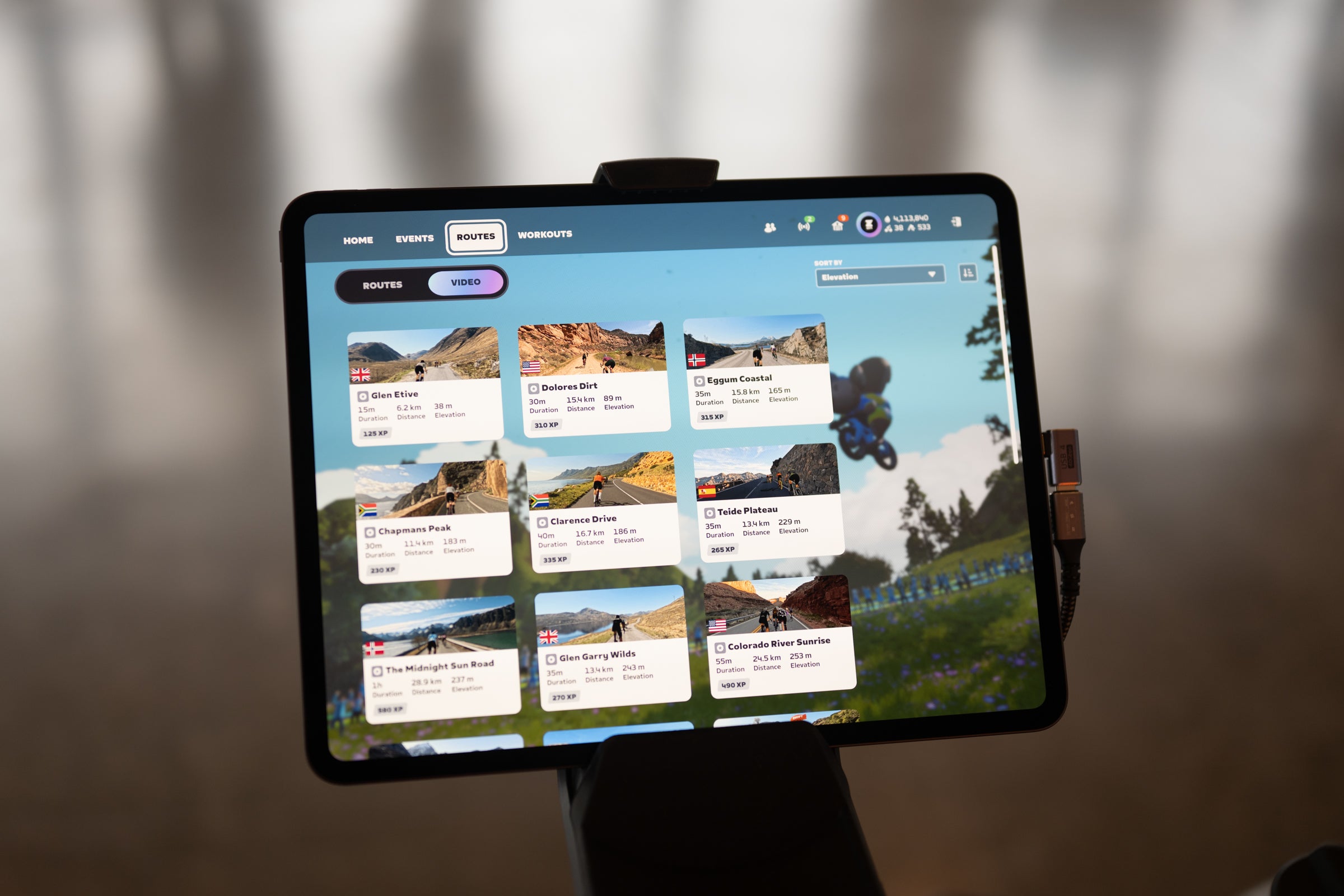
Video routes mean more routes
Lots of new badges to chase
Quality machine learning based structured training system
Workouts use group rides and RoboPacers instead of just ERG mode
Immediate post-ride coach analysis on pacing and fatigue
Cons
Requires an upgraded Zwift Plus premium subscription
When deviating from the plan feedback is unclear
Zwift Plus specs
SpecificationDetailsPrice$9.99/month (premium tier upgrade)Core FeaturesAdaptive machine-learning training plans and high-definition video routesCoaching ArchitecturePredictive pacing and fatigue modeling developed by Ryan Cooper (Best Bike Split)Algorithm Data InputsPeer-reviewed sports science combined with anonymized power and heart rate data from millions of usersVideo Routes at Launch21 routes across 6 countriesTotal Video Distance385km of new roadsVideo GamificationRetains PowerUps, Segment Leaderboards, HoloReplays, XP, and Drops[cite: 20]Software RequirementsZwift Companion app (required for plan setup, progress tracking, and daily adaptations)For More InfoZwift Website
 (Photo: Josh Ross/Velo)
Today, Zwift is launching Zwift Plus. This new premium tier pushes the monthly cost to $29.99, with a discounted yearly option at $299.99. In exchange for the upcharge, you unlock two core upgrades: real-world video routes and adaptive coaching.
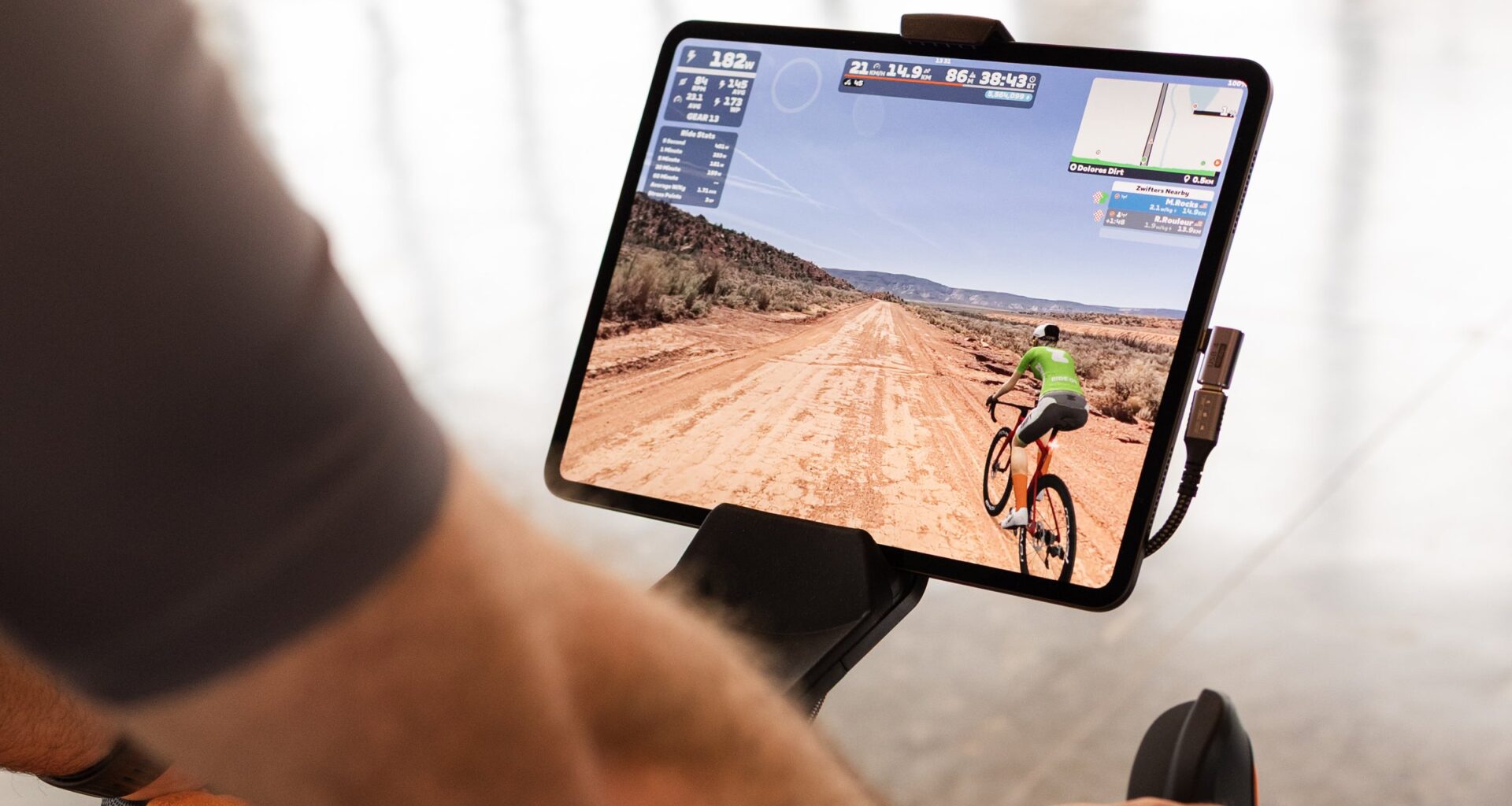
Zwift considers this a massive milestone, which is why I recently went to Moab to celebrate the video-based routes ahead of launch. The concept was to ride the route indoors, then ride it outdoors to see how perfectly they matched. Unfortunately, we caught the tail end of a Pacific hurricane, so I only got to drive the route and ride it inside. Still, the big reveal ended up feeling almost anti-climactic—but in the best way possible.
 (Photo: Josh Ross/Velo)
The inside perfectly matches the real world, but you still get all the Zwift details you are used to. Zwift lays the graphics seamlessly into high-resolution and high frame rate footage. I rode the Tron bike in Arches National Park, and while it sadly doesn’t glow on the road, the wheels sit perfectly on the video road and the speed adjusts as you ride without ever breaking the illusion. It’s underwhelming, but only because it’s really good and feels like a natural extension of what Zwift already does. If you’ve used Rouvy, which Zwift now owns, this is better.
Personally, though, I don’t find the video-based routes all that much of a draw. They provide more variety, and that’s great, but Zwift already adds routes all the time and anyone who’s used Zwift knows the team is great at recreating real-life locations. What this launch is really all about is coaching, and that’s where the real magic is.
 (Photo: Josh Ross/Velo)
What I like about Zwift Plus
Part of why the team at Zwift considered this launch such a high-stakes proposition is that it’s a price increase, and that always comes with baggage. You could even consider the addition of the video routes to the Zwift Plus plan as a sort of tiered pricing structure where, all of a sudden, you have to pay for more routes. That’s not really true, but I can understand the hesitation.
I think part of why I don’t see that as an issue is because I don’t find the video routes to be the major news here. They are additional content, and as someone who will likely chew through every single additional badge Zwift offers this winter, that’s nice, but also not a big deal. Instead, I see this as a pretty clear value proposition of $10 a month for structured training.
With that in mind, my favorite thing about Zwift Plus is that I see it as a product that is going to consolidate the structured training market. I believe this will be a big hit to TrainerRoad, and I think that for many people, Zwift Plus will represent a net decrease in monthly subscriptions.
The reasons for this are pretty simple: structured training has to be good enough, and it has to create an environment where the user actually follows the plan. Before this launch, Zwift was mostly failing at both of those requirements.
 (Photo: Josh Ross/Velo)
Zwift already had training plans; they just weren’t engaging, they weren’t reactive, and they were widely considered to be not that great. With Zwift Plus, the first correction was the quality of the plans, and to address that, Zwift brought on Ryan Cooper.
If you aren’t familiar with the name, Ryan Cooper is the founder of Best Bike Split and the former Chief Scientist at TrainingPeaks. To understand why his involvement is so important, you have to look at what Best Bike Split actually does. It is a predictive physics engine that takes a rider’s specific power profile, weight, and aerodynamics, layers it over the exact elevation of a race course, and calculates exactly how many watts that rider should push on every single segment to finish as fast as possible without blowing up.
That is the level of data-driven modeling he brings to Zwift, and it is exactly why the brand is very careful to call this new coaching system “machine learning” rather than “AI.” Right now, AI is a marketing buzzword. When most people hear it, they picture a chatbot scraping the internet and hallucinating a generic training plan based on a text prompt.
Machine learning is different. It relies on math and datasets. In this case, Cooper’s algorithms were trained on the anonymized power and heart rate data of millions of Zwift riders, combined with peer-reviewed sports science. The system isn’t guessing or estimating based on what it read online. It uses actual machine learning to recognize patterns in your specific history, power data, and daily fatigue, and then mathematically calculates exactly what you need to do today to actually get faster.
This means Zwift has now solved the quality problem that TrainerRoad has so far always held as an advantage. But the raw quality of workouts is actually somewhat secondary in real life. You need not only quality workouts, but you need workouts that people will complete, and this is where Zwift has something no one else does.
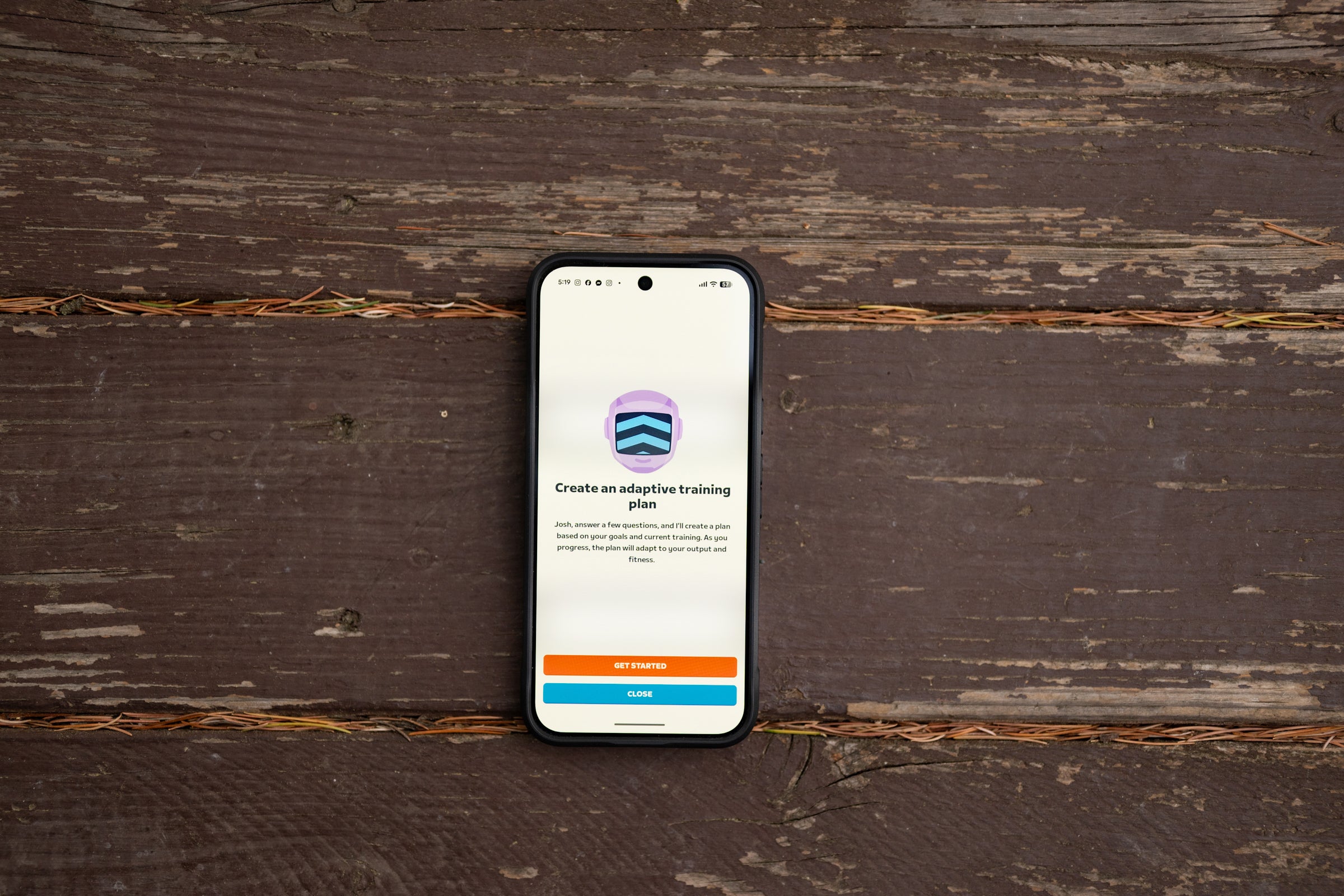
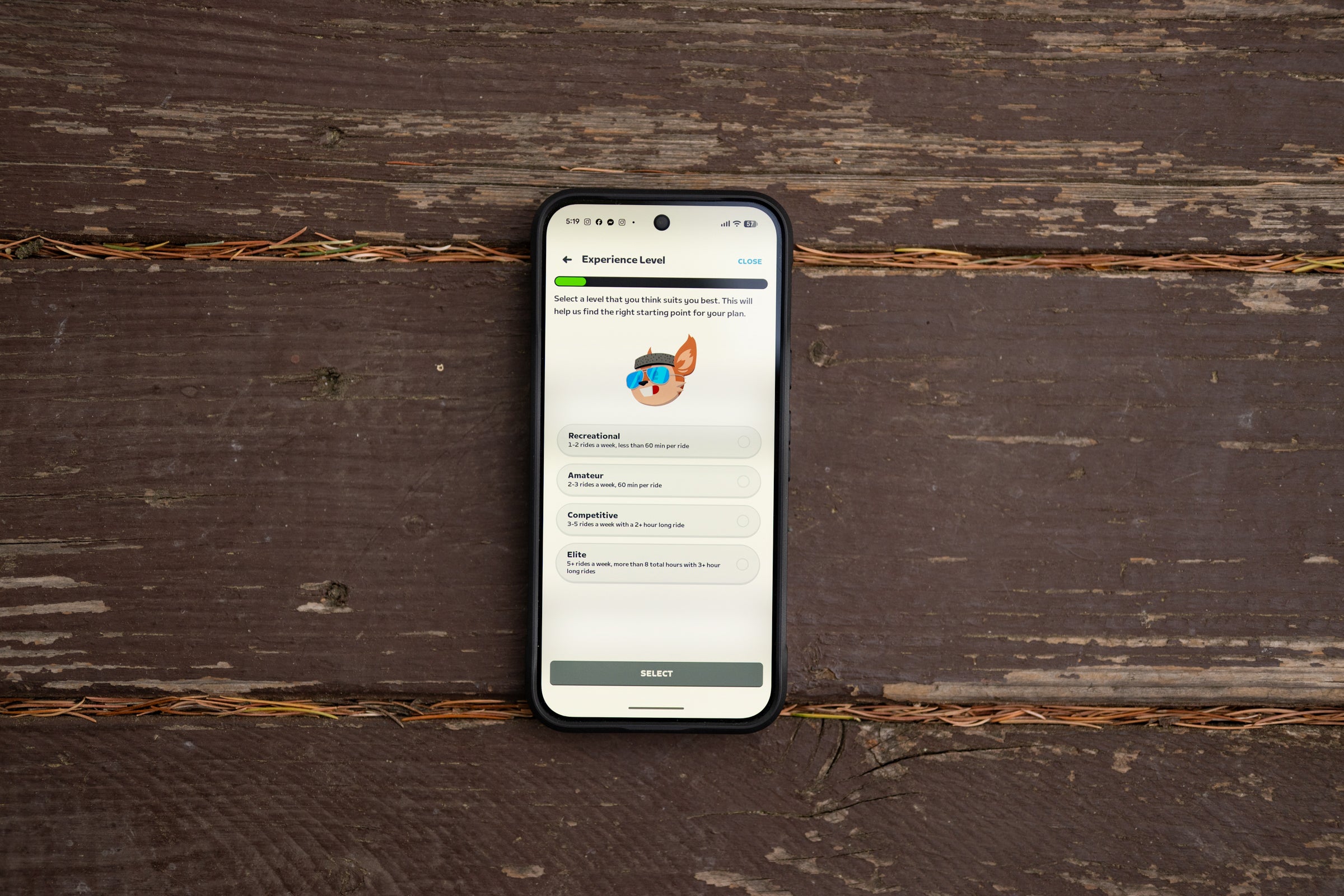
Zwift controls everything about where you ride your bike, and that means the Zwift Plus workout plan has options. Once you set up your plan, the system will recommend an ever-changing variety in terms of how you complete a workout. My favorite example was actually the first day of the 12-week plan I started, when I was scheduled for a route rather than a set of intervals.
Except, if you squinted a bit, you’d see a clear interval workout. The route was the Watopia Mountain Route, and while it might appear to be a free ride, the route starts with a few miles of flats, then it climbs for a while before descending and finishing with some flats. What is actually happening there is that you get about 8-10 minutes of warm-up, then you have a work block of about 40 minutes before you get a rest, and finally a 20-ish minute cool-down where you ride the flats again. And Zwift knows, based on all your past rides both inside and out, exactly how hard you will ride each of those sections. Except I actually went harder because I started late and wanted to finish faster, so in my case, I got a notice asking if I wanted to adjust my plan based on the new intensity.
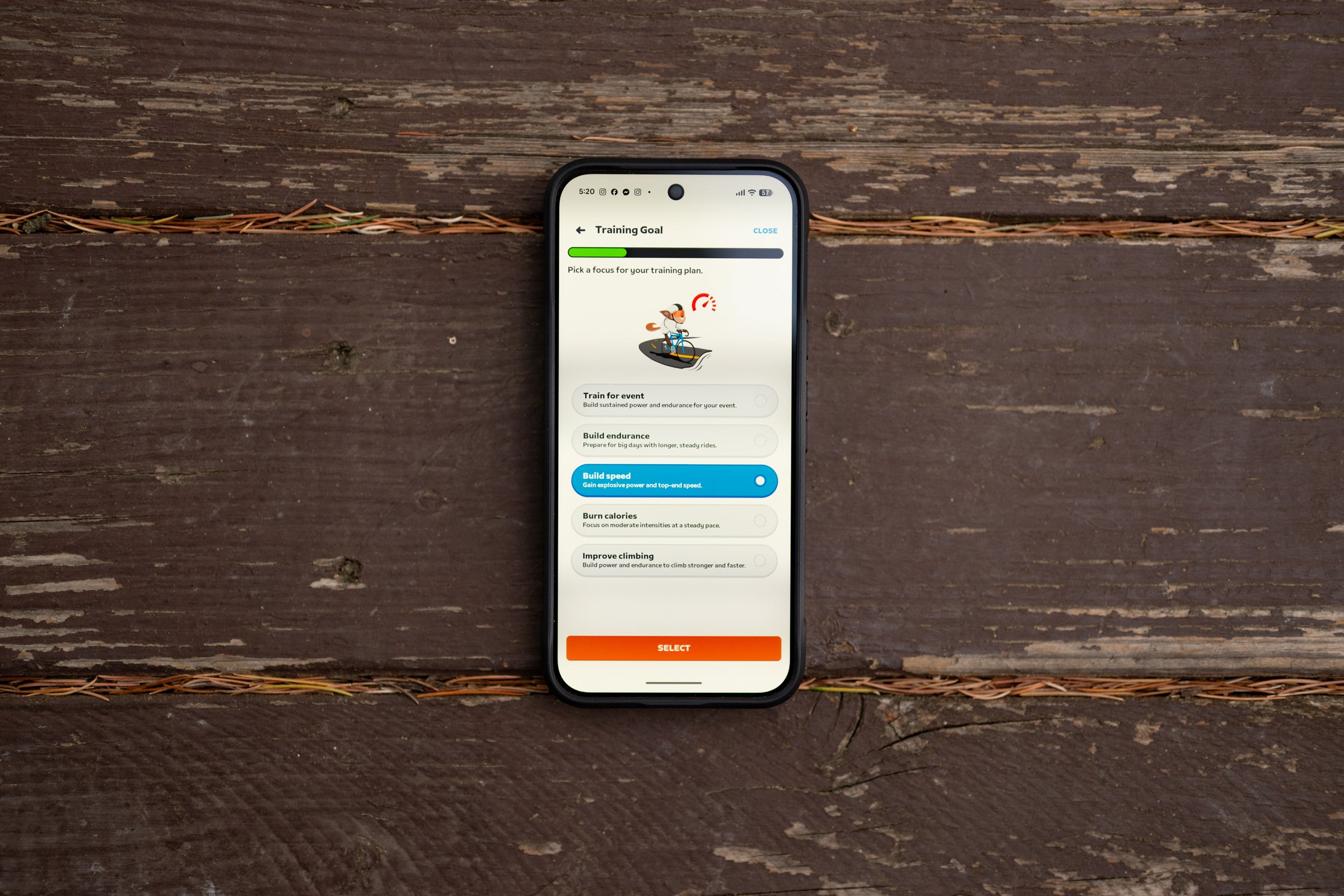
In the first week, I also had traditional intervals and a follow-the-RoboPacer session. The result is a tight training plan that adapts to you if you don’t follow it exactly, but rarely looks like a tight training plan. It’s a sort of trick to keep you engaged, and my money is on it working very well.
 (Photo: Josh Ross/Velo)
What I don’t like about Zwift Plus
The only problem with this system is that, at launch, there’s not enough AI and there’s not enough feedback. I am told some of this will come, but it’s not super clear when or how much, so I have to evaluate what exists right now—and right now, it needs more interaction.
I am sure many people will not want to hear that this should have a chatbot, but I think it should. It has to be a good one, but for more than a year now I’ve bounced around between different AI systems, and when it works, it’s incredibly helpful. For a long time, I used Google Gemini paired with Garmin Connect, and this summer I’ve been playing with RideWithDave. Whatever system I’ve used, the main benefit is that you can ask the robot about deviations. “I have this scheduled; what if I do this instead? Does that fulfill the same goal?” Or, the opposite happens plenty, too: “Hey, I had this scheduled but instead I did this; did I satisfy the goal?” With the Zwift system, you just have to guess.
And once you do guess, there’s very little feedback one way or the other. One day, I had an interval session scheduled that was 2×20 over-unders, but I opted to go outside instead. Every chance to ride outside in the fall is borrowed time (it’s not pouring in Portland yet), so I went out and did a 1×40 interval at roughly the same power. Because I talked to Zwift about it directly, I know I achieved very close to the scheduled workout. However, the Companion app doesn’t give you that feedback, and it refuses to give you a green checkmark for the day despite the fact that you completed the physiological goal of the workout.
That same opacity exists when the system recalculates your plan. Zwift was smart not to create a system that automatically recalculates in the background, which would essentially make it feel like you don’t have a plan at all. Instead, when I went harder than expected on my first day, it explicitly asked me if I wanted to adapt the plan. I clicked yes, but it wasn’t clear what actually changed.
The next time it happened, I had a 2.5-hour ride planned at the top of zone 2. Instead of doing it as a single workout block, I broke it up across three routes using the new Wattlock system (an ERG mode that is now available during Zwift free rides). I completed the required work, but again, I didn’t get the green checkmark. Then, because I did an extra 30 minutes of easy riding while chatting with a friend, the app prompted me again asking if I wanted to adapt the plan. Thirty minutes of easy spinning doesn’t seem worth overhauling a schedule for, so I haven’t responded to the prompt, but it leaves you second-guessing. If this system is so smart, why would it ask me to adapt the plan if I didn’t actually need to? A conversational chatbot could explain this immediately, but barring that, it could also be fixed with some simple contextual cues—and by just giving me my green checkmark.
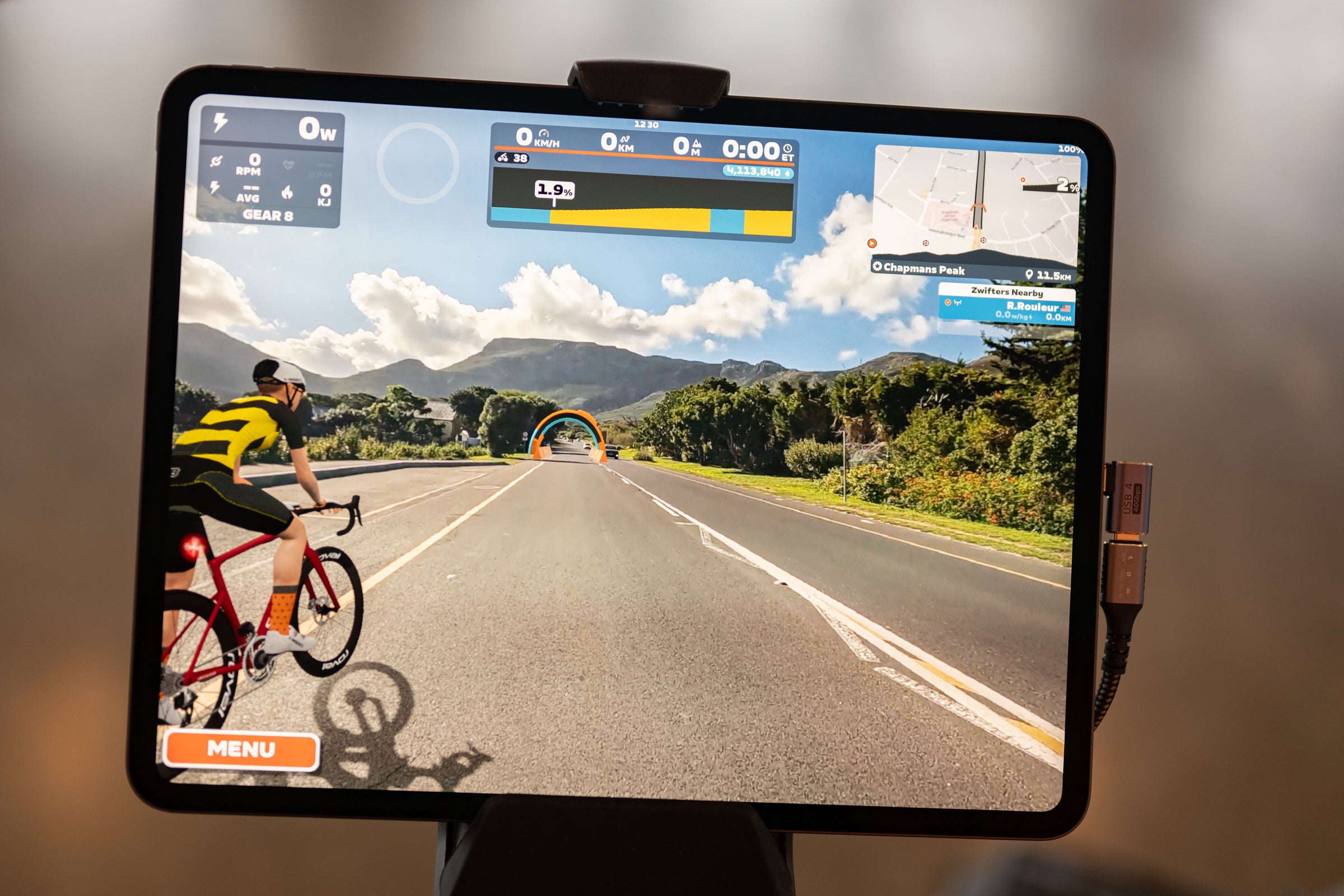
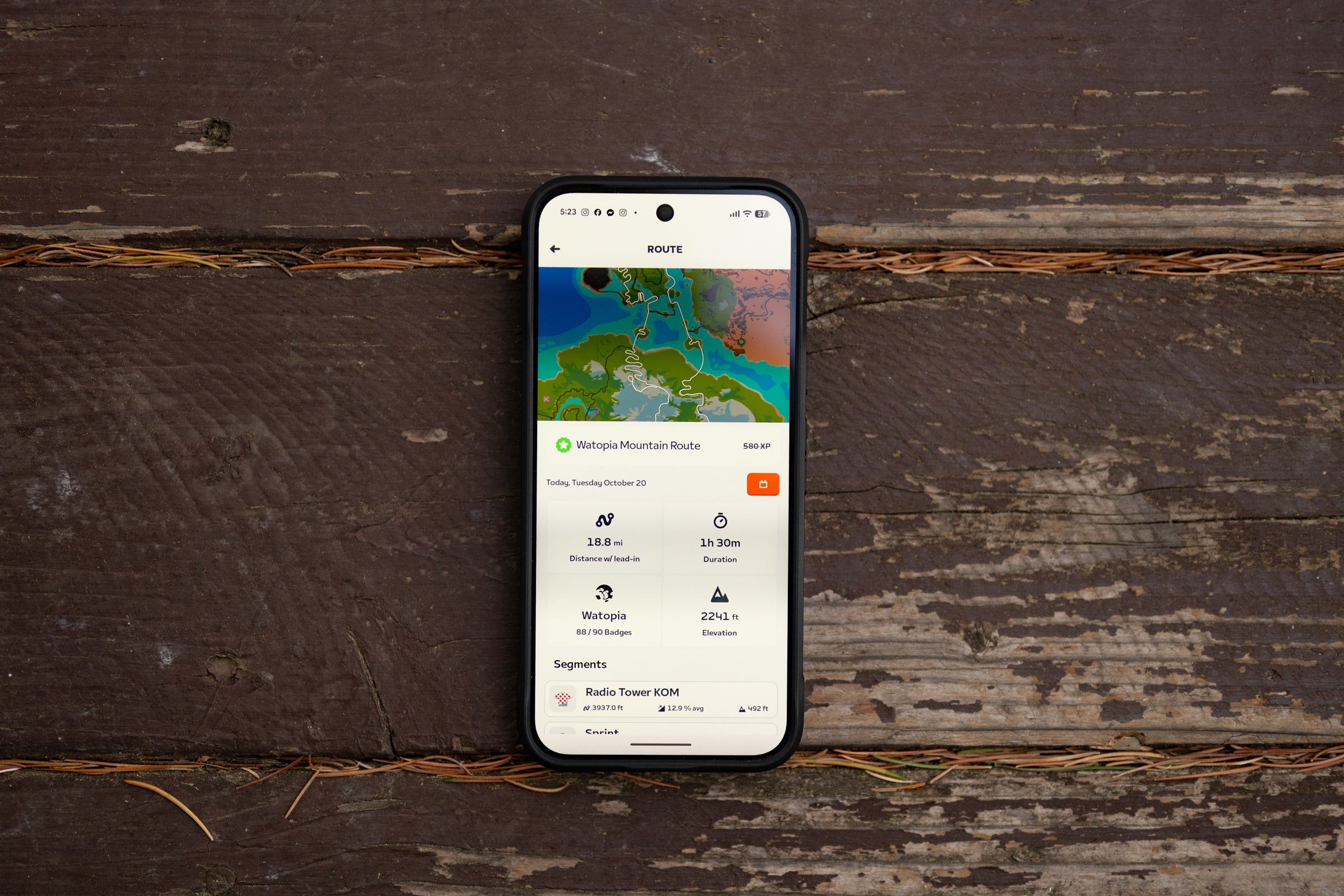 The Watopia Mountain Route is analogous to an interval workout it just doesn’t look like it. (Photo: Josh Ross/Velo)
Livability
Some of what I don’t like is probably livability too but it goes a little farther. Zwift knows your FTP but it will only raise it, not lower it. In theory that means I have to do FTP tests despite Zwift already knowing what it is. I can’t say for sure that’s necessary but I did one before I got started and that’s an easy fix. I also want more info within Zwift for outdoor rides. Right now it just links to Garmin or Wahoo, and it does have the info in the backend, but I want my outdoor rides to give the same ride tracking screen as my indoor rides. Just build it all in.
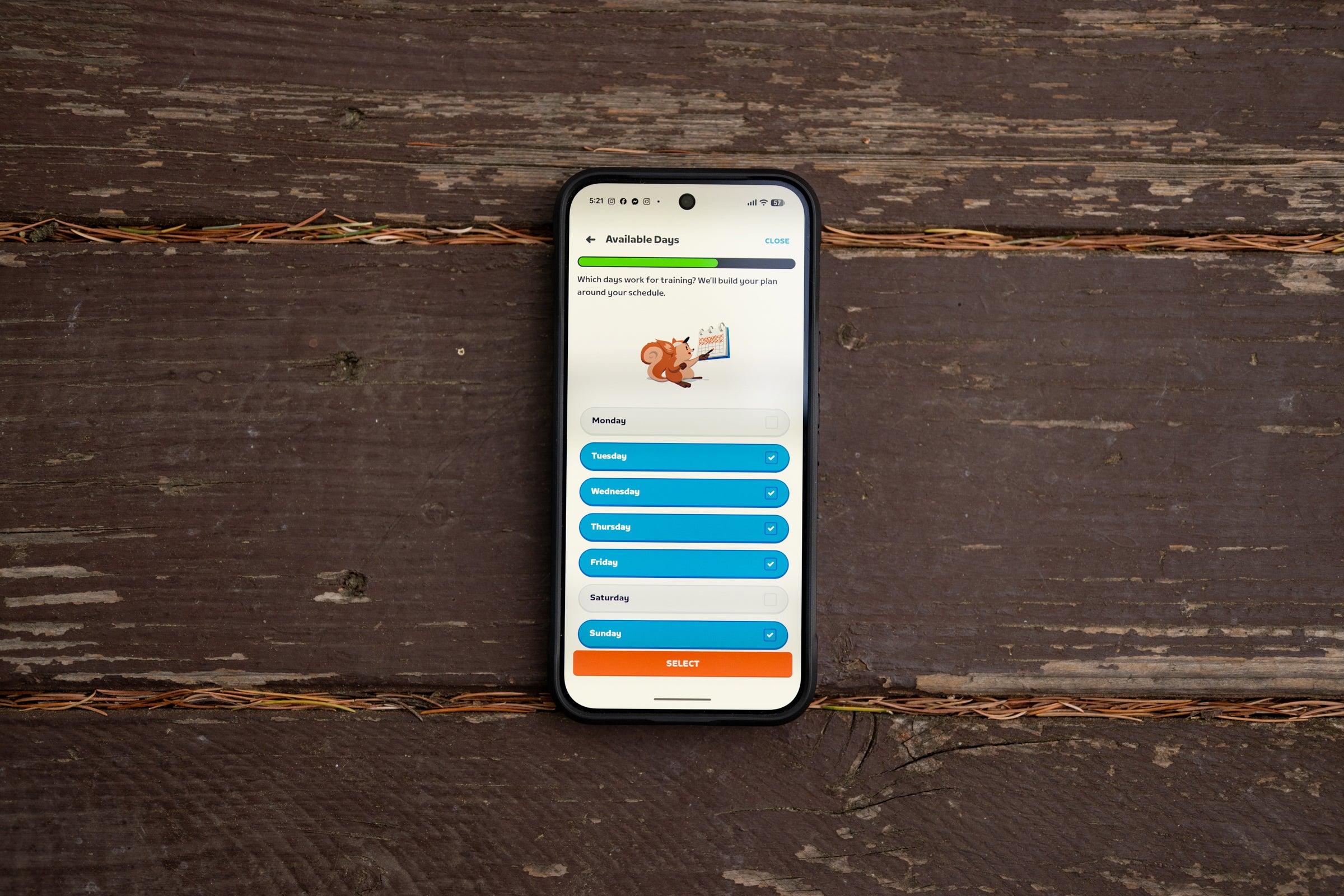
Other than that, you’ll find a new look to the Zwift Companion app and the plan lives in there. It’s all quite straightforward for setup and if you need to schedule days off for any reason you can do it. You’ll get a prompt to adapt the plan, as I’ve already discussed, and you can decide if the changes mean you need a change to the plan. Everything here works really well.
 (Photo: Josh Ross/Velo)
Who is Zwift Plus for?
If you already use Zwift and you want structured training, Zwift Plus is for you. But what I find fascinating is how this is going to affect the rest of the industry.
For some people, myself included, Zwift is a must-have during the winter. It doesn’t snow much in Portland, but it will be 38 degrees with constant rain every single time I want to ride for the next few months. You can ride in that—and I have done it—but I’m soft now, and I am over it. That means I am already on Zwift. But until now, Zwift wasn’t inherently training software.
 (Photo: Josh Ross/Velo)
Zwift is a riding simulation platform. It has a ton of features that help make riding inside interesting, but the primary goal is to let you ride your bike like you do outside. If you want to ride with friends, race, and explore routes, it has great options. Before today, though, you needed to add another platform for serious training, and TrainerRoad was the best option out there. The combination worked well because you could seamlessly complete TrainerRoad’s incredibly high-quality workouts while looking at Zwift’s graphics. But if you are a TrainerRoad user, Zwift Plus is now for you. It’s a cheaper combined package, the workout quality is excellent, and there is significantly more variety in the presentation. To be clear, that doesn’t take anything away from what Trainerroad is offering. That platform has been the best training system for years but now Zwift also has a high quality training platform and there’s less friction.
Then there’s Strava. Strava is the biggest company in ride tracking, but it is also trying to move into some aspects of training. Strava is the undeniable leader in the social graph, and that isn’t going away anytime soon. No one is ever going to leave Strava as a social network, but the social network is free. Strava is also a diary of your past rides. It holds years of photos and tracks the mileage on your bikes. There is no easy way to leave any of that behind, but the reality is, you don’t have to because all of those features are free. You pay for Strava Premium to get the coaching and fatigue-tracking pieces. Now, Zwift has those features built in, and you already need Zwift because you aren’t riding in the rain and snow. If you are a paying Strava user who doesn’t care about chasing segment leaderboards, Zwift Plus is for you.