

Stephen Headrick / Android Authority
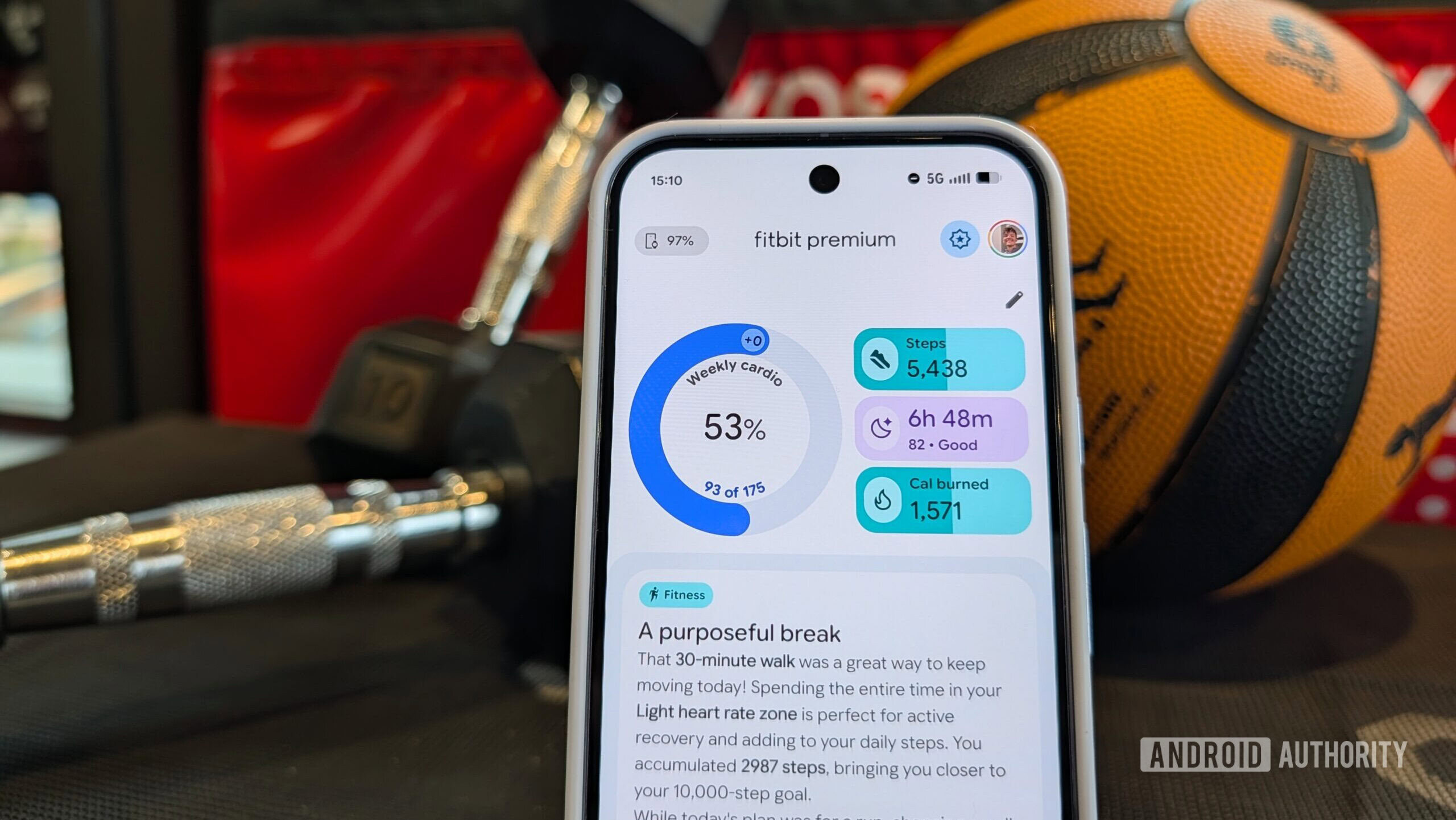
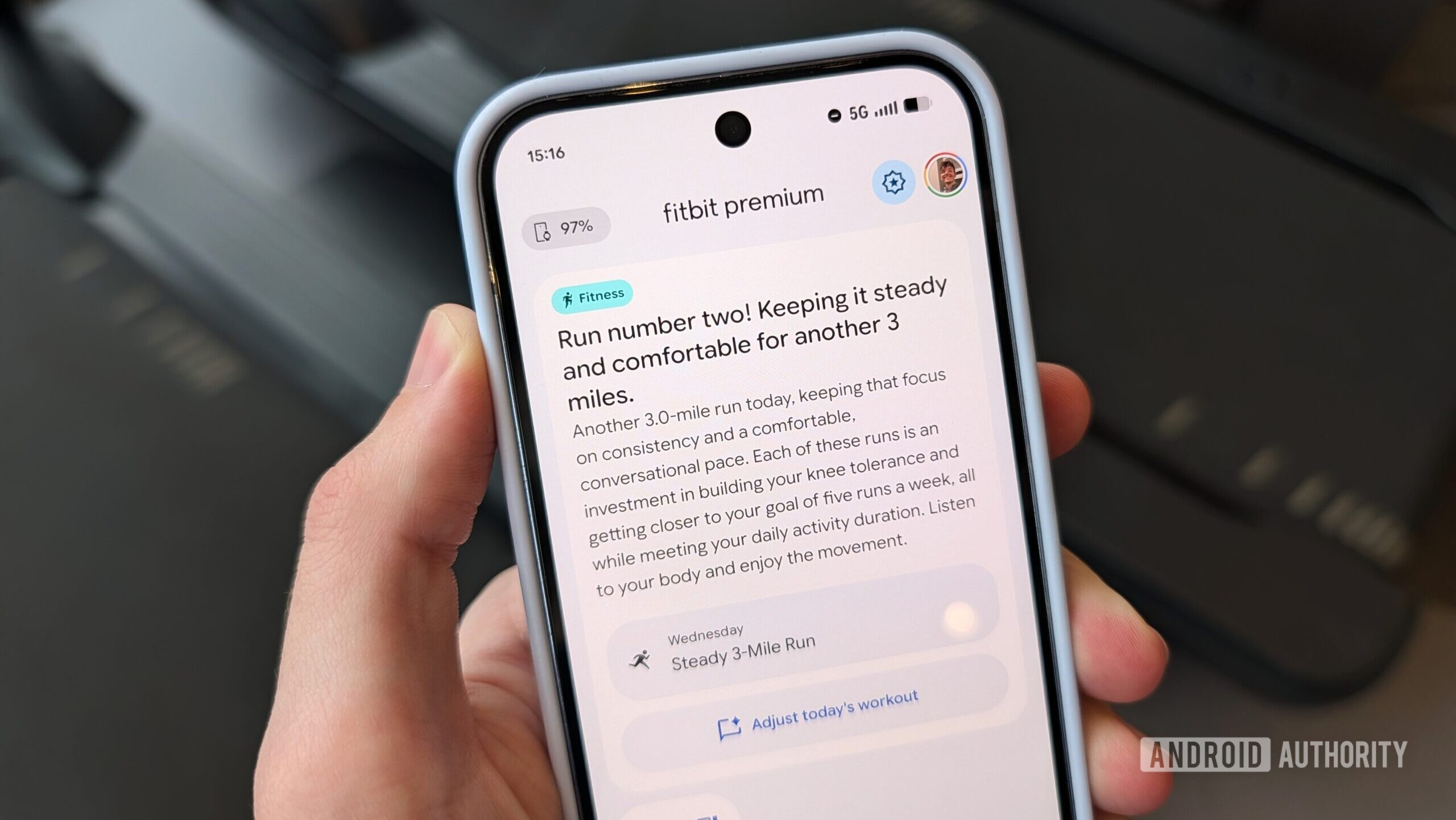
I step off the treadmill, end the workout tracking on my Pixel Watch, and a notification appears mere seconds later. “What an incredible start to your running week!” it reads. I tap the notification on my phone to reveal a detailed breakdown of my run, with easy-to-understand insights on how my latest session specifically applies to my health goals.
This instant and powerful data analysis is the new reality with Fitbit’s new AI-powered coach, and as I’ve used it over the last few months, my workouts have completely changed.
Do you use a health tracking app?
22 votes
Yes, I use Fitbit.
73%
Yes, but I use a third-party app (tell us in the comments!).
18%
No, I don’t.
9%
This coach is a know-it-all, in a good way
Stephen Headrick / Android Authority
Imagine all the things you’d hire a fitness coach to do. You’d want them to know what equipment you have, to remember what your health goals are, and to know if you have any physical restrictions to keep in mind. You’d want them to give you feedback on your workouts, to adjust workouts based on your progress. Maybe you’d even want them to be aware of your nutrition and sleep stats, too. Fitbit’s coach aims to do all of that (food tracking isn’t incorporated just yet, more on that later), and in my use, not only does it accomplish this role, but it does so extremely well.
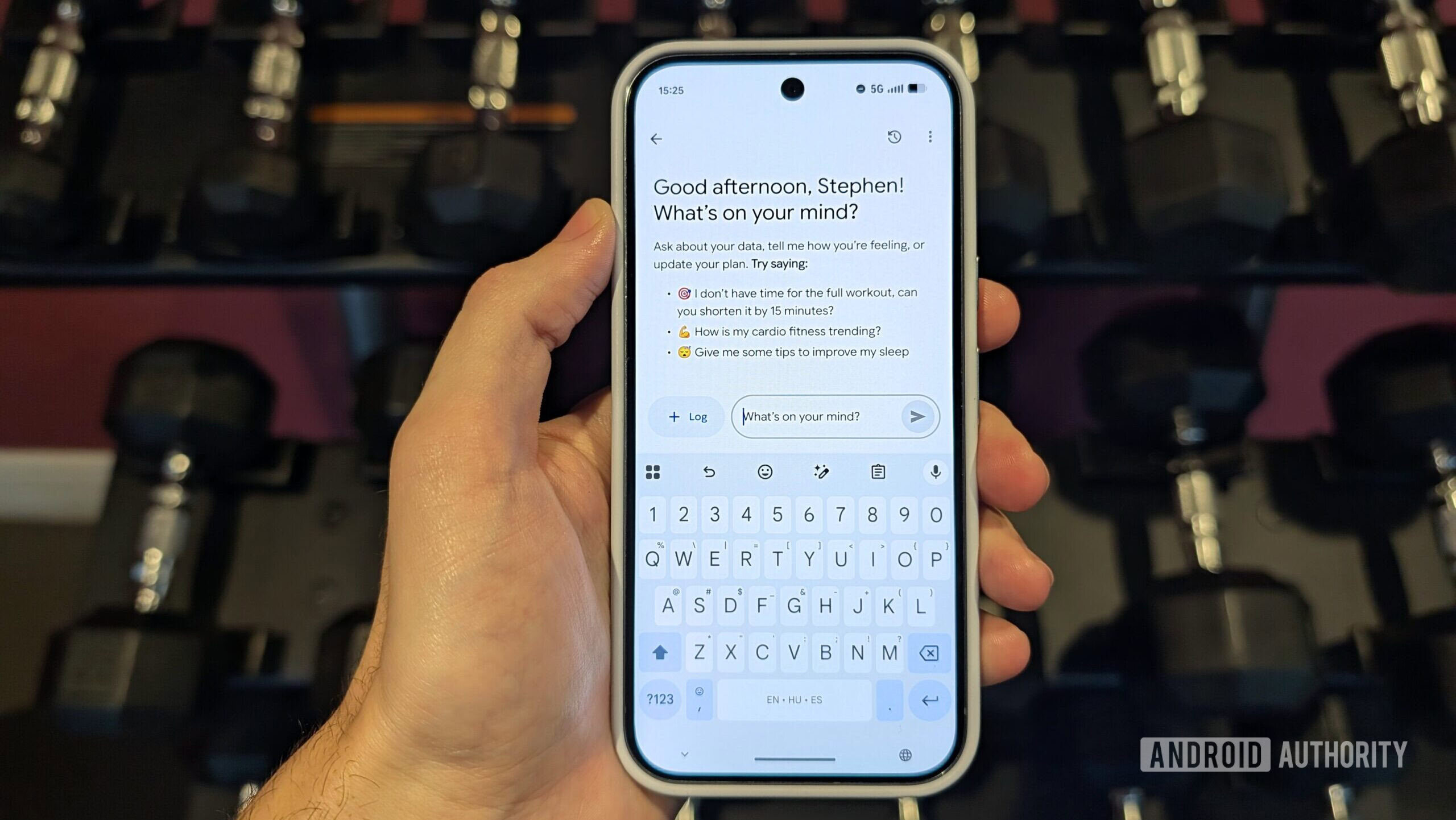
Fitbit wants this to be a two-way conversation, not just some robot spitting 0s and 1s at you.
When you first opt in to using the coaching features, you’re prompted to let the coach know what your fitness goals are. I told it I wanted to focus on consistent running while gradually increasing my overall body strength. I also told it what equipment I have at my disposal so that it only offers up workouts with the equipment I have available. You can see what’s saved in a “Coach notes” section of the app and delete anything you’d like.
Stephen Headrick / Android Authority
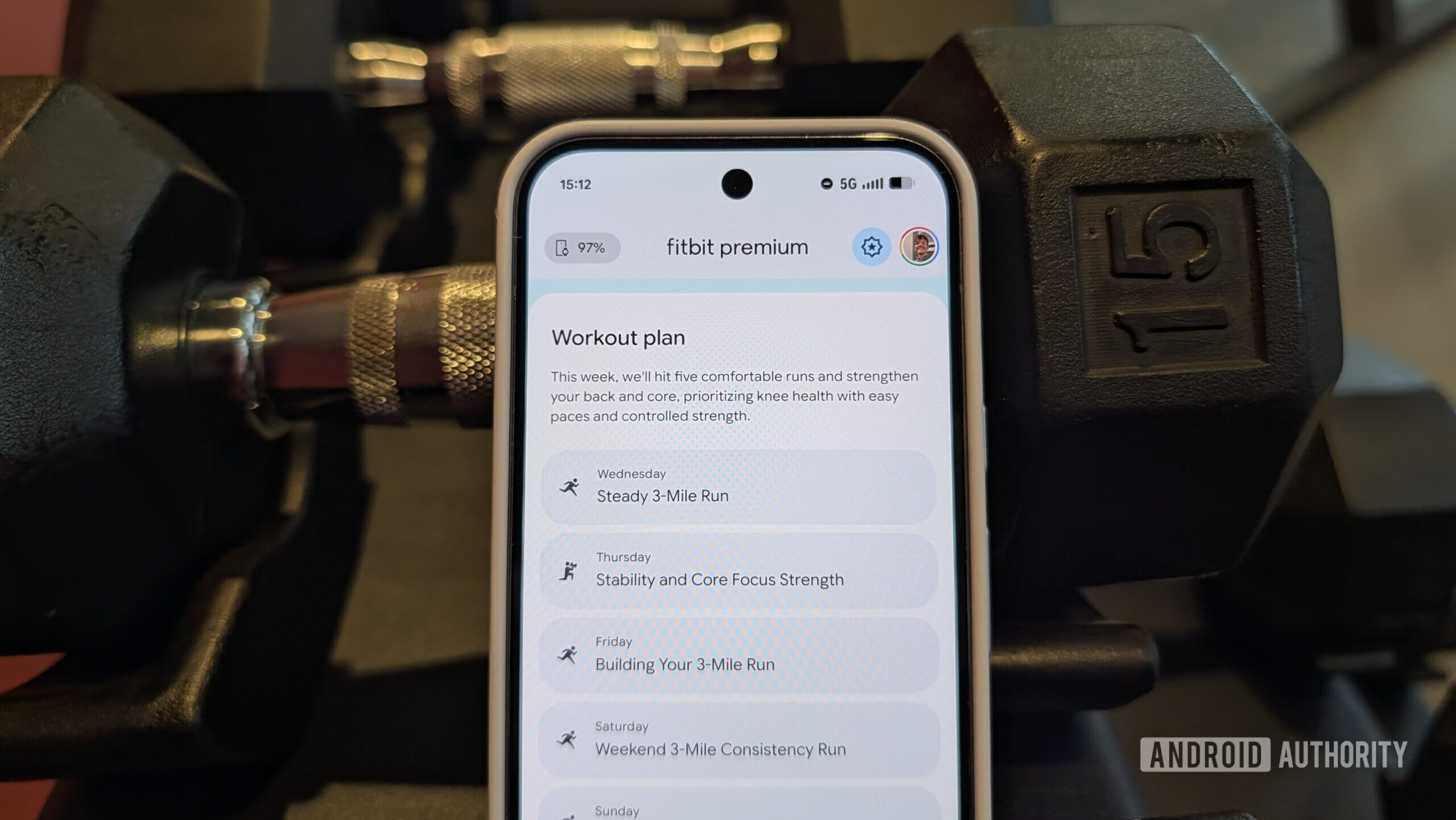
I’ve wanted to change my workout routine for a while now. I started what was my current routine a year or two ago, but I knew I needed to make adjustments to reach my goals. Life gets in the way, though, and I never set aside time to figure out what to change. But with this coach, I get an entire plan tailored to me in seconds, and it automatically adjusts each week based on my own data.
For someone who values exercise but doesn’t have the time to base their entire schedule around it, this is literally life-changing. I’m already seeing changes — more consistent running for longer distances, muscle growth, etc — and they’re the direct result of the plan that Fitbit’s coach came up with for me.
A coach you can talk to
Stephen Headrick / Android Authority
The coach is ready for your feedback and adjustments to its plans at any moment. “Say more about my sleep,” reads a button at the end of each night’s sleep analysis. “Adjust today’s workout,” reads another button when the day’s workout is presented to you. “Reply,” says yet another button after you get back from a morning walk with your dog, giving you space to ask questions or let the coach know how that nagging knee injury you’ve been working through felt during the walk.
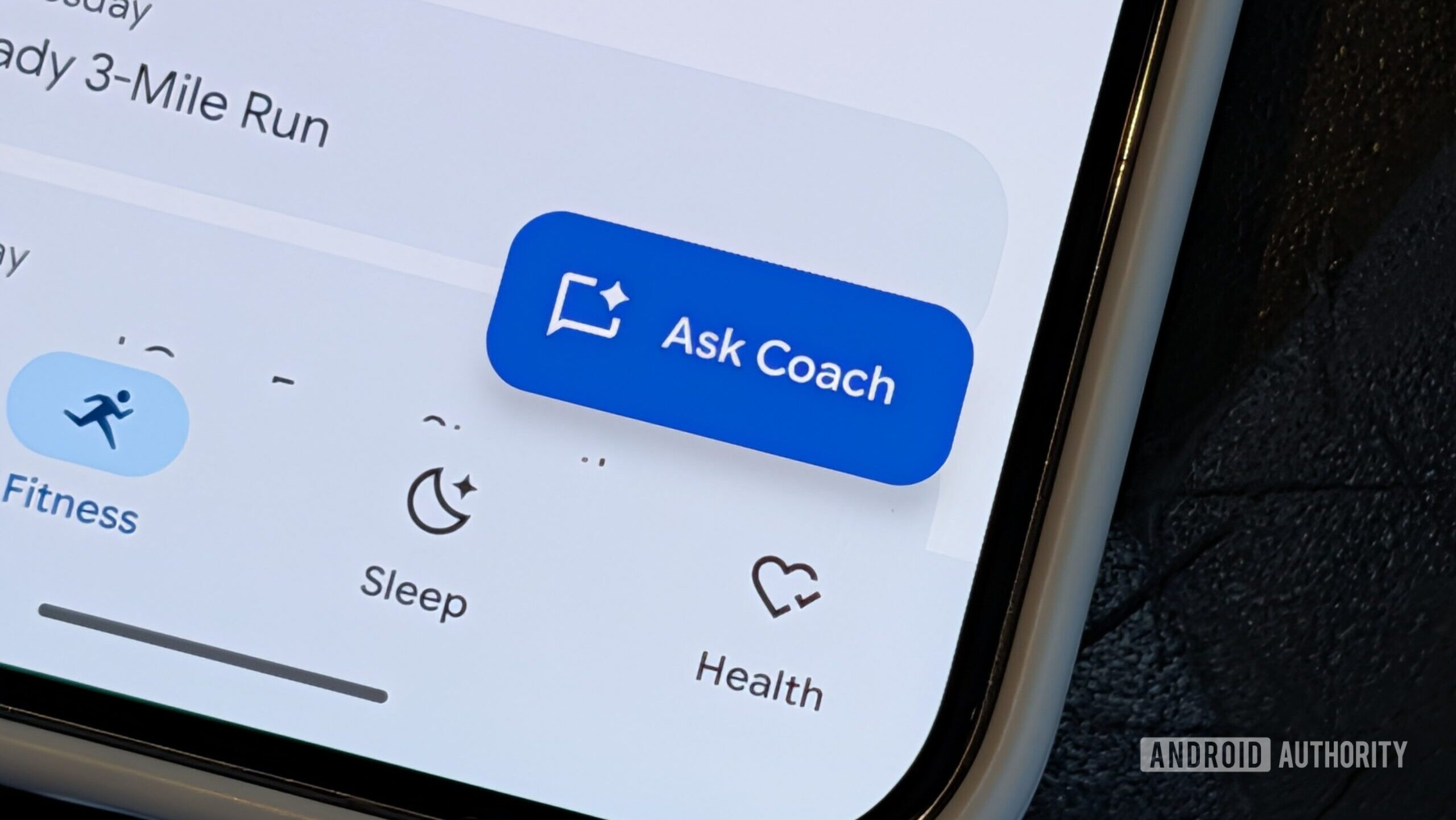
In fact, the app’s main action button is the “Ask Coach” button, prominently placed to the bottom right of every tab’s main screen. Fitbit wants this to be a two-way conversation, not just some robot spitting 0s and 1s at you.
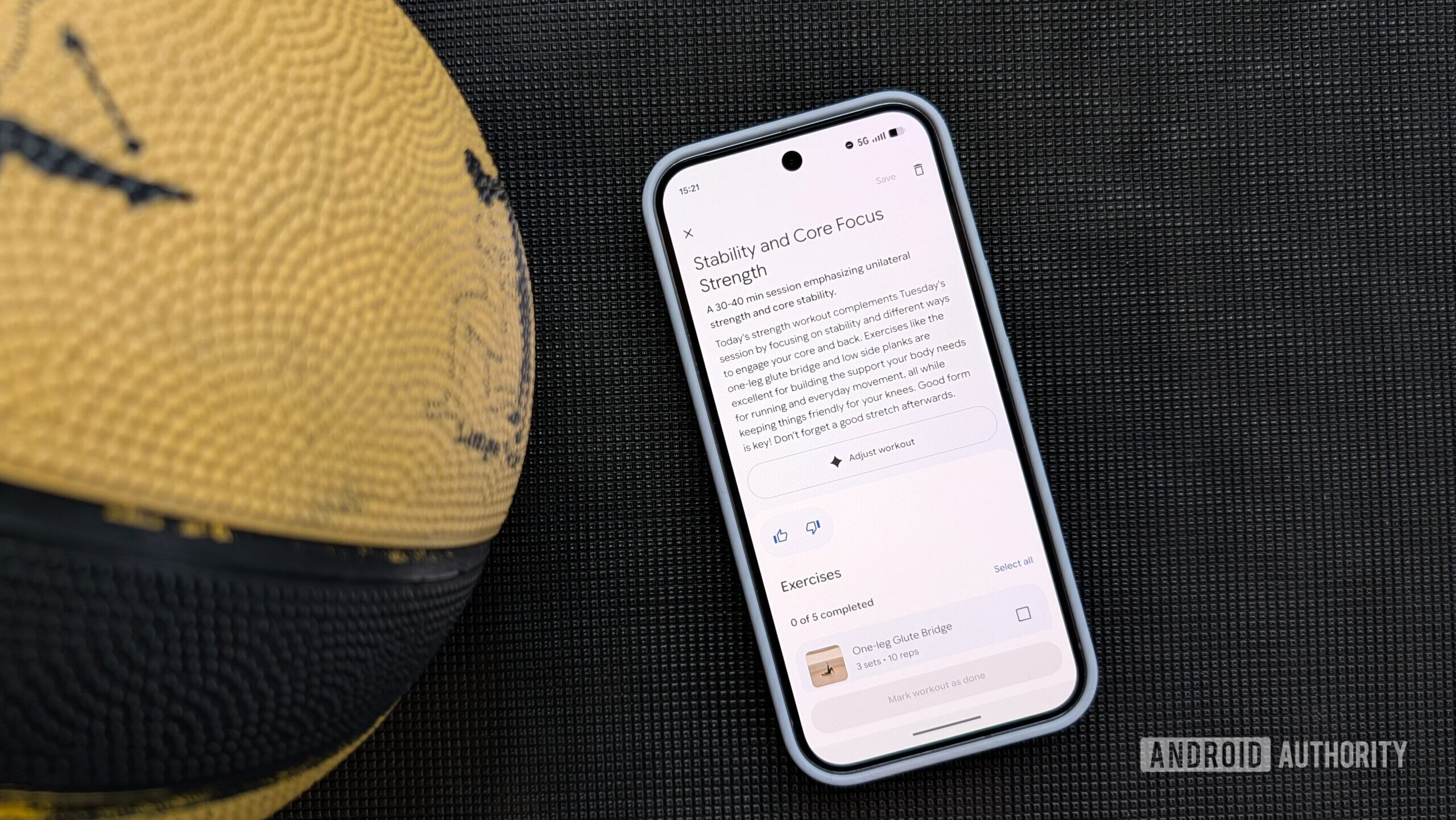
Stephen Headrick / Android Authority
So I tell Fitbit how I’m feeling. It already knows I’m recovering from a knee injury — because I told it that — so after one recent run, I let it know that I felt some soreness in my knee to start, but that it wasn’t bad enough to stop and eventually subsided, and that I didn’t feel pain after the run. It keeps this in mind when planning my next workouts and when analyzing my sleep for recovery measurements.
I was exercising before I started using Fitbit’s coach, but I wasn’t taking all of this information and making sense of it like the coach does. The fact that this all happens in the blink of an eye is both impressive and super useful.
Your coach knows it’s more than just exercise
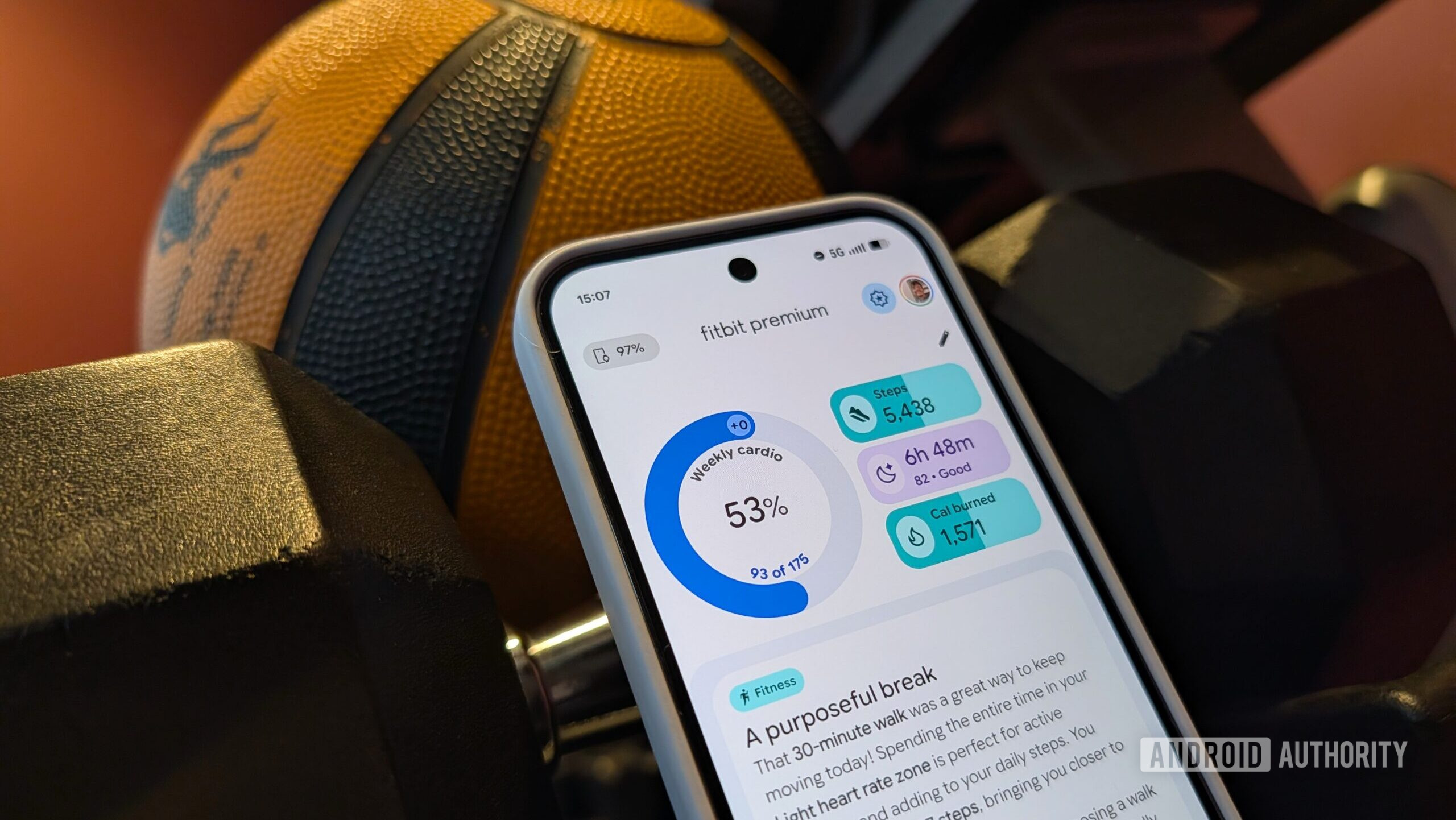
Stephen Headrick / Android Authority
Fitbit’s coach also takes your sleep into account. While I was already using my Pixel Watch for sleep tracking before I had this coach, I was only presented with the charts and data before. I had to make sense of this data myself, and I often didn’t use the data for much beyond seeing how many hours I slept.
With the coach, my sleep analysis is much more useful to my overall health goals. Instead of just charts and numbers, I get a full text summary of my sleep data, explaining the positives and/or negatives of my night’s sleep.
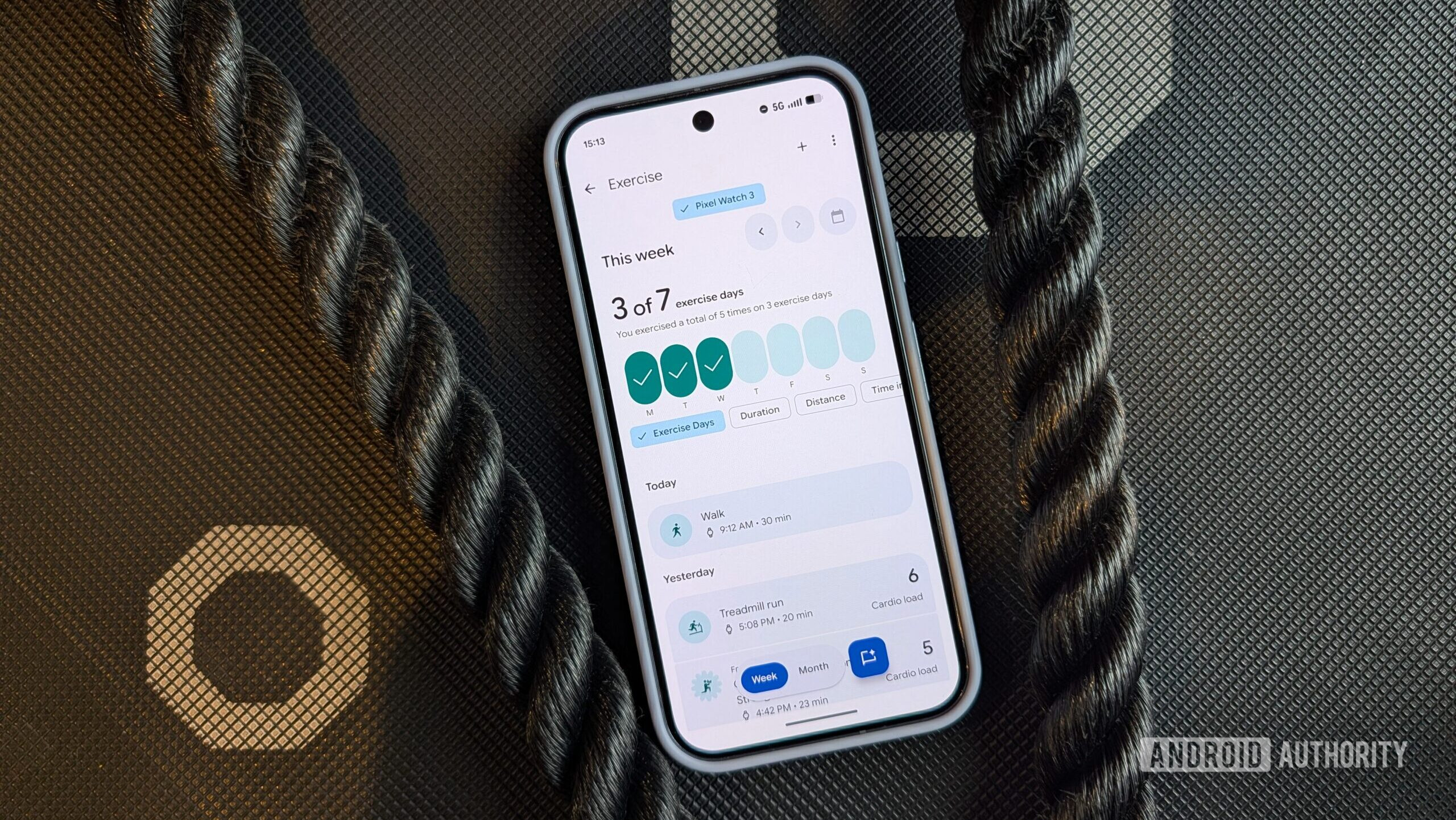
Stephen Headrick / Android Authority
As I noted earlier, food tracking isn’t yet implemented into Fitbit’s updated app. You actually have to switch back to the old version of the app using a button at the top of the screen in order to track your food. I’ve been tracking what I eat since 2014 — it’s honestly just a habit at this point — and I am so excited for this to be incorporated in the new app.
Seeing how my sleep data is used to make my workout plan, I can imagine how useful food tracking will be in the big picture, too.
A proactive approach to health tracking
Stephen Headrick / Android Authority
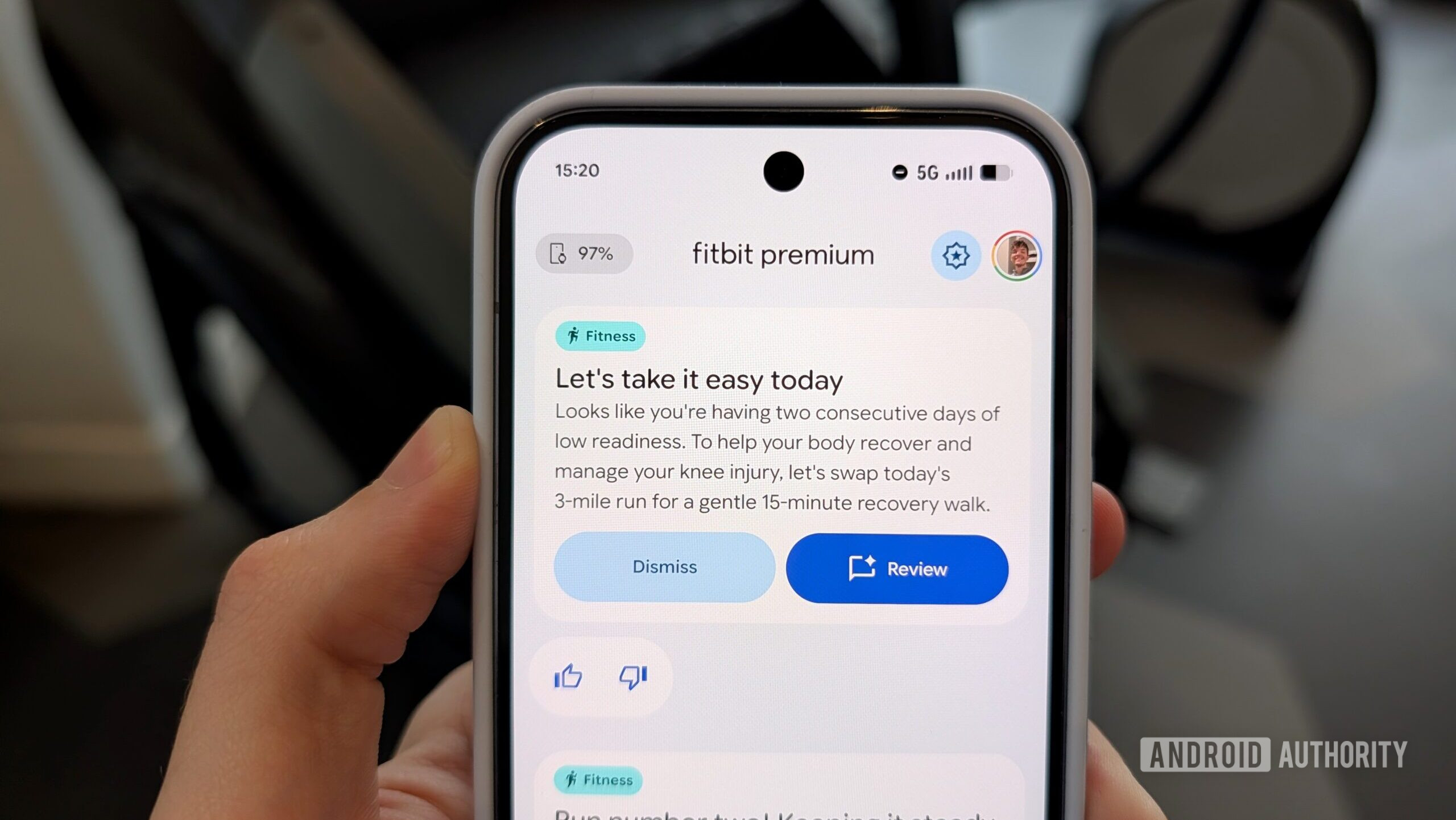
Importantly, this coach is proactive. For example, I recently had a night where I had trouble falling asleep, so I ended up getting less than adequate sleep that night. I woke up to discover a prompt from my Fitbit coach asking me if I wanted to adjust my workout due to my lackluster sleep.
On one hand, I can recognize when I’m not feeling so great and decide to skip a workout or do something lighter. On the other hand, I have fitness goals that I want to achieve, and I don’t always pay attention to my body as I should. It’s useful to me to have this coach that takes all these different data points into account, that encourages a healthy approach to fitness, and that reminds me that it’s okay to have an off day and get back to the heavier workouts after a good night’s rest.
The coach also proactively encourages healthy habits and activities. When I get back from a walk with my dog — even if I didn’t turn on the fitness tracking on my watch — I get a notification when I finish the walk saying something like “Way to go!” and explaining ways in which those extra steps contribute to my overall goals. This isn’t a vital feature, but these little moments of encouragement throughout the day can go a long way in helping someone stay on track with their fitness goals.
Already useful, but still just a beta
Stephen Headrick / Android Authority
I’m impressed with the new Fitbit, but as with any software, especially in beta, there is room for improvement. My biggest issue is with making adjustments to workouts. I recently had a workout where one of the activities required an exercise band, which I didn’t have. When I asked the coach to update the workout to something without a band, it confirmed that it did so, but this change wasn’t actually reflected in my workout plan. I tried a couple more times, got a couple more confirmations of the change, and yet it didn’t actually do anything. This isn’t the end of the world, but it was a bit frustrating in the moment. I’ll let it slide because, after all, the feature is still in beta.
Additionally, the feedback on my exercise and sleep data can sometimes be a bit too wordy, almost like it’s trying too hard to be friendly. I’d imagine this is a tough balance to find, and many times the coach nails it, but too often, the analysis is longer than it needs to be.
Seeing how my sleep data is used to make my workout plan, I can imagine how useful food tracking will be in the big picture, too.
My only other gripe is the missing features from the old app. Food tracking, as I already mentioned, is the most important to me, but there’s a whole list of features that are coming at some point in the future, but as for when exactly, well, that’s anyone’s guess. I find myself switching back and forth between the new and old versions frequently throughout the day; one minute I want to enter my calories for my lunch, the next I want to see what workout is on the schedule for today. Fitbit made it fairly easy to switch back and forth, only requiring two or three taps depending on which version you’re switching to, but I look forward to the day that everything is ready for the new app.
Don’t want to miss the best from Android Authority?


In a world of AI slop flooding our social media feeds, Fitbit’s coach is a refreshing use of AI, and for me personally, one of the most useful applications of the technology. Between studying new languages and improving my fitness, AI is proving to be an invaluable tool in improving my own learning endeavors.
Thank you for being part of our community. Read our Comment Policy before posting.